
Choosing between the Kindle Paperwhite and the Kobo Clara 2E often comes down to more than screen quality or design—it's about how well each device connects with your existing reading habits and digital ecosystem. For readers who rely on diverse sources for books—public libraries, independent bookstores, self-published authors, or international platforms—library integration is a decisive factor. This comparison dives deep into how each e-reader handles library access, format compatibility, account syncing, and overall flexibility in managing your personal and borrowed collections.
Understanding Library Integration in E-Readers
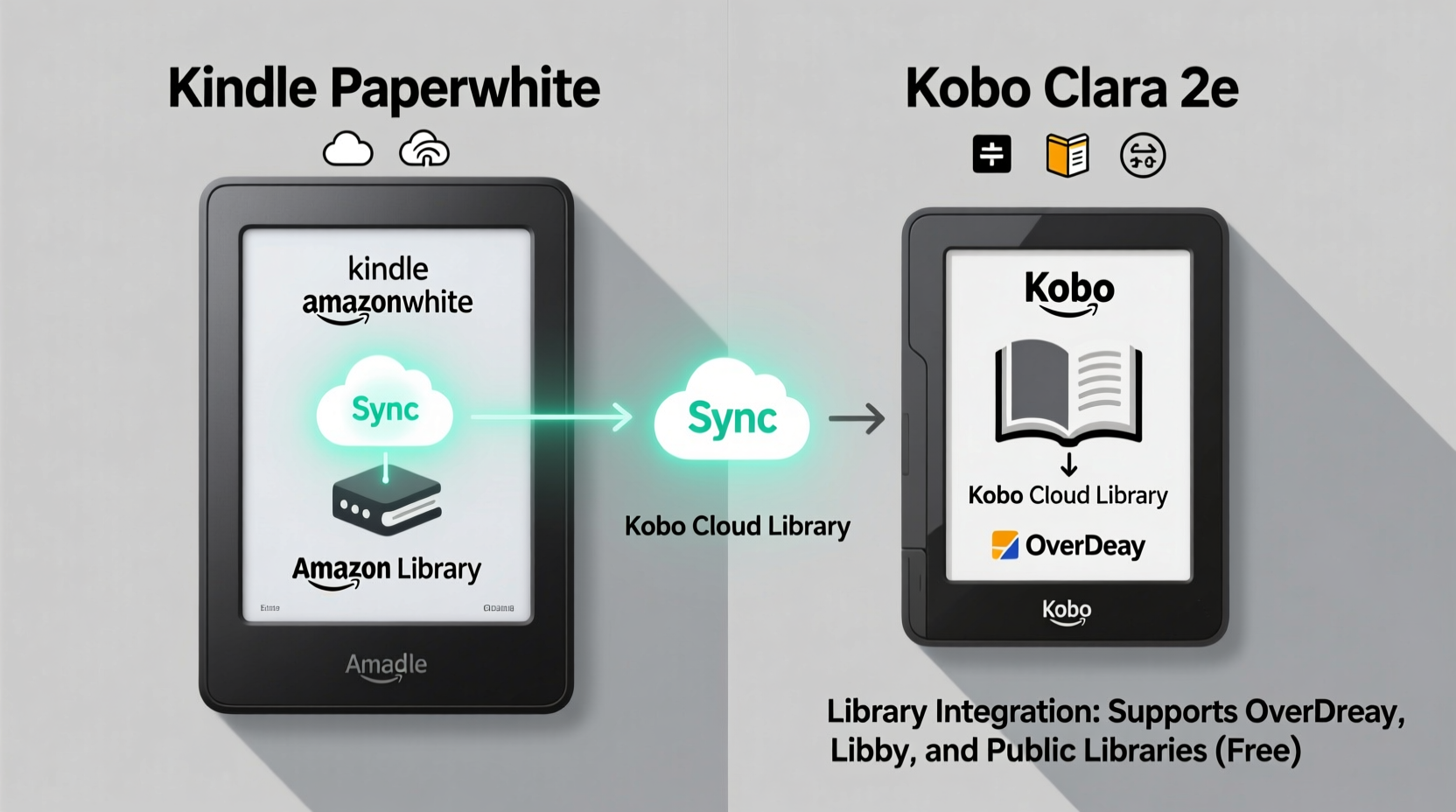
Library integration refers to how seamlessly an e-reader connects with digital lending services, particularly public library systems that offer e-books through platforms like OverDrive or Libby. A strong integration means you can borrow, return, and sync library titles directly from your device without relying heavily on additional apps or manual file transfers. It also includes support for common e-book formats, ease of authentication, and synchronization across devices.
The Kindle Paperwhite and Kobo Clara 2E take different approaches. Amazon prioritizes its proprietary ecosystem, while Kobo emphasizes openness and compatibility with global standards. These philosophies shape not only how you access library books but also how you manage your entire digital library.
“An e-reader’s value isn’t just in display quality—it’s in how easily it becomes part of your reading life.” — Daniel Ruiz, Digital Reading Consultant
Kindle Paperwhite: Seamless Within Amazon’s Walls
The Kindle Paperwhite excels in user experience within Amazon’s tightly controlled environment. Purchased books sync instantly across devices via WhisperSync, and your highlights, notes, and reading progress are preserved whether you switch from Kindle app to device. However, when it comes to external library access, limitations emerge.
Amazon does not natively support OverDrive or Libby on Kindle devices. To read library books, users must first borrow titles through the Libby app (on a smartphone or tablet), then send eligible titles to their Kindle account via “Send to Kindle” functionality. This process works only for EPUB files converted by Amazon’s servers and delivered through email or cloud sync. Not all library books are compatible—especially those with strict DRM protections or non-standard formatting.
Additionally, Kindle uses its proprietary AZW and KFX formats, which are inaccessible outside Amazon’s ecosystem. While this ensures optimization for Kindle hardware, it locks users into Amazon’s store and limits interoperability with third-party services.
Pros and Cons of Kindle’s Library Integration
| Aspect | Advantage | Limitation |
|---|---|---|
| Syncing Purchased Books | Instant, seamless across devices | Only applies to Amazon content |
| Library Access | Supported via Libby + Send to Kindle | No native app; limited format support |
| Format Compatibility | MOBI, PDF, TXT, EPUB (after conversion) | EPUBs require reformatting by Amazon |
| DRM Handling | Smooth for Amazon content | Blocks most third-party DRM, including Adobe |
| Cross-Platform Use | Strong on iOS/Android via Kindle app | Weak for non-Amazon ecosystems |
Kobo Clara 2E: Openness as a Core Feature
The Kobo Clara 2E stands out for its commitment to open standards and broad compatibility. Unlike Kindle, Kobo devices natively support Adobe Digital Editions (ADE), which powers OverDrive and many public library lending systems worldwide. This means users can borrow library books directly through the OverDrive app or website, authorize their Kobo device with an Adobe ID, and transfer borrowed EPUBs wirelessly via USB or Wi-Fi using drag-and-drop or cloud sync.
Kobo’s firmware includes built-in support for EPUB, PDF, CBZ, CBR, and TXT formats, with no forced conversion. This makes it ideal for readers who source books from multiple places—Project Gutenberg, independent publishers, foreign language libraries, or university databases. The Kobo Store also integrates with audiobooks via partnerships with partners like Findaway Voices, allowing simultaneous reading and listening if you have compatible titles.
Moreover, Kobo’s cloud service syncs reading positions, bookmarks, and notes across devices—even when switching between the Kobo app and the physical reader. While not as instantaneous as Amazon’s WhisperSync, it covers both purchased and borrowed content, including library loans.
How to Access Library Books on Kobo Clara 2E
- Install the OverDrive or Libby app on your smartphone or computer.
- Borrow an EPUB or PDF book from your library.
- Create a free Adobe ID if you don’t already have one.
- Authorize your Kobo device using the Adobe ID in the device settings.
- Transfer the downloaded book via USB cable or use cloud syncing tools like Calibre or Dropbox.
- Open the book directly on your Kobo—the loan period and return date will be respected.
Detailed Comparison: Key Factors in Library Integration
To determine which device offers superior library integration, consider these five critical areas:
- Native Library App Support: Kobo wins with direct Adobe DRM compatibility. Kindle lacks native support and requires workarounds.
- Format Flexibility: Kobo reads EPUB, PDF, and unprotected formats without conversion. Kindle forces EPUBs through its conversion pipeline, risking formatting issues.
- DRM Compatibility: Kobo supports Adobe DRM used by most libraries. Kindle only accepts Amazon’s own DRM, excluding many international libraries.
- Synchronization Across Devices: Kindle leads in automatic syncing for Amazon content. Kobo provides broader syncing for all content types, including library loans.
- Global Accessibility: Kobo partners with over 7,000 libraries globally, including in Canada, Europe, and Australia. Kindle’s library reach is narrower and region-dependent.
“In countries where public lending infrastructure relies on EPUB and Adobe DRM, Kobo remains the only viable choice for full library integration.” — Lena Peters, International Library Technology Advisor
Real-World Example: A Reader’s Experience
Sophie, a university student in Toronto, uses her local library extensively for academic texts and fiction. She initially bought a Kindle Paperwhite but found herself unable to access many required textbooks available only in EPUB format with Adobe DRM. After switching to the Kobo Clara 2E, she authorized her device with her Adobe ID and began borrowing directly from the Toronto Public Library via Libby. She now transfers books wirelessly using Dropbox and keeps all her annotations synced. “I spend less time troubleshooting and more time reading,” she says. “Kobo just works with how libraries actually operate.”
Actionable Checklist: Maximizing Library Integration
Whether you choose Kindle or Kobo, follow this checklist to optimize your library access:
- ✅ Confirm your local library offers digital lending via OverDrive/Libby.
- ✅ Check if they distribute EPUB files with Adobe DRM (common) or Kindle-compatible formats (less common).
- ✅ For Kindle: Set up “Send to Kindle” email and install the Libby app on a secondary device.
- ✅ For Kobo: Create an Adobe ID and authorize your device under Settings > Storage & Connections > Adobe ID.
- ✅ Use Calibre or Dropbox to manage and transfer non-Amazon/Kobo store books.
- ✅ Enable cloud syncing on both platforms to maintain reading progress across devices.
- ✅ Return borrowed books manually if auto-return fails, especially near loan expiration.
Frequently Asked Questions
Can I return a library book early on Kindle or Kobo?
Yes, both devices allow early returns. On Kindle, go to “Manage Your Content and Devices” online and select “Return this book.” On Kobo, open the book, tap the three-dot menu, and choose “Return Loan.” Note that some libraries may not accept early returns depending on their policies.
Does the Kobo Clara 2E support Libby directly?
No, Kobo does not have a built-in Libby app. However, you can borrow books via the Libby app on another device, download the EPUB, and transfer it to your Kobo after authorizing with an Adobe ID. Once transferred, the loan information—including due date—is preserved.
Why won’t my library book open on my Kindle?
This usually happens because the book uses Adobe DRM or is in a format not accepted by Amazon’s conversion system. Only EPUBs without restrictive DRM can be sent to Kindle via “Send to Kindle.” Libraries offering Kindle-specific versions (often through Axis 360 or 3M) are rare. In such cases, consider using a Kobo or reading on the Libby app instead.
Conclusion: Choosing Based on Your Reading Ecosystem
The Kindle Paperwhite delivers a polished, intuitive experience—but primarily if your reading life revolves around Amazon. Its strength lies in flawless integration of purchased content, excellent battery life, and widespread app availability. However, its closed ecosystem limits true library integration, especially for readers outside the U.S. or those relying on EPUB-based lending systems.
The Kobo Clara 2E, while slightly less refined in interface design, offers unmatched flexibility. It respects open standards, supports industry-wide DRM, and connects effortlessly with thousands of libraries worldwide. If you value access over aesthetics, and freedom over convenience within a single store, Kobo is the clear winner for library integration.
Your choice should reflect not just what you read, but where you get your books. For voracious borrowers, students, multilingual readers, or supporters of local libraries, the Kobo Clara 2E removes barriers. For loyal Amazon shoppers who occasionally dip into library offerings, the Kindle Paperwhite remains functional—if constrained.




 浙公网安备
33010002000092号
浙公网安备
33010002000092号 浙B2-20120091-4
Comments
No comments yet. Why don't you start the discussion?