
For dedicated e-reader users, the choice between Amazon’s Kindle Paperwhite and Kindle Oasis often comes down to one key differentiator: physical page turn buttons. While both devices offer excellent displays, long battery life, and waterproof designs, the Oasis stands out with its ergonomic design and tactile controls. But is that difference enough to justify the higher price tag? For many readers, this decision isn’t just about specs—it’s about how the device feels in the hand and integrates into daily reading habits.
The Kindle Paperwhite has long been Amazon’s most popular mid-range e-reader, striking a balance between performance, affordability, and features. The Kindle Oasis, meanwhile, occupies the premium tier, marketed as the ultimate reading companion for those who want the closest experience to holding a physical book. To determine whether the Oasis’s physical page turn buttons are worth the added expense, it's essential to examine real-world usability, ergonomics, durability, and personal reading preferences.
Ergonomic Design: Holding the Weight of Your Reading Habit
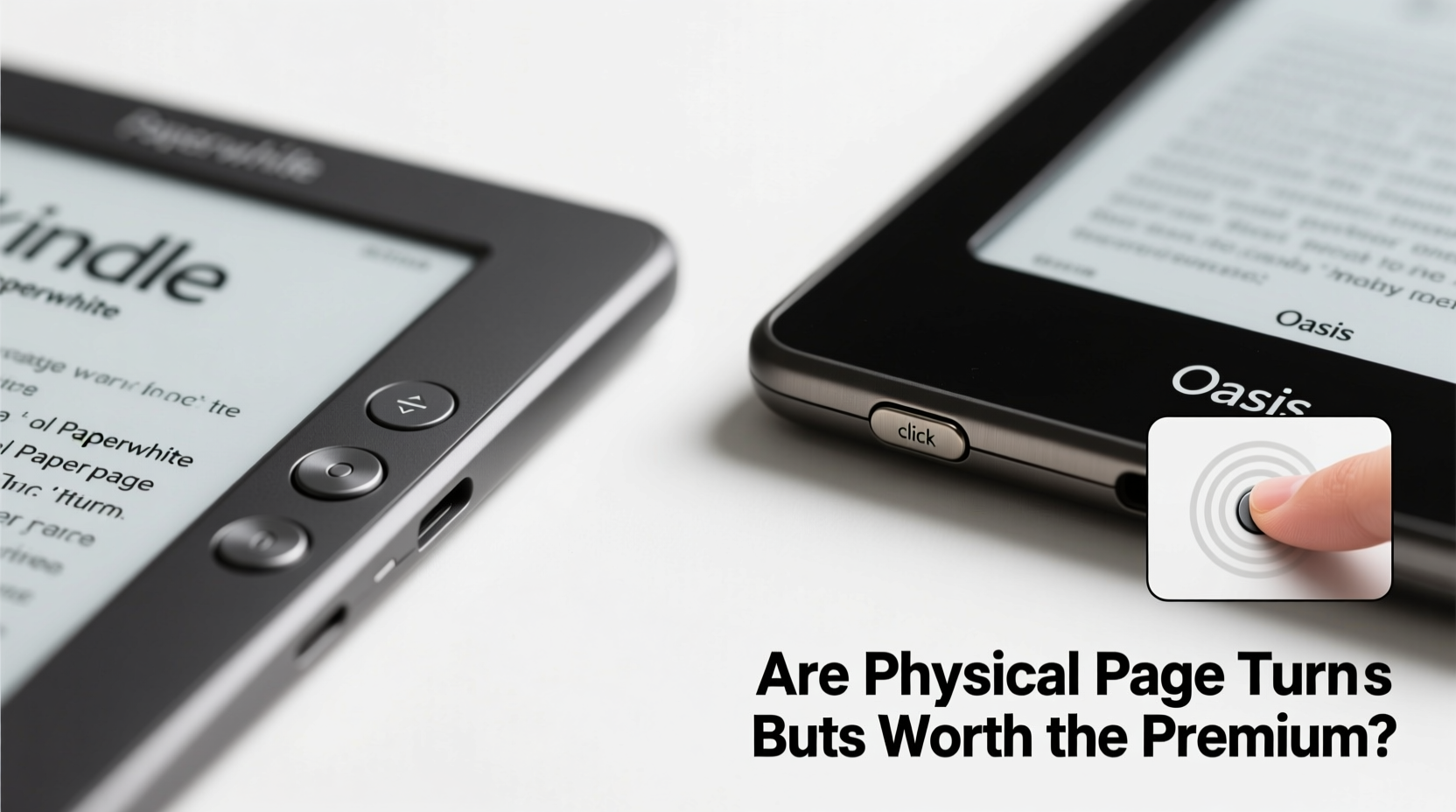
The most noticeable difference between the two models lies in their physical design. The Kindle Paperwhite has a symmetrical, flat-edge rectangular body—simple, lightweight, and easy to hold with either hand. In contrast, the Kindle Oasis features an asymmetrical build with a tapered right side that houses the page turn buttons. This design shifts the center of gravity toward the bottom, making it more comfortable to hold for extended periods, especially in one hand.
Amazon designed the Oasis specifically for readers who spend hours immersed in novels, non-fiction, or periodicals. The contoured grip reduces hand fatigue, particularly when lying on your side or reading while commuting. However, this shape also means the device doesn’t stand upright easily on a flat surface without a case—a minor but notable trade-off.
Physical Page Turn Buttons: Functionality vs. Simplicity
The defining feature of the Kindle Oasis is its dual physical page turn buttons located on the right edge. These allow readers to advance pages without touching the screen, mimicking the experience of flipping pages in a paperback. On the Paperwhite, navigation relies entirely on touchscreen swipes, taps, or optional Bluetooth accessories like remote page turners.
At first glance, physical buttons seem like a luxury rather than a necessity. After all, touchscreen controls are intuitive and responsive. But deeper usage reveals subtle advantages. When reading with wet hands (such as by the pool or bathtub), the Oasis buttons eliminate the need to touch the screen directly, reducing slip risks and improving reliability. Additionally, readers with larger fingers or reduced dexterity may find precise screen tapping less comfortable over time.
Another benefit emerges during long reading sessions: minimizing screen contact keeps the display cleaner and reduces accidental highlights or menu activations. Touchscreens are prone to smudges and unintended gestures, especially when using both thumbs to stabilize the device. The Oasis sidesteps this issue entirely when navigating via buttons.
“Tactile feedback enhances immersion. Readers report fewer distractions when they don’t have to look at the screen to turn a page.” — Dr. Linda Tran, Human-Computer Interaction Researcher, University of Michigan
Feature Comparison: Beyond the Buttons
While the page turn buttons are central to the Oasis’s appeal, other differences contribute to the overall value proposition. Below is a detailed comparison of key specifications and user experience factors.
| Feature | Kindle Paperwhite (2021) | Kindle Oasis (2019) |
|---|---|---|
| Screen Size | 6.8 inches | 7 inches |
| Resolution | 300 ppi | 300 ppi |
| Waterproof Rating | IPX8 | IPX8 |
| Battery Life | Up to 10 weeks | Up to 6 weeks (with buttons active) |
| Page Turn Controls | Touchscreen only | Dual physical buttons + touchscreen |
| Ergonomic Grip | No | Yes (asymmetrical design) |
| Adjustable Warm Light | Yes | Yes |
| Storage Options | 8GB / 32GB | 32GB only |
| Price (Starting) | $149.99 | $249.99 |
Notably, despite being released earlier, the Oasis still offers exclusive features such as a metal body, higher-grade materials, and automatic orientation switching based on how you’re holding it. The Paperwhite compensates with modern updates like a larger screen and longer battery life, but lacks the refined build quality of its premium sibling.
Real-World Use Case: The Commuter Who Reads Daily
Consider Sarah, a 35-year-old urban planner who commutes 45 minutes each way on a crowded train. She reads fiction during her ride and prefers holding her Kindle in one hand while gripping a rail with the other. Initially, she used a Kindle Paperwhite and found herself accidentally triggering the dictionary lookup or bookmark function when adjusting her grip.
After switching to the Kindle Oasis, she noticed immediate improvements. The physical buttons allowed her to keep her thumb anchored comfortably while turning pages seamlessly. The textured back provided better traction, and the weight distribution made one-handed use effortless. Although the device costs nearly $100 more, Sarah views it as a worthwhile investment given her daily usage—she now reads consistently five days a week without discomfort or frustration.
This scenario illustrates how small design choices can compound into meaningful quality-of-life improvements for frequent readers. For casual users, these benefits might go unnoticed. But for those who integrate reading into their routine, the Oasis delivers tangible advantages.
When the Premium Isn’t Worth It
Despite its strengths, the Kindle Oasis isn’t the right choice for everyone. Budget-conscious buyers will rightly question whether the added cost translates to proportional gains in functionality. At $250, the Oasis sits well above the Paperwhite’s $150 entry point—a 67% price increase for incremental upgrades.
Additionally, the Oasis has not received a hardware refresh since 2019, while the Paperwhite was updated in 2021 with a larger screen and improved front lighting. Some users report that the older Oasis firmware feels slightly slower compared to newer Kindles, though performance remains adequate for reading.
If you primarily read at home, on a couch, or with both hands on the device, touchscreen navigation is perfectly sufficient. Similarly, if you use audiobook integration through Audible or read mostly short-form content (news articles, blogs), the physical buttons add little value. In these cases, the Paperwhite offers nearly identical core functionality at a much lower cost.
Step-by-Step: Choosing the Right Kindle for You
Deciding between the Paperwhite and Oasis doesn’t need to be overwhelming. Follow this practical evaluation process:
- Assess your reading environment: Do you read in motion, outdoors, or in wet conditions? If yes, physical buttons enhance control.
- Evaluate your grip preference: Do you typically hold your reader with one hand? The Oasis’s design supports this better.
- Calculate your usage frequency: If you read less than three times a week, the Paperwhite likely suffices.
- Test responsiveness: Swipe-heavy users may not miss physical buttons; precision-focused readers may appreciate them.
- Compare total cost: Factor in accessories. A case with page turn functionality for the Paperwhite can partially bridge the gap—but adds bulk.
This structured approach helps isolate what truly matters in your daily experience, moving beyond marketing claims to personalized utility.
Frequently Asked Questions
Can I add physical page turn buttons to a Kindle Paperwhite?
Not natively. However, some third-party cases include Bluetooth-connected page turn buttons that pair with your Kindle. These work reliably but require separate charging and can feel less integrated than built-in controls.
Is the Kindle Oasis still supported by Amazon?
Yes. Although no new Oasis model has been released since 2019, Amazon continues to provide software updates, security patches, and customer support for existing devices. There’s no indication of discontinued service.
Does the Paperwhite’s larger screen make up for the lack of buttons?
In many ways, yes. The 6.8-inch display offers more visible text per page than the Oasis’s 7-inch screen due to smaller bezels and optimized formatting. For readers who prioritize screen real estate over controls, this can be a decisive advantage.
Final Verdict: Who Should Upgrade?
The physical page turn buttons on the Kindle Oasis are not a revolutionary feature—they are a refinement. They don’t change what the device does, but they do change how it feels to use it. For light or occasional readers, the Kindle Paperwhite remains the smarter purchase, offering 90% of the experience at two-thirds the price.
However, for avid readers—those who finish multiple books per month, travel frequently, or value ergonomics and tactile feedback—the Oasis justifies its premium. The combination of balanced weight, responsive buttons, and durable construction creates a more immersive, distraction-free reading experience. Over months and years, these micro-improvements accumulate into greater enjoyment and reduced strain.
Ultimately, the decision hinges on how deeply reading is woven into your lifestyle. If it’s a cherished ritual, the Oasis honors that commitment with thoughtful design. If it’s a convenient pastime, the Paperwhite serves admirably without excess.




 浙公网安备
33010002000092号
浙公网安备
33010002000092号 浙B2-20120091-4
Comments
No comments yet. Why don't you start the discussion?