
For decades, readers have debated the merits of physical books versus digital alternatives. With the rise of e-readers like the Kindle Paperwhite, a new question has taken center stage: do these devices actually reduce eye strain—especially during nighttime reading? As more people turn to screens for late-night page-turning, understanding how our eyes respond to different light sources and display technologies is crucial. This article examines the science behind eye strain, compares the Kindle Paperwhite with traditional print books, and evaluates whether e-readers are truly gentler on the eyes after dark.
The Science of Eye Strain and Nighttime Reading
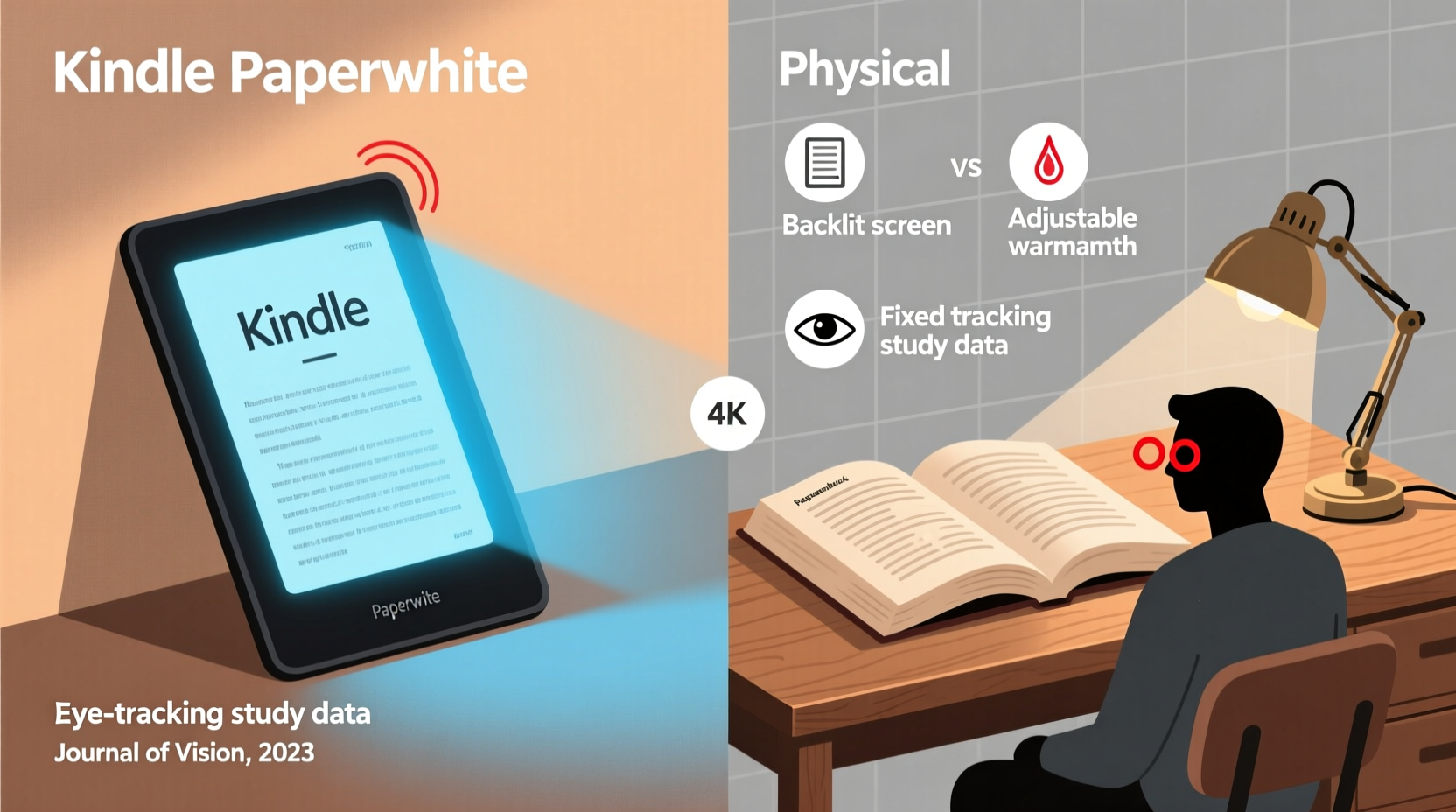
Eye strain, also known as asthenopia, occurs when your eyes become fatigued from intense use, such as prolonged reading, driving, or staring at screens. Symptoms include dryness, blurred vision, headaches, and difficulty focusing. At night, the risk increases due to lower ambient lighting and the contrast between bright light sources and surrounding darkness.
Traditional incandescent lamps emit a warm, diffuse glow that scatters evenly across a printed page. In contrast, backlit screens—like those on smartphones and tablets—emit concentrated blue-enriched light directly into the eyes. Blue light suppresses melatonin, a hormone essential for sleep regulation, and can disrupt circadian rhythms. However, not all screens are created equal. E-ink displays, used in devices like the Kindle Paperwhite, operate differently than LCD or OLED screens.
E-ink mimics the appearance of ink on paper by reflecting ambient light rather than emitting it. The Kindle Paperwhite includes a front-light system—light shines *from the edges* of the screen forward, illuminating the text without projecting into the eyes. This design reduces glare and minimizes direct exposure to harsh illumination, especially in low-light environments.
“E-ink technology represents one of the most eye-friendly digital reading solutions available today. Its reflective nature closely resembles printed paper, reducing visual fatigue over extended sessions.” — Dr. Lena Patel, Optometrist and Vision Researcher
Kindle Paperwhite vs Physical Books: A Direct Comparison
To assess which option is easier on the eyes at night, consider key factors such as lighting, portability, readability, and long-term comfort.
| Feature | Kindle Paperwhite | Physical Book |
|---|---|---|
| Light Source | Adjustable front-light (warm/cool options on newer models) | Dependent on external lighting (lamp, overhead, etc.) |
| Blue Light Emission | Minimal; no backlight, only front-lit e-ink | None (unless illuminated by blue-rich bulbs) |
| Glare | Matte finish reduces reflections | Paper texture varies; glossy pages may reflect light |
| Portability | Holds thousands of books; lightweight (~182g) | Bulky if carrying multiple volumes |
| Text Customization | Font size, style, line spacing adjustable | Fixed typography |
| Sleep Impact | Low, especially with warm light enabled | Low, provided lighting is warm and indirect |
The table illustrates that both formats perform well under low-light conditions, but the Kindle Paperwhite offers greater control over reading conditions. Users can dim the screen, switch to warmer tones, and adjust font sizes—features particularly beneficial for older readers or those with mild visual impairments.
How Front-Lighting Reduces Nighttime Eye Fatigue
One of the Kindle Paperwhite’s standout features is its adjustable front-light. Unlike tablets that shine light from behind the screen (backlighting), the Paperwhite uses LEDs along the top edge that project light *across* the e-ink surface. This creates even illumination without hotspots or glare, simulating the effect of a soft reading lamp shining onto a physical page.
Front-lighting distributes brightness uniformly, minimizing contrast between text and background. This uniformity helps maintain consistent pupil dilation, reducing the effort required by eye muscles to focus. In contrast, reading a physical book under uneven lighting—such as a shaded bedside lamp—can create shadows and inconsistent contrast, forcing the eyes to constantly adapt.
Newer generations of the Kindle Paperwhite also offer dual-tone front-lighting, allowing users to shift from cool white to amber hues. Warmer light contains less blue spectrum radiation, making it less disruptive to sleep cycles. Studies show that exposure to warm-toned light before bed results in faster sleep onset and improved sleep quality compared to cooler, blue-rich light.
A Realistic Reading Scenario
Consider Sarah, a 38-year-old software developer who reads for 30–45 minutes before bed. She used to read paperback novels under a standard LED bedside lamp. Over time, she noticed increasing eye discomfort and difficulty falling asleep. After switching to a Kindle Paperwhite with warm front-light enabled, she reported reduced dryness and irritation. Within two weeks, she fell asleep an average of 15 minutes faster, according to her sleep tracker.
Sarah’s experience aligns with clinical observations: controlled, low-intensity, warm-toned illumination—whether from a physical lamp or an e-reader’s front-light—is significantly less taxing on the visual system than unregulated or overly bright lighting.
When Physical Books Still Have the Edge
Despite technological advances, physical books retain several advantages. For one, they require no charging, emit zero electromagnetic fields, and eliminate concerns about screen dependency. Some readers report a stronger cognitive connection to content when reading print, citing better memory retention and fewer distractions.
In environments where ambient lighting is already optimal—a softly lit room with warm-toned bulbs and proper task lighting—a high-quality matte-finish book may be just as comfortable as an e-reader. Additionally, individuals sensitive to any form of artificial light might still prefer relying solely on external fixtures, using books with large print or high-contrast ink.
However, convenience often tips the balance. Travelers, commuters, and avid readers benefit from the Kindle’s ability to carry entire libraries in a single device. For those reading in bed without access to ideal lighting—such as dorm rooms or hotel beds—the built-in front-light ensures readability without disturbing a partner.
- Physical books excel in distraction-free immersion.
- No battery dependence or software updates.
- Tactile experience enhances emotional engagement for many readers.
- Ideal for shared reading, gift-giving, and collectors.
Expert Tips for Reducing Eye Strain While Reading at Night
Whether you choose a Kindle or a paperback, certain practices can minimize eye fatigue and support healthy sleep hygiene.
- Use warm-colored lighting: Aim for bulbs with a color temperature below 3000K. Avoid cool white or daylight-spectrum LEDs near bedtime.
- Maintain proper distance: Hold your book or e-reader 14–18 inches from your eyes. Too close increases focusing strain; too far causes squinting.
- Take breaks: Follow the 20-20-20 rule—every 20 minutes, look at something 20 feet away for 20 seconds.
- Adjust brightness appropriately: On a Kindle, set the light level just high enough to read comfortably—not so bright that it dominates the room.
- Blink consciously: Reading often reduces blink rate, leading to dry eyes. Make a habit of blinking fully every few minutes.
Checklist: Optimizing Your Nighttime Reading Setup
- ✅ Use warm-toned lighting (physical or e-reader setting)
- ✅ Position light source above or beside you, not behind
- ✅ Keep reading material at a comfortable distance
- ✅ Limit session length to 30–60 minutes before sleep
- ✅ Adjust font size for effortless reading (no squinting)
- ✅ Avoid scrolling through emails or social media after reading
Frequently Asked Questions
Does the Kindle Paperwhite emit blue light?
Yes, but significantly less than tablets or phones. The front-light does contain some blue spectrum wavelengths, especially when set to cool mode. However, enabling the warm light setting reduces blue emission substantially, making it comparable to reading under a warm incandescent bulb.
Is reading on a Kindle worse for my eyes than a physical book?
Not necessarily. When used correctly—with appropriate lighting, distance, and duration—modern e-readers like the Kindle Paperwhite are designed to mimic the experience of reading print. For many users, especially those with presbyopia or low vision, the ability to enlarge text safely makes e-readers a better choice.
Can I read a Kindle in complete darkness?
Yes, the Kindle Paperwhite is specifically designed for this. Its front-light allows clear visibility in total darkness without flooding the room with light. This is a major advantage over physical books, which require an external light source that may disturb others.
Final Verdict: Do E-Readers Reduce Eye Strain at Night?
The evidence suggests that, when used mindfully, the Kindle Paperwhite can indeed reduce eye strain compared to suboptimal physical book setups—particularly in poorly lit environments. Its e-ink display avoids the flicker and glare associated with LCD screens, while the adjustable front-light provides personalized illumination without excessive brightness or blue exposure.
That said, the best choice depends on individual preferences, visual health, and reading habits. For those seeking convenience, customizable text, and consistent lighting, the Kindle Paperwhite is a strong contender. For readers who value tactile engagement, minimal tech interference, and proven long-term eye comfort, physical books remain a reliable option—provided they’re read under appropriate lighting conditions.
The real key isn’t the format itself, but how you use it. Whether turning digital pages or flipping paper ones, prioritizing warm light, proper posture, and screen/books distance will go further toward protecting your eyes than any device ever could.




 浙公网安备
33010002000092号
浙公网安备
33010002000092号 浙B2-20120091-4
Comments
No comments yet. Why don't you start the discussion?