
Klarna has become a go-to payment solution for online shoppers, offering flexible buy-now-pay-later options across thousands of retailers. However, many users encounter problems during the identity verification process—a critical step required to confirm eligibility and prevent fraud. When verification fails, it can delay or block access to financing, leaving customers frustrated and uncertain about next steps. Understanding the root causes and knowing how to resolve them efficiently is essential for a seamless experience.
Why Identity Verification Is Required by Klarna
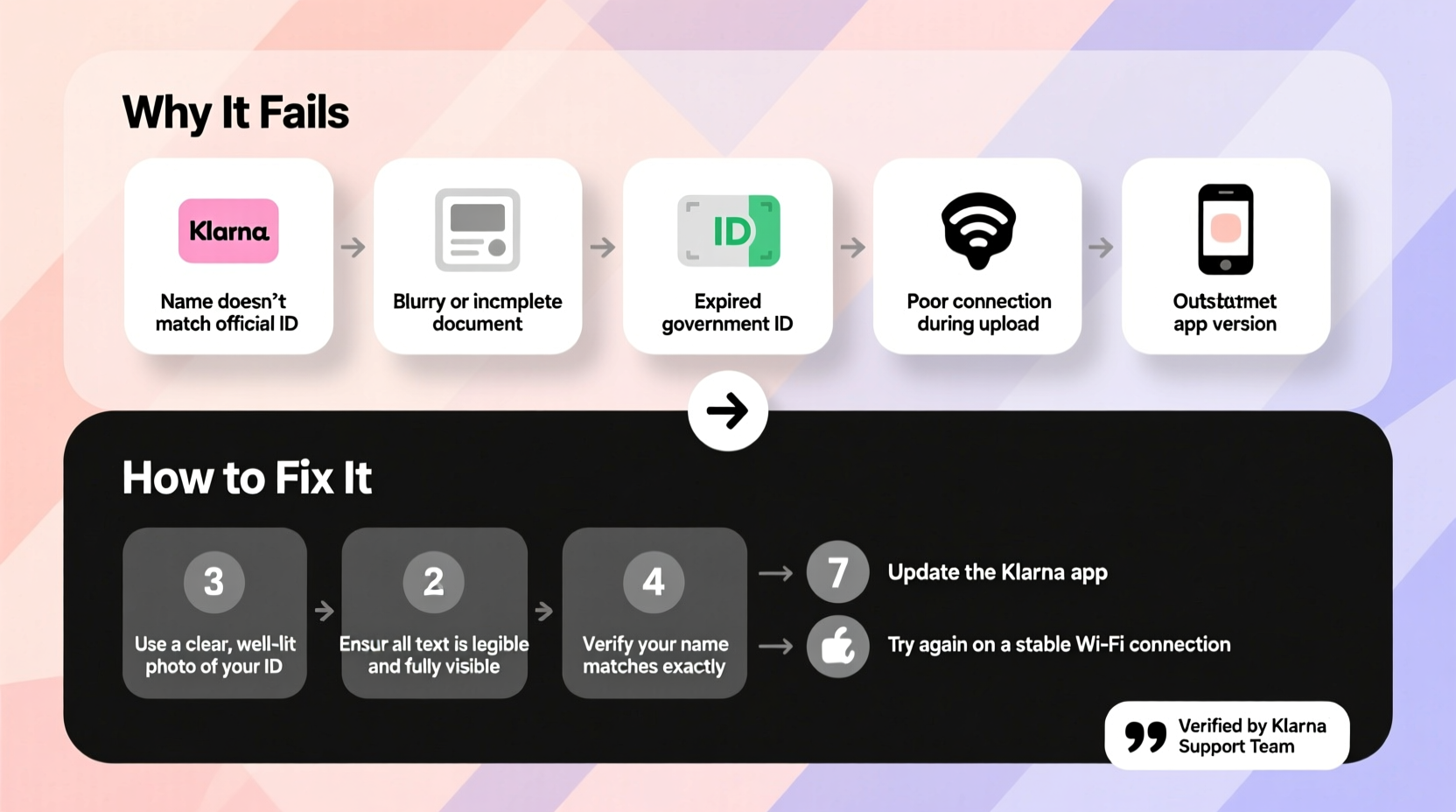
Klarna uses identity verification to comply with financial regulations and reduce the risk of fraudulent transactions. This process ensures that the person applying for payment plans is who they claim to be. It typically involves checking government-issued IDs, validating personal information (like name, address, and date of birth), and sometimes using biometric data such as facial recognition.
The system cross-references submitted details with trusted databases and credit bureaus. If any discrepancies arise—such as mismatched addresses or unverifiable documents—the verification may fail. While this enhances security, it also means even minor inaccuracies can cause delays.
“Digital identity checks are now standard in fintech. Accuracy and consistency in user-submitted data are key to successful verification.” — Lena Patel, Cybersecurity & Financial Compliance Analyst
Common Reasons Why Klarna Identity Verification Fails
Several factors can lead to failed verification. Some are within the user’s control; others stem from technical or systemic limitations. Below are the most frequent causes:
- Inconsistent personal information: The name, address, or DOB entered doesn’t match official records.
- Poor-quality ID documents: Blurry photos, glare on ID cards, or cropped corners prevent accurate scanning.
- Outdated or expired identification: Government-issued IDs must be current and valid.
- Unsupported document types: Not all IDs are accepted—Klarna typically requires passports, driver’s licenses, or national ID cards.
- Technical issues with device cameras: Low light, shaky hands, or poor camera focus disrupt facial recognition.
- Internet connectivity problems: Uploads may time out or corrupt during submission.
- Credit history flags: Negative marks or insufficient credit history may trigger additional scrutiny.
- Previous account issues: Past defaults or chargebacks with Klarna can affect eligibility.
Step-by-Step Guide to Fixing Failed Verification
If your Klarna verification fails, don’t assume you’re permanently locked out. Follow this structured approach to troubleshoot and resolve the issue:
- Review the error message carefully. Klarna usually provides specific feedback like “ID could not be verified” or “Face scan failed.” Use this clue to target your fix.
- Double-check your personal details. Ensure your full name, date of birth, and residential address match your ID and credit file exactly—including punctuation and spacing.
- Use a high-quality image of your ID. Take the photo in bright, natural light. Avoid shadows, reflections, or fingerprints on the ID surface. Make sure all edges are visible.
- Retake the selfie or face scan. Stand in front of a plain background, remove hats or sunglasses, and hold your phone steady. Follow on-screen prompts precisely.
- Try a different device or browser. Sometimes mobile apps have glitches. Switch to a desktop browser (Chrome or Safari recommended) or vice versa.
- Clear cache and cookies. Old data can interfere with form submissions. Restart the app or browser after clearing stored data.
- Wait 24–48 hours before retrying. Multiple failed attempts can temporarily lock your verification window. Give the system time to reset.
- Contact Klarna support if unresolved. Provide your reference number and describe the issue clearly. They may manually review your case.
When Manual Review Is Necessary
If automated systems repeatedly reject your application despite correct documentation, Klarna may allow a manual review upon request. This is especially useful if you’ve recently moved, changed your name legally, or have an uncommon name spelling.
To initiate this, contact customer service through the app or website and ask: “Can my identity verification be reviewed manually?” Attach clear copies of your ID and proof of address (e.g., utility bill or bank statement issued within the last 90 days).
Do’s and Don’ts During Identity Verification
| Do’s | Don’ts |
|---|---|
| Use your current, government-issued photo ID | Submit photocopies or screenshots of IDs |
| Enter information exactly as it appears on your ID | Use nicknames or abbreviations (e.g., “Mike” instead of “Michael”) |
| Complete the process in one session when possible | Leave the verification page idle for long periods |
| Ensure stable internet connection | Upload files over public Wi-Fi networks |
| Follow facial recognition instructions precisely | Wear heavy makeup, filters, or obstructions during selfie capture |
Real Example: How Sarah Resolved Her Verification Failure
Sarah, a 29-year-old graphic designer, tried to use Klarna at checkout but was blocked during identity verification. She received a message: “We couldn’t verify your identity.” Confused, she checked her inputs and realized she had used her maiden name in the form, though her driver’s license already reflected her married name.
She corrected the name field, uploaded a new photo of her updated license, and reattempted the face scan under better lighting. Within minutes, her verification passed. The entire fix took less than 15 minutes—but without noticing the name discrepancy, she might have abandoned the purchase.
This case highlights how small mismatches can derail verification, even when everything else is in order.
Tips to Prevent Future Verification Issues
- Maintain consistency across all financial profiles—credit cards, banks, and digital wallets should reflect the same legal name and address.
- Update your address with the post office and creditors after moving.
- Keep digital copies of your ID and proof of address in a secure folder for quick access.
- Avoid submitting verification requests late at night or during peak traffic times when server lag may occur.
Frequently Asked Questions
How long does Klarna identity verification take?
Most verifications are completed instantly. In some cases, especially when additional checks are needed, it may take up to 24–48 hours. You’ll receive a notification once the process is finalized.
Can I use Klarna without identity verification?
No. Identity verification is mandatory for all first-time users and required periodically for returning users, especially for higher-value purchases or repeated use.
What happens if I fail verification multiple times?
Repeated failures may result in a temporary block on further attempts. Wait at least 48 hours before trying again. Frequent rejections could also impact your ability to use Klarna in the future, so ensure accuracy before resubmitting.
Conclusion: Take Control of Your Verification Success
Failed Klarna identity verification doesn’t have to be a dead end. Most issues stem from correctable errors—mismatched names, blurry documents, or technical oversights. By understanding the requirements and following best practices, you can significantly increase your chances of approval on the first try.
Accuracy, clarity, and patience are your strongest tools. Whether you're making a one-time purchase or planning to use Klarna regularly, investing a few extra minutes to get verification right pays off in smoother transactions and greater financial flexibility.




 浙公网安备
33010002000092号
浙公网安备
33010002000092号 浙B2-20120091-4
Comments
No comments yet. Why don't you start the discussion?