
Not all charging cables are created equal. You’ve probably experienced it: one cable charges your phone in under an hour, while another barely moves the battery percentage after 30 minutes. The difference often lies not just in the device or charger, but in the cable itself. With Apple’s transition from Lightning to USB-C and the broader industry shift toward universal standards, understanding what makes a cable fast—or slow—is more important than ever.
The confusion between Lightning and USB-C cables, their capabilities, and why performance varies so widely comes down to a mix of physics, engineering, and marketing. This article breaks down the key technical factors—like power delivery standards, cable construction, data transfer protocols, and compatibility—that determine how quickly your devices charge.
Understanding the Basics: What Are Lightning and USB-C?
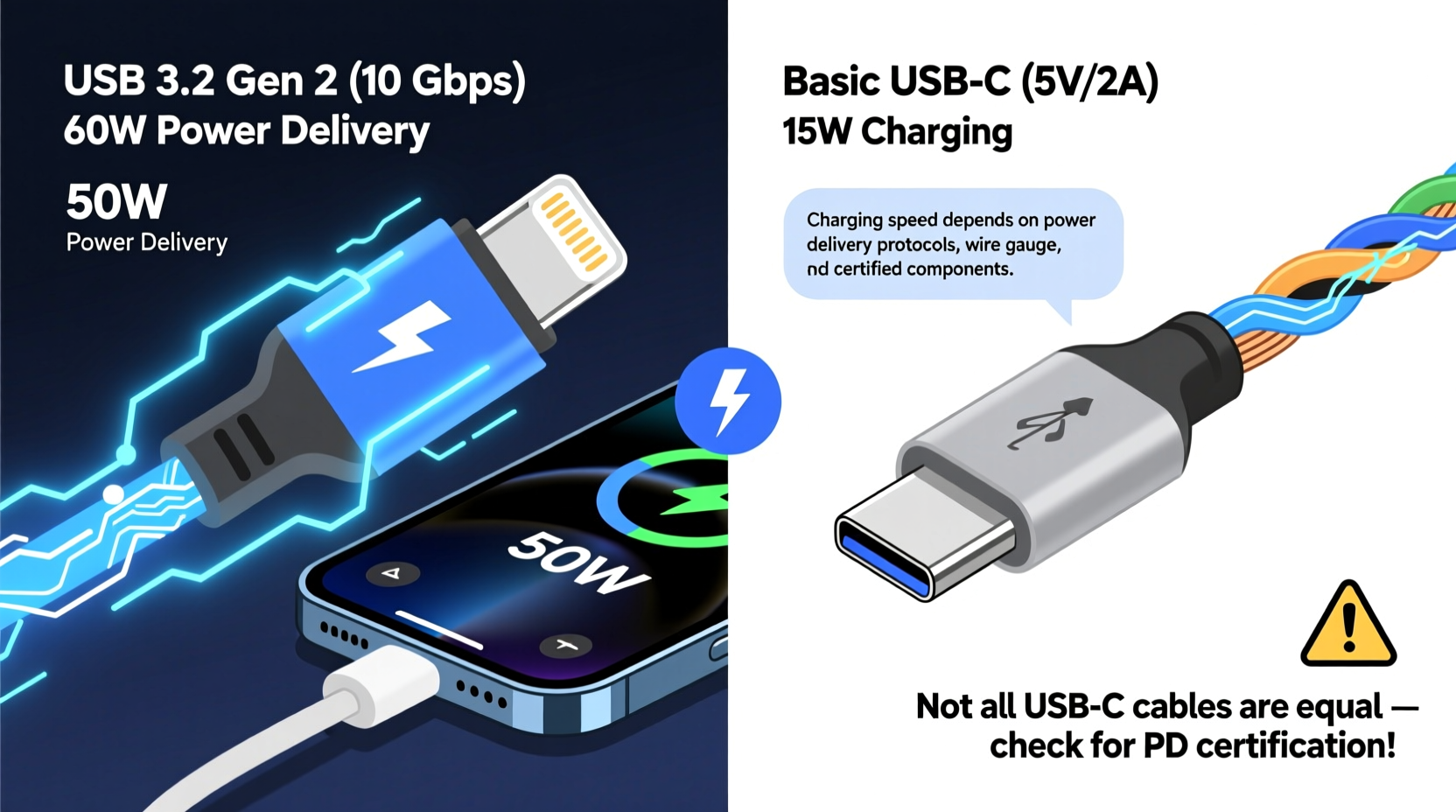
Before diving into speed, it’s essential to distinguish between the two main connector types used in modern mobile devices.
Lightning is Apple’s proprietary connector introduced in 2012. It replaced the older 30-pin dock connector and was designed for iPhones, iPads, and iPods. Lightning cables are reversible (you can plug them in either way), compact, and limited to Apple-certified accessories due to MFi (Made for iPhone/iPad) requirements.
USB-C, on the other hand, is an open standard developed by the USB Implementers Forum (USB-IF). It’s now the dominant port across smartphones, laptops, tablets, and even peripherals like monitors and external drives. Like Lightning, USB-C is reversible, but it supports far higher power and data transfer rates.
While both connectors may look similar in size and usability, their underlying technologies differ significantly—especially when it comes to charging performance.
Power Delivery Standards: The Real Reason Some Cables Charge Faster
The most critical factor determining charging speed isn’t the shape of the plug—it’s the power delivery protocol supported by the cable and connected devices.
Charging speed depends on three electrical components:
- Voltage (V): Electrical pressure
- Current (A): Flow rate of electricity
- Wattage (W = V × A): Total power delivered
A standard 5W charger (5V/1A) will take hours to charge a modern smartphone. In contrast, a 30W or 65W USB-C PD (Power Delivery) charger can fill the same battery in under 30 minutes—if everything in the chain supports it.
Here’s where many users get tripped up: a cable must be capable of handling higher wattages to enable fast charging. Not all USB-C or Lightning cables are built to deliver more than 12W or 18W, even if you’re using a high-wattage charger.
“Cable quality directly impacts power efficiency. Poorly constructed wires increase resistance, reducing actual power delivery and generating excess heat.” — Dr. Rajiv Mehta, Electrical Engineer & Power Systems Consultant
USB-C Power Delivery (USB-PD)
USB-C supports USB Power Delivery (USB-PD), a specification that allows dynamic negotiation of voltage and current between devices. USB-PD can deliver up to 240W (with USB PD 3.1), though most consumer devices use up to 100W.
This means a compatible laptop can charge at 65W via a single USB-C cable, while a phone might negotiate 30W for rapid top-ups. But again, this only works with cables rated for those levels.
Lightning and Limited Fast Charging
Apple does support fast charging on iPhones (iPhone 8 and later), but only through USB-C to Lightning cables paired with a USB-PD charger (18W or higher). Even then, maximum speeds cap out around 22–23W, significantly below what Android phones achieve.
Moreover, most Apple-branded or third-party Lightning cables are still limited to 12W unless explicitly labeled as “fast charging” and used with a compliant charger.
Inside the Cable: Why Build Quality Matters
Beneath the rubber coating, every cable contains copper wires, shielding, and sometimes chips. The thickness (gauge) of the wire, materials used, and internal circuitry all influence performance.
Gauge and Resistance
Thicker wires (lower gauge numbers) have less electrical resistance, allowing more current to flow without energy loss as heat. Cheap cables often use thin, high-resistance wiring that limits power transfer—even if the connector type supports fast charging.
E-Markers in USB-C Cables
High-performance USB-C cables (especially those supporting 60W or more) contain a tiny chip called an E-Marker (Electronically Marked). This chip communicates the cable’s capabilities—such as maximum voltage, current, and data speed—to the connected devices.
Without an E-Marker, a device may default to safe, low-power charging (e.g., 5V/1.5A) to prevent damage. That’s why a $3 no-name USB-C cable might not charge your MacBook Pro at full speed, while a certified 100W-rated cable does.
MFi Certification for Lightning Cables
Apple requires Lightning cables to include a certification chip (MFi) to work reliably. Non-MFi cables may charge slowly, disconnect randomly, or display warning messages. While MFi doesn’t guarantee fast charging, uncertified cables almost never perform well.
Comparing Performance: Lightning vs USB-C in Real-World Use
To illustrate the differences, here’s a comparison of common charging scenarios using typical devices:
| Cable Type | Charger Used | Max Power | iPhone 15 Charge Time (0–50%) | Notes |
|---|---|---|---|---|
| USB-A to Lightning | 5W USB-A Adapter | 5W (5V/1A) | ~90 minutes | Slow, outdated setup |
| USB-A to Lightning | 12W iPad Charger | 12W (5.2V/2.4A) | ~60 minutes | Faster than 5W, but not true fast charging |
| USB-C to Lightning (MFi) | 18W USB-C PD Charger | ~22W peak | ~30 minutes | Apple-approved fast charging |
| USB-C to USB-C (E-Marked) | 30W USB-C PD Charger | 30W (10V/3A) | ~25 minutes | Typical for Android flagships |
| USB-C to USB-C (Full Spec) | 65W Laptop Charger | 65W (20V/3.25A) | N/A | Laptops require full USB-PD compliance |
As shown, switching from a legacy USB-A setup to a modern USB-C PD system can cut charging time in half—even on the same iPhone. For Android devices with native USB-C and higher PD support (some go up to 100W), the gains are even greater.
Mini Case Study: Sarah’s Charging Frustration
Sarah upgraded her Samsung Galaxy S23 and bought a sleek new 65W wall charger. Excited about 5-minute bursts giving her hours of use, she plugged in with the cable that came in the box—only to see “Fast Charging” not activate.
After troubleshooting, she realized she’d accidentally reused an old USB-C cable from a budget Bluetooth speaker. That cable lacked E-Marker support and couldn’t handle more than 15W. Once she switched to the included 60W-capable USB-C cable, charging speeds jumped immediately.
Her experience highlights a common issue: users assume any USB-C cable works the same. But without proper specifications, the bottleneck stays hidden until performance suffers.
How to Choose the Right Cable for Fast Charging
Selecting a cable that maximizes charging speed requires attention to detail. Follow this checklist to avoid underperforming gear:
🔌 Fast-Charging Cable Checklist
- ✅ Confirm the cable supports USB Power Delivery (USB-PD) if using USB-C
- ✅ Look for wattage ratings on packaging (e.g., “Supports up to 100W”)
- ✅ For Lightning: Use Apple-certified (MFi) USB-C to Lightning cables for fast charging
- ✅ Check for E-Marker chips in USB-C cables above 60W
- ✅ Avoid ultra-thin or coiled cables—they often sacrifice wire gauge for aesthetics
- ✅ Prefer braided cables for durability and better internal insulation
- ✅ Buy from reputable brands (Anker, Belkin, Spigen, Cable Matters, etc.)
Step-by-Step: Setting Up a Fast-Charging System
- Identify your device’s charging capability – Check specs online (e.g., “supports 30W USB-PD”)
- Choose a compatible power adapter – Must support USB-PD and sufficient wattage (e.g., 30W for phones, 65W+ for laptops)
- Select a certified cable – Ensure it matches both connector needs and power rating
- Test the setup – Plug in and check if “Fast Charging” appears (on Android) or use a USB power meter app
- Replace aging cables – Frayed or stiff cables lose efficiency over time
FAQ: Common Questions About Charging Speeds
Can a USB-C cable charge slower than a Lightning cable?
Yes, if it’s a low-quality or outdated USB-C cable. A poorly made USB-C cable with thin wires or no E-Marker may deliver less power than a certified MFi Lightning cable used with a PD charger.
Does cable length affect charging speed?
Yes, but minimally for short runs. Longer cables (over 2 meters) have higher resistance, which can reduce power delivery slightly. For fast charging, stick to 1–1.5 meter cables unless you need extended reach.
Will using a fast-charging cable damage my battery?
No, not if the system is compliant. Devices regulate how much power they draw. Fast charging typically only operates between 0–50% battery, slowing down afterward to preserve longevity.
Conclusion: Speed Isn’t Magic—It’s Engineering
The difference in charging speed between cables isn’t arbitrary. It’s the result of deliberate engineering choices—from conductor materials and chip integration to adherence to evolving power standards. While USB-C offers superior potential due to its open, high-capacity design, not every cable lives up to that promise.
Meanwhile, Lightning remains functional but increasingly outdated, especially as Apple itself transitions to USB-C across its lineup. Even now, getting the most from an iPhone requires stepping outside the legacy ecosystem with a USB-C PD setup.
Ultimately, faster charging comes down to matching the right cable with the right charger and device. Don’t assume compatibility. Read labels, verify certifications, and invest in quality. Your devices—and your time—are worth it.




 浙公网安备
33010002000092号
浙公网安备
33010002000092号 浙B2-20120091-4
Comments
No comments yet. Why don't you start the discussion?