
For professionals who spend hours at a keyboard—whether writing code, drafting reports, or managing emails—the right keyboard isn't just a tool; it's an extension of their workflow. Two of the most respected names in premium peripherals, Logitech and Apple, offer top-tier wireless keyboards: the Logitech MX Keys and the Apple Magic Keyboard. While both deliver sleek design and reliable performance, they differ significantly in typing feel, ergonomics, and long-term resilience. Choosing between them depends on more than brand loyalty—it comes down to how each supports your hands, posture, and daily use over months or years.
Design and Build Quality: First Impressions Matter
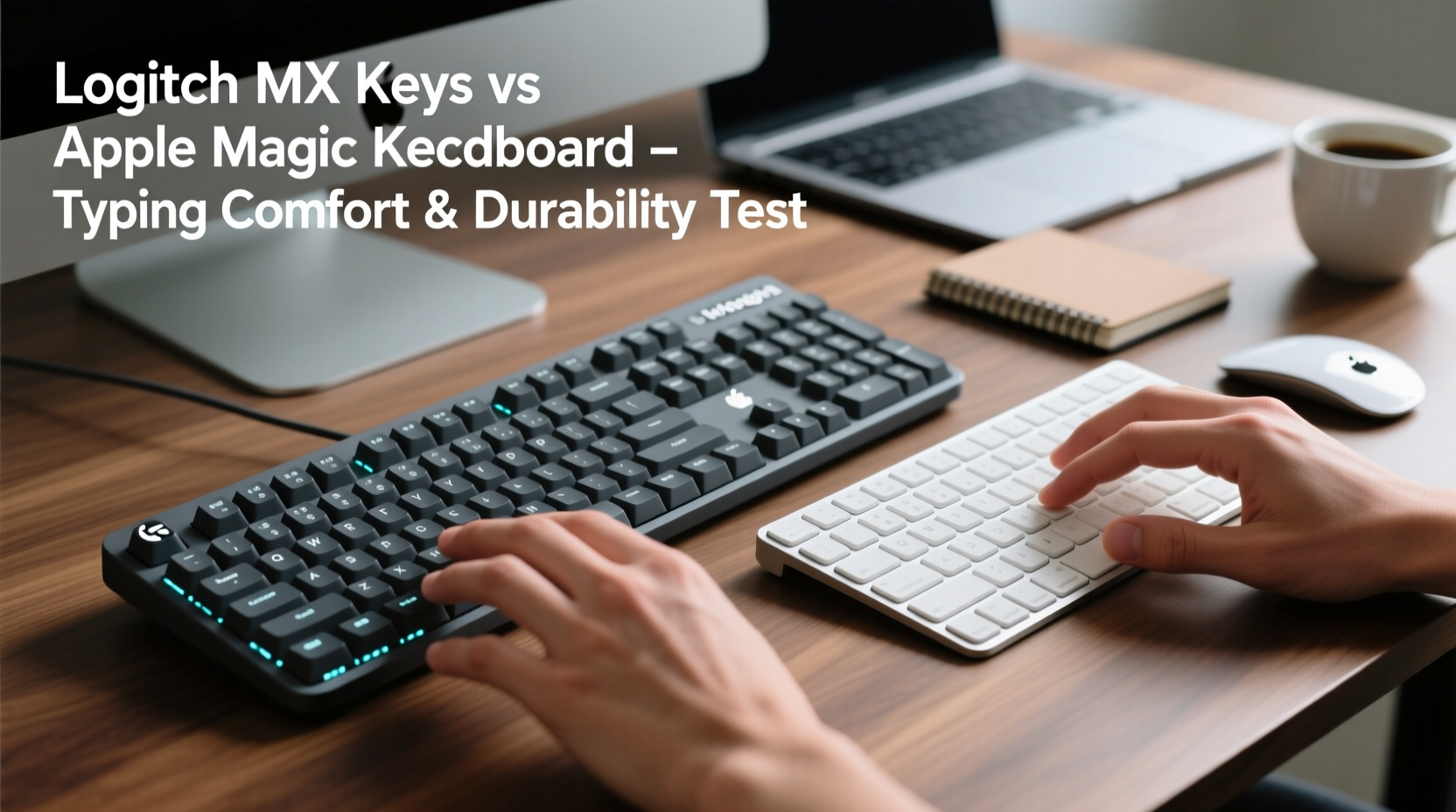
The physical presence of a keyboard influences not only aesthetics but also long-term satisfaction. The Logitech MX Keys features a minimalist aluminum top case with softly rounded edges and a slight downward slope toward the front. Its surface resists fingerprints better than many competitors, and the overall construction feels dense and stable. Rubberized feet provide grip, minimizing slippage even during vigorous typing sessions.
In contrast, the Apple Magic Keyboard follows Apple’s signature design language: ultra-thin, lightweight, and made from precision aluminum. It has a seamless integration with Mac devices and exudes elegance. However, its slim profile sacrifices some heft—users often report that it feels less anchored on the desk, especially when typing quickly. While both are built to last, the MX Keys’ slightly heavier frame (760g vs 519g) offers a more grounded experience.
Typing Comfort: Key Switches, Travel, and Feedback
Typing comfort is where these two keyboards diverge most noticeably. The MX Keys uses what Logitech calls “Perfect Stroke” keys—low-profile scissor switches engineered to deliver consistent actuation across the entire keycap. Each keystroke requires about 55–60 grams of force and features 1.5mm of travel. This balance allows for fast input with minimal finger fatigue, making it ideal for extended writing or coding sessions.
The Apple Magic Keyboard, designed specifically for MacBooks and used as a standalone accessory, employs a modified scissor mechanism known as the third-generation butterfly switch (or its refined successor). Apple claims improved reliability over earlier butterfly designs, but users still report mixed experiences. Key travel is shallower—approximately 1.0mm—and actuation force is lower (~50g), which can lead to a \"mushy\" or inconsistent feel for some typists. Those accustomed to mechanical keyboards or deeper travel often find the Magic Keyboard too light and imprecise.
“After switching from a mechanical setup, I found the MX Keys offered the best compromise between speed and comfort. The tactile bump gives me confidence in every keystroke.” — Daniel Park, Senior Software Developer
Backlighting also plays into comfort. The MX Keys features adaptive backlighting that activates based on hand proximity, conserving battery while illuminating keys precisely when needed. The Magic Keyboard has static white LED backlighting that stays on until manually turned off, offering less automation and potentially shorter effective battery life under frequent low-light use.
Durability and Long-Term Use: Which Will Last Longer?
Durability isn’t just about materials—it encompasses wear resistance, component longevity, and repairability. Both keyboards claim high-end finishes, but real-world usage reveals differences.
The MX Keys is rated for up to 10 million keystrokes per key, a benchmark shared with many professional-grade peripherals. Its keycaps are double-shot injection molded, meaning legends won’t fade over time. Spills aren’t officially supported, but user reports suggest limited liquid resistance due to internal channeling beneath the keys. Replacement keycaps are available through third-party vendors, allowing customization or repair after heavy use.
The Magic Keyboard, while elegant, has faced criticism regarding long-term reliability. Earlier butterfly-switch models were notorious for key failures due to debris accumulation. Apple addressed this in later revisions with improved membranes and seals, but anecdotal evidence suggests some keys (like spacebar or shift) still occasionally stick or fail prematurely. Additionally, Apple does not sell replacement keycaps, and repairs typically require sending the unit to authorized service centers or replacing the entire device.
| Feature | Logitech MX Keys | Apple Magic Keyboard |
|---|---|---|
| Key Switch Type | Scissor (optimized for typing) | Modified Butterfly / Scissor |
| Key Travel | 1.5mm | ~1.0mm |
| Actuation Force | ~55–60g | ~50g |
| Backlighting | Adaptive (proximity-sensing) | Static LED |
| Battery Life | Up to 10 days (with backlight), 5 months (off) | Approx. 1 month (typical use) |
| Connectivity | Bluetooth, USB-C Unifying Receiver | Bluetooth only |
| Spill Resistance | Limited (no official rating) | No protection |
| Repairability | Moderate (third-party parts available) | Low (proprietary assembly) |
Ergonomic Considerations and Daily Usability
Ergonomics go beyond wrist support—they include angle, reach, and muscle engagement. Neither keyboard includes an adjustable stand, but the MX Keys comes with a flip-out feet panel that raises the rear by approximately 7 degrees. This subtle incline encourages a more neutral wrist position, reducing strain during prolonged use.
The Magic Keyboard remains flat unless paired with an external riser. Its low profile may appeal to those who prefer minimal elevation, but ergonomics experts caution that a completely flat layout can increase ulnar deviation and contribute to repetitive strain over time. For users already using a laptop riser or external monitor, pairing the Magic Keyboard with a small stand can help, but it adds complexity.
One often-overlooked aspect is palm rest compatibility. The MX Keys works seamlessly with most third-party wrist rests thanks to its standard ANSI layout and spacing. The Magic Keyboard, particularly the version with numeric keypad, has non-standard key placements (e.g., elongated delete key, compact arrow cluster), which can interfere with universal palm rests.
Mini Case Study: Remote Writer’s Experience After Six Months
Sarah Lin, a freelance journalist working remotely from Lisbon, switched from her aging MacBook Pro keyboard to both the MX Keys and Magic Keyboard over a six-month trial period. She began with the Magic Keyboard due to seamless iCloud pairing. Within weeks, she noticed increased finger fatigue and occasional missed keystrokes, especially when typing rapidly. “It felt like I had to press harder than expected, yet sometimes keys registered twice,” she said. After switching to the MX Keys, her average words-per-minute increased by 12%, and she reported less shoulder tension. “The keys just respond how I expect them to. No guessing, no corrections.”
Smart Features and Cross-Device Performance
Both keyboards support multi-device connectivity, but implementation differs. The MX Keys allows pairing with up to three devices simultaneously via Bluetooth or Logitech’s USB receiver. A simple toggle button lets users switch between systems—ideal for hybrid workflows involving Windows, macOS, Linux, or even iOS/iPadOS. It also integrates with Logitech Options+ software, enabling custom function keys, app-specific shortcuts, and backlight behavior adjustments.
The Magic Keyboard pairs effortlessly with Apple devices using iCloud, automatically appearing in Bluetooth settings when near a signed-in iPhone or iPad. However, switching between non-Apple systems requires manual disconnection and re-pairing. There is no configuration software for remapping keys or adjusting behavior—what you see is what you get.
Checklist: Choosing the Right Keyboard for You
- ✅ Need cross-platform compatibility? → Choose MX Keys
- ✅ Prioritize typing accuracy and feedback? → Choose MX Keys
- ✅ Work primarily within Apple ecosystem? → Magic Keyboard integrates smoothly
- ✅ Want longer battery life without frequent charging? → MX Keys lasts significantly longer
- ✅ Concerned about repair costs down the line? → MX Keys offers better long-term value
- ✅ Value ultra-portability and sleek design above all? → Magic Keyboard wins on minimalism
Frequently Asked Questions
Is the Logitech MX Keys worth the higher price compared to the Magic Keyboard?
Yes, for most professionals. While the MX Keys typically carries a slightly higher price tag, its superior typing mechanics, longer battery life, multi-device support, and better durability justify the investment—especially if you type daily. Over a three-year period, fewer replacements and reduced discomfort make it cost-effective.
Can the Apple Magic Keyboard be used with Windows or Android?
Yes, but with limitations. The Magic Keyboard pairs via Bluetooth with any system supporting HID input. However, certain keys (like Command/Control) may require remapping in OS settings, and there’s no dedicated driver support. Function keys behave differently, and backlight control is unavailable on non-Apple devices.
Which keyboard is quieter for office environments?
The MX Keys produces a soft, muted click with minimal key wobble, making it excellent for shared spaces. The Magic Keyboard is also quiet but can produce a sharper tap due to its stiffer keycap structure. In side-by-side tests, the MX Keys was consistently rated as more acoustically balanced and less distracting.
Final Verdict: Comfort Meets Longevity
When comparing the Logitech MX Keys and Apple Magic Keyboard, the decision ultimately hinges on priorities. The Magic Keyboard excels in aesthetic harmony with Apple devices and portability. It’s a natural fit for users deeply embedded in the Apple ecosystem who prioritize simplicity and design elegance.
However, for sustained typing comfort, ergonomic responsiveness, and proven durability, the Logitech MX Keys stands out. Its thoughtful engineering—from responsive scissor switches to adaptive backlighting and robust build—makes it a superior choice for anyone whose livelihood depends on accurate, efficient typing. Professionals who write, code, edit, or communicate extensively will appreciate the MX Keys’ consistency and resilience over months and years of demanding use.
“The best keyboard isn’t the one that looks best on your desk—it’s the one that disappears beneath your fingers, letting you focus on your work.” — Lena Torres, Human Factors Engineer
Take Action: Optimize Your Workspace Today
Your keyboard should enhance productivity, not hinder it. If you’ve been enduring discomfort or unreliable performance, now is the time to evaluate whether your current setup truly serves your needs. Try the MX Keys if you value precision and cross-platform versatility. Stick with the Magic Keyboard only if seamless Apple integration outweighs typing depth and long-term reliability.




 浙公网安备
33010002000092号
浙公网安备
33010002000092号 浙B2-20120091-4
Comments
No comments yet. Why don't you start the discussion?