
Choosing between the Logitech MX Keys and the Apple Magic Keyboard isn't just about brand loyalty or aesthetics—it's about how each device fits into your daily workflow. Both are premium wireless keyboards designed for professionals, creatives, and power users who demand comfort, reliability, and seamless integration. But despite their similar price points and target audience, they diverge significantly in design philosophy, key mechanism, cross-platform flexibility, and long-term usability. Whether you're upgrading your home office or optimizing a hybrid workspace, understanding these differences is crucial.
The Apple Magic Keyboard represents Apple’s minimalist ethos: thin, elegant, and perfectly tuned for macOS. The Logitech MX Keys, on the other hand, embraces versatility—offering advanced customization, multi-device pairing, and an ergonomic build aimed at maximizing typing efficiency across platforms. This isn’t just a battle of branding; it’s a clash of philosophies. One prioritizes harmony within an ecosystem, the other champions adaptability across ecosystems.
Design and Build Quality: Minimalism vs. Functionality
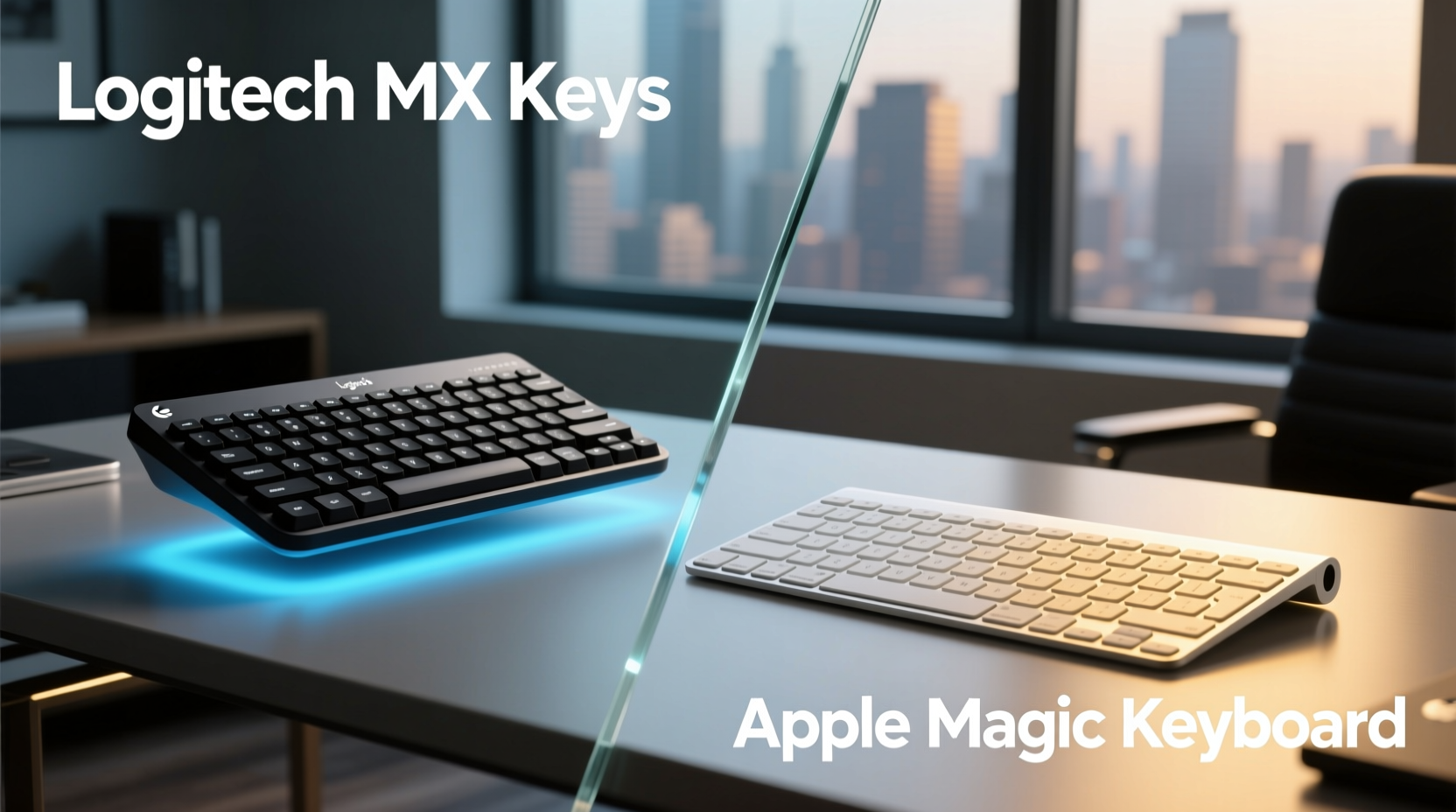
Visually, both keyboards exude premium craftsmanship, but their approaches couldn't be more different. The Apple Magic Keyboard is striking in its simplicity. Its aluminum unibody construction, slim profile (just 0.41 inches high), and edge-to-edge key layout make it a natural extension of any Mac setup. It feels like part of the machine itself—especially when paired with a MacBook or iMac. However, that sleekness comes at a cost: the low-profile design places the hands farther from a neutral wrist position, which can lead to fatigue during extended typing sessions.
In contrast, the Logitech MX Keys features a slightly raised front edge with integrated rubber feet that allow for two angle adjustments. This promotes a more natural hand posture, reducing strain over time. The frame combines brushed aluminum with matte plastic accents, giving it a modern yet utilitarian appearance. While not as visually minimalist as Apple’s offering, the MX Keys includes subtle functional enhancements—like backlight zones that activate based on hand proximity and status indicators for battery and connection mode.
One often-overlooked detail is portability. The Magic Keyboard is lighter (about 0.5 pounds) and thinner, making it easier to slip into a laptop bag. The MX Keys is bulkier but includes a protective magnetic cover (sold separately in some regions), adding value for mobile professionals.
Typing Experience: Scissor Switch vs. Short-Travel Mechanism
The heart of any keyboard is its switch mechanism, and here’s where personal preference plays a decisive role. The Apple Magic Keyboard uses a scissor-switch mechanism with very short travel distance (around 0.5 mm). The result is a quiet, crisp keystroke favored by those who prefer minimal finger movement. It’s ideal for fast typists who value speed and silence, particularly in shared workspaces or during video calls.
The Logitech MX Keys also uses a scissor switch but with slightly more actuation force and a tactile bump that provides clearer feedback. With 1.5 mm of key travel—triple that of the Magic Keyboard—it offers a more satisfying, deliberate typing rhythm. For writers, coders, or anyone spending hours drafting emails or documents, this extra feedback can improve accuracy and reduce finger fatigue.
“Tactile response matters more than people realize. A well-defined keystroke reduces errors and mental load over time.” — David Lin, Human Factors Engineer at UX Dynamics Lab
Noise level is another consideration. In side-by-side testing, the MX Keys produces a soft click, while the Magic Keyboard is nearly silent. If you’re working late at night or in a quiet environment, Apple’s model has the advantage. But if you rely on auditory and tactile confirmation, the MX Keys delivers a more engaging experience.
Cross-Platform Compatibility and Connectivity
This is where the Logitech MX Keys pulls far ahead. Designed for a multi-device world, it supports Bluetooth pairing with up to three devices simultaneously. You can toggle between them using dedicated function keys—a game-changer for users juggling a Mac, Windows PC, and iPad. Additionally, it works flawlessly with Linux, ChromeOS, and even Android tablets via Easy-Switch technology.
The Apple Magic Keyboard, conversely, is built for macOS and iOS first. While it technically pairs with any Bluetooth-enabled device—including Windows and Android—the key labels (Command, Option, etc.) don’t remap automatically, leading to confusion. Third-party software like Karabiner-Elements can fix this on Mac, but Windows users are left manually adjusting shortcuts. Moreover, switching between devices requires diving into system settings rather than pressing a button.
| Feature | Logitech MX Keys | Apple Magic Keyboard |
|---|---|---|
| Multi-device pairing | Yes (3 devices, instant switch) | Limited (manual re-pairing) |
| OS Compatibility | macOS, Windows, Linux, ChromeOS, iOS, Android | Best with macOS/iOS; limited elsewhere |
| Connection Type | Bluetooth + USB-C receiver (included) | Bluetooth only |
| Battery Life | Up to 10 days (backlight on), 5 months (off) | Approx. 1 month (typical use) |
| Charging Port | USB-C (fast charge: 3 min = 2 hr use) | Lightning (slower, less universal) |
Note the charging disparity: the MX Keys uses USB-C, supporting rapid charging and future-proofing against cable obsolescence. The Magic Keyboard relies on Lightning—a proprietary port increasingly phased out even by Apple in newer devices like the iPad Pro.
Smart Features and Customization
Logitech enhances the MX Keys with intelligent features powered by its Options+ software. Users can reprogram any key, create macros, customize backlight behavior, and sync settings across devices logged into the same Logi account. The adaptive backlight dims or brightens based on ambient light and hand detection—illuminating only when needed, preserving battery and minimizing distractions.
Apple takes a “set it and forget it” approach. There are no programmable keys, no backlight adjustments beyond auto-sensing, and no companion app to tweak functionality. Everything works out of the box, which appeals to users who dislike tinkering—but frustrates those seeking deeper control.
For example, a developer might remap the F-keys on the MX Keys to launch terminal commands or version control shortcuts. A financial analyst could assign a macro to insert complex Excel formulas with one press. These capabilities turn the MX Keys into a productivity accelerator, while the Magic Keyboard remains a passive input tool.
Mini Case Study: The Hybrid Worker’s Dilemma
Sophie, a UX designer based in Toronto, uses a MacBook Pro for client work, a Windows desktop for rendering, and an Android tablet for sketching ideas. She initially bought the Magic Keyboard for her Mac but found herself constantly disconnecting and re-pairing it when switching devices. After six weeks, she switched to the MX Keys. Using Logitech Options+, she assigned F1 to her Mac, F2 to Windows, and F3 to her tablet. Now, a single keystroke transitions her entire workflow. “It cut my context-switching time in half,” she says. “And the key feel makes writing design docs less tiring.”
Battery Life and Sustainability
Longevity and environmental impact are growing concerns for tech buyers. The MX Keys boasts exceptional energy efficiency—up to five months on a full charge with backlight off, thanks to smart sleep modes and LED zoning. A 3-minute quick charge provides two hours of use, minimizing downtime.
The Magic Keyboard, while convenient, needs more frequent charging—typically every few weeks with moderate use. Its reliance on Lightning means users must carry an extra cable or adapter if their primary device uses USB-C. From a sustainability angle, the MX Keys wins: longer intervals between charges mean less energy consumption and fewer plug cycles, extending battery lifespan.
Price and Value Over Time
Both keyboards sit in the $129–$149 range at retail, though the MX Keys occasionally costs slightly more due to included accessories like the USB receiver. However, value extends beyond sticker price. Consider total cost of ownership: the MX Keys’ durability, repairability (replaceable keycaps via third-party tools), and multi-year software support enhance long-term ROI.
The Magic Keyboard integrates beautifully with iCloud clipboard and Universal Control in macOS Monterey and later, allowing smooth cursor and text transfer between Mac and iPad. That seamless synergy holds real value for Apple-centric users. But if you step outside that bubble—even occasionally—the limitations become apparent.
Checklist: Choosing the Right Keyboard for Your Needs
- ✅ Do you primarily use Apple devices? → Magic Keyboard gains points.
- ✅ Do you switch between multiple operating systems daily? → MX Keys is clearly better.
- ✅ Do you type for more than 3 hours a day? → Prioritize ergonomics; consider MX Keys’ key travel and tilt.
- ✅ Do you want customizable keys or macros? → Only MX Keys supports this.
- ✅ Is fast charging and USB-C important? → MX Keys has the modern edge.
- ✅ Do you value ultra-thin design and seamless Apple integration? → Magic Keyboard shines.
- ✅ Are you investing for the next 5+ years? → MX Keys offers greater longevity and adaptability.
Frequently Asked Questions
Can the Apple Magic Keyboard pair with a Windows PC?
Yes, but with caveats. It connects via Bluetooth, but the Command key acts as a Windows key, and Alt/Option keys may not map correctly without third-party remapping software. Function keys also lack standard media controls unless configured manually.
Is the Logitech MX Keys quieter than mechanical keyboards?
Absolutely. While not silent, the MX Keys uses low-noise scissor switches designed for office environments. It’s significantly quieter than mechanical boards with clicky switches (like Blue MX) and compares favorably to most membrane keyboards.
Does the Magic Keyboard have a numeric keypad?
The standard Magic Keyboard does not. Apple offers a separate Magic Keyboard with Numeric Keypad (for desktop Macs), but it’s larger and more expensive. The MX Keys also lacks a numpad in its compact form, though Logitech offers an MX Keys Mini variant and a full-size version in select markets.
Final Verdict: Which One Rules Your Desk?
The answer depends on your digital ecosystem and work habits. If you live entirely within Apple’s universe—if your Mac, iPhone, and iPad are your only devices and you value elegance over expansion—the Magic Keyboard is a refined, cohesive choice. It feels like part of the furniture, blending seamlessly into an Apple-designed workspace.
But for everyone else—and increasingly, that includes most professionals—the Logitech MX Keys is the superior option. It offers better ergonomics, deeper customization, broader compatibility, faster charging, and smarter features that adapt to how you actually work. It’s not just a keyboard; it’s a productivity hub. In a world where we use multiple devices across multiple platforms, flexibility isn’t a luxury—it’s a necessity.
The MX Keys doesn’t merely sit on your desk. It earns its place there.




 浙公网安备
33010002000092号
浙公网安备
33010002000092号 浙B2-20120091-4
Comments
No comments yet. Why don't you start the discussion?