
As remote work becomes a permanent fixture for millions, the home office setup has evolved from temporary convenience to long-term investment. One critical decision is choosing the right compact desktop computer—specifically, whether to go with Apple’s Mac Mini or a Chromebox. While both fit neatly under a monitor and consume minimal power, their paths diverge sharply when it comes to longevity. For users who want a machine that lasts five years or more without becoming obsolete, this comparison isn’t just about price or speed—it’s about sustainability, upgradability, ecosystem support, and future-proofing.
Longevity in computing isn’t merely how long a device turns on; it’s how well it continues to perform meaningful tasks over time. This includes staying compatible with modern software, receiving security updates, handling evolving productivity demands, and resisting hardware obsolescence. In this analysis, we’ll dissect how the Mac Mini and Chromebox stack up across these dimensions to help you make an informed choice for your home office.
Performance and Hardware Longevity
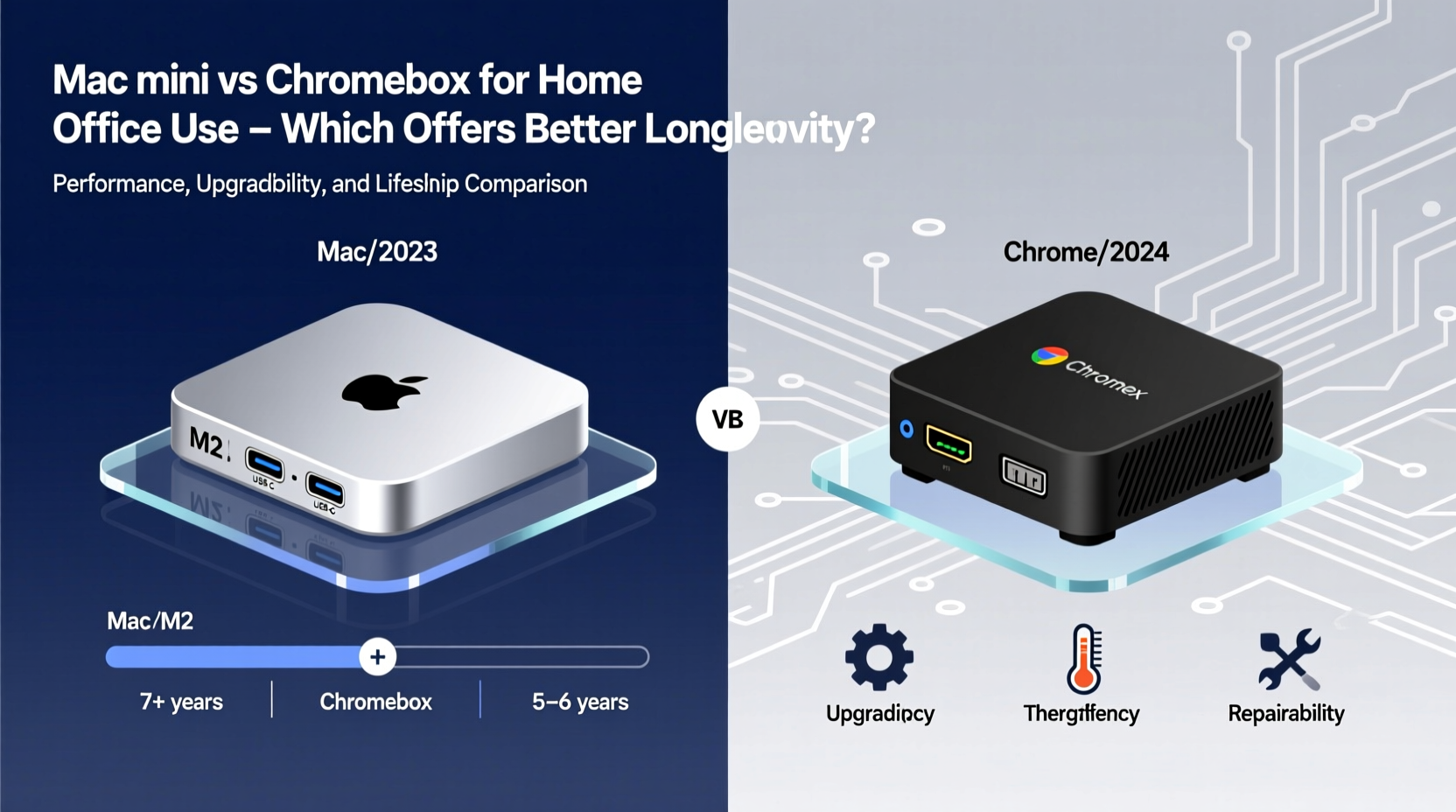
The foundation of any computer’s lifespan begins with its hardware. The Mac Mini and Chromebox occupy different tiers in terms of processing power, memory capacity, and storage flexibility.
Apple’s Mac Mini, particularly the M1 and M2 models introduced in recent years, features custom ARM-based silicon designed for efficiency and sustained performance. These chips integrate CPU, GPU, and neural engine into a single system-on-a-chip (SoC), reducing heat output and eliminating the need for fans in most configurations. This fanless design contributes to mechanical reliability—fewer moving parts mean less wear over time.
In contrast, Chromeboxes are typically powered by Intel Celeron, Pentium, or occasionally Core i3/i5 processors. While adequate for basic web browsing and cloud applications, they lack the raw performance and architectural sophistication of Apple’s silicon. Most Chromeboxes come with 4GB to 8GB of RAM soldered directly onto the motherboard, limiting multitasking capabilities as software demands grow.
Storage is another key differentiator. The Mac Mini uses fast NVMe SSDs, which can be configured up to 2TB. Even entry-level models include 256GB SSDs, offering room for local files, creative projects, and development environments. Chromeboxes, however, often ship with eMMC storage—a slower, lower-end flash memory commonly found in budget tablets. These drives degrade faster with frequent write cycles and offer limited space, usually between 32GB and 128GB.
Over three to five years, the disparity in hardware quality becomes pronounced. A Mac Mini with 16GB of unified memory and a 1TB SSD can comfortably run virtual machines, video editing tools, and modern IDEs late into its lifecycle. A typical Chromebox, meanwhile, may struggle to keep multiple browser tabs open smoothly after two years due to memory constraints and aging processors.
Software Support and Update Lifespan
No amount of hardware prowess matters if the operating system stops receiving updates. Software support determines how long a device remains secure, functional, and compatible with new services.
Apple provides macOS updates for approximately six to seven years after a Mac model’s release. For example, the 2018 Intel-based Mac Mini received updates through macOS Sonoma (2023), despite using older architecture. The M1 Mac Mini, released in 2020, is expected to receive updates until at least 2027. This extended support window ensures users benefit from security patches, performance improvements, and access to new apps long after purchase.
ChromeOS follows a stricter update policy. Google guarantees automatic updates for Chromeboxes for **eight years** from the device’s platform launch date—not necessarily the purchase date. However, this timeline depends heavily on the specific model and manufacturer. Many budget Chromeboxes use platforms that reached their Auto Update Expiration (AUE) date quickly, sometimes within four to five years of release.
“Eight years sounds great on paper, but in practice, many Chromeboxes lose relevance far sooner due to underpowered hardware.” — David Liu, Tech Analyst at PC Lifecycle Review
Even with ongoing updates, ChromeOS functionality is inherently limited. It excels at running web apps, Android apps (on supported models), and Linux containers—but lacks native support for professional-grade software like Adobe Creative Suite, Xcode, or advanced database tools. As user needs evolve, especially in hybrid work environments, this limitation can render a Chromebox obsolete even before its AUE date.
Moreover, while ChromeOS boots quickly and resists malware well, its reliance on constant internet connectivity undermines usability during outages. The Mac Mini, with full offline capability and robust local file management, adapts better to changing network conditions over time.
Upgradeability and Repair Potential
A major factor in longevity is whether a device can be upgraded or repaired when components fail or become insufficient.
The Mac Mini has historically offered limited internal upgrade options. With the shift to Apple Silicon, RAM and SSD are now soldered, meaning configuration must be decided at purchase. However, external expandability compensates significantly. The Mac Mini includes Thunderbolt/USB-C ports supporting daisy-chained displays, high-speed external SSDs, and docking stations. Users can add terabytes of external storage or connect eGPUs (though macOS support is limited) to extend functionality.
Repairability remains moderate. iFixit rates the M1 Mac Mini at 3.5 out of 10, citing glued batteries (in related Mac Studio models) and proprietary screws. Still, the aluminum enclosure is durable, and third-party repair shops routinely replace power supplies and storage modules.
Chromeboxes, by comparison, are nearly impossible to upgrade. RAM and storage are almost always non-expandable. Some higher-end models allow RAM replacement, but these are rare. Most repairs require complete board swaps, making fixes cost-prohibitive. Once a Chromebox fails—or runs out of usable storage—it’s typically discarded.
| Feature | Mac Mini (M1/M2) | Typical Chromebox |
|---|---|---|
| RAM Upgradeable? | No (soldered) | No (soldered) |
| Storage Expandable? | Yes (via external SSD) | Limited (microSD or USB) |
| Port Expandability | High (Thunderbolt, HDMI, USB-A) | Low (USB-C, HDMI, USB-A) |
| Repair Friendliness | Moderate | Poor |
| Expected Functional Life | 6–8 years | 3–5 years |
Real-World Longevity: A Case Study
Consider Sarah, a freelance graphic designer who transitioned to full-time remote work in 2020. She initially purchased a mid-range Chromebox for $350, attracted by its low cost and simplicity. For the first year, it handled email, Zoom calls, and Figma via browser adequately. But by 2022, she needed to edit client logos in Illustrator and manage layered Photoshop files. Her Chromebox couldn’t run desktop design software, forcing her to rely on clunky web alternatives or rent cloud PCs.
She also began storing project backups locally, quickly exhausting the 64GB eMMC drive. Attempts to use external drives were hampered by slow USB 2.0 ports on her model. By 2023, the device felt sluggish, and she learned her model’s AUE date was set for June 2024—just one year away.
In contrast, her colleague James bought an M1 Mac Mini with 16GB RAM and 512GB SSD in 2021 for $1,099. Five years later, he still uses it daily for coding, video conferencing, photo editing, and running virtualized Linux environments. He added a 2TB external SSD for archival storage and connected dual monitors via adapters. Apple continues to provide macOS updates, and his workflow remains uninterrupted.
Sarah eventually replaced her Chromebox with a used Mac Mini, spending nearly as much as she would have initially paid—but lost two years of productive life due to premature obsolescence.
Cost Over Time: Total Ownership Perspective
At first glance, the Chromebox appears cheaper—often priced between $200 and $500. The Mac Mini starts at $599 (M1) and goes up to $1,299 (M2 Pro). But longevity shifts the value proposition dramatically.
If a Chromebox lasts four years before needing replacement, and a Mac Mini lasts seven, the annualized cost favors Apple. Assuming a $450 Chromebox and $999 Mac Mini:
- Chromebox: $450 ÷ 4 = $112.50 per year
- Mac Mini: $999 ÷ 7 ≈ $142.71 per year
The difference is only ~$30/year. But consider hidden costs: data migration, downtime, relearning new systems, and reduced productivity on underpowered hardware. Multiply that by multiple replacements over a decade, and the Chromebox becomes the more expensive option in practical terms.
Additionally, Mac Minis retain resale value. A 2020 M1 Mac Mini can still sell for $300–$400 in 2024, recouping over 40% of initial cost. Chromeboxes, lacking brand equity and broad software compatibility, rarely fetch more than $50 on the secondhand market after three years.
Action Plan: Choosing for Longevity
To maximize the lifespan of your home office computer, follow this checklist before purchasing:
- Evaluate your workload: Do you need only web apps and streaming, or will you use desktop software like Office suites, design tools, or development environments?
- Check RAM and storage: Aim for at least 8GB RAM and 256GB SSD minimum. Avoid eMMC storage.
- Verify update policy: For Chromeboxes, confirm the exact AUE date on Google’s official list. For Macs, review Apple’s support lifecycle documentation.
- Assess expandability: Can you add external drives, monitors, or peripherals? Are ports modern and sufficient?
- Factor in resale: Consider future trade-in or resale potential—Apple products generally hold value better.
- Budget for total ownership: Calculate cost per year over 6+ years, not just upfront price.
Frequently Asked Questions
Can a Chromebox run Windows programs or macOS apps?
No. ChromeOS cannot natively run Windows or macOS applications. While some web-based equivalents exist, most professional software (like Final Cut Pro, Visual Studio, or AutoCAD) is unavailable. Remote desktop solutions may work but depend on internet stability and additional licensing.
Is the Mac Mini overkill for basic home office tasks?
Possibly—but that’s part of its strength. Its excess capacity allows it to remain useful as your needs grow. What starts as an email-and-Zoom machine today can evolve into a video editing or home server hub tomorrow. Overkill today means relevance tomorrow.
Are there any long-lasting Chromebox models worth considering?
Yes, but they’re exceptions. High-end models like the ASUS Chromebox 4 (with Intel Core i7, 16GB RAM, NVMe SSD) offer better hardware and longer AUE dates (up to 2027). However, they cost $700+, narrowing the gap with Mac Mini pricing. Even then, ChromeOS limitations persist.
Final Verdict: Which Offers Better Longevity?
For home office users seeking maximum longevity, the Mac Mini is the superior choice. Its combination of powerful silicon, extended software support, robust build quality, and strong ecosystem integration ensures it remains functional and relevant for six to eight years. While more expensive upfront, its total cost of ownership is competitive when spread over a longer lifespan.
The Chromebox serves a niche: ultra-light users who live entirely in the browser, prioritize instant boot times, and accept shorter upgrade cycles. It works for temporary setups or secondary roles but falters as a primary, long-term workstation.
Technology investments should be judged not by what they do today, but by how long they continue doing it well. In that light, the Mac Mini doesn’t just last longer—it enables growth, adaptability, and peace of mind.




 浙公网安备
33010002000092号
浙公网安备
33010002000092号 浙B2-20120091-4
Comments
No comments yet. Why don't you start the discussion?