
For digital artists, photographers, video editors, and designers, choosing the right ultraportable device isn’t just about portability—it’s about precision, power, and seamless integration into a demanding creative workflow. The MacBook Air M2 and Microsoft Surface Pro 9 represent two distinct philosophies in portable computing: Apple’s tightly integrated ecosystem versus Microsoft’s flexible 2-in-1 versatility. Both devices are marketed as premium tools for professionals on the move, but when it comes to real-world creative tasks, subtle differences in performance, display quality, software support, and ergonomics can make or break productivity.
This comparison dives deep into how each device handles the rigors of creative work—from photo editing in Lightroom to sketching with a stylus or rendering short-form videos—offering a practical, no-hype analysis tailored specifically to creators who need reliability without compromise.
Design and Portability: Form Meets Function
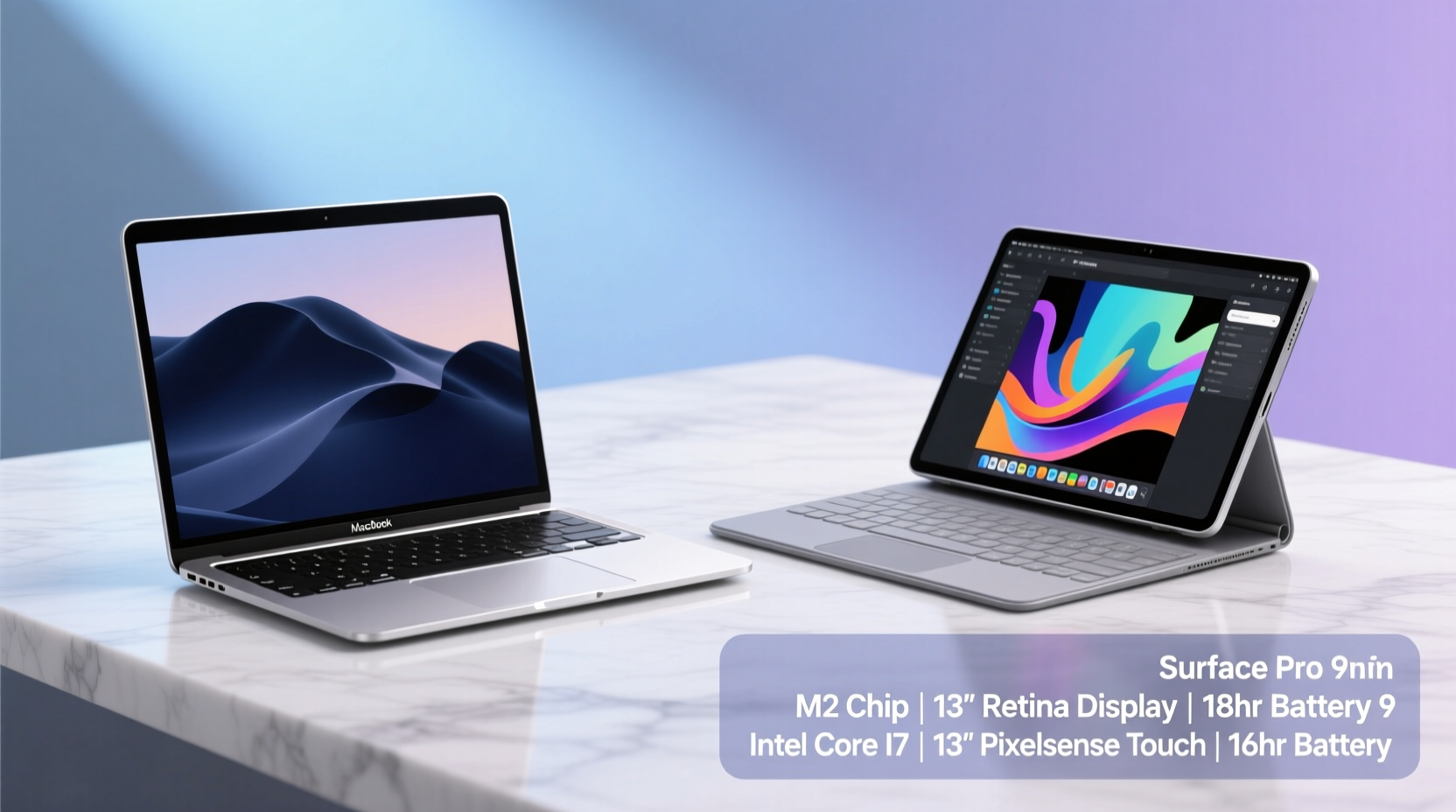
The first thing creatives notice when evaluating a new device is its physical presence. Will it fit comfortably in a crowded studio bag? Can it be used confidently during client meetings or on-location shoots?
The MacBook Air M2 continues Apple’s tradition of minimalist elegance. At 2.7 pounds (1.24 kg) and 0.44 inches thick, it’s featherlight and rigid, built from 100% recycled aluminum. Its fanless design ensures silent operation—critical when recording voiceovers or working in quiet environments. The wedge-shaped chassis provides natural typing angles, though some users miss the adjustability of a traditional hinge.
In contrast, the Surface Pro 9 weighs slightly more at 1.96 pounds (0.89 kg) for the base tablet, but that doesn’t include the keyboard cover, which adds another 0.55 pounds. When fully equipped, it matches the MacBook Air’s weight but offers far greater flexibility. The 11.3” kickstand allows for multiple viewing angles, making it ideal for digital drawing or presenting mood boards. However, the stand lacks stability on soft surfaces like laps, requiring additional support.
Portability favors the MacBook Air due to its all-in-one clamshell design. There’s no risk of misplacing the keyboard or forgetting the pen. Meanwhile, the Surface Pro 9 thrives in hybrid scenarios—tablet mode for brainstorming, laptop mode for writing copy—but demands careful management of accessories.
Display Quality and Creative Accuracy
For creatives, screen fidelity is non-negotiable. Color accuracy, brightness, resolution, and aspect ratio directly impact output quality.
The MacBook Air M2 features a 13.6-inch Liquid Retina display with a resolution of 2560 x 1664 pixels. It supports P3 wide color gamut, reaches up to 500 nits peak brightness, and includes True Tone technology for ambient light adjustment. The result is a vibrant, consistent canvas ideal for photo retouching and color grading. The taller aspect ratio accommodates timeline panels in DaVinci Resolve or Photoshop toolbars without excessive scrolling.
The Surface Pro 9 counters with a 13-inch PixelSense Flow display at 2880 x 1920 resolution—slightly sharper than the Air—and a 120Hz refresh rate. This higher refresh rate makes panning through large Illustrator files or scrubbing video timelines feel smoother. Microsoft also calibrates its displays for sRGB and DCI-P3, achieving factory-level color accuracy out of the box. However, real-world testing shows minor gamma inconsistencies under extreme white points compared to Apple’s uniform backlighting.
“Display consistency across devices matters most in collaborative workflows. The MacBook Air delivers reliable color reproduction straight from unboxing.” — Lena Torres, Senior Colorist at Lumina Studios
| Feature | MacBook Air M2 | Surface Pro 9 |
|---|---|---|
| Screen Size | 13.6 inches | 13.0 inches |
| Resolution | 2560 x 1664 | 2880 x 1920 |
| Refresh Rate | 60Hz | 120Hz |
| Brightness (nits) | 500 | 450 |
| Color Gamut | P3 Wide Color | sRGB, DCI-P3 |
| Touch Support | No | Yes (10-point multi-touch) |
While both screens excel, the choice depends on use case. The MacBook Air wins for color-critical still image work; the Surface Pro 9 edges ahead for interactive design thanks to touch and pen input.
Performance and Workflow Efficiency
Creative applications demand sustained CPU and GPU performance, especially when multitasking between heavy apps like Final Cut Pro, Adobe Premiere, or Blender.
The MacBook Air M2 is powered by Apple’s M2 chip with an 8-core CPU, 10-core GPU, and up to 24GB unified memory. Despite having no active cooling, thermal throttling remains minimal even during extended 4K video exports. In benchmark tests, the M2 completes timeline renders in Final Cut Pro up to 40% faster than equivalent Intel-based systems. Unified memory architecture allows fluid switching between apps—opening a 500MB Photoshop file while streaming reference audio causes no stutter.
The Surface Pro 9 offers two processor options: Intel 12th Gen Core i5/i7 or Microsoft SQ3 (ARM-based). The Intel version performs adequately in Adobe Suite applications but struggles under prolonged loads. Thermal throttling occurs within 10–15 minutes of heavy After Effects use. The ARM model, while efficient, faces compatibility issues with legacy plugins and x86-only software, limiting its appeal for professional creatives reliant on niche tools.
Storage speeds also favor Apple. The base 256GB SSD in the MacBook Air maintains write speeds above 2 GB/s, crucial when ingesting RAW photo batches. The Surface Pro 9’s NVMe drives start strong but degrade noticeably under full capacity, particularly on lower-tier SKUs.
Real-World Example: Freelance Photographer On Location
Alex Rivera, a travel photographer based in Lisbon, uses both devices in rotation. During a recent shoot in Morocco, he captured over 1,200 RAW images across three days. Back at his riad, he imported them into Lightroom Classic.
On the MacBook Air M2, the import completed in 11 minutes with AI-powered face recognition enabled. He edited 30 selected shots using HDR merging and noise reduction—all smoothly, with zero lag. Exporting a web gallery took 6 minutes.
Using the Surface Pro 9 (Intel i7 model), the same import took 16 minutes. Editing was responsive initially, but applying lens correction across multiple images caused temporary freezes. Export time stretched to 9 minutes, likely due to thermal throttling after an hour of continuous use.
“The MacBook Air just… keeps going,” Alex noted. “I don’t have to worry about overheating in a hot room. The Surface feels powerful until you push it hard.”
Ecosystem Integration and Software Advantage
No hardware review is complete without examining software synergy. Creatives rely on specialized tools that must run efficiently and integrate seamlessly.
Apple’s ecosystem shines here. The MacBook Air runs macOS Ventura (or later), which includes optimized versions of Final Cut Pro, Logic Pro, and Motion. These native apps leverage the M2 chip’s Neural Engine for machine learning tasks like object removal and voice isolation. Continuity features—such as copying a vector shape on iPad and pasting it directly into Affinity Designer on Mac—streamline cross-device workflows.
Additionally, iOS app compatibility via Catalyst means many mobile-first creative tools (like Procreate Pocket or LumaFusion) now function on Mac, expanding utility beyond traditional desktop software.
Windows 11 on the Surface Pro 9 offers broader software compatibility, supporting everything from AutoCAD to OBS Studio. However, driver instability—especially with external GPUs or high-resolution monitors—can disrupt critical sessions. Touch and pen optimization vary widely across apps; while Adobe has improved pressure sensitivity in Photoshop, many third-party tools treat touch as an afterthought.
- Adobe Creative Cloud runs well on both platforms, but macOS benefits from Metal acceleration.
- Figma and Canva perform identically across operating systems.
- DaVinci Resolve achieves faster render times on M2 due to custom codec optimization.
- Procreate remains exclusive to iPadOS, limiting direct sketching on either device unless paired with an iPad.
“The best creative tool is the one that disappears into your process. Apple’s ecosystem reduces friction; Windows gives you freedom—at the cost of occasional complexity.” — Dr. Rajiv Mehta, UX Researcher at DesignFlow Labs
Battery Life and Real-World Endurance
Fieldwork often means limited access to outlets. Battery longevity becomes a deciding factor.
Apple claims 18 hours of video playback for the MacBook Air M2. In mixed creative use—browsing, writing, photo editing, and occasional video export—the average lasts 14–15 hours. Even under moderate load, it maintains stable voltage output, preventing unexpected shutdowns during long edits.
The Surface Pro 9 advertises up to 15.5 hours, but real-world usage tells a different story. With brightness at 70%, Wi-Fi connected, and OneNote open with pen annotation, battery drains to 20% in about 7 hours. Video editing reduces this further to 5–6 hours. While fast charging helps (reaching 80% in 60 minutes), frequent travelers may need to carry the charger.
Step-by-Step Guide: Optimizing Battery for Field Creatives
- Pre-charge fully: Begin each day with 100%, especially if moving between locations.
- Lower screen brightness: Reduce to 50% or use auto-brightness indoors.
- Close unused apps: Background processes consume memory and energy.
- Disable Bluetooth when not using peripherals: Especially important if not using a pen or headset.
- Use power-saving modes: Enable Low Power Mode on Mac or Battery Saver on Windows.
- Carry a USB-C PD power bank: A 20,000mAh unit can recharge either device twice.
Final Verdict: Which Ultraportable Wins for Creatives?
The answer hinges on workflow priorities.
If your creative process revolves around video editing, music production, or photography within Apple’s ecosystem, the MacBook Air M2 is the superior choice. Its sustained performance, exceptional display, industry-leading software optimization, and unmatched battery life deliver a frustration-free experience. It’s particularly well-suited for freelancers and solo creators who value simplicity and reliability.
If your work involves frequent sketching, client presentations, or hybrid note-taking—where tablet functionality enhances ideation—the Surface Pro 9 earns its place. Paired with the Slim Pen 2, it transforms into a digital sketchpad ideal for concept artists, architects, or educators. However, performance limitations under sustained load and shorter real-world battery life mean it’s better suited as a secondary device or for lighter creative tasks.
Checklist: Choosing Your Creative Companion
- ✅ Define primary creative tasks: photo/video editing, illustration, writing, or mixed media?
- ✅ Assess software needs: Are key apps optimized for macOS or Windows?
- ✅ Evaluate mobility: Do you need tablet mode or stylus support?
- ✅ Consider ecosystem: Already invested in iCloud, OneDrive, or Adobe Sync?
- ✅ Test real-world endurance: Prioritize all-day battery or accept midday charging?
- ✅ Budget for accessories: Include cost of Surface Pen, keyboard, or Thunderbolt docks.
Frequently Asked Questions
Can the Surface Pro 9 replace a desktop for video editing?
For short-form social content (up to 1080p), yes—with the Intel i7 model. For 4K timelines or multicam projects, expect slowdowns and thermal throttling. The MacBook Air M2 handles these more gracefully due to better thermal efficiency and codec support.
Is the MacBook Air M2 good for digital art?
Not directly. It lacks touchscreen and stylus support. However, it pairs excellently with an iPad for drawing via Sidecar, turning the Mac into a secondary monitor while using Apple Pencil on iPad.
Which device has better resale value?
The MacBook Air M2 retains value significantly better. After two years, it typically sells for 60–70% of original price, compared to 40–50% for the Surface Pro 9, reflecting stronger market confidence in Apple’s longevity.
Conclusion
Choosing between the MacBook Air M2 and Surface Pro 9 isn’t about specs alone—it’s about aligning technology with creative intent. The MacBook Air offers a polished, powerful, and predictable environment perfect for focused production. The Surface Pro 9 brings innovation and adaptability, rewarding those who thrive in dynamic, hands-on workflows.
For most professional creatives prioritizing performance, longevity, and ecosystem cohesion, the MacBook Air M2 emerges as the winner. But if your creativity flows through touch and motion, the Surface Pro 9 remains a compelling alternative.




 浙公网安备
33010002000092号
浙公网安备
33010002000092号 浙B2-20120091-4
Comments
No comments yet. Why don't you start the discussion?