
Choosing the right laptop as a student means balancing portability, performance, battery life, and value. Two of the most popular ultraportables on the market today are the MacBook Air (M2, 2022) and the Microsoft Surface Pro 9. Both are sleek, lightweight, and powerful—but they cater to different workflows and preferences. For students navigating lectures, libraries, coffee shops, and dorm rooms, the decision can significantly impact daily productivity, creativity, and long-term satisfaction.
This comparison dives deep into real-world usability, examining how each device performs in academic environments, handles note-taking and multitasking, supports creative projects, and withstands the wear and tear of campus life. Whether you're majoring in engineering, journalism, or fine arts, understanding the strengths and limitations of each machine is key to making an informed choice.
Design and Portability: Built for Campus Life
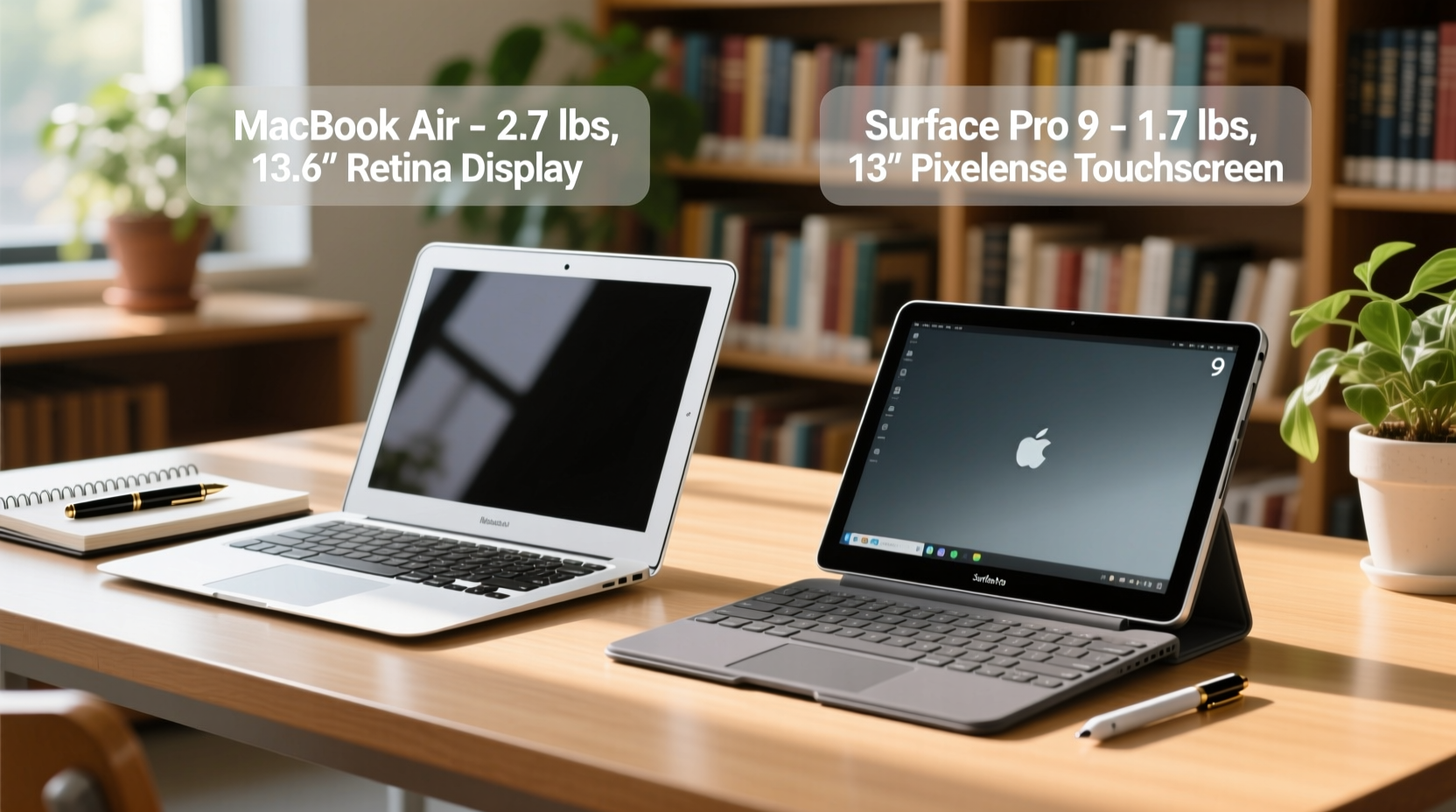
Students carry their laptops everywhere—between classes, study groups, and home. Weight, thickness, and durability matter. The MacBook Air and Surface Pro 9 take very different approaches to form factor.
The MacBook Air features Apple’s iconic unibody aluminum design. It weighs 2.7 pounds and is 0.44 inches thick, offering a rigid, spill-resistant keyboard and a sturdy build that resists dents from backpack drops. Its clamshell design protects the screen when closed, making it ideal for tossing into a bag between lectures.
In contrast, the Surface Pro 9 is a 2-in-1 detachable tablet with a kickstand and optional Type Cover. At 1.98 pounds (without the keyboard), it’s lighter than the Air, but once paired with the Type Cover (sold separately), the total weight reaches about 2.65 pounds—nearly identical to the Air. However, the Surface requires more careful handling; the screen is exposed when detached, and the magnetic keyboard attachment, while secure, can dislodge if tugged.
For students who value versatility—using the device as both a laptop and a digital notebook—the Surface Pro 9 wins on adaptability. But for those prioritizing rugged simplicity and one-device-fits-all functionality, the MacBook Air’s traditional design provides peace of mind.
Performance and Workflow: M2 vs Snapdragon/Intel
Both devices come in multiple configurations, but the most relevant comparison for students is between the base models: the M2-powered MacBook Air and the Intel Core i5/i7 Surface Pro 9 (the ARM-based SQ3 version has limited app compatibility).
Apple’s M2 chip delivers exceptional efficiency and performance. With an 8-core CPU and 10-core GPU, it handles video editing, coding, and multitasking with ease. Students running virtual machines, statistical software like SPSS, or creative tools such as Final Cut Pro will appreciate the consistent responsiveness and lack of fan noise—even under load.
The Surface Pro 9 with Intel 12th Gen processors offers strong performance too, especially in multi-threaded tasks. However, its fanless design in lower configurations helps silence, but higher-end models include active cooling, which can become audible during sustained workloads. Battery life also dips faster under heavy use compared to the M2 Air.
“Apple’s silicon has redefined what we expect from thin-and-light laptops—especially in efficiency and thermal management.” — David Liu, Hardware Analyst at TechInsight Weekly
One critical difference lies in software ecosystem. macOS excels in stability, security, and optimization for creative apps. Windows offers broader software compatibility, particularly with engineering tools, legacy applications, and university lab software that may not run natively on macOS.
If your coursework relies on Windows-only programs—like certain CAD tools, MATLAB toolboxes, or specialized research software—the Surface Pro 9 becomes a more practical choice, even if raw performance slightly lags behind.
Battery Life and All-Day Usability
Nothing disrupts a student’s day like a dying battery mid-lecture. Both devices promise “all-day” battery, but real-world results vary.
Apple claims up to 18 hours of video playback for the M2 MacBook Air. In typical student use—browsing, note-taking, Zoom calls, and music streaming—users consistently report 12–14 hours on a single charge. This reliability means fewer trips to power outlets and less anxiety during back-to-back classes.
The Surface Pro 9 advertises up to 15.5 hours, but actual usage sees closer to 8–10 hours, especially with Wi-Fi, pen input, and screen brightness above 50%. The touchscreen and higher-resolution display consume more power, and background Windows processes can reduce efficiency.
Additionally, the MacBook Air supports fast charging via USB-C: 50% in 30 minutes. The Surface Pro 9 charges well but doesn’t match Apple’s speed. For students rushing between buildings, this edge matters.
| Feature | MacBook Air (M2) | Surface Pro 9 (Intel) |
|---|---|---|
| Typical Student Battery Life | 12–14 hours | 8–10 hours |
| Fast Charging Support | Yes (50% in 30 min) | Limited (60% in 60 min) |
| Fanless Design | Yes | Base i5 model only |
| Port Selection | 2x USB-C / MagSafe | 2x USB-C / Surface Connect |
| Starting Price (USD) | $999 | $999 + $130 (keyboard) |
Note: The Surface Pro 9’s keyboard is sold separately, adding significant cost. The MacBook Air includes everything needed out of the box—a crucial consideration for budget-conscious students.
Educational Use Cases: Note-Taking, Research, and Creativity
How each device performs in academic scenarios depends heavily on workflow. Let’s consider three common student activities: lecture note-taking, collaborative research, and creative assignments.
Note-Taking and Annotation
The Surface Pro 9 shines here. Paired with the Surface Pen, it transforms into a digital notebook. Apps like OneNote allow students to handwrite notes, draw diagrams, highlight text in PDFs, and record audio simultaneously. For visual learners or those in medicine, architecture, or design, this tactile input is invaluable.
The MacBook Air lacks touch and stylus support. Notes must be typed or drawn using external tablets like the iPad—which adds cost and complexity. While third-party apps like GoodNotes exist via web versions, they’re not as seamless as native integration.
Research and Collaboration
Both devices handle web browsing, document editing, and cloud collaboration well. The MacBook Air runs Safari, which integrates tightly with iCloud and Apple Notes—ideal for students already in the Apple ecosystem. Citations, bookmarks, and shared folders sync effortlessly across iPhone, iPad, and Mac.
The Surface Pro 9 leverages Microsoft 365 deeply. Word, Excel, PowerPoint, and Teams are optimized for Windows, and real-time co-authoring works flawlessly. SharePoint and OneDrive integration make group projects easier, especially in universities standardized on Microsoft platforms.
Creative Projects
For video editing, music production, or graphic design, the M2 MacBook Air holds a clear advantage. Final Cut Pro, Logic Pro, and Adobe Creative Cloud apps run faster and smoother on Apple silicon. Thermal efficiency ensures sustained performance without throttling.
The Surface Pro 9 can run these same apps, but performance varies. Some Adobe tools aren’t fully optimized for high-DPI screens on Windows, leading to scaling issues. However, for illustration and digital painting, the Surface’s pen precision and screen sensitivity give artists superior control.
Mini Case Study: Sarah, a Pre-Med Student at Northwestern
Sarah needed a portable device for her rigorous pre-med curriculum. She attended three-hour lectures daily, reviewed annotated textbooks, and collaborated on lab reports. Initially, she chose the MacBook Air for its battery life and quiet operation.
But she quickly hit limitations. Highlighting dense anatomy PDFs was cumbersome without a stylus. Drawing cellular structures in biology class felt unnatural on a trackpad. After two months, she switched to the Surface Pro 9 with Surface Pen.
The change transformed her workflow. She used OneNote to write notes by hand, embed lecture recordings, and tag keywords for later search. During labs, she sketched observations directly on her screen. Though she charged twice a day, the flexibility outweighed the shorter battery.
“I wish the Surface had longer battery,” she said, “but being able to interact with my notes like paper? That’s worth the trade-off.”
Sarah’s experience highlights a key truth: for some students, input method trumps all else.
Step-by-Step Guide: Choosing the Right Device for Your Needs
Follow this decision framework to determine which ultraportable fits your academic lifestyle:
- Assess your primary tasks: Do you type essays, code, or edit videos? → MacBook Air. Do you annotate, sketch, or present often? → Surface Pro 9.
- Check software requirements: Are your courses dependent on Windows-only tools? If yes, lean toward Surface.
- Evaluate your ecosystem: Use iPhone, iPad, or AirPods? Seamless Handoff and Universal Clipboard favor MacBook Air. Use Android and Outlook? Surface integrates better.
- Consider budget: Remember the Surface Pro 9 requires a $130 keyboard and $100+ for the Pen. Total cost can exceed $1,200. The MacBook Air includes everything at $999.
- Test real-world durability: Think about how often you’ll carry it. If you’re rough with gear, the Air’s enclosed design may last longer.
FAQ
Can I use the Surface Pro 9 without the keyboard?
Yes—and that’s one of its strengths. As a standalone tablet, it’s excellent for reading textbooks, watching lectures, or drawing. However, typing long papers or coding is impractical without the Type Cover.
Is the MacBook Air too limiting for STEM majors?
Not inherently. Most STEM software—including Python, R, LaTeX, and many IDEs—runs well on macOS. However, if your program requires specific Windows-based simulation tools or lab equipment drivers, check compatibility first. Boot Camp is no longer supported on Apple silicon, so dual-booting isn’t an option.
Which holds resale value better?
The MacBook Air typically retains higher resale value. After two years, M2 models often sell for 60–70% of original price. Surface Pro 9 resale is lower (40–50%), partly due to accessory fragmentation and faster Windows obsolescence cycles.
Checklist: Before You Buy
- ✅ Confirm required software runs on your chosen OS
- ✅ Factor in cost of accessories (keyboard, pen, case)
- ✅ Test screen readability in bright classrooms
- ✅ Evaluate available ports for projectors, drives, or adapters
- ✅ Check university tech discounts (both Apple and Microsoft offer student pricing)
- ✅ Consider warranty and accidental damage coverage
Conclusion: Which Ultrabook Wins for Students?
There’s no universal winner. The best device depends on your academic path, personal habits, and technological environment.
The **MacBook Air (M2)** wins for students who prioritize battery life, build quality, silent operation, and long-term reliability. It’s ideal for writers, programmers, media creators, and anyone already invested in Apple’s ecosystem. Its plug-and-forget usability makes it perfect for busy schedules where maintenance and compatibility aren’t negotiable.
The **Surface Pro 9** wins for students who need versatility—especially those in visual fields, healthcare, or education—who benefit from pen input, touch interaction, and convertible form factors. It’s also the safer bet for institutions standardized on Windows and Microsoft 365.
Ultimately, ask yourself: Do you need a tool that disappears into your routine, or one that adapts to diverse ways of thinking and creating? The answer will guide you to the right choice.




 浙公网安备
33010002000092号
浙公网安备
33010002000092号 浙B2-20120091-4
Comments
No comments yet. Why don't you start the discussion?