
Artificial intelligence is no longer a futuristic concept reserved for tech giants and research labs. It’s embedded in everyday tools—from email filters to voice assistants—and accessible to anyone with an internet connection. For beginners, the challenge isn’t access but knowing where to start and how to apply AI meaningfully. The key lies not in mastering complex algorithms, but in developing practical habits that integrate AI into real-life workflows. This guide breaks down actionable steps to help newcomers build confidence, avoid common pitfalls, and use AI as a reliable partner in learning, creativity, and problem-solving.
Understanding What AI Can (and Can’t) Do
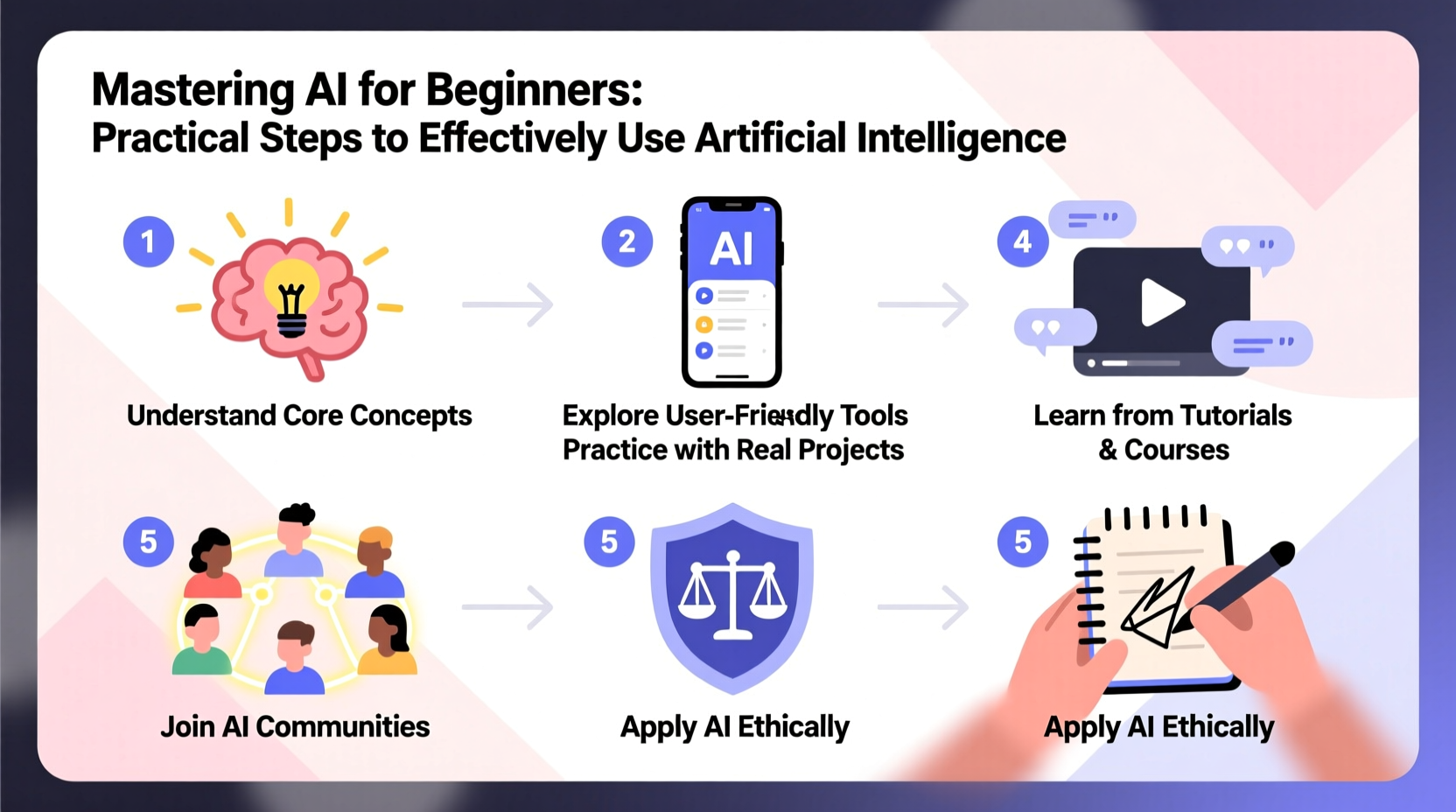
Before diving into tools, it’s essential to set realistic expectations. AI excels at pattern recognition, data processing, and generating content based on existing information. It can draft emails, summarize articles, suggest code, or translate languages. However, it doesn’t “think” or understand context the way humans do. It operates based on probabilities derived from vast datasets, which means it can make confident errors—especially when asked about obscure topics or nuanced decisions.
Beginners often fall into one of two traps: either overestimating AI as an all-knowing oracle or dismissing it as unreliable. The truth lies in the middle. AI is best used as a collaborative tool—one that accelerates work but requires human oversight. For example, while AI can generate a first draft of a blog post, only a human can ensure it aligns with brand tone, factual accuracy, and emotional intent.
“AI is not about replacing people—it's about amplifying human potential. The most effective users are those who know how to guide it.” — Dr. Lena Patel, AI Education Researcher at MIT
Step-by-Step Guide to Getting Started with AI
Building competence with AI doesn’t require a computer science degree. Follow this five-step process to develop practical skills:
- Choose a beginner-friendly platform. Start with widely used tools like ChatGPT, Google Gemini, or Microsoft Copilot. These interfaces are designed for natural language input and offer immediate feedback.
- Define a specific task. Instead of asking broad questions like “Tell me about marketing,” try “Generate three social media post ideas for a vegan bakery launching gluten-free cupcakes.” Specificity improves output quality.
- Experiment with prompts. Learn how phrasing affects results. Compare “Write a summary” with “Summarize this article in 50 words for a high school audience.” Notice the difference in clarity and tone.
- Review and refine outputs. Never accept AI-generated content at face value. Edit for accuracy, style, and relevance. Treat AI as a co-writer, not the final authority.
- Track what works. Keep a simple log of prompts and outcomes. Over time, you’ll identify patterns that lead to better results.
Practical Applications for Everyday Use
AI isn’t just for coders or data scientists. Here are real-world applications suitable for beginners:
- Learning & Research: Ask AI to explain complex topics in simple terms, such as “Explain blockchain like I’m 12.” Use it to generate study questions or flashcards from textbook chapters.
- Writing & Communication: Draft emails, revise resumes, or brainstorm headlines. AI can help overcome writer’s block by offering multiple versions of a sentence.
- Productivity: Break large projects into steps. Try, “Create a 7-day plan to organize my home office, including 30-minute daily tasks.”
- Coding Help: Even non-developers can benefit. Ask AI to explain error messages or write simple scripts for automating file organization.
- Creative Exploration: Generate poetry, story ideas, or character profiles. Use AI to explore “what if” scenarios in fiction or strategy planning.
Mini Case Study: Maria Learns to Use AI for Freelance Writing
Maria, a freelance content writer, struggled with tight deadlines and repetitive research tasks. She began using AI to summarize industry reports and generate article outlines. Initially skeptical, she tested outputs against her own knowledge and refined prompts for better results. Within a month, she reduced research time by 40% and increased client output without sacrificing quality. Her secret? She treated AI as a junior researcher—giving clear instructions and always fact-checking key points. Today, she uses AI daily but maintains editorial control, ensuring her voice remains central to every piece.
Avoiding Common Pitfalls: Do’s and Don’ts
New users often encounter setbacks due to unrealistic expectations or poor habits. This table highlights frequent mistakes and better alternatives.
| Don’t | Do |
|---|---|
| Ask vague questions like “Tell me something interesting.” | Use specific, contextual prompts: “Give me three surprising facts about octopuses suitable for a children’s science video.” |
| Assume AI knows your goals or preferences. | Provide background: “I’m writing a blog for small business owners. Suggest five title ideas about time management.” |
| Copy AI output directly into professional work. | Edit thoroughly for tone, accuracy, and originality. Always add personal insight. |
| Expect perfect answers every time. | Treat responses as drafts. Iterate with follow-up questions: “Make this more concise” or “Use simpler vocabulary.” |
| Use AI for sensitive personal or medical advice. | Consult qualified professionals. AI should support—not replace—expert judgment. |
Essential Checklist for Effective AI Use
Keep this checklist handy when starting out. Revisit it weekly until practices become second nature.
- ✅ Define the goal before typing a prompt
- ✅ Use clear, detailed language in requests
- ✅ Include context: audience, tone, length, purpose
- ✅ Review all AI-generated content for accuracy
- ✅ Avoid sharing personal, confidential, or sensitive data
- ✅ Save successful prompts for future reuse
- ✅ Stay updated on new features and ethical guidelines
Frequently Asked Questions
Is AI safe for beginners to use?
Yes, as long as basic precautions are followed. Avoid entering private information like passwords, financial details, or confidential work documents. Most public AI platforms store inputs to improve models, so treat every interaction as potentially visible.
Do I need to know programming to use AI?
No. Many AI tools today are designed for natural language use. You can interact through chat interfaces without writing a single line of code. Programming becomes relevant only if you want to customize or integrate AI into software later.
Can AI replace my job?
In most cases, AI augments rather than replaces human roles. It handles repetitive tasks, freeing you to focus on creative, strategic, or interpersonal work. Those who learn to collaborate with AI effectively often gain a competitive edge.
Conclusion: Start Small, Think Big
Mastering AI begins not with technical mastery, but with curiosity and consistency. The most effective users aren’t those with the deepest technical knowledge, but those who practice regularly, ask better questions, and stay critical of outputs. Begin with one tool and one use case—summarizing articles, drafting messages, or organizing ideas. Refine your approach over time. As comfort grows, so will your ability to leverage AI in more sophisticated ways. The future belongs not to those who fear automation, but to those who learn to steer it wisely.




 浙公网安备
33010002000092号
浙公网安备
33010002000092号 浙B2-20120091-4
Comments
No comments yet. Why don't you start the discussion?