
Smart glasses are no longer just a futuristic concept—they’re here, reshaping how we interact with technology during daily routines. Among their most practical features is the ability to make and receive Bluetooth calls without reaching for your phone. Whether you're commuting, working hands-free, or exercising, taking calls through smart glasses offers unmatched convenience. But without proper setup and understanding, users often face issues like poor audio quality, dropped connections, or difficulty answering calls mid-walk.
This guide walks you through every stage of mastering Bluetooth calling on smart glasses. From initial pairing to troubleshooting common hiccups, you’ll gain the knowledge needed for smooth, reliable voice communication—anytime, anywhere.
Understanding Smart Glasses and Bluetooth Calling
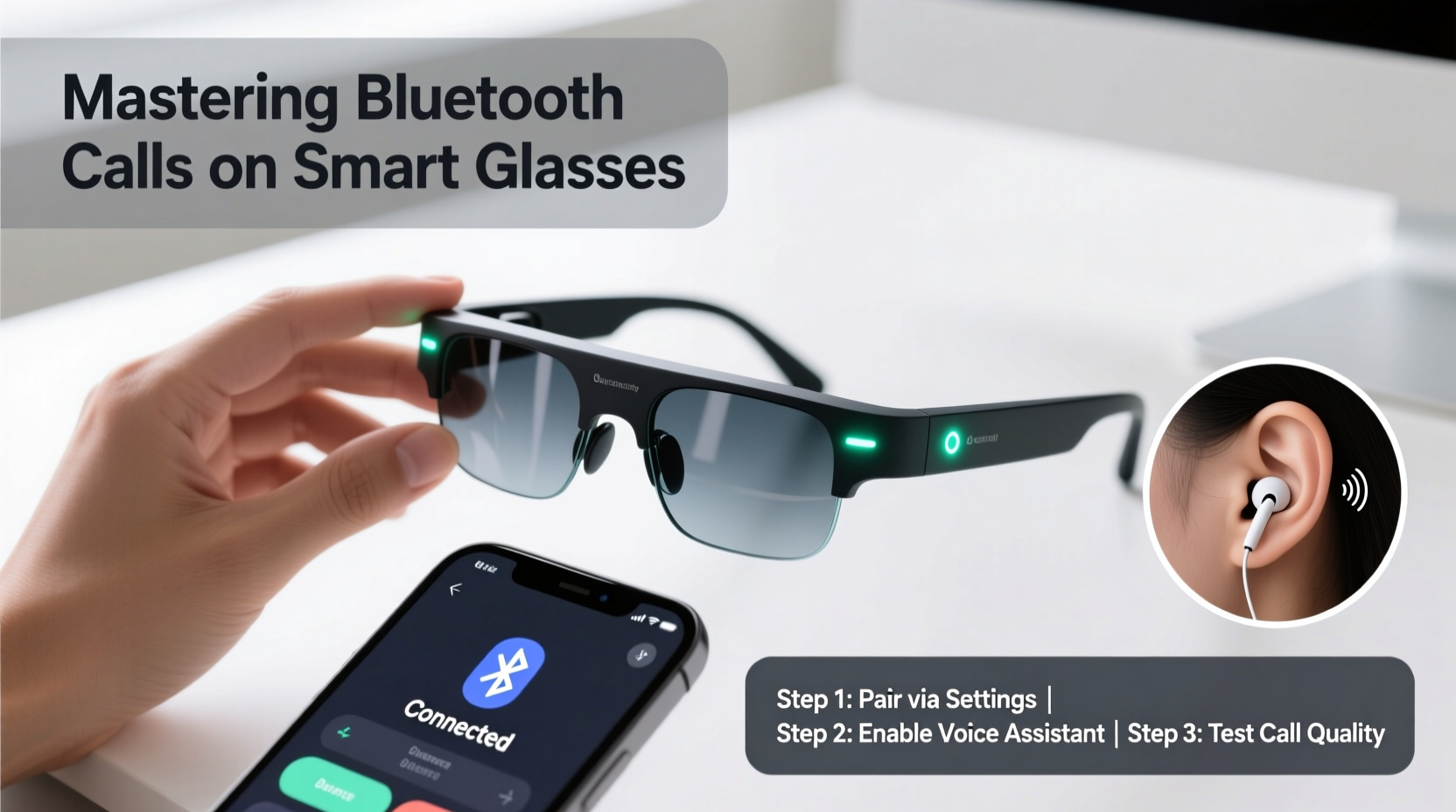
Smart glasses integrate miniature speakers, microphones, and Bluetooth radios into lightweight frames designed for everyday wear. Unlike traditional headphones, they deliver audio slightly above the ears, allowing environmental awareness while maintaining privacy. Most models support Bluetooth 5.0 or higher, ensuring stable connections and lower power consumption.
The calling experience depends on three key components: microphone clarity, speaker positioning, and signal stability. High-end models use beamforming mics to isolate your voice from ambient noise and open-ear transducers that direct sound precisely toward your ear canal without blocking outside sounds.
“Bluetooth integration in wearable optics has reached a point where call quality rivals dedicated earbuds—provided users optimize settings and usage habits.” — Dr. Lena Park, Wearable Audio Engineer at Acoustic Futures Lab
Step-by-Step Guide to Seamless Bluetooth Call Setup
Getting your smart glasses connected properly is the foundation for a flawless calling experience. Follow these steps carefully:
- Charge your glasses fully. Low battery can interfere with Bluetooth stability.
- Enable Bluetooth on your smartphone. Go to Settings > Bluetooth and ensure it’s turned on.
- Power on your smart glasses. Press and hold the power button (usually on the temple) until you hear a startup chime or see an LED indicator.
- Enter pairing mode. This varies by brand; some require holding the button for 5 seconds, others have a dedicated gesture or voice command like “Pair device.”
- Select your glasses from the Bluetooth list. On your phone, wait for the device name (e.g., “VegaLens Pro”) to appear and tap it.
- Confirm pairing code if prompted. Most modern devices auto-pair, but older models may ask for a PIN like 0000 or 1234.
- Test the connection. Play audio or initiate a test call to verify both input (mic) and output (speaker) work correctly.
Optimizing Call Quality and Performance
Once paired, fine-tuning your setup ensures professional-grade call performance. Consider these optimization strategies:
- Adjust speaker volume and mic sensitivity via the companion app (e.g., Bose Frames app, Ray-Ban Meta app).
- Position the glasses correctly. Ensure arms rest snugly behind your ears—the speakers need proximity to function optimally.
- Use wind shields or foam covers if available; wind noise is a top cause of degraded voice pickup outdoors.
- Minimize interference by avoiding crowded Wi-Fi zones or keeping your phone within 10 meters (33 feet) of the glasses.
- Update firmware regularly. Manufacturers release patches that improve audio codecs and connection resilience.
Do’s and Don’ts for Clear Calls
| Do | Don’t |
|---|---|
| Wear glasses securely before taking calls | Use them in extremely windy conditions without protection |
| Speak clearly and at a natural pace | Shout or over-enunciate—this distorts mic input |
| Keep software updated monthly | Ignore low-battery warnings during long calls |
| Use noise suppression features when available | Place phone in metal-lined pockets (blocks signal) |
Real-World Example: A Day in the Life of a Remote Worker
Sophie, a freelance project manager based in Portland, relies on her smart glasses for back-to-back Zoom and client calls while walking between errands. She used to miss parts of conversations due to echo and inconsistent volume. After reviewing her settings, she discovered the default audio profile prioritized music over voice.
She switched to “Call Mode” in her device app, adjusted mic sensitivity to “Outdoor,” and began charging her glasses nightly. Within days, clients commented on improved clarity. Now, Sophie takes calls from parks, sidewalks, and coffee shops without needing to pause or repeat herself. Her productivity increased by nearly 20%, all because of optimized Bluetooth calling.
Troubleshooting Common Bluetooth Issues
Even well-configured systems encounter problems. Here’s how to resolve frequent challenges:
- One-way audio? Check if the microphone is blocked by hair or fabric. Also, confirm the correct audio route is selected in your phone’s Bluetooth settings (“Phone Audio” enabled).
- Dropped calls after 1–2 minutes? This often indicates power-saving mode cutting the connection. Disable auto-sleep in the glasses’ app or extend timeout duration.
- No sound during calls? Re-pair the device and ensure the glasses aren’t connected to another phone or tablet simultaneously.
- Echo or feedback? Lower speaker volume and avoid cupping your hand near the temple—this creates acoustic loops.
Frequently Asked Questions
Can I answer calls without my phone nearby?
No. Smart glasses rely on a constant Bluetooth link to your smartphone for cellular or VoIP calling. They do not have standalone SIM capabilities (except rare models like certain enterprise AR glasses).
Are Bluetooth calls secure?
Yes, modern Bluetooth uses encrypted connections between paired devices. However, avoid discussing sensitive information in public areas where someone could overhear your open-ear audio playback.
Why does my voice sound muffled to callers?
This usually happens due to wind noise, improper fit, or dirt covering the microphone ports. Clean the temple gently with a dry cotton swab and reposition the glasses so the mic aligns with your jawline.
Essential Checklist Before First Use
Before making your first call, run through this quick checklist:
- ✅ Fully charge both glasses and phone
- ✅ Install the manufacturer’s companion app
- ✅ Pair glasses with your primary mobile device
- ✅ Test microphone and speaker using a voice memo
- ✅ Update firmware to the latest version
- ✅ Adjust audio balance and notification settings
- ✅ Practice voice commands (e.g., “Answer call,” “End call”)
Making the Most of Your Smart Glasses
Mastering Bluetooth calls transforms your smart glasses from novelty gadgets into essential productivity tools. With consistent care, proper configuration, and awareness of environmental factors, you can maintain crisp, reliable communication throughout the day. The key lies not just in technology, but in understanding how to use it intentionally.
As more professionals adopt wearable tech for hybrid lifestyles, those who optimize their tools early will enjoy a distinct advantage—staying connected without compromise.




 浙公网安备
33010002000092号
浙公网安备
33010002000092号 浙B2-20120091-4
Comments
No comments yet. Why don't you start the discussion?