
Smart shoppers know that real savings come not from waiting for seasonal sales, but from strategically combining digital coupons, cashback offers, and store promotions. The Target app has transformed how consumers save, offering personalized deals that can slash grocery and household bills—when used correctly. Yet many users miss out simply because they don’t understand how to navigate the app’s full potential. This guide breaks down exactly how to master coupon clipping within the Target app, ensuring you never overpay again.
Understanding the Target App’s Digital Coupon System
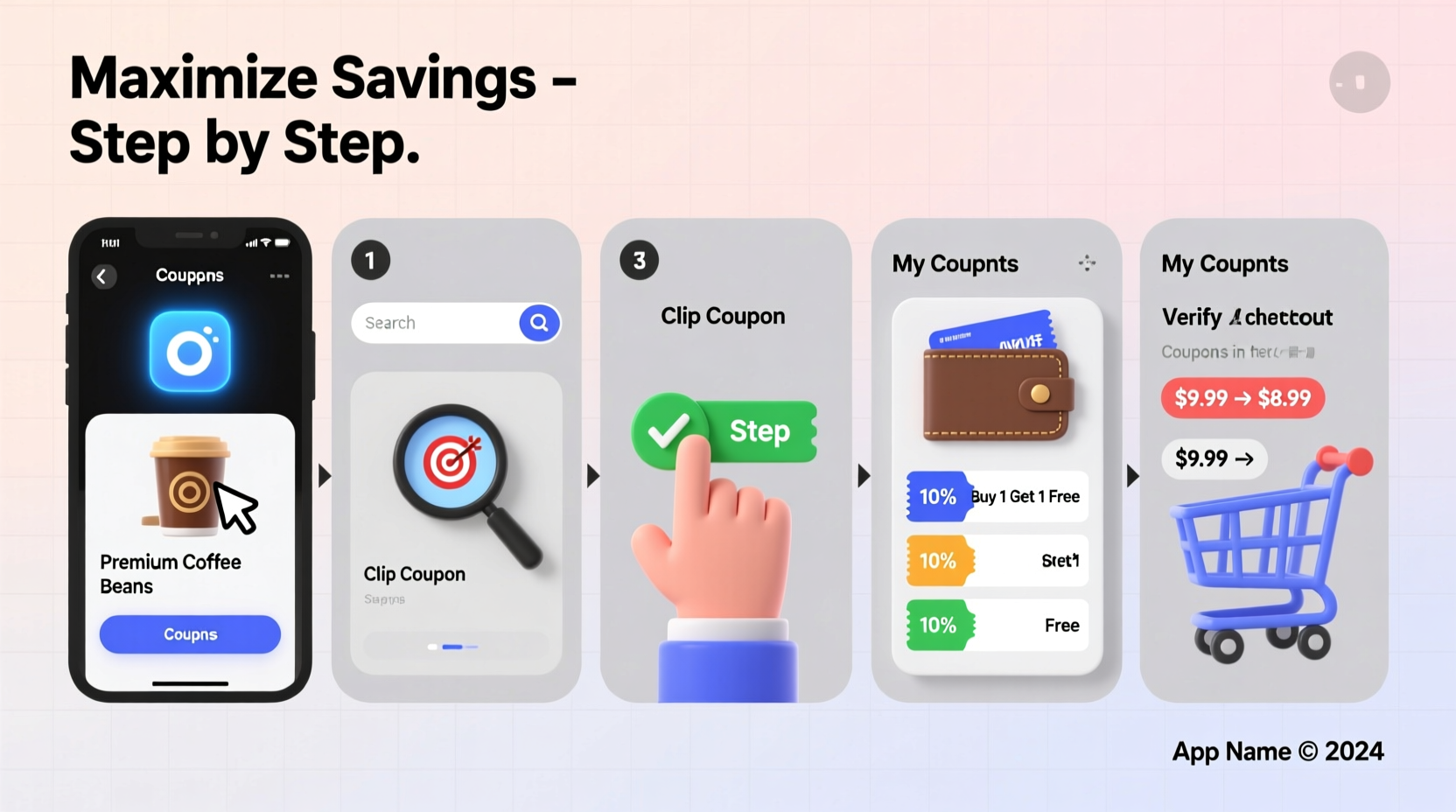
The Target app replaces traditional paper clipping with a seamless digital experience. Instead of cutting physical coupons, you “clip” digital ones directly in the app, which are then automatically applied at checkout when you use your RedCard or linked account. These offers range from buy-one-get-one (BOGO) deals to percentage discounts and dollar-off incentives.
Unlike third-party coupon sites, Target’s in-app promotions are tailored to your purchase history and local store inventory. This means the deals you see are more likely to align with items you already buy. However, clipped coupons don’t stack automatically with manufacturer coupons or other promotions—strategic planning is required to maximize value.
Step-by-Step Guide to Clipping Coupons Effectively
- Download and update the Target app – Ensure you’re using the latest version for optimal performance and access to new features.
- Log in or create an account – Link your phone number and email to sync purchases and personalize offers.
- Navigate to the \"Deals\" tab – Located at the bottom of the screen, this section houses all active promotions.
- Select \"Savings & Offers\" – Here, you’ll find both automatic savings and clip-to-save coupons.
- Tap \"Clip It\" on desired deals – A confirmation message will appear once successfully clipped.
- Check expiration dates – Most coupons last 2–4 weeks; set reminders if needed.
- Shop with your linked payment method – Use your RedCard, saved credit card, or Apple Pay to ensure discounts apply.
Coupons are applied at the time of purchase, either in-store or online. You don’t need to manually enter codes—the system recognizes eligible items when your account is authenticated at checkout.
Strategies to Maximize Savings Beyond Basic Clipping
Clipping alone won’t unlock the deepest discounts. True savings mastery comes from layering multiple offers intelligently.
- Combine with Circle Rewards: Target Circle offers additional member-only discounts. Activate these alongside clipped coupons for stacked savings.
- Use Target RedCard: This debit/credit card provides an automatic 5% discount on most purchases, which applies after coupons.
- Wait for price drops: Some items go on clearance shortly after appearing in weekly ads. Monitor prices and strike when both the base cost and coupon value are optimized.
- Buy in bulk during double-up events: Occasionally, Target runs promotions where coupons are doubled (e.g., $1 off becomes $2 off). These are rare but highly valuable.
| Saving Method | How It Works | Max Potential Savings |
|---|---|---|
| Digital Coupons | Clip in app; auto-applied at checkout | $0.50–$5 per item |
| Target Circle Cash | Earn 1–5% back on select categories | Up to $25 monthly cap |
| RedCard Discount | 5% off every transaction | No cap (exclusions apply) |
| Weekly Ad Sales | Reduced shelf prices on featured items | 20–50% off |
Common Mistakes That Reduce Your Savings
Even experienced users fall into traps that limit their savings. Avoid these pitfalls:
- Forgetting to clip before shopping – Unclipped coupons won’t apply, even if visible in the app.
- Mixing up automatic vs. clip-to-save deals – Some discounts require no action; others must be actively clipped.
- Using unlinked payment methods – Paying with a card not tied to your account bypasses all personalized savings.
- Ignoring category exclusions – Certain coupons exclude sale items, gift cards, or specific brands.
Real-World Example: How Sarah Saved $72 on a $150 Grocery Run
Sarah, a mother of two in Columbus, Ohio, used to spend about $180 weekly on groceries. After learning the ins and outs of the Target app, she redesigned her strategy. She began checking the app every Friday night, clipping all relevant coupons—especially those for pantry staples like pasta, cereal, and cleaning supplies.
During one trip, she bought 12 items totaling $150. Of those, 9 had active digital coupons (saving $28), 4 qualified for Circle cashback (earning $12 back), and she paid with her RedCard (5% off = $7.50). Additionally, three items were on sale beyond the coupon discount. Her final out-of-pocket cost? $78—a 48% reduction.
“I didn’t change what I bought,” Sarah said. “I just changed how I bought it. The app does the heavy lifting if you let it.”
“We estimate that regular users who actively clip and combine offers save between 30% and 50% more than passive shoppers.” — Dana Lee, Retail Technology Analyst at Consumer Insights Group
Essential Checklist for Maximum Coupon Efficiency
To ensure you're getting every possible discount, follow this checklist each week:
- ✅ Update the Target app to the latest version
- ✅ Log in to your account and verify payment methods are linked
- ✅ Visit the \"Deals\" tab and click \"Savings & Offers\"
- ✅ Clip all relevant digital coupons (look for \"Clipped\" label)
- ✅ Enable Circle Rewards and activate bonus offers
- ✅ Check upcoming weekly ad for price drops on clipped items
- ✅ Shop using your RedCard or registered payment method
- ✅ Review receipt to confirm all discounts were applied
Frequently Asked Questions
Can I use multiple coupons on the same item?
No. Target’s policy allows only one digital coupon per item. However, you can often combine a digital coupon with a manufacturer coupon through apps like Ibotta or Fetch Rewards for rebate-style stacking.
Do clipped coupons expire?
Yes. Most digital coupons in the Target app expire within 2–4 weeks. Expiration dates are displayed clearly under each offer. Expired coupons disappear from your account automatically.
Why didn’t my coupon apply at checkout?
This usually happens if the correct item wasn’t scanned, the payment method wasn’t linked to your account, or the coupon had restrictions (e.g., size, flavor, or quantity requirements). Always double-check product details against coupon terms.
Final Thoughts: Turn Smartphone Browsing into Real-World Savings
Mastering coupon clipping on the Target app isn’t about spending more time shopping—it’s about spending smarter. With less than ten minutes a week, you can clip, organize, and redeem offers that compound into hundreds of dollars saved annually. The tools are free, the process is simple, and the rewards are immediate.




 浙公网安备
33010002000092号
浙公网安备
33010002000092号 浙B2-20120091-4
Comments
No comments yet. Why don't you start the discussion?