
Whether you're filling out a form, scheduling an international meeting, or writing a formal letter, typing the correct date format matters. A simple mistake can lead to confusion, missed deadlines, or even miscommunication in legal or medical contexts. Despite being a basic skill, date formatting varies widely across countries, systems, and industries—making it surprisingly easy to get wrong. Understanding these differences isn’t just about precision; it’s about clarity and professionalism.
This guide breaks down everything you need to know to write dates accurately and confidently, no matter the context. From regional variations to digital standards, we’ll walk through best practices, common pitfalls, and real-world applications so you can avoid ambiguity and communicate with authority.
Understanding Regional Date Format Differences
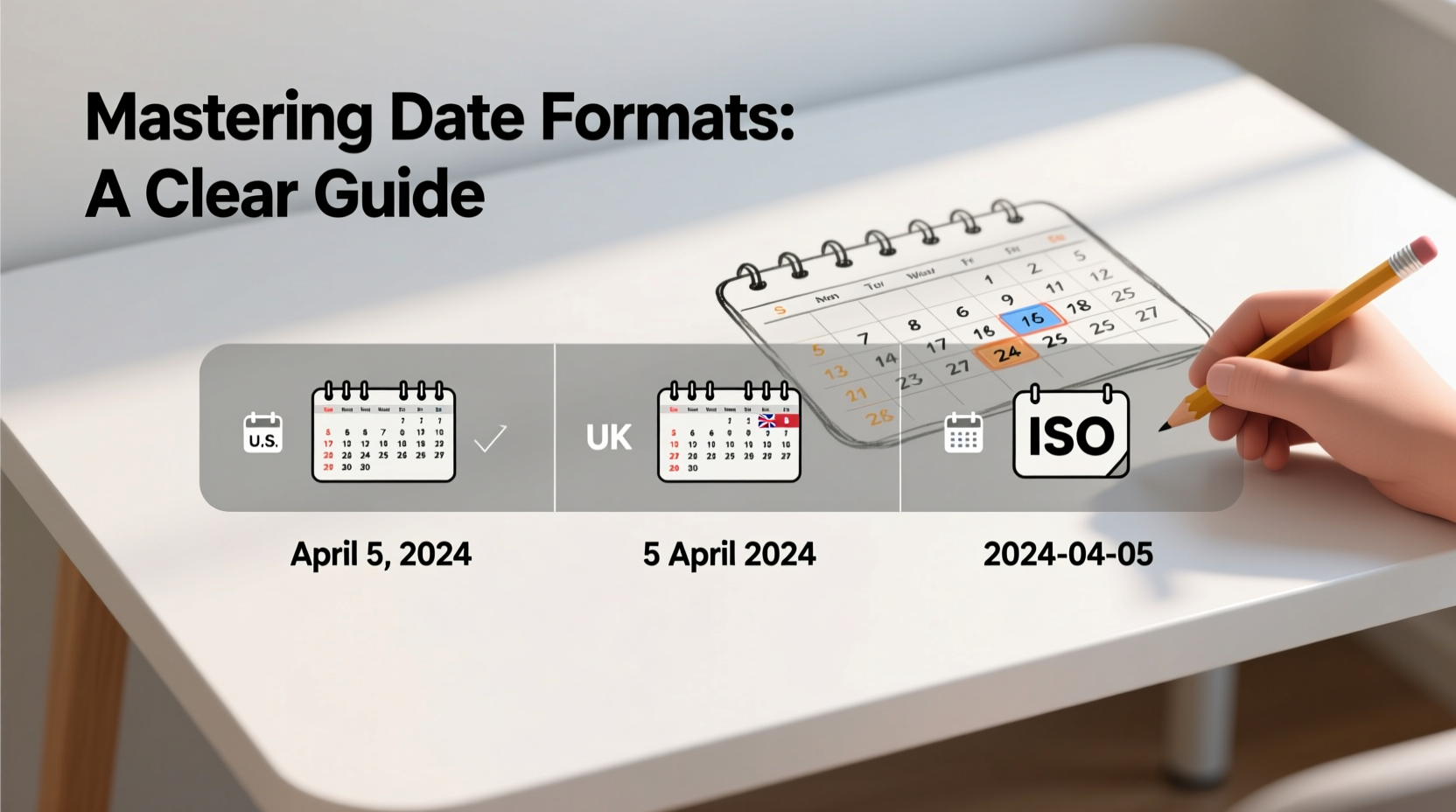
Date formats are not universal. What reads as “05/06/2024” in one country may mean June 5th, while in another it means May 6th. The primary sources of confusion stem from three common structures:
- MM/DD/YYYY – Predominant in the United States
- DD/MM/YYYY – Used in most of Europe, Asia, Africa, and Oceania
- YYYY-MM-DD – The ISO international standard
In the U.S., for example, July 4, 2024 is typically written as 07/04/2024. In the UK, Australia, and Canada (outside Quebec), the same date would be 04/07/2024. Without clarification, this creates a high risk of misinterpretation—especially in global communications.
The ISO Standard: A Global Solution
To reduce ambiguity, the International Organization for Standardization (ISO) established ISO 8601, which defines the correct format as YYYY-MM-DD (e.g., 2024-07-04). This format sorts chronologically when listed alphabetically, making it ideal for databases, file naming, and software development.
Adopting ISO 8601 eliminates guesswork. For instance:
| Format | Example | Used In |
|---|---|---|
| MM/DD/YYYY | 07/04/2024 | United States, Philippines |
| DD/MM/YYYY | 04/07/2024 | UK, Germany, India, South Africa |
| YYYY-MM-DD | 2024-07-04 | International standards, tech, science |
“Clarity in communication starts with eliminating ambiguity. The ISO date format is one of the simplest tools we have to achieve that.” — Dr. Lena Patel, Communication Systems Analyst
When and How to Use Written vs. Numeric Dates
In formal writing, spelling out the date enhances readability and avoids confusion. For example:
- Numeric: 03/05/2024 (ambiguous)
- Written: March 5, 2024 (clear in U.S.)
- Written: 5 March 2024 (clear internationally)
The latter format—day followed by month without commas—is preferred in British English and many international publications because it aligns with logical reading order and reduces ambiguity.
Best Practices for Formal Documents
In business letters, academic papers, or legal contracts, always prioritize clarity. Follow these guidelines:
- Spell out the month to avoid numeric confusion.
- Use the full year (not '24).
- Place the day before the month in international contexts (e.g., 12 August 2024).
- Avoid slashes in formal writing; use spaces or hyphens instead.
Digital Systems and Date Entry Best Practices
Computers don’t interpret intent—they follow rules. When entering dates into software, databases, or online forms, matching the expected format is critical.
Many systems auto-detect format based on regional settings. However, manual entry errors are common. For example, typing “04/05/2024” into a U.S.-based CRM might register as April 5th, but if your team uses DD/MM, they’ll assume it’s May 4th.
Step-by-Step Guide to Error-Free Digital Date Entry
- Determine the system’s default format – Check settings or documentation.
- Adjust your device’s region settings if frequently switching between locales.
- Use calendar pickers when available to avoid typing errors.
- Validate entries by reviewing saved data immediately after input.
- Train teams on company-wide date standards, especially in multinational environments.
For developers and data managers, enforcing ISO 8601 in backend systems ensures consistency regardless of user location.
Common Mistakes and How to Avoid Them
Even experienced professionals make date-related errors. Here are the most frequent issues and how to fix them:
| Mistake | Why It’s Problematic | Solution |
|---|---|---|
| Using 03/04/2024 without context | Could mean March 4 or April 3 | Specify format or use spelled-out months |
| Abbreviating years (e.g., ‘24) | May cause confusion in archival records | Always use four-digit years |
| Assuming everyone uses MM/DD | Leads to miscommunication abroad | Adopt YYYY-MM-DD for international work |
| Incorrect leap year handling | February 29, 2023 does not exist | Verify leap years in scheduling tools |
Mini Case Study: The Cost of a Misread Date
A marketing agency in Toronto scheduled a product launch webinar for “07/08/2024” and shared the date with partners in London and New York. The Canadian team intended August 7th (using MM/DD), but the London office interpreted it as July 8th and prepared materials early. Meanwhile, the New York team read it correctly but noticed the discrepancy too late. The result? Delayed coordination, duplicated efforts, and last-minute rescheduling.
The solution? They implemented a company policy: all internal and external communications must use either “7 August 2024” or “2024-08-07.” Within weeks, scheduling errors dropped to zero.
Checklist: Ensuring Correct Date Formatting
Use this checklist whenever you write or enter a date:
- ✅ Identify your audience’s regional format preference
- ✅ Spell out the month in formal or international correspondence
- ✅ Use four-digit years (never abbreviate)
- ✅ Prefer YYYY-MM-DD for digital files and databases
- ✅ Double-check form fields for expected input format
- ✅ Avoid ambiguous slashes when possible
- ✅ Confirm time zone and date together in global scheduling
Frequently Asked Questions
Is it wrong to write dates as MM/DD/YYYY?
No—it’s standard in the United States and accepted in many informal contexts. However, it’s considered ambiguous internationally. When communicating outside the U.S., clarify or switch to a clearer format.
Should I use commas when writing dates?
In American English, yes: “July 4, 2024.” In British and international English, no: “4 July 2024.” Consistency within your document is key.
What’s the best format for file names?
Use ISO 8601: 2024-07-04_report_final.pdf. This ensures files sort chronologically and remain understandable across systems and borders.
Conclusion: Write Dates with Confidence
Mastering date formats isn’t about memorizing rules—it’s about respecting clarity and context. Whether you’re sending an email, coding a database, or drafting a contract, the way you present a date reflects your attention to detail and professionalism. By understanding regional differences, adopting standardized formats where appropriate, and double-checking entries, you eliminate one of the most common—and preventable—sources of miscommunication.




 浙公网安备
33010002000092号
浙公网安备
33010002000092号 浙B2-20120091-4
Comments
No comments yet. Why don't you start the discussion?