
Going live on Facebook is no longer reserved for celebrities or influencers. For businesses, creators, and community leaders, Facebook Live has become one of the most effective tools to connect in real time, increase visibility, and foster authentic relationships with audiences. Unlike pre-recorded videos, live broadcasts create urgency and intimacy—viewers know they’re witnessing something happening now, which drives higher engagement. Yet many hesitate to press that “Go Live” button, unsure of the process or how to make an impact once online. This guide breaks down exactly how to launch successful Facebook Live sessions directly from your Page—with clarity, preparation, and confidence.
Why Facebook Live Matters for Your Page
Facebook’s algorithm continues to prioritize video content, especially live streams. When you go live, your post receives immediate distribution, often reaching significantly more followers than standard updates. Viewers can react, comment, and share in real time, creating dynamic interactions that strengthen community bonds. Additionally, live videos are saved automatically to your Page after broadcast, giving them long-term value as evergreen content.
According to Meta, live videos generate six times more interactions than regular videos. Whether you're hosting Q&A sessions, product launches, behind-the-scenes tours, or educational workshops, Facebook Live offers a direct line to your audience without intermediaries or paywalls.
Step-by-Step: How to Go Live from Your Facebook Page
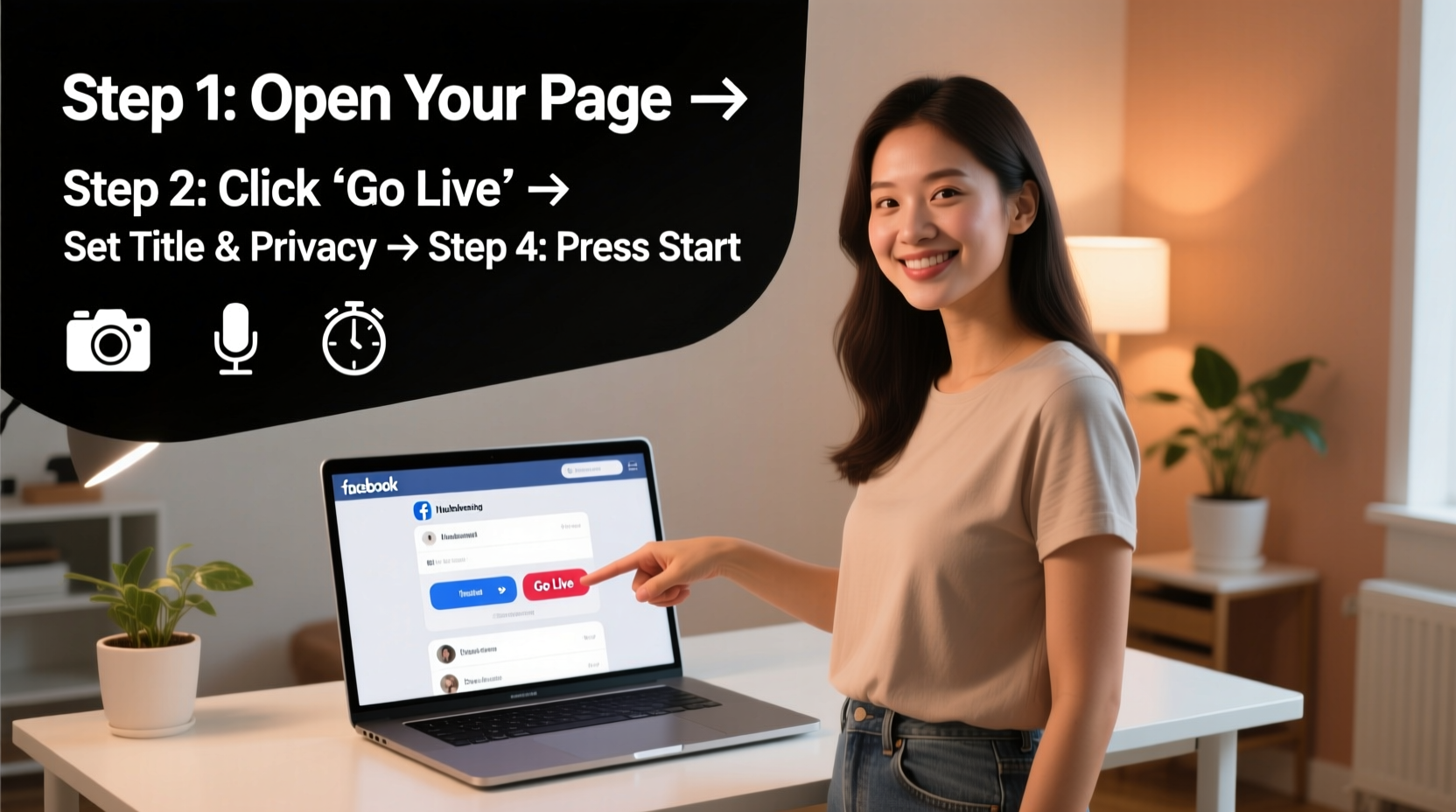
Launching a live stream from your Facebook Page is straightforward when you follow the right sequence. Here's a clear, tested workflow:
- Log into Facebook using either the mobile app (recommended) or desktop browser. The mobile experience offers greater flexibility and mobility.
- Navigate to your Facebook Page, not your personal profile. Ensure you have admin access.
- Tap “Create” at the top of your Page feed. On mobile, look for the “Live Video” option. On desktop, click “Video Live” under the post composer.
- Grant Facebook permission to access your camera and microphone if prompted.
- Add a compelling title that clearly states what viewers will gain. Avoid vague titles like “Live Now.” Instead, use “Behind the Scenes: Launching Our New Collection” or “Q&A: Ask Me Anything About Digital Marketing.”
- Write a brief description with context, key talking points, and any links you plan to reference.
- Select your audience (Public, Friends, or specific groups). For business Pages, Public is typically best.
- Click “Next” to enter preview mode. Check lighting, audio levels, and framing before going live.
- When ready, tap “Go Live.” You’ll see a 3-second countdown before your stream begins.
- Engage immediately: Greet viewers by name as they join, acknowledge comments, and restate your topic for latecomers.
- To end, tap “End Live” and confirm. Facebook will save the replay to your Page unless you choose to delete it.
“Real connection happens in real time. A well-executed Facebook Live session can turn passive followers into active participants—and loyal customers.” — Dana Richards, Social Media Strategist & Brand Consultant
Essential Pre-Live Checklist
Success doesn’t start when you hit “Go Live.” It starts with preparation. Use this checklist to ensure smooth execution every time:
- ✅ Test your internet connection (minimum 5 Mbps upload speed recommended)
- ✅ Charge your device or plug it in
- ✅ Choose a quiet, well-lit location with minimal background noise
- ✅ Frame your shot: position the camera at eye level, leave space above your head
- ✅ Prepare a simple outline or bullet points (avoid reading scripts)
- ✅ Share the upcoming live event in advance via Stories, posts, or email newsletters
- ✅ Assign someone to monitor comments if possible, or set aside time to respond mid-stream
- ✅ Have a backup plan in case of technical issues (e.g., phone dies, Wi-Fi drops)
Best Practices During Your Live Stream
Once live, your focus shifts to engagement and consistency. Follow these proven tactics to keep viewers watching and interacting:
| Do | Don't |
|---|---|
| Greet viewers by name as they comment | Ignore incoming messages or questions |
| Repeat key points for those joining late | Assume everyone has heard the beginning |
| Use natural gestures and facial expressions | Remain stiff or read verbatim from notes |
| Encourage viewers to like, share, or invite others | Forget to ask for engagement |
| Stay on topic but allow organic conversation | Ramble off-topic for extended periods |
Start strong by stating your purpose within the first 15 seconds. Example: “Hi everyone! Thanks for joining me live today. In the next 20 minutes, I’m going to walk you through three simple steps to grow your Instagram following organically.” This sets expectations and helps retain attention.
A Real Example: How a Small Business Doubled Engagement
Sarah Kim runs a handmade candle shop with a modest Facebook Page of 1,200 followers. After months of posting static images and promotions with minimal response, she decided to try Facebook Live. She announced a “Scent Creation Live Event,” where she would blend essential oils while explaining her process.
She prepared by testing her phone stand, cleaning her workspace, and writing a loose script. She promoted the event two days in advance with a Story and a pinned post. During the 18-minute broadcast, she answered viewer questions, shared scent stories, and offered an exclusive discount code shown only during the stream.
The result? The video reached over 3,400 people organically, generated 147 comments, and led to a 40% spike in website traffic. More importantly, several customers mentioned feeling “connected” to her brand in a new way. Sarah now hosts a monthly live session and credits Facebook Live with transforming customer loyalty.
Frequently Asked Questions
Can I go live from my personal profile instead of my Page?
Yes, but doing so limits reach and professionalism. Posts from personal profiles don’t appear in the same discovery paths as Page content. For brands or public figures, always use your Page to maintain credibility and tracking accuracy.
How long should my Facebook Live be?
There’s no fixed rule, but most effective sessions last between 10 and 25 minutes. Shorter streams work well for announcements or quick tips; longer ones suit tutorials or interviews. Watch your retention metrics in Facebook Insights to find your audience’s sweet spot.
Can I edit my live video after it ends?
You can trim the beginning and end of the recorded video in Facebook’s editor, but major edits require downloading the video and re-uploading it separately. Always review your replay for feedback and learning opportunities.
Conclusion: Start Small, Stay Consistent
Mastering Facebook Live isn’t about perfection—it’s about presence. Every expert broadcaster started with a shaky first stream. What separates success from stagnation is the willingness to show up, speak authentically, and engage openly. With the right setup, a clear purpose, and consistent practice, you can turn Facebook Live into a powerful channel for growth, trust, and visibility.




 浙公网安备
33010002000092号
浙公网安备
33010002000092号 浙B2-20120091-4
Comments
No comments yet. Why don't you start the discussion?