
Merge conflicts are an inevitable part of collaborative software development. When multiple contributors modify the same lines of code in different branches, Git cannot automatically reconcile the changes. Instead, it flags a conflict that must be resolved manually. While these interruptions can feel frustrating, they also represent opportunities for clearer communication, better code quality, and stronger team coordination. Understanding how to handle merge conflicts efficiently is not just a technical skill—it's a cornerstone of effective teamwork in any development environment.
Understanding How Merge Conflicts Happen
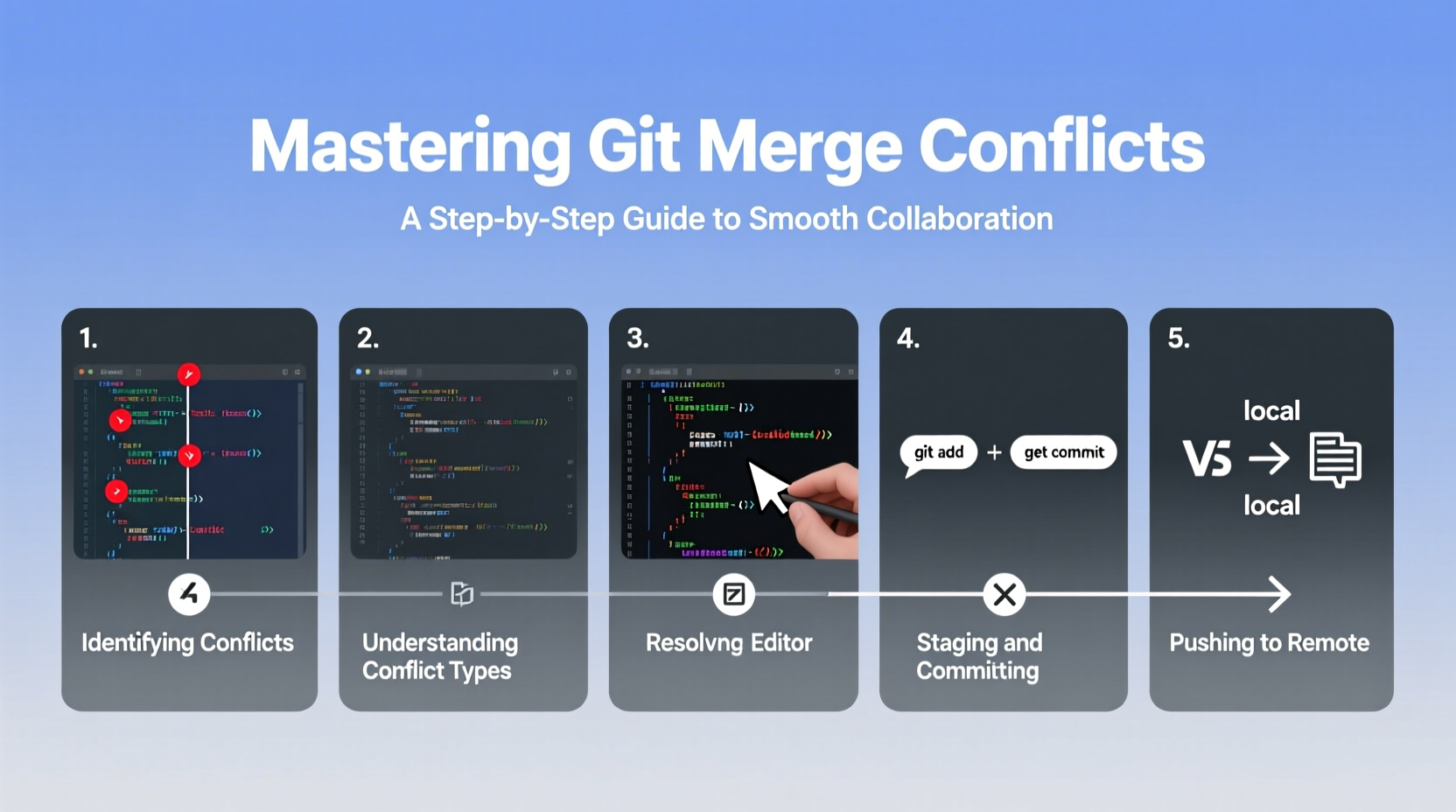
Git tracks changes at the line level. A merge conflict occurs when two branches have diverged and each contains modifications to the same region of a file. For example, if Developer A renames a function in one branch while Developer B modifies its logic in another, Git cannot determine which version should take precedence. At this point, Git halts the merge process and marks the file as conflicted.
Conflicts are not errors—they're signals. They indicate that human judgment is required to decide how the code should look after integration. The key is not to avoid them entirely (which is impossible in active projects), but to manage them systematically and predictably.
Step-by-Step Guide to Resolving a Merge Conflict
- Identify the conflict: After running
git mergeorgit pull, Git will notify you which files contain conflicts. Usegit statusto list them. - Open the conflicted file(s): In your editor, look for conflict markers:
<<<<<<< HEAD
// Your current branch changes
=======
// Incoming changes from the other branch
>>>>>>> branch-name
- Analyze both versions: Read through each change carefully. Understand the intent behind both modifications—don’t just pick one arbitrarily.
- Edit the file: Remove the conflict markers and combine the necessary parts from both sides. You might keep one version, blend both, or write new logic altogether.
- Stage the resolved file: Run
git add <filename>to mark it as resolved. - Complete the merge: Commit the resolution with
git commit. Git will provide a default message; feel free to clarify what was decided.
This process may seem tedious at first, but over time it becomes second nature—especially when supported by good tooling and consistent practices.
Tools and Techniques to Simplify Conflict Resolution
While resolving conflicts in raw text works, modern workflows benefit greatly from specialized tools. Integrated Development Environments (IDEs) like VS Code, IntelliJ, and WebStorm offer visual diff editors that highlight conflicting sections side-by-side, allowing you to accept, reject, or edit changes with a click.
Additionally, configuring a merge tool via git config enables external applications such as KDiff3, Meld, or P4Merge to open automatically during conflicts. To set one up:
git config --global merge.tool vimdiff
git config --global mergetool.prompt false
Then run git mergetool whenever a conflict arises. These tools break down differences more clearly than plain text markers and help maintain context across complex files.
Preventing Conflicts Before They Happen
The best way to handle merge conflicts is to reduce their frequency. Proactive habits make a significant difference:
- Break features into smaller, focused branches.
- Communicate frequently about who is working on which files.
- Rebase frequently on the latest version of the main branch.
- Use short-lived branches instead of long-running ones.
- Adopt file ownership conventions where appropriate.
| Practice | Impact on Conflicts | Team Benefit |
|---|---|---|
| Frequent rebasing | Reduces divergence | Smaller, manageable merges |
| Small pull requests | Limits overlap risk | Faster reviews, fewer bugs |
| Code ownership tags | Prevents accidental edits | Clear accountability |
| Daily sync-ups | Avoids duplication | Better alignment |
“Teams that resolve conflicts quickly don’t necessarily have fewer conflicts—they have better processes.” — Lin Zhang, Senior DevOps Engineer at TechFlow Systems
Real Example: Resolving a Critical API Conflict
A frontend and backend developer were working independently on a user profile update feature. The backend engineer modified the API response structure to include a new lastLogin field. Simultaneously, the frontend developer updated the UI to consume a renamed userStatus field, expecting the old format.
When both merged into develop, a conflict arose in the shared API contract file. Rather than choosing one version, they paired for 20 minutes, reviewed the changes, and agreed on a unified schema that included both fields with proper documentation. They then updated both services accordingly and committed a joint fix.
The outcome? No regression, improved clarity in the interface, and a new habit of syncing API changes early via a shared changelog draft. This kind of collaboration turns conflict into progress.
Checklist: Best Practices for Smooth Merging
- ✅ Pull the latest changes before starting work on a file
- ✅ Keep branches up to date with rebase or merge from main
- ✅ Limit scope: one branch per logical change
- ✅ Communicate file changes in standups or tickets
- ✅ Review diffs carefully before committing resolutions
- ✅ Test the integrated code after resolving conflicts
- ✅ Document major merge decisions in PR descriptions
Frequently Asked Questions
Can I abort a merge if a conflict gets too complicated?
Yes. If you’re unsure how to proceed, run git merge --abort. This returns your branch to its pre-merge state, allowing you to reassess, consult teammates, or rebase instead.
What’s the difference between a merge and a rebase in conflict scenarios?
Merge preserves history exactly as it happened, creating a merge commit. Rebase replays your changes on top of the latest base, resulting in a linear history. Rebase often produces fewer conflicts initially but requires caution when rewriting shared history. Use rebase for local cleanup; use merge for integrating completed features.
How do I know if I resolved a conflict correctly?
After resolution, run tests—unit, integration, and manual checks—to ensure functionality remains intact. Also verify that all intended changes are present and no unintended deletions occurred. Peer review via pull request adds an extra layer of validation.
Conclusion: Turn Conflicts Into Collaboration Opportunities
Merge conflicts aren't roadblocks—they're checkpoints. Each one invites reflection, discussion, and refinement. By mastering the mechanics of resolution and adopting preventive strategies, teams transform potential friction into moments of alignment and growth. The goal isn’t a conflict-free repository; it’s a resilient workflow where every contributor feels confident navigating complexity together.




 浙公网安备
33010002000092号
浙公网安备
33010002000092号 浙B2-20120091-4
Comments
No comments yet. Why don't you start the discussion?