
Google Trends is one of the most underutilized tools in digital marketing. While many rely solely on traditional keyword planners, savvy SEO professionals turn to Google Trends to uncover shifts in search behavior, validate content ideas, and anticipate demand before it peaks. Unlike static keyword volume data, Google Trends provides dynamic insights into what people are searching for — and when. This guide walks through how to use Google Trends strategically for keyword research that drives traffic, engagement, and conversions.
Understanding How Google Trends Works
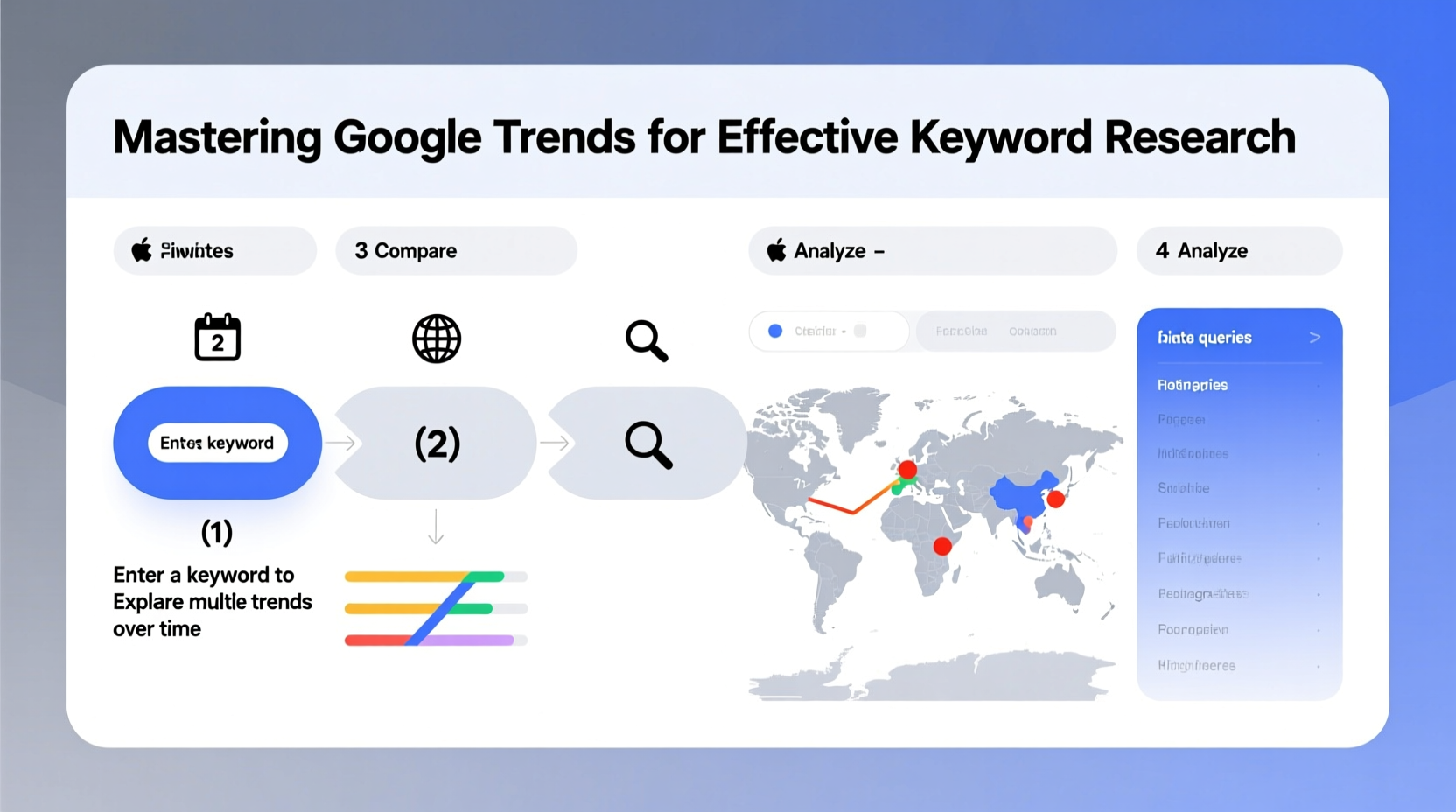
Google Trends analyzes the popularity of search queries relative to the total number of searches over a specific time frame and geographic region. Instead of showing exact search volumes, it assigns a score from 0 to 100 based on search interest. A score of 100 means peak popularity during the selected period; lower numbers reflect proportionally less interest.
This normalization allows for meaningful comparisons across regions, timeframes, and related topics. For example, comparing “yoga” and “HIIT workouts” over five years reveals not just which term is more popular but how interest has shifted seasonally or in response to cultural events.
Step-by-Step Guide to Keyword Research Using Google Trends
- Define Your Niche or Industry Focus
Start by identifying the core themes relevant to your business. Are you in fitness, tech, parenting, or sustainable fashion? Narrowing your focus ensures the keywords you explore are contextually aligned with your audience’s intent. - Enter Seed Keywords into Google Trends
Type a broad keyword (e.g., “home workouts”) into the search bar. Observe the interest over time graph. Look for consistent baseline interest or predictable spikes (e.g., January resolutions). - Analyze Regional Interest
Scroll down to the \"Interest by subregion\" map. If certain areas show significantly higher engagement, consider tailoring localized content or ads to those markets. - Compare Related Queries
At the bottom of the page, review the \"Related queries\" section. These are broken into two categories:- Top: High-volume but potentially saturated terms.
- Rising: Fast-growing queries with recent spikes (often +500% or more). These signal emerging trends.
- Validate with Competitor or Complementary Terms
Use the comparison feature to overlay multiple keywords (e.g., “keto diet” vs. “intermittent fasting”). This helps identify whether interest is shifting between concepts. - Refine and Export Insights
Once you’ve identified promising keywords, export the data as a CSV or take screenshots for reporting. Pair these findings with SEO tools like Ahrefs or SEMrush to assess competition levels.
Leveraging Trend Data for Content Strategy
Keyword research isn’t just about finding high-traffic terms—it’s about timing and relevance. Google Trends excels at revealing seasonal patterns and breakout moments.
For instance, searches for “air purifier” typically rise during wildfire season or flu outbreaks. Brands that monitor these signals can publish timely blog posts, update product pages, or launch targeted ad campaigns ahead of demand surges.
“Anticipating search trends gives marketers a first-mover advantage. By the time others react, you’re already ranking.” — Lena Patel, Senior SEO Strategist at NexaRank
Real Example: Capitalizing on a Rising Trend
A small eco-friendly skincare brand noticed a sudden spike in the query “blue light skincare” in mid-2023. Using Google Trends, they confirmed a 780% increase in related searches over six weeks. They quickly published an article titled “Does Blue Light Really Harm Your Skin?” and optimized product descriptions around the term. Within two months, organic traffic to their site increased by 42%, and conversions rose by 18%.
The key was speed and validation—Google Trends didn’t just suggest a topic; it confirmed rising consumer curiosity backed by real search behavior.
Do’s and Don’ts When Using Google Trends
| Do | Don’t |
|---|---|
| Use long date ranges to spot macro trends | Rely on daily fluctuations without context |
| Compare up to five keywords for clarity | Overload comparisons with too many terms |
| Filter by category (e.g., Health, Technology) to reduce noise | Ignore regional differences in search behavior |
| Check “rising” queries for viral potential | Assume rising = sustainable (many spikes fade fast) |
| Combine trend data with keyword difficulty metrics | Treat Google Trends as a standalone SEO tool |
Advanced Tactics for Deeper Insights
Most users stop at surface-level graphs, but Google Trends offers deeper analytical capabilities when used creatively.
- Geographic Layering: Identify cities or countries where a keyword is gaining traction. This informs international expansion or geo-targeted advertising.
- Time Filtering: Zoom into weekly data during critical periods (e.g., holiday shopping) to pinpoint exact launch windows.
- Category Targeting: Selecting a category (like “Business” or “Science”) filters out irrelevant results, improving accuracy.
- Event Correlation: Overlay major events (product launches, news stories) with search spikes to understand cause-and-effect relationships.
Checklist: Optimizing Your Google Trends Workflow
- ✅ Define primary and secondary keyword categories
- ✅ Set custom time ranges (12–60 months recommended)
- ✅ Compare at least two related keywords
- ✅ Analyze regional performance maps
- ✅ Review both “Top” and “Rising” related queries
- ✅ Cross-reference with SEO tools for competition level
- ✅ Schedule monthly trend audits for ongoing strategy updates
Frequently Asked Questions
Why does Google Trends show relative interest instead of exact search numbers?
Google uses normalized data to maintain user privacy and ensure comparability across different scales. While it doesn’t reveal raw volume, the relative scoring system allows accurate trend analysis and benchmarking over time.
Can I use Google Trends for YouTube keyword research?
Yes. In the search dropdown, select “YouTube Search” as the platform filter. This shows how often terms are searched on YouTube, helping creators optimize video titles, tags, and thumbnails based on trending viewer interests.
How often should I check Google Trends for my niche?
Monthly reviews are ideal for maintaining awareness. However, industries with rapid innovation cycles (e.g., tech, health, fashion) benefit from biweekly monitoring to catch early signals of change.
Conclusion: Turn Data Into Action
Google Trends transforms guesswork into strategy. It doesn’t just tell you what people are searching for—it reveals how those interests evolve. When integrated into your keyword research process, it becomes a compass for content creation, campaign planning, and market positioning.
The most successful digital strategies aren’t built on static data alone. They combine historical patterns, real-time signals, and forward-looking analysis. Now that you know how to extract actionable insights from Google Trends, apply them consistently. Monitor your niche, test new angles, and refine your approach based on actual search behavior—not assumptions.




 浙公网安备
33010002000092号
浙公网安备
33010002000092号 浙B2-20120091-4
Comments
No comments yet. Why don't you start the discussion?