
Group texting has become an essential tool for staying connected—whether you're coordinating weekend plans with friends, managing household logistics, or collaborating on small team projects. Yet, despite its convenience, many users struggle with cluttered threads, missed messages, or confusion over who said what. The good news? With the right approach, group texting can be seamless, efficient, and even enjoyable across all your devices.
The key lies not just in knowing how to send a message to multiple people, but in mastering etiquette, organization, and platform-specific features that make communication smoother. This guide walks through practical strategies, tools, and real-world tips to help you take control of group texts—no matter if you're using an iPhone, Android phone, or desktop app.
Understanding Group Messaging Platforms
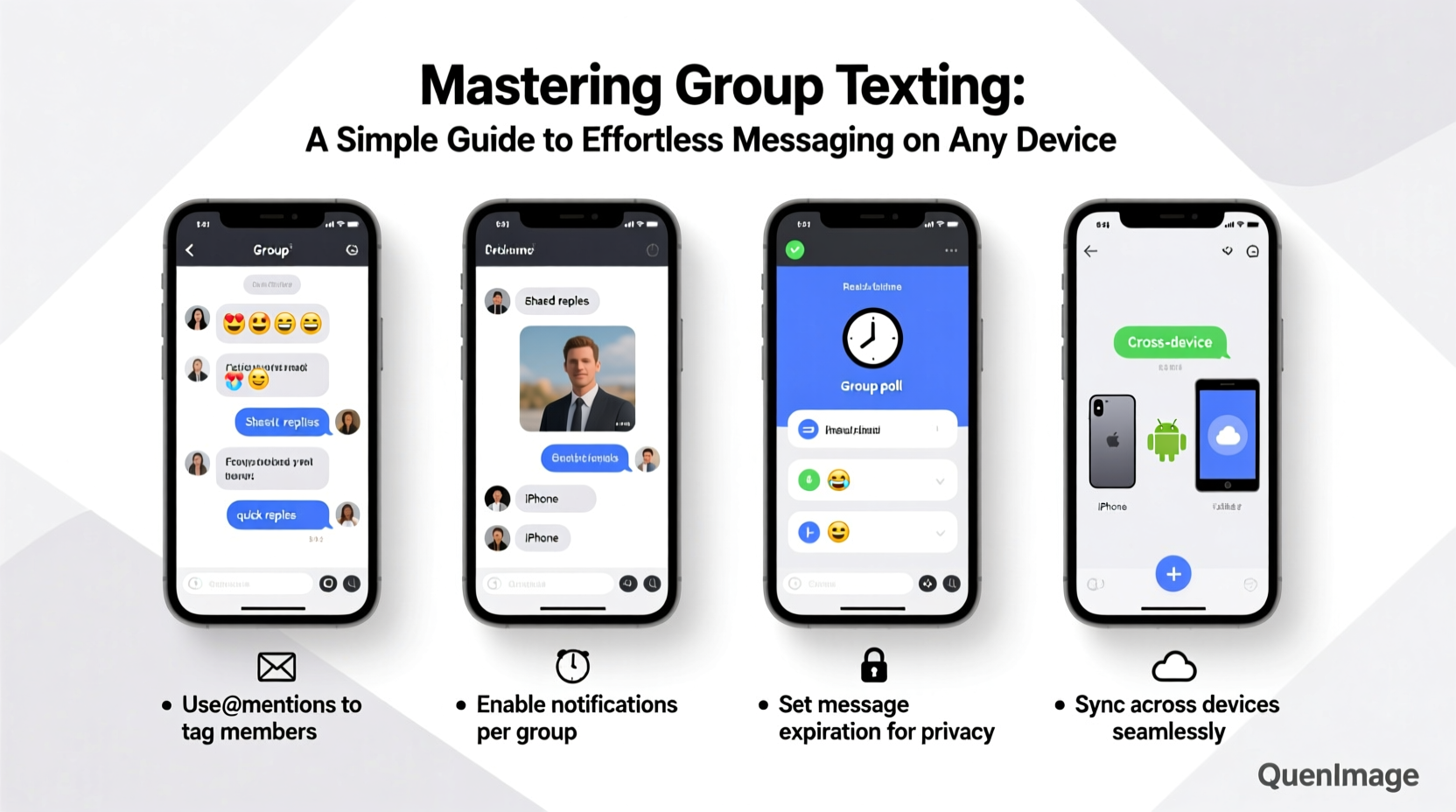
Not all group texts work the same way. The experience depends heavily on the messaging platform and device ecosystem you’re using. The two dominant systems are Apple’s iMessage (for iPhone users) and SMS/MMS or third-party apps like WhatsApp, Telegram, and Google Messages (commonly used on Android).
iMessage groups support rich features like read receipts, typing indicators, and high-quality media sharing—but only between Apple devices. When an Android user joins, the conversation often defaults to MMS, which lacks many advanced features and can result in fragmented replies or missing media.
Third-party apps solve this cross-platform issue by offering consistent experiences regardless of device. WhatsApp, for example, synchronizes conversations across phones and desktops, supports up to 1024 participants, and includes admin controls, message encryption, and file-sharing capabilities.
Setting Up Effective Group Chats
Creating a group chat is easy—but creating one that stays useful requires planning. A poorly managed group can quickly become overwhelming, with off-topic messages, excessive pings, and information overload.
Start by naming your group clearly. Instead of “Family” or “Friends,” opt for descriptive names like “Smith Family – Weekend Plans” or “Project Orion Team.” This helps members instantly recognize the chat’s purpose and reduces confusion when juggling multiple groups.
Next, consider group size. While most platforms allow hundreds of participants, smaller groups (5–10 people) tend to stay more focused and responsive. Larger groups benefit from designated admins who can mute members, remove inactive users, or pin important messages.
“Clarity in naming and purpose prevents group chats from devolving into noise. A well-structured thread saves time and reduces digital fatigue.” — David Lin, Digital Communication Consultant
Step-by-Step: Creating a Cross-Device Group Chat on WhatsApp
- Open WhatsApp on your smartphone or desktop.
- Navigate to the Chats tab and tap “New Group.”
- Select contacts you want to include (up to 1024).
- Tap “Next,” then enter a clear group subject (e.g., “Book Club – June Read”).
- Add a relevant group photo for quick identification.
- Tap “Create.” The group syncs automatically across your linked devices.
- Pin the first message with ground rules (e.g., “No memes before 9 AM”).
Best Practices for Managing Group Conversations
Maintaining a productive group text goes beyond setup—it’s about ongoing management. Here are proven techniques to keep discussions constructive and organized.
- Use @mentions wisely: In larger groups, tag specific individuals when addressing them directly to avoid unnecessary notifications for others.
- Pin critical messages: Share event details, addresses, or deadlines as pinned notes so they remain accessible.
- Avoid spamming: Refrain from sending multiple consecutive messages or low-value content like reaction GIFs unless the group culture allows it.
- Mute when appropriate: Use mute settings during work hours or overnight to maintain focus and reduce distractions.
- Exit gracefully: If a group no longer serves your needs, leave politely rather than ghosting. A brief note like “Thanks for the updates—I’ll step out now” maintains goodwill.
| Do’s | Don’ts |
|---|---|
| Name groups clearly | Create vague groups like “Chat” |
| Prioritize secure apps for sensitive topics | Share personal info over unencrypted SMS |
| Mute noisy groups during focus time | Send urgent requests in non-urgent channels |
| Summarize decisions in a final message | Assume everyone read every message |
Real Example: Coordinating a Family Reunion
The Rivera family planned their annual reunion using a WhatsApp group titled “Rivera 2024 – Allston Lake.” Maria, the organizer, created the group three months in advance and added 18 relatives. She pinned a message with dates, lodging options, and a shared Google Sheet for meal preferences.
At first, the chat buzzed with excitement—photos, jokes, and music suggestions flooded in. But as the event neared, off-topic messages made it hard to find critical updates. Maria responded by setting the group to “Admin Only” posting, sending reminders via broadcast lists, and summarizing key points weekly.
On arrival day, everyone knew where to go and who was bringing dessert. The structured communication reduced stress and elevated the experience. “We’ve never had such a smooth reunion,” Maria said. “The group chat did half the work.”
Tips for Reducing Notification Overload
One of the biggest complaints about group texting is constant buzzing. Over time, this leads to notification fatigue—and people either mute everything or miss important messages.
To strike a balance, customize alerts per group. On iPhone, go to Messages > select group > tap the “i” icon > choose a custom notification sound or silence alerts. On Android, long-press the chat in Messages or WhatsApp and select “Notifications” to adjust behavior.
Additionally, schedule “chat check-in” times instead of reacting instantly. For non-urgent groups, review messages once or twice daily rather than engaging in real-time. This preserves mental bandwidth and promotes intentional communication.
FAQ: Common Group Texting Questions
Can I remove someone from a group text?
Yes, but it depends on the platform. In iMessage, the original creator can remove participants only if the group uses iMessage (not MMS). In WhatsApp and Telegram, admins can remove members anytime. Regular SMS group texts don’t support removal—participants must exit manually.
Why do some messages appear as individual texts in a group?
This typically happens when the group includes Android users in an iMessage thread. Apple treats Android devices as separate SMS recipients, causing messages to split into individual bubbles. Switching to a unified app like Signal or WhatsApp eliminates this issue.
Is it rude to leave a group chat?
Not at all—especially if the group is inactive or irrelevant to you. Leaving silently is acceptable, though a courteous message (“I’m stepping out—have fun!”) is appreciated in close-knit circles.
Essential Checklist for Better Group Texting
- Choose the right platform based on group composition (iOS, Android, or mixed).
- Name the group clearly and add a descriptive photo.
- Set expectations early (e.g., response times, topic boundaries).
- Prioritize encrypted apps for private conversations.
- Pin important messages and summarize key decisions.
- Use @mentions to direct questions without disturbing all.
- Mute non-essential groups during work or sleep hours.
- Review and archive outdated groups quarterly.
Conclusion: Take Control of Your Conversations
Group texting doesn’t have to be chaotic. With thoughtful setup, mindful participation, and the right tools, it becomes a powerful way to stay connected without sacrificing peace of mind. Whether you're organizing a birthday surprise or managing a volunteer team, clarity and consistency turn messy threads into meaningful exchanges.




 浙公网安备
33010002000092号
浙公网安备
33010002000092号 浙B2-20120091-4
Comments
No comments yet. Why don't you start the discussion?