
In modern database systems, efficiency, security, and maintainability are non-negotiable. One of the most powerful tools available to database professionals is the SQL view. A view acts as a virtual table derived from a query, simplifying complex data access, enhancing security through abstraction, and promoting consistency across applications. Whether you're managing customer analytics, inventory reports, or financial summaries, mastering SQL views can dramatically improve your workflow. This guide walks through the essential steps, best practices, and real-world applications of creating and using SQL views effectively.
Understanding SQL Views: The Foundation
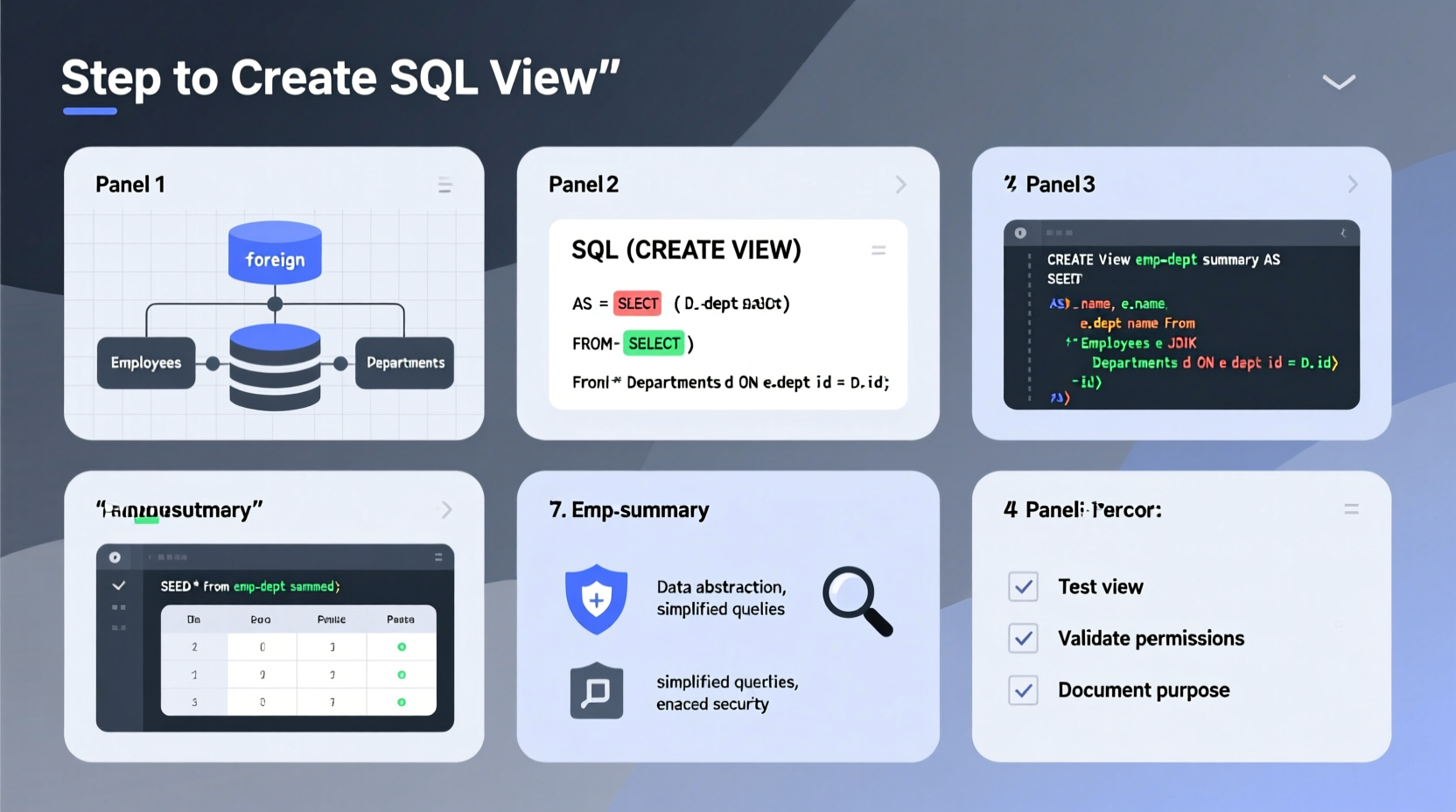
A SQL view is not a physical table but a saved query that behaves like a table when queried. It pulls data from one or more underlying tables (or other views) and presents it in a structured format. Unlike stored procedures, views don’t accept parameters, but they do allow filtering, joining, and aggregating data upfront so users can query simplified results later.
Views are particularly useful when:
- You want to hide complexity from end-users or reporting tools.
- Data security requires limiting access to specific columns or rows.
- Multiple teams rely on consistent data definitions (e.g., “active customers”).
- You need to abstract changes in schema without affecting downstream queries.
“Views are the bridge between raw data and actionable insight—they encapsulate logic once so it doesn’t have to be rewritten everywhere.” — Maria Thompson, Senior Database Architect at DataFlow Systems
Step-by-Step Guide to Creating a SQL View
Creating a SQL view follows a logical progression. Below is a clear, repeatable process applicable across major relational databases including PostgreSQL, MySQL, SQL Server, and Oracle—with minor syntax variations.
- Identify the Purpose: Determine what data needs to be presented and who will use it. Is it for reporting? Security? Simplification?
- Write the SELECT Query: Build and test the underlying query independently. Ensure it returns accurate, performant results.
- Use CREATE VIEW Syntax: Wrap the tested query in a CREATE VIEW statement.
- Name the View Appropriately: Use descriptive, consistent naming (e.g.,
vw_active_customers). - Test the View: Query the view directly to verify correctness and performance.
- Grant Access Permissions: Control who can read (or update) the view based on role-based needs.
Basic Syntax Example
To create a simple view showing active customers from a customers table:
CREATE VIEW vw_active_customers AS
SELECT customer_id, first_name, last_name, email, signup_date
FROM customers
WHERE status = 'active';
After creation, you can query it just like any table:
SELECT * FROM vw_active_customers WHERE signup_date > '2023-01-01';Advanced View Techniques for Real-World Use
While basic views are helpful, advanced implementations unlock deeper value. Consider these strategies:
Join-Based Views
Create views that consolidate related data across multiple tables. For example, combining orders, customers, and products into a sales summary:
CREATE VIEW vw_sales_summary AS
SELECT
    c.first_name,
    c.last_name,
    p.product_name,
    o.quantity,
    o.order_date,
    (o.quantity * p.price) AS total_price
FROM orders o
JOIN customers c ON o.customer_id = c.customer_id
JOIN products p ON o.product_id = p.product_id;
Aggregated Views
Pre-calculate common metrics to speed up reporting:
CREATE VIEW vw_monthly_revenue AS
SELECT
    EXTRACT(YEAR FROM order_date) AS year,
    EXTRACT(MONTH FROM order_date) AS month,
    SUM(quantity * unit_price) AS revenue
FROM order_items
GROUP BY EXTRACT(YEAR FROM order_date), EXTRACT(MONTH FROM order_date);
Indexed (Materialized) Views
In databases like SQL Server and PostgreSQL, materialized views store the result physically, improving performance for large datasets. These must be refreshed manually or on a schedule:
-- PostgreSQL example
CREATE MATERIALIZED VIEW mv_customer_stats AS
SELECT
    customer_id,
    COUNT(order_id) AS total_orders,
    AVG(total_amount) AS avg_order_value
FROM orders
GROUP BY customer_id;
Best Practices and Common Pitfalls
To ensure views enhance rather than hinder your system, follow these guidelines:
| Do’s | Don’ts |
|---|---|
Use meaningful prefixes like vw_ or view_ for easy identification. |
Avoid overly complex joins or nested subqueries that degrade performance. |
| Document each view’s purpose and owner in comments or metadata. | Never expose sensitive fields (like SSN or passwords) unless absolutely necessary and secured. |
| Index underlying tables appropriately to support view performance. | Don’t create redundant views that duplicate logic already available elsewhere. |
| Regularly audit unused or outdated views to reduce clutter. | Don’t assume views are always fast—performance depends on base query efficiency. |
SELECT * in views. Explicit column lists prevent issues if source tables change structure.
Real-World Example: Streamlining Retail Reporting
A mid-sized retail company struggled with inconsistent sales reports due to analysts writing their own versions of customer lifetime value (CLV) calculations. Each team used slightly different logic, leading to conflicting insights.
The database team created a standardized view:
CREATE VIEW vw_customer_clv AS
SELECT
    c.customer_id,
    c.first_name,
    c.last_name,
    SUM(o.total_amount) AS total_spent,
    COUNT(o.order_id) AS order_count,
    CASE
        WHEN SUM(o.total_amount) > 1000 THEN 'High'
        WHEN SUM(o.total_amount) BETWEEN 500 AND 1000 THEN 'Medium'
        ELSE 'Low'
    END AS clv_tier
FROM customers c
LEFT JOIN orders o ON c.customer_id = o.customer_id
GROUP BY c.customer_id, c.first_name, c.last_name;
By centralizing the CLV logic in a single view, all departments accessed consistent data. Training time decreased, report accuracy improved, and future updates to the calculation only required modifying one object.
Frequently Asked Questions
Can I update data through a SQL view?
It depends. Simple views based on a single table with no aggregation or DISTINCT clauses may allow INSERT, UPDATE, or DELETE operations. However, complex views (especially those with joins or GROUP BY) are typically read-only. Some databases support INSTEAD OF triggers to enable modifications on such views.
What happens if the underlying table changes?
If a column referenced in the view is dropped or renamed, the view becomes invalid and will throw an error when queried. Always monitor schema changes and test views after structural updates. Using explicit column names (not *) reduces breakage risk.
Are views slower than direct queries?
Not inherently. A well-designed view with proper indexing on base tables performs nearly as fast as the original query. Materialized views can even outperform real-time queries by storing precomputed results.
Final Checklist Before Deploying a View
- ✅ The underlying query has been tested and optimized.
- ✅ Column names are clear and unambiguous.
- ✅ Sensitive data is excluded or masked.
- ✅ The view name follows organizational naming conventions.
- ✅ Appropriate users or roles have been granted SELECT permission.
- ✅ Documentation includes purpose, author, and last update date.
- ✅ Execution plan confirms acceptable performance under load.
Conclusion: Elevate Your Database Strategy
SQL views are far more than convenience tools—they are strategic assets in scalable, secure, and maintainable database design. By encapsulating business logic, reducing redundancy, and streamlining access, views empower teams to work faster and more accurately. The key lies in thoughtful implementation: define clear objectives, write clean queries, and follow proven patterns.




 浙公网安备
33010002000092号
浙公网安备
33010002000092号 浙B2-20120091-4
Comments
No comments yet. Why don't you start the discussion?