
Instagram has evolved from a simple photo-sharing app into a powerful visual discovery engine. One of its most underutilized yet valuable tools is the location search feature. Whether you're a traveler looking for hidden gems, a business owner scouting competition, or a content creator researching trending spots, mastering Instagram’s location-based search can give you real-time insights that traditional search engines often miss. This guide breaks down exactly how to use location search effectively, revealing strategies that go beyond basic functionality.
Why Location Search Matters on Instagram
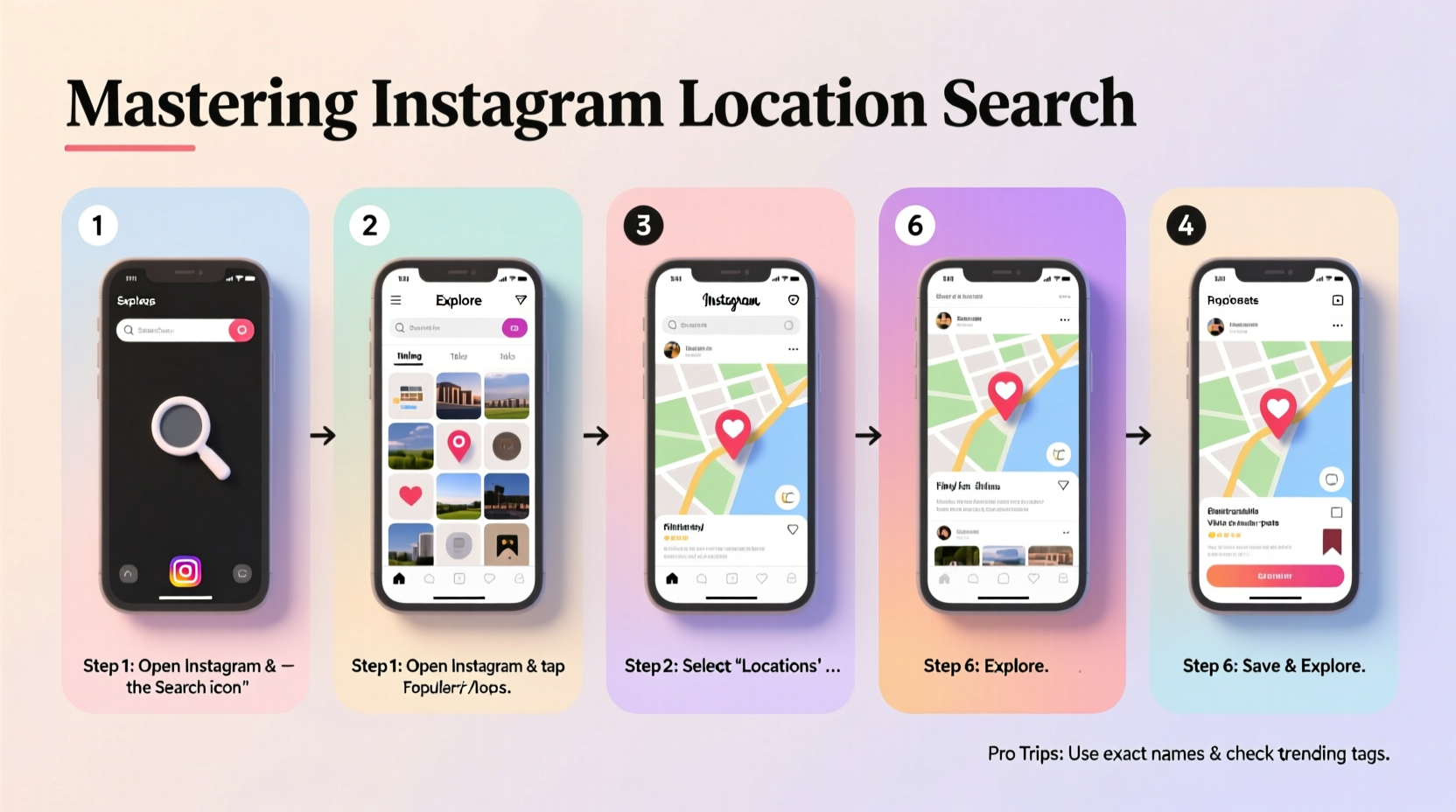
Unlike keyword-based searches, Instagram’s location tagging connects users to real-world experiences. When someone tags a post with a geolocation—like “Central Park” or “Café Nostalgica, Lisbon”—that content becomes part of a public feed tied to that place. These tagged posts offer authentic visuals, crowd-sourced recommendations, and up-to-date context about what’s happening at any given spot.
For businesses, monitoring location-tagged content helps track brand presence and customer engagement. For travelers, it acts as a dynamic travel guide curated by locals and visitors alike. And for marketers, it provides a goldmine of user-generated content and sentiment analysis.
“Location-tagged content gives you unfiltered access to how people truly experience a place.” — Lena Torres, Social Media Strategist
Step-by-Step: How to Find Posts by Location
Finding posts tied to a specific place on Instagram is straightforward once you know where to look. Follow these steps to uncover rich visual data tied to any location:
- Open the Instagram app and tap the magnifying glass icon to access the search tab.
- Type a location name in the search bar (e.g., “Times Square,” “Golden Gate Bridge,” or “Tokyo Station”).
- Select the “Places” tab from the dropdown results. You’ll see a list of verified locations matching your query.
- Tap on the desired location to open its dedicated page.
- Browse the photo grid showing all public posts tagged at that exact spot.
- Sort by recent or top posts using the filter option (available on mobile) to see trending or latest content.
How to Discover Hidden or Lesser-Known Spots
Popular landmarks generate thousands of posts, but what if you’re searching for something off the beaten path? The key lies in layered searching and proximity scanning.
- Search nearby areas: Look up a well-known location and scroll through posts to see if users have tagged adjacent streets or parks.
- Check photo captions: Users often mention nearby cafes, alleys, or viewpoints not officially tagged.
- Use variations of names: A café might be tagged as “Sunset Lounge,” “Sunset Lounge Bali,” or “Sunset Cafe Uluwatu.” Try multiple combinations.
- Leverage local hashtags: Combine location search with regional hashtags like #ExploreBarcelona or #NYCEats to expand reach.
For example, while researching street art in Berlin, typing “East Side Gallery” will yield official posts, but scrolling through those images may reveal tags for “Warschauer Straße Graffiti” or “Urban Spree,” lesser-known creative zones worth exploring.
Real Example: Planning a Trip to Kyoto
Sophie, a travel blogger planning a week in Kyoto, wanted to avoid overcrowded tourist traps. She started by searching “Fushimi Inari Shrine” and noticed many posts included side trails and early-morning shots from less crowded entrances. By reviewing the timestamps and comments, she identified optimal visiting hours and discovered a nearby tea house tagged in several photos—now part of her itinerary. Her final blog post credited Instagram’s location search as her primary research tool.
Using Location Search for Business and Marketing
Brands and entrepreneurs can extract significant value from Instagram’s location data. Monitoring tagged posts at or near your venue reveals customer behavior, service quality, and even untapped marketing opportunities.
| Purpose | How to Use Location Search | Benefit |
|---|---|---|
| Competitor Analysis | Search competitor store locations and review their tagged content volume and engagement. | Identify peak activity times and popular offerings. |
| Customer Sentiment | Analyze captions and visuals from customers who visited your cafe or shop. | Detect recurring compliments or complaints. |
| Content Inspiration | Review high-performing posts tagged at similar venues. | Adapt successful themes (e.g., flat lays, behind-the-scenes). |
| Influencer Discovery | Find users consistently posting from relevant locations. | Partner with micro-influencers already engaging your audience. |
Common Mistakes to Avoid
Even experienced users fall into traps when using Instagram’s location features. Steering clear of these errors improves accuracy and efficiency:
- Mistaking similar names: “The Garden Café” in London vs. “The Garden Cafe” in Sydney—small spelling differences lead to wrong results.
- Ignoring unverified locations: Some spots aren’t officially listed but still have user-generated tags. Check posts manually.
- Overlooking time sensitivity: A restaurant may have closed, but old posts remain visible. Cross-reference with recent uploads (filter by “Recent”)
- Assuming all tags are accurate: Users sometimes tag incorrect locations for visibility. Verify by checking visual cues in photos.
Checklist: Mastering Instagram Location Search
- ✅ Use the “Places” tab after entering a location name
- ✅ Filter results by “Top” or “Recent” posts
- ✅ Zoom in on maps within location pages to explore nearby spots
- ✅ Save key locations to your collections for future reference
- ✅ Cross-check multiple tags and captions before making decisions
- ✅ Combine location search with hashtag and keyword queries
- ✅ Monitor tagged content regularly if managing a business profile
FAQ: Common Questions About Instagram Location Search
Can I search locations on the desktop version of Instagram?
Yes, but with limitations. While you can view location pages via direct URL (e.g., instagram.com/explore/locations/12345/name), the search interface and filtering options are more robust on the mobile app. For full functionality, use the iOS or Android application.
Why don’t I see recent posts at a location?
If a location shows only older content, it could mean reduced foot traffic, algorithmic suppression, or privacy settings. Try searching related locations or check if users are tagging differently (e.g., using nicknames). Also, ensure you’ve selected “Recent” instead of “Top” posts.
Can I remove my post from a location tag?
Yes. Edit your post and remove the location tag before republishing. Note that this won’t delete the post from the location’s feed immediately—it may take some time to disappear from public view.
Pro Tips for Advanced Users
Power users can go further by combining Instagram’s native tools with external practices:
- Create location-specific collections: Tap the bookmark icon on key posts and organize them into folders like “Tokyo Eateries” or “Beach Spots Bali.”
- Track seasonal trends: Compare summer vs. winter posts at ski resorts or beach towns to plan timing for visits or promotions.
- Use third-party tools cautiously: Platforms like Iconosquare or Hootsuite allow deeper analytics on geotagged content, but always comply with Instagram’s terms of service.
“Geolocation isn’t just about where people are—it’s about understanding why they’re there and what they value.” — Raj Mehta, Digital Experience Consultant
Conclusion: Turn Places Into Insights
Mastering Instagram location search transforms passive scrolling into active exploration. Whether you're mapping out a solo adventure, refining a brand strategy, or simply satisfying curiosity about a faraway city, the ability to pinpoint and analyze geotagged content gives you an edge. The tools are free, intuitive, and constantly updated by millions of users worldwide. What sets apart casual searchers from true masters is consistency, attention to detail, and the willingness to dig beyond the first page of results.




 浙公网安备
33010002000092号
浙公网安备
33010002000092号 浙B2-20120091-4
Comments
No comments yet. Why don't you start the discussion?