
In today’s fast-paced digital world, mobile texting has become the primary mode of personal and professional communication. From coordinating plans with friends to confirming work details, the ability to text clearly, quickly, and appropriately is a modern necessity. Yet, many people overlook the nuances of effective messaging—leading to misunderstandings, delays, or even damaged relationships. Mastering mobile texting isn’t just about speed; it’s about clarity, tone, efficiency, and etiquette. With the right strategies, anyone can turn casual typing into seamless, stress-free communication.
Optimize Your Keyboard and Settings
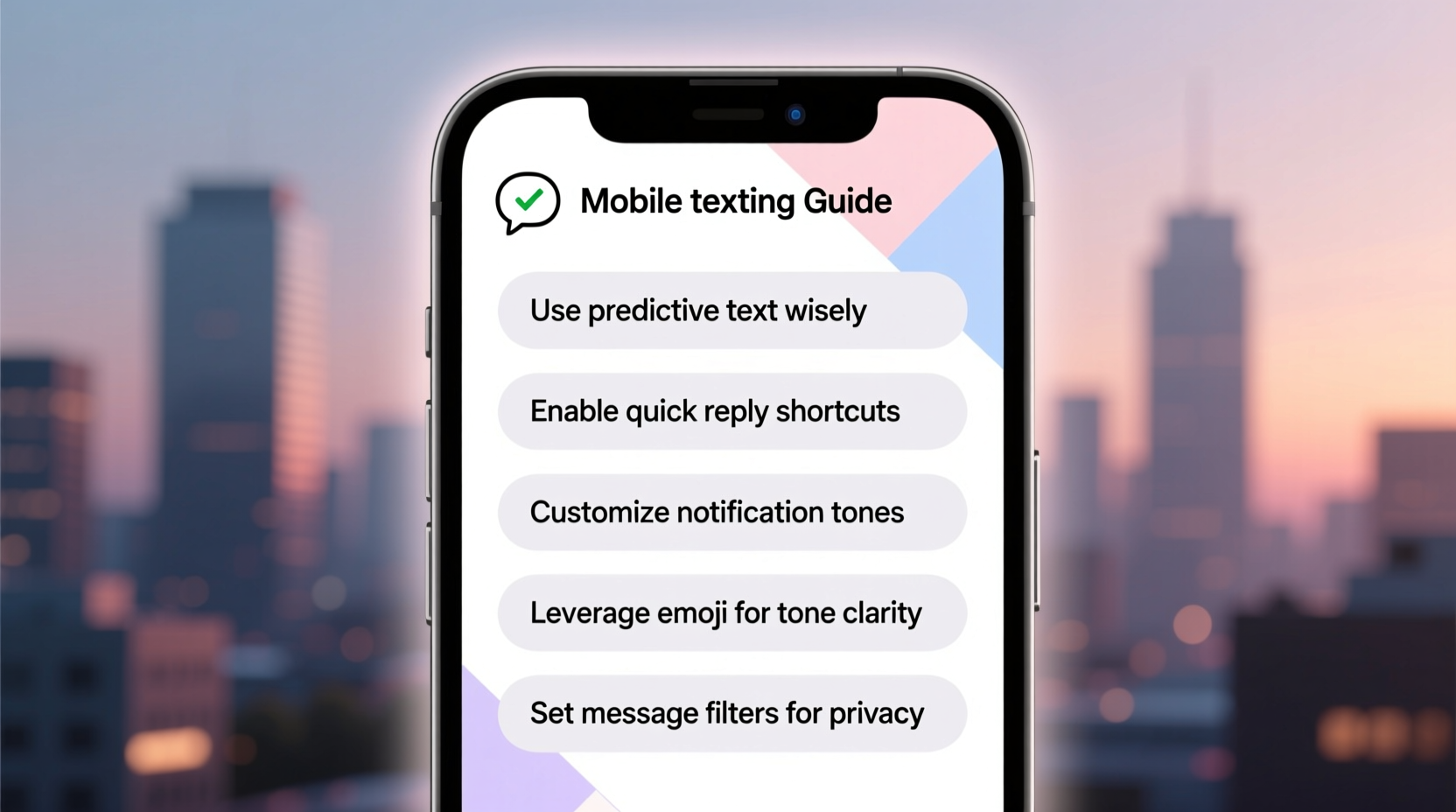
The foundation of efficient texting starts with your device setup. Most smartphones come with customizable keyboards that can significantly enhance your typing experience. Whether you use Gboard, SwiftKey, or Apple’s native keyboard, take time to configure settings that suit your habits.
Consider enabling features like voice-to-text for longer messages or when multitasking. You can also create custom text shortcuts—for example, typing “addr” to automatically expand into your home address. These small adjustments compound into major time savings throughout the day.
Essential Keyboard Features to Activate
- Predictive text suggestions
- Haptic feedback (tactile response)
- One-handed mode for larger phones
- Dark mode to reduce eye strain at night
- Custom dictionary entries for frequently used words
Write with Clarity and Brevity
Clear communication doesn’t require long paragraphs. In fact, concise messages are often more effective. The goal is to convey your point without ambiguity while respecting the recipient’s time.
Start by structuring your message logically. If you’re asking a question, place it early. If you’re sharing information, use short sentences or bullet points when appropriate—even within a single text. Avoid run-on messages that force the reader to scroll endlessly.
“Texting isn’t about writing perfectly—it’s about being understood instantly.” — Dr. Lena Torres, Digital Communication Researcher
Use punctuation wisely. While excessive exclamation points can seem unprofessional, a well-placed one can add warmth. Similarly, avoid overusing emojis in formal contexts, but don’t fear them in casual conversations—they help convey tone where words fall short.
Do’s and Don’ts of Text Clarity
| Do | Avoid |
|---|---|
| Use line breaks between ideas | Send walls of text without spacing |
| Confirm understanding with short follow-ups | Assume the other person knows context |
| Spell out acronyms first (e.g., “PTO – Paid Time Off”) | Overuse slang or niche abbreviations |
| Re-read before sending | Hit send immediately after typing |
Manage Response Times and Etiquette
One of the most overlooked aspects of texting is timing. Responding too quickly can seem eager; waiting too long may appear dismissive. There’s no universal rule, but general guidelines help maintain balance.
In personal conversations, respond when convenient—but if you know you’ll be delayed, a quick “Got your message, will reply properly later” goes a long way. In professional settings, aim to acknowledge receipt within a few hours, even if a full response comes later.
Step-by-Step Guide to Healthy Texting Habits
- Pause before replying emotionally. Wait 5–10 minutes if a message upsets you.
- Set boundaries. Designate times when you won’t check messages (e.g., during meals or after 9 PM).
- Use status indicators. Leverage “Do Not Disturb” or automated replies when unavailable.
- Know when to call. If a conversation becomes repetitive or tense, suggest a voice call.
- Archive old threads. Regularly clean your inbox to reduce mental clutter.
Real-Life Example: Turning Miscommunication Around
Sarah, a project manager, once sent a terse text to her team: “Need updates by EOD.” Two members interpreted this as passive-aggressive and became disengaged. After reflecting, Sarah revised her approach. The next time, she wrote: “Hi team! Could everyone please share a quick update on their tasks by end of day? Appreciate all the hard work!” The second message received positive responses and improved collaboration.
This illustrates how subtle changes in tone affect perception. A simple greeting, a word of appreciation, and a friendly closing transform a directive into a collaborative request.
Boost Efficiency with Smart Messaging Techniques
Beyond basic typing, advanced users leverage built-in tools to streamline communication. Here’s how to level up:
- Templates: Save common responses (e.g., meeting confirmations, event RSVPs) in your notes app for quick copy-paste.
- Scheduling: Some apps allow scheduling texts to send later—ideal for birthday wishes or timely reminders.
- Group management: Name group chats clearly (e.g., “Family – Vacation Planning”) and mute non-essential ones temporarily.
- Attachments: Send photos or documents with brief captions so recipients know what they’re opening.
Quick Checklist for Effortless Messaging
- ✅ Double-check recipient name before hitting send
- ✅ Use proper capitalization (avoid ALL CAPS)
- ✅ Confirm attachments are included and correct
- ✅ Match emoji use to relationship and context
- ✅ Delete draft messages you no longer need
Frequently Asked Questions
Is it rude to take a long time to reply to a text?
Not necessarily. Life gets busy, and everyone has different availability. However, if you consistently delay responses without acknowledgment, it may signal disinterest. When possible, send a brief interim message like “I’ll get back to you tomorrow” to show engagement.
How can I stop feeling pressured to respond instantly?
Set personal boundaries and communicate them. Turn off notifications during focused work or family time. Remember: responsiveness is important, but constant availability is not sustainable. Your mental well-being comes first.
What should I do if I send a text to the wrong person?
If it’s sensitive, follow up immediately with an apology and request deletion if needed. For minor mistakes, a light-hearted “Wrong chat—ignore that!” usually suffices. Most people understand it happens.
Conclusion: Elevate Your Everyday Communication
Mastering mobile texting isn’t about becoming a typing champion—it’s about communicating with intention, respect, and clarity. By optimizing your tools, refining your tone, and respecting timing and boundaries, you transform routine messages into meaningful interactions. These habits don’t just save time; they build trust, reduce friction, and make digital conversations feel more human.




 浙公网安备
33010002000092号
浙公网安备
33010002000092号 浙B2-20120091-4
Comments
No comments yet. Why don't you start the discussion?