
The MZ02 audio smart glasses blend sleek design with advanced audio technology, offering a hands-free way to enjoy music, take calls, and stay connected throughout the day. Unlike traditional headphones, these wearable speakers integrate seamlessly into your lifestyle—whether you're commuting, working out, or walking through the city. However, getting the most out of them requires more than just wearing them; it demands understanding their features, mastering the pairing process, and using them efficiently. This guide walks you through every essential step to ensure smooth setup, reliable connectivity, and long-term satisfaction.
Understanding the MZ02 Audio Smart Glasses
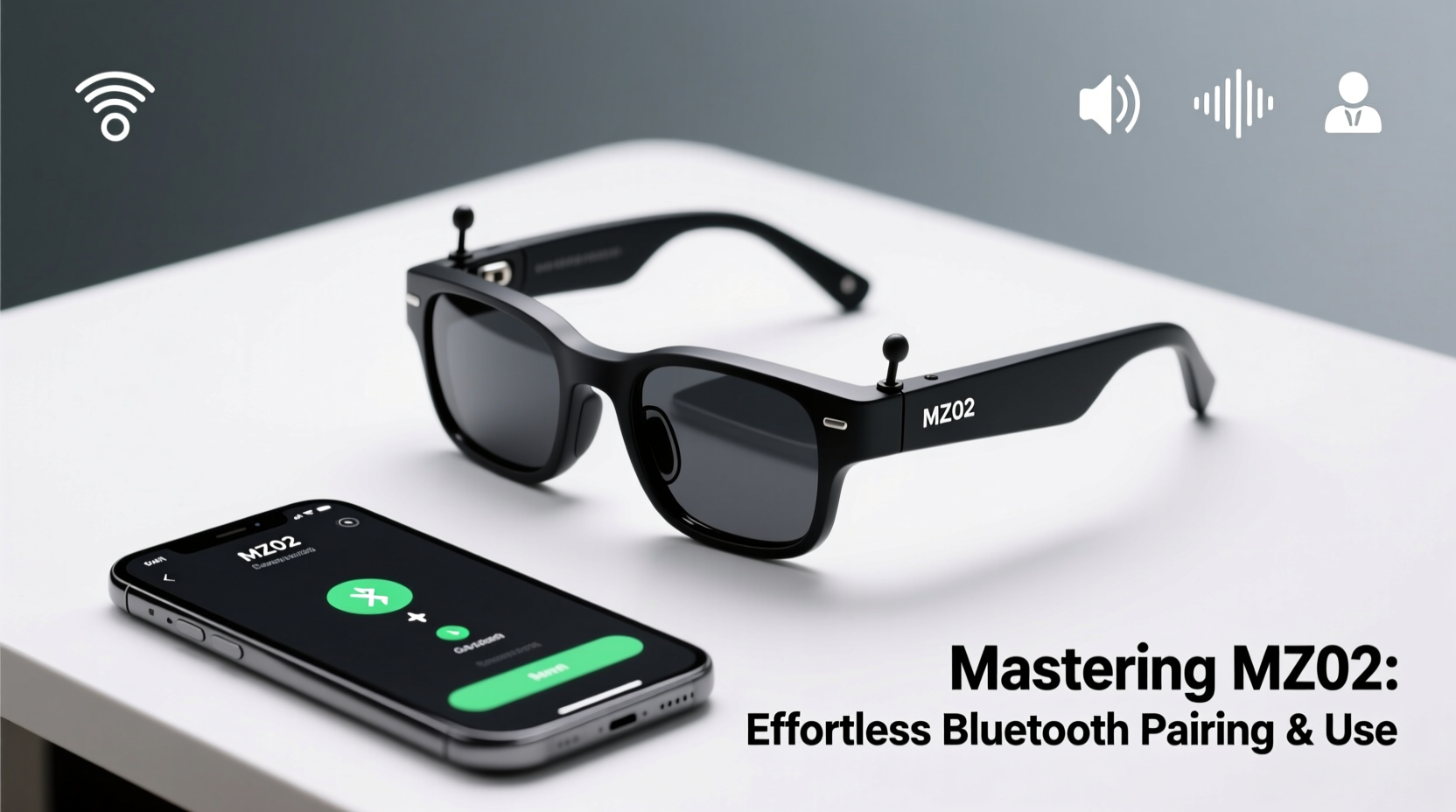
The MZ02 combines lightweight frames with built-in open-ear audio drivers, allowing users to hear both their media and ambient surroundings. Designed for all-day comfort, they are ideal for professionals, fitness enthusiasts, and tech-savvy individuals who value discretion and functionality. Key features include:
- Bluetooth 5.3 for stable, low-latency connections
- Up to 8 hours of playback on a single charge
- IPX5 water resistance for sweat and light rain protection
- Touch-sensitive controls on the right temple
- Magnetic charging case with additional 16 hours of battery life
- Integrated microphone for clear voice calls
Unlike in-ear devices, the MZ02 uses directional audio technology that projects sound directly into the ears while minimizing leakage. This makes them safer for outdoor use and more comfortable over extended periods. The glasses come in multiple frame styles and lens options, suitable for prescription inserts or clip-ons.
Step-by-Step Bluetooth Pairing Process
Pairing your MZ02 with a smartphone, tablet, or laptop is straightforward but must be done correctly the first time to avoid connection issues later. Follow this timeline for seamless setup:
- Charge the glasses fully – Place them in the charging case and connect via USB-C. A full charge takes about 1.5 hours. LED indicators will turn green when charged.
- Power on the glasses – Press and hold the touch panel on the right temple for 3 seconds until you hear “Power On” and the LED flashes red and blue alternately.
- Enable Bluetooth on your device – Go to Settings > Bluetooth and make sure it’s turned on.
- Select the MZ02 from available devices – Look for “MZ02” in the list and tap it. If prompted, confirm pairing with “OK” or enter PIN 0000 (rarely required).
- Wait for confirmation – You’ll hear “Connected to [device name]” through the glasses once successful.
- Test audio output – Play a short video or song to verify stereo balance and volume levels.
If the device doesn’t appear, reset the glasses by holding the touch panel for 10 seconds until the LED flashes rapidly. This clears previous pairings and re-enters pairing mode.
“Proper initial pairing sets the foundation for consistent performance. Users who skip charging or misalign the audio emitters often report poor sound quality.” — David Lin, Wearable Audio Engineer at SoundEdge Labs
Optimizing Daily Use and Controls
Once paired, mastering the touch controls enhances usability without needing to reach for your phone. Here's what each gesture does:
| Gesture | Action |
|---|---|
| Tap once (right temple) | Play/Pause media or answer/end call |
| Double tap | Skip forward |
| Triple tap | Skip backward |
| Swipe forward | Increase volume |
| Swipe backward | Decrease volume |
| Press & hold (during call) | Activate voice assistant (Siri/Google Assistant) |
These gestures work across iOS and Android devices, though some third-party apps may require calibration. For example, podcast apps sometimes interpret double taps as rewind instead of skip, which can be adjusted in-app settings.
Real-World Example: Commuting with Confidence
Sophia, a UX designer in Seattle, uses her MZ02 daily during her 45-minute bike commute. She pairs them with her iPhone each morning automatically. As she rides, she listens to curated playlists and receives navigation alerts from Apple Maps—all while staying aware of traffic sounds. When a colleague calls, she taps once to answer, speaks naturally thanks to the noise-reducing mic, then resumes her ride after hanging up. Over six months, she hasn’t experienced dropouts or discomfort, crediting the secure fit and intuitive controls. “They’ve replaced my earbuds entirely,” she says. “I feel safer and more focused.”
Common Issues and Troubleshooting
Even well-designed devices encounter occasional hiccups. Below are frequent problems and how to resolve them quickly:
- Connection drops frequently: Ensure no physical obstructions between the glasses and your device. Bluetooth 5.3 has a range of up to 33 feet (10 meters), but walls and metal objects weaken signals.
- No sound from one side: Check if the temple is properly aligned. Also, test audio balance in your phone’s accessibility settings.
- Glasses won’t turn on: Charge for at least 20 minutes. If unresponsive, perform a factory reset by holding the touch panel for 15 seconds until LEDs flash red five times.
- Microphone not working: Verify app permissions for microphone access, especially on Android. Restart the paired device if needed.
- Battery drains too fast: Disable auto-play features in music apps and turn off the glasses when not in use. Storing them in the case activates sleep mode.
Do’s and Don’ts of MZ02 Maintenance
| Do’s | Don’ts |
|---|---|
| Wipe frames with a soft, dry cloth after use | Submerge in water or expose to high-pressure sprays |
| Store in the protective case when not in use | Leave in hot cars or direct sunlight for long periods |
| Use alcohol-free wipes for deeper cleaning | Apply perfumes or lotions while wearing the glasses |
| Update firmware via manufacturer’s app (if available) | Use non-magnetic chargers or third-party cases |
Frequently Asked Questions
Can I pair the MZ02 with two devices at once?
No, the MZ02 supports only one active Bluetooth connection at a time. However, it remembers up to eight paired devices and will reconnect to the last used one when powered on. To switch devices, manually disconnect from the current device and select the MZ02 from the new device’s Bluetooth menu.
Are the MZ02 suitable for people who wear prescription glasses?
Yes. The frames are designed to fit over most standard prescription eyewear. Alternatively, some models support custom lens replacements—check with the manufacturer for RX-compatible versions.
How do I know when the battery is low?
You’ll hear a voice prompt saying “Battery low” approximately 30 minutes before shutdown. The LED will also flash red every 30 seconds when power drops below 10%. Charging for 15 minutes provides about 2 hours of playback.
Final Checklist Before First Use
- Charge the glasses and case completely
- Download the companion app (if applicable) for firmware updates
- Turn on Bluetooth on your primary device
- Enter pairing mode and complete connection
- Test all touch controls and audio balance
- Adjust temple tension and positioning for comfort
- Store in the case when not in use
Conclusion: Elevate Your Everyday Experience
The MZ02 audio smart glasses represent a shift toward smarter, more integrated personal tech. By combining audio functionality with everyday eyewear, they eliminate clutter and enhance situational awareness. With proper setup, regular maintenance, and an understanding of their capabilities, these glasses become more than a gadget—they become part of your routine. Whether you're enhancing productivity, enjoying music on the move, or staying connected during workouts, the MZ02 delivers a refined experience grounded in simplicity and innovation.




 浙公网安备
33010002000092号
浙公网安备
33010002000092号 浙B2-20120091-4
Comments
No comments yet. Why don't you start the discussion?