
Protecting your iPhone 16 Pro isn’t just about durability—it’s about precision. A full coverage case offers superior protection by shielding every edge, corner, and port, but only if installed correctly. Too often, users rush the process, resulting in misalignment, trapped dust, or compromised drop resistance. Achieving the perfect fit requires attention to detail, the right tools, and a methodical approach. This guide walks you through everything you need to know to install your 16Pro full coverage case flawlessly, ensuring both maximum protection and seamless functionality.
Why Full Coverage Matters
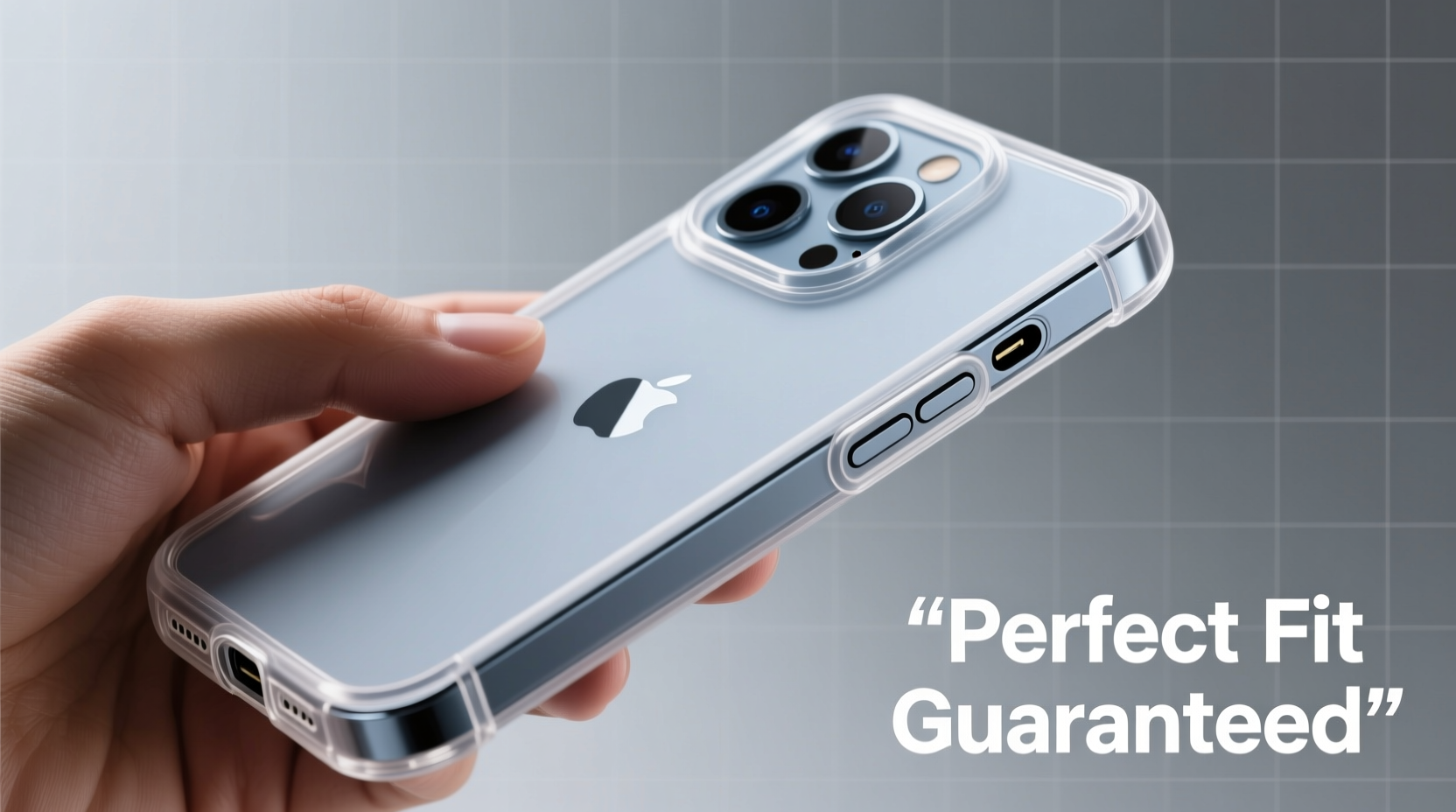
Full coverage cases are engineered to extend beyond the screen and camera module, providing elevated lips that prevent direct contact with flat surfaces. Unlike minimalist sleeves or bumper cases, they absorb impact across the entire frame, significantly reducing the risk of damage from drops. For the iPhone 16 Pro, which features a larger Dynamic Island, flush camera array, and slimmer bezels, precise alignment is non-negotiable. Even a 0.5mm shift can block ports, interfere with wireless charging, or compromise screen protection.
The materials used—typically a blend of polycarbonate, TPU, and reinforced corners—affect how the case flexes during installation. Understanding these properties helps avoid cracking or warping during setup.
Step-by-Step Installation Process
Installing a full coverage case isn’t just about snapping it on. It’s a deliberate sequence that ensures long-term performance and aesthetic integrity. Follow this timeline for a flawless application:
- Power down your device. While not always necessary, turning off your iPhone eliminates accidental inputs during installation, especially when pressing near the screen.
- Clean the phone thoroughly. Use a microfiber cloth and 70% isopropyl alcohol to wipe down all surfaces. Pay special attention to the edges and camera cutout, where oils and debris accumulate.
- Inspect the case interior. Run a lint-free swab along the inner lining to remove any factory dust or fibers that could scratch the finish.
- Align the top edge first. Match the camera cutout precisely. The 16Pro’s triple-lens array has a unique shape—misalignment here means the entire case will sit crooked.
- Secure the bottom edge gently. Press around the charging port and speaker grille. Avoid using metal tools; fingers or a soft silicone pick work best.
- Check all buttons and ports. Test volume, power, and mute switch responsiveness. Ensure no plastic overlap obstructs the SIM tray or speakers.
- Final inspection. Hold the phone at eye level and rotate slowly. Look for gaps, especially near the curved edges. There should be zero light leakage between case and chassis.
Taking 8–10 minutes for this process prevents hours of frustration later. Rushing increases the chance of micro-scratches or stress fractures in the case material.
Do’s and Don’ts During Installation
| Do’s | Don’ts |
|---|---|
| Use gloves to prevent fingerprints and oils | Don’t use sharp tools like keys or screwdrivers |
| Work on a clean, static-free surface | Don’t force the case if alignment feels off |
| Double-check speaker and microphone clearances | Don’t install in dusty or humid environments |
| Test wireless charging immediately after fitting | Don’t leave excess adhesive residue uncleaned |
Expert Insight: Engineering Precision in Case Design
“Modern full coverage cases are designed within 0.3mm tolerances. If a case doesn’t snap on smoothly, it’s either misaligned or defective—not user error.” — Daniel Reyes, Senior Product Engineer at ShieldTech Accessories
This level of precision means consumers must treat case installation like a calibration task, not an afterthought. High-end cases often include alignment jigs or installation cards to assist with positioning. Third-party manufacturers who reverse-engineer dimensions without access to Apple’s final specs may produce cases that fit “almost” perfectly—but that gap is enough to degrade protection over time.
Real-World Example: The Cost of Improper Fit
Sarah, a freelance photographer in Seattle, purchased a premium full coverage case online for her 16Pro. Excited to protect her investment, she installed it immediately after unboxing—without cleaning the phone. She didn’t notice a speck of dust trapped beneath the screen rim. Within two weeks, repeated pressure from placing the phone face-down caused a hairline crack in the display glass. The warranty was voided because the manufacturer determined the case had created uneven pressure points due to improper seating.
After consulting a repair technician, Sarah learned that a 30-second cleaning step could have prevented $349 in repair costs. She now follows a strict pre-installation protocol and shares her story in tech forums as a cautionary tale.
Essential Checklist Before Finalizing Installation
- ✅ Phone powered off
- ✅ Device cleaned with alcohol wipe
- ✅ Case interior free of debris
- ✅ Camera cutout aligned perfectly
- ✅ All ports fully accessible (charging, speaker, mic)
- ✅ Buttons responsive with proper tactile feedback
- ✅ No visible gaps along edges or corners
- ✅ Wireless charging tested at multiple positions
- ✅ Screen protector (if used) does not interfere with case lip height
- ✅ SIM tray inserts and ejects smoothly
Print or save this checklist digitally for future reference, especially if you change cases seasonally or after repairs.
Frequently Asked Questions
Can I install a full coverage case with a screen protector already on?
Yes, but ensure the screen protector is an edge-to-edge tempered glass model designed for your specific 16Pro variant. Some thick protectors raise the screen profile, causing the case’s front lip to press against the glass and create stress cracks. Opt for protectors under 0.3mm thickness and verify compatibility with your case brand.
Why does my case feel loose after a few weeks?
TPU-based cases can stretch slightly over time due to thermal expansion and frequent removal. If looseness occurs within the first month, the case may be counterfeit or poorly manufactured. Genuine high-quality cases maintain structural integrity for 12+ months under normal use.
Is it safe to use compressed air to clean inside the case before installation?
Only if used carefully. Compressed air can force moisture or particles deeper into speaker grilles or charging ports. Instead, use a dry microfiber swab or a small piece of adhesive tape to lift dust from recessed areas.
Conclusion: Precision Equals Protection
The difference between adequate and optimal phone protection lies in the details. Installing a full coverage case on your iPhone 16 Pro isn’t a trivial step—it’s the foundation of your device’s defense system. Every millimeter of alignment affects shock absorption, screen safety, and daily usability. By treating installation as a critical maintenance task, you extend your phone’s lifespan, preserve its resale value, and gain peace of mind.




 浙公网安备
33010002000092号
浙公网安备
33010002000092号 浙B2-20120091-4
Comments
No comments yet. Why don't you start the discussion?