
The iPhone 13 Pro Max remains one of the most powerful and widely used smartphones on the market. With its large 6.7-inch display, premium build, and advanced camera system, protecting it properly is essential. A high-quality screen protector is a non-negotiable accessory—but even the best protector fails if not applied correctly. Bubbles, dust interference, and misalignment can ruin both functionality and aesthetics. The good news? Achieving a flawless installation isn’t reserved for professionals. With the right preparation, tools, and technique, you can master the perfect fit at home.
Why Proper Installation Matters
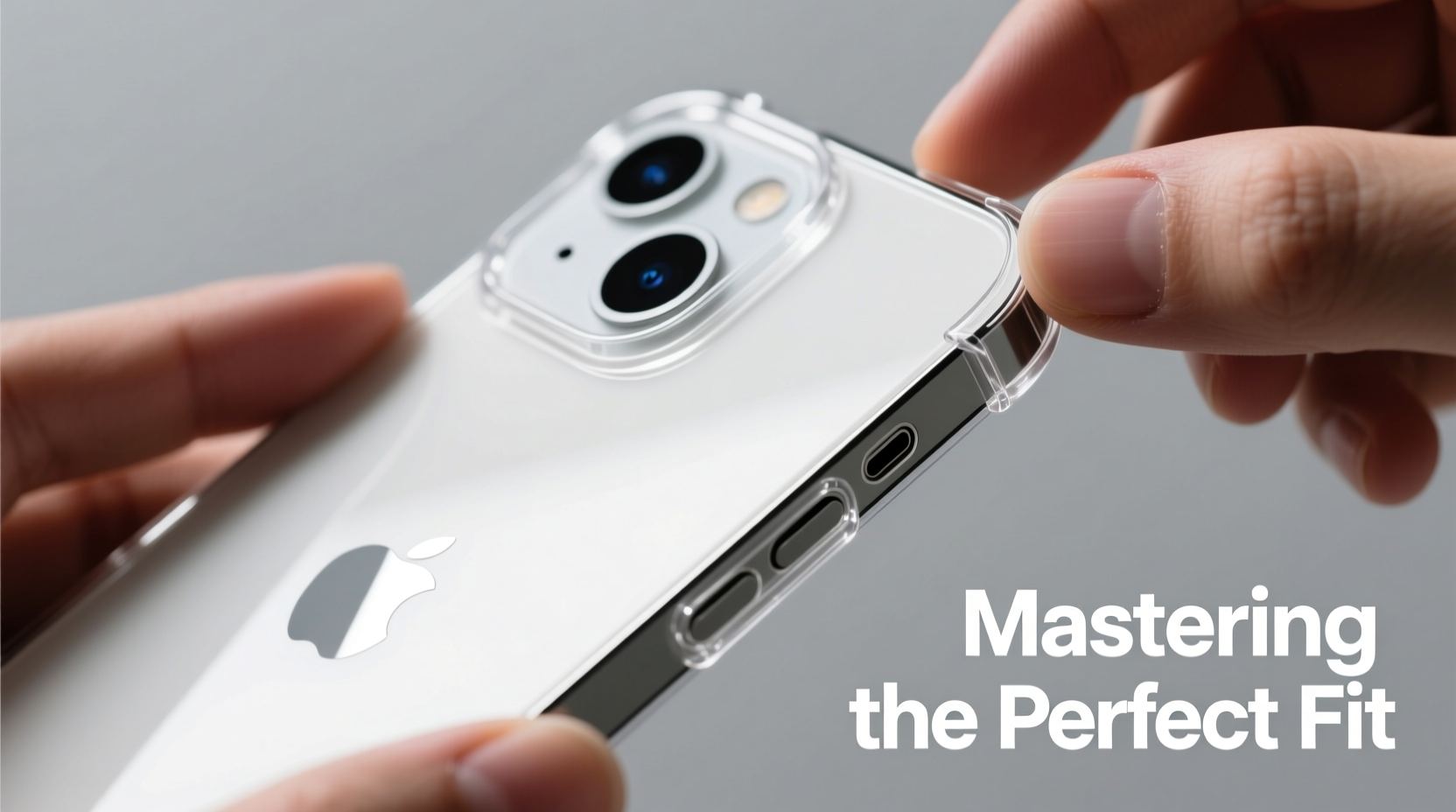
A poorly installed screen protector does more than look unprofessional—it compromises protection. Gaps around the edges allow dust and moisture to seep in, increasing the risk of scratches and reduced touch sensitivity. Misaligned protectors interfere with Face ID sensors, camera cutouts, and button access. Even small bubbles can grow over time, leading to peeling corners or full detachment.
Apple’s curved edge design on the iPhone 13 Pro Max adds complexity. Unlike flat-screen devices, alignment must account for precise sensor placement and contour curvature. This makes precision critical. A well-installed protector should be invisible—providing seamless touch response, optical clarity, and full coverage without obstructing any features.
“Over 70% of screen protector failures are due to improper cleaning and rushed alignment—not product quality.” — Jordan Lee, Mobile Accessory Engineer at TechShield Labs
Essential Tools and Materials
Success begins before you even open the protector package. Gather these tools to ensure a controlled, clean environment:
- Screen protector kit (preferably tempered glass with alignment tray)
- Microfiber cloth (lint-free, ideally included in the kit)
- Alcohol wipe or isopropyl alcohol (70%+) and cotton swabs
- Dust removal stickers or adhesive lint rollers
- Plastic card or squeegee (for smoothing)
- Tweezers (fine-tip, non-metallic preferred)
- Well-lit, low-dust workspace
Step-by-Step Installation Guide
Follow this proven sequence to achieve bubble-free, perfectly aligned results every time.
- Power down your device. This prevents accidental inputs during application and makes dust easier to see on a black screen.
- Clean the screen thoroughly. Wipe the display with the microfiber cloth to remove fingerprints. Then use the alcohol wipe in a circular motion, covering every corner. Let it air dry completely—do not wipe again.
- Remove residual dust. Use the dust removal sticker by gently pressing it across the screen. Lift slowly. Repeat if necessary. Inspect under bright light for lingering particles.
- Prepare the alignment tray (if included). Many premium kits come with a plastic frame that snaps onto the phone’s edges. Attach it now to guide precise placement.
- Peel the protective film from the adhesive side. Hold the protector by the edges. Avoid touching the sticky surface. Start from the top or bottom tab, depending on the design.
- Align and place carefully. If using a tray, lower the protector straight down into position. If freehand, align the top edge first with the speaker cutout, then gently lower the rest like a hinge.
- Press and smooth outward. Once placed, press firmly in the center. Use the squeegee or plastic card in circular motions toward the edges to push out air pockets.
- Inspect and correct. Small bubbles often disappear within 24 hours. For persistent ones, lift the edge slightly and re-smooth. Do not slide the protector once adhered.
Do’s and Don’ts During Installation
| Do’s | Don’ts |
|---|---|
| Work in a bathroom after a shower (humidity reduces static dust) | Rush the cleaning process |
| Use alignment trays for first-time users | Touch the adhesive side with fingers |
| Double-check cutout positions before peeling | Apply in a windy or dusty room |
| Let the protector set for 15 minutes before heavy use | Use metal tools to squeegee (can scratch) |
Real-World Example: From Frustration to Flawless
Mark, a freelance photographer in Austin, replaced his iPhone 13 Pro Max screen protector three times in one week. Each attempt ended in frustration—bubbles near the front camera, slight tilt affecting swipe accuracy, and one protector peeled within hours. After watching multiple tutorials and still failing, he reached out to a mobile repair technician for advice.
The technician walked him through a humidity-controlled method: installing the protector in his steamy bathroom after a hot shower. He also recommended switching to a magnetic alignment frame system. On his fourth try, Mark achieved a perfect result. “It felt like magic,” he said. “No bubbles, perfect sensor alignment, and it’s lasted six months without lifting.” His experience underscores that environment and tool choice matter as much as technique.
Pro Tips for Bubble-Free Results
Frequently Asked Questions
Can I reuse a screen protector if I apply it incorrectly?
No. Once the adhesive makes contact—even briefly—it picks up oils and dust, reducing stickiness and clarity. Attempting to reposition usually introduces more debris and tears the film. Always start fresh with a new protector.
Why does my protector keep bubbling near the speaker cutout?
This area has a recessed curve and sensor array, making adhesion tricky. Ensure the cutout fits snugly and press firmly around the opening with a soft tool like a silicone stylus. Pre-clean this zone extra carefully—grease from fingers accumulates here.
How long should I wait before using my phone normally?
Wait at least 15 minutes after installation to allow the adhesive to bond. Avoid dropping the phone or applying pressure to the screen for 24 hours. Full curing takes up to 48 hours in dry environments.
Final Checklist Before You Begin
- ✅ Phone powered off
- ✅ Workspace clean and dust-free
- ✅ All tools laid out and ready
- ✅ Screen cleaned with alcohol and dried
- ✅ Dust removed with sticker or tape
- ✅ Alignment tray attached (if applicable)
- ✅ Hands washed and dry
- ✅ No distractions (pets, kids, notifications)
Mastery Is Within Reach
Installing a screen protector flawlessly isn’t about luck—it’s about method. The iPhone 13 Pro Max deserves protection that matches its engineering excellence. By respecting the process, preparing meticulously, and applying patience, you’ll consistently achieve professional-grade results. Whether you're safeguarding your personal device or helping others, the confidence of a perfect fit changes everything. Take your time, follow the steps, and enjoy a crystal-clear shield that feels like part of the original design.




 浙公网安备
33010002000092号
浙公网安备
33010002000092号 浙B2-20120091-4
Comments
No comments yet. Why don't you start the discussion?