
TikTok Live has emerged as one of the most powerful tools for creators aiming to deepen connections with their audience. Unlike pre-recorded videos, live streaming offers real-time interaction, instant feedback, and a sense of authenticity that resonates deeply with viewers. However, going live successfully requires more than just pressing a button—it demands preparation, strategy, and consistent engagement. Whether you're a seasoned creator or just starting out, mastering TikTok Live can significantly boost your visibility, grow your following, and strengthen community loyalty.
Why TikTok Live Matters in 2024
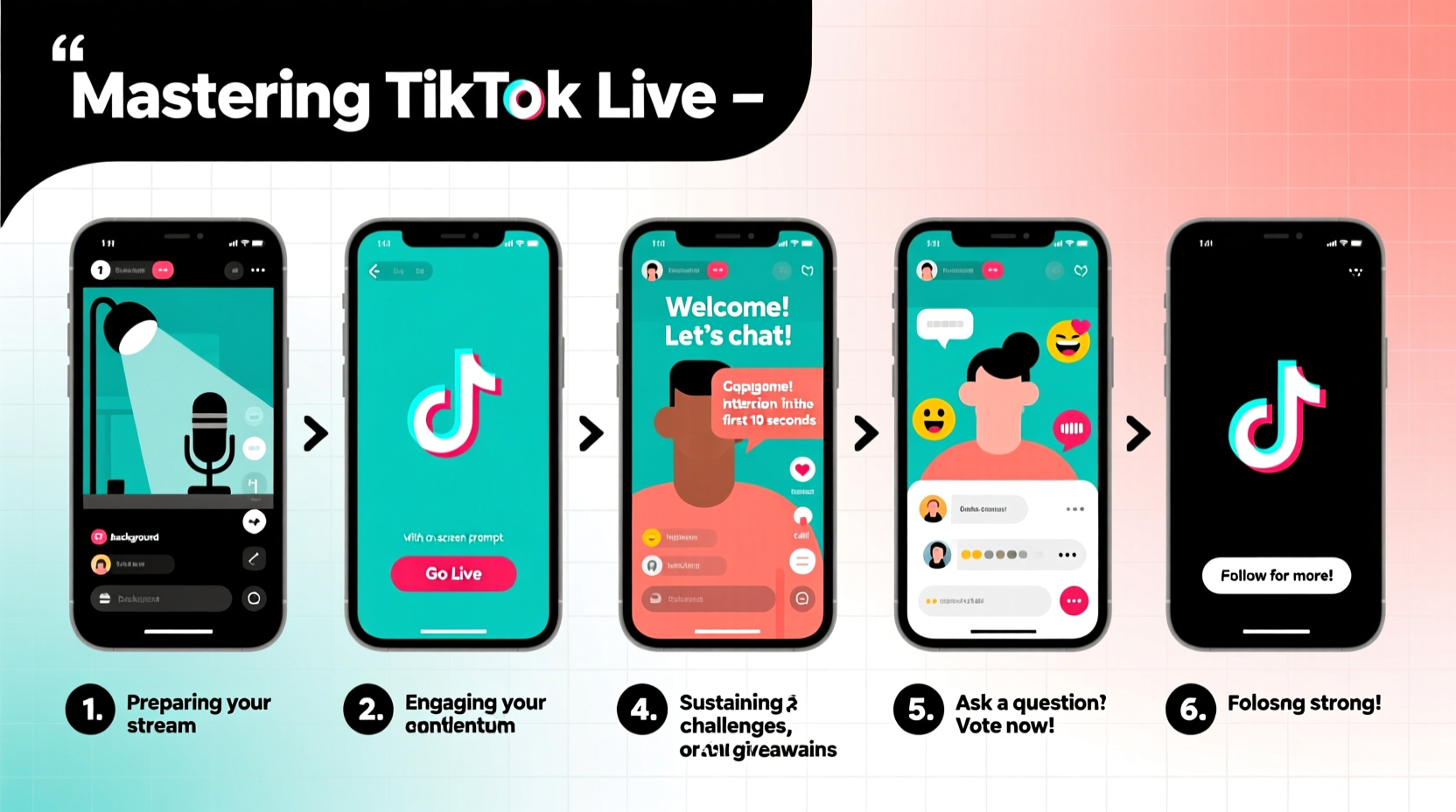
In an algorithm-driven environment where attention spans are shrinking, live content stands out. TikTok prioritizes real-time interactions in its feed, often promoting live streams to users who follow you—and sometimes even to those who don’t. This exposure increases discoverability and helps attract new followers organically.
Live sessions foster trust. Viewers feel seen when their comments are acknowledged, questions answered, and names called out. This emotional connection turns casual scrollers into loyal fans. Additionally, TikTok’s gifting system allows supporters to show appreciation monetarily, creating a potential revenue stream for consistent live broadcasters.
“Live content is the fastest way to humanize your brand on TikTok. It transforms passive viewers into active participants.” — Jasmine Reed, Social Media Strategist & Creator Coach
Step-by-Step Guide to Going Live on TikTok
Before diving into advanced tactics, it's essential to understand the technical process of launching a live session. Follow these steps carefully to ensure a smooth broadcast.
- Verify Your Account: You must be at least 16 years old and have over 1,000 followers to access TikTok Live (requirements may vary by region).
- Open the TikTok App: Ensure you’re using the latest version to avoid bugs or missing features.
- Navigate to Your Profile: Tap the “+” icon at the top of the screen.
- Select “Go Live”: Choose from options like standard live, co-host mode, or live with a green screen if available.
- Set Up Your Stream: Add a compelling title (e.g., “Q&A + Behind-the-Scenes!”), enable comments, and select privacy settings.
- Start Broadcasting: Tap “Go Live” and begin interacting immediately.
- End Gracefully: Thank viewers, remind them to follow, and encourage likes and shares before ending the stream.
How to Engage Your Audience During a Live Session
Engagement isn't optional—it's the core metric that determines how long your stream stays visible in the For You Page. High comment volume and viewer retention signal to TikTok that your content is valuable.
- Welcome Viewers by Name: Greet newcomers personally as they join. A simple “Hey @Sarah, thanks for dropping in!” builds rapport instantly.
- Ask Questions: Pose open-ended prompts like “What topic should I cover next week?” or “Drop your city below so I know where you’re tuning in from!”
- Respond to Comments Promptly: Assign a moderator if possible, or scan comments every 30 seconds to maintain responsiveness.
- Run Mini-Polls or Challenges: Encourage participation with fun activities—“Type ‘yes’ if you’ve tried this skincare hack!”
- Show Behind-the-Scenes Moments: Share unfiltered moments, bloopers, or daily routines to enhance relatability.
Real Example: How Mia Grew Her Following by 40% in One Month
Mia, a fitness coach with 8,500 followers, struggled to gain traction despite posting consistently. She decided to go live twice weekly—every Tuesday and Friday evening—for 30-minute Q&A sessions. She prepared talking points but allowed flexibility based on incoming questions.
Within three weeks, her average viewer count rose from 20 to over 200 per session. She began recognizing regulars, giving shoutouts, and hosting “member-only” tips. By the end of the month, she had gained 3,400 new followers, many citing her live sessions as the reason they hit follow. Her engagement rate increased across all video posts, showing that live activity positively impacted her overall reach.
Essential Pre-Live Checklist
Preparation separates amateur streams from professional ones. Use this checklist before every broadcast:
- ✅ Confirm stable Wi-Fi or use Ethernet via hotspot
- ✅ Charge phone or plug into power source
- ✅ Position camera at eye level with good front-facing light
- ✅ Write down 3–5 key topics or segments
- ✅ Notify followers 24 hours in advance via story or pinned comment
- ✅ Mute non-essential notifications to avoid distractions
- ✅ Have water nearby and test audio levels
Do’s and Don’ts of TikTok Live
| Do’s | Don’ts |
|---|---|
| Do start with energy and a clear welcome message | Don’t begin silently or without acknowledging viewers |
| Do keep sessions between 20–45 minutes for optimal retention | Don’t exceed 90 minutes unless hosting a special event |
| Do promote your other content during transitions | Don’t hard-sell products continuously |
| Do review analytics after each stream to track growth | Don’t ignore viewer drop-off patterns or peak engagement times |
Frequently Asked Questions
Can I go live with fewer than 1,000 followers?
No, TikTok requires at least 1,000 followers and being 16 years or older to access the live feature. Focus on creating engaging short-form content to grow your audience first.
How can I reduce lag or buffering during my stream?
Use a strong Wi-Fi connection, close background apps, and consider using a wired hotspot for maximum stability. Lowering video quality slightly in settings can also help maintain stream consistency.
Is it okay to go live every day?
While possible, daily live streams can lead to burnout. Most successful creators go live 2–3 times per week. Quality and consistency matter more than frequency.
Maximizing Post-Live Momentum
The end of your stream doesn’t mean the work is over. Capitalize on the momentum while your audience is still engaged.
Save your live video to your device and repurpose clips into short highlights. Upload these as standalone TikToks with captions like “Best moment from last night’s live!” or “You asked, I answered!” This reinforces your presence and gives absent followers a chance to catch up.
Analyze your live insights under \"Content\" in your profile. Pay attention to peak concurrent viewers, total watch time, and comment trends. If you notice spikes during certain topics, plan future lives around similar themes.
Conclusion
Mastering TikTok Live isn’t about perfection—it’s about presence, persistence, and purpose. Every stream is an opportunity to strengthen relationships, showcase your personality, and grow your influence. The most successful creators aren’t always the most polished; they’re the ones who show up authentically and consistently.
Now that you have a clear roadmap—from technical setup to audience engagement and post-live strategy—there’s no better time to press “Go Live.” Start small, learn fast, and let your community guide your journey. The stage is yours.




 浙公网安备
33010002000092号
浙公网安备
33010002000092号 浙B2-20120091-4
Comments
No comments yet. Why don't you start the discussion?