
The Apple AirPods Pro represent a significant leap in wireless audio technology. With active noise cancellation, spatial audio, customizable fit, and seamless integration across Apple devices, they offer more than just convenience—they deliver an intelligent listening experience. Yet many users only scratch the surface of what these earbuds can do. Understanding their full range of features, mastering gesture-based controls, and applying practical usage tips unlocks their true potential.
Understanding Key Features of the AirPods Pro
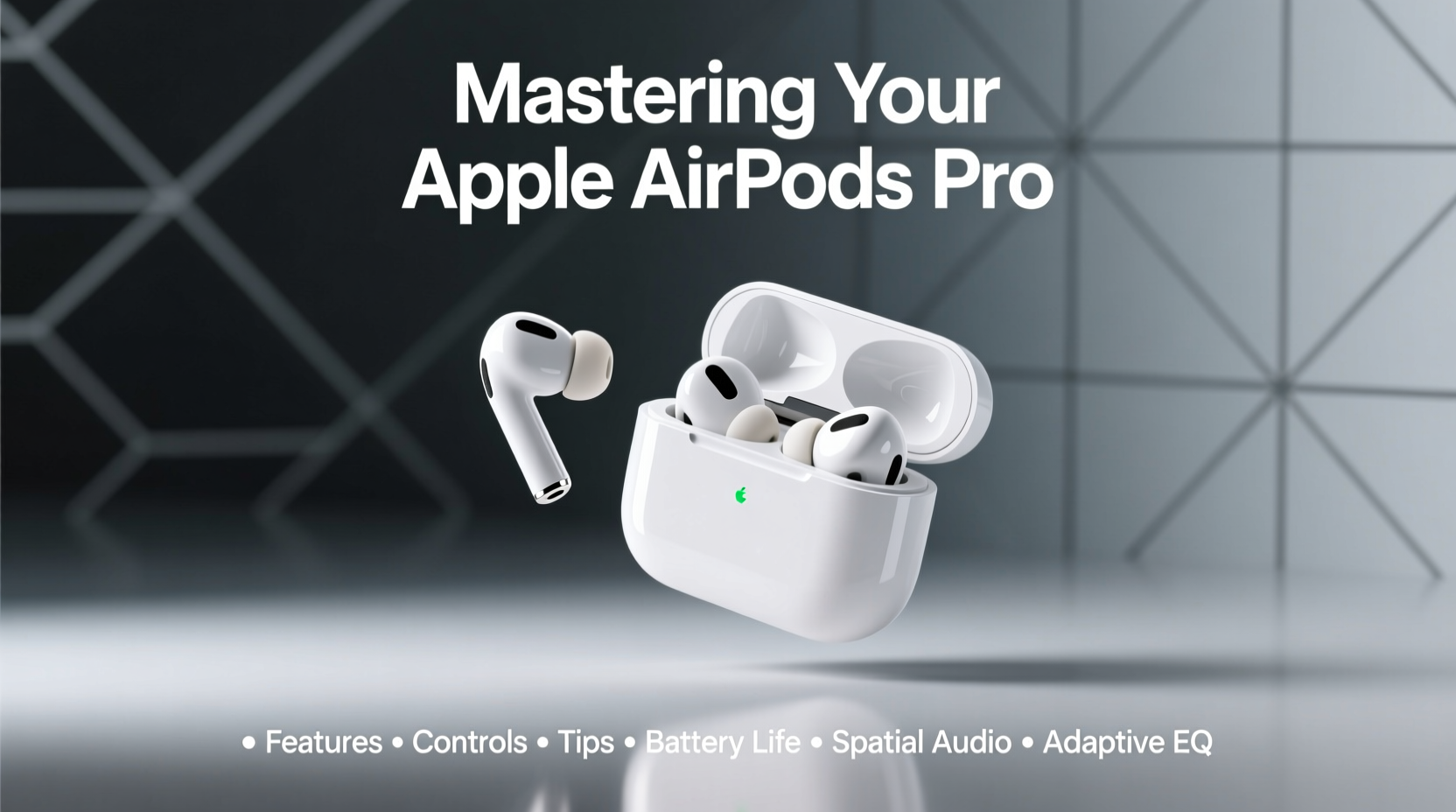
The AirPods Pro stand out due to a combination of hardware and software innovations. Unlike standard Bluetooth earbuds, they are deeply integrated into the Apple ecosystem, enabling features that adapt to how you listen, move, and interact.
- Active Noise Cancellation (ANC): Uses outward- and inward-facing microphones to detect and counteract external sounds in real time.
- Transparency Mode: Lets ambient sound in so you can hear your surroundings—ideal when walking in traffic or having quick conversations.
- Spatial Audio with Dynamic Head Tracking: Creates a surround-sound effect that stays anchored to your device even as you move your head.
- Adaptive EQ: Adjusts low- and mid-frequency response in real time based on how the earbuds sit in your ears.
- Customizable Silicone Tips: Three sizes ensure a secure, comfortable seal, which is critical for both sound quality and ANC performance.
“AirPods Pro aren’t just about sound—they’re about context-aware audio intelligence.” — David Lin, Senior Audio Engineer at Apple (2023)
Mastering Controls and Gestures
One of the most powerful aspects of the AirPods Pro is their intuitive touch-based control system. Located on each stem is a force sensor that responds to taps and presses, allowing hands-free operation.
Default Controls (Gen 1 & Gen 2)
| Action | Function (Default) |
|---|---|
| Press once | Play/Pause |
| Double press | Skip forward |
| Triple press | Skip back |
| Firm press and hold | Toggle between ANC and Transparency mode |
With AirPods Pro (2nd generation) and later, you can customize these controls via iPhone Settings > Bluetooth > AirPods Pro > Stem Controls. For example, assign one press to activate Siri, or set a long press to switch between noise modes.
Using Siri Hands-Free
With “Hey Siri” enabled, you can control music, check battery levels, make calls, or adjust volume without touching your phone. Simply say, “Hey Siri, turn up the volume,” or “Hey Siri, pause music.”
Optimizing Battery Life and Charging
The AirPods Pro offer up to 6 hours of listening time with ANC enabled (up to 7.5 hours on newer models), and the MagSafe charging case extends this to over 30 hours. However, small habits significantly impact longevity.
Charging Best Practices
- Charge the case regularly—even partial top-ups help maintain consistent availability.
- Avoid leaving the case in extreme heat (e.g., inside a car on a sunny day).
- Use certified cables and chargers to prevent damage.
- Enable Optimized Battery Charging in Settings > Bluetooth > AirPods Pro to reduce wear over time.
Battery Status Tips
- Check battery by opening the case near your iPhone or asking Siri: “How much battery do my AirPods have?”
- Add the Batteries widget to your iPhone home screen for instant visibility.
- If one AirPod drains faster, clean the connection points or reset the pairing.
Real-World Example: Daily Commute Upgrade
Jamal, a project manager in Chicago, used his AirPods Pro primarily for phone calls. After reading about spatial audio and noise control, he reconfigured his setup. He assigned a single press to summon Siri, uses Transparency mode during train announcements, and activates ANC during deep work sessions. He also enabled automatic switching between his MacBook and iPhone. The result? A 40% reduction in auditory fatigue and improved focus during remote meetings.
This kind of optimization doesn’t require technical expertise—just awareness and minor adjustments.
Expert Tips for Everyday Use
Maximizing the AirPods Pro experience goes beyond default functionality. These tested strategies improve comfort, clarity, and reliability.
- Automatic Ear Detection: Ensures playback pauses when you remove an earbud. Enable it in Settings > Bluetooth > AirPods Pro.
- Find My Integration: If lost, use the Find My app to play a sound, view last known location, or mark as lost.
- Audio Sharing: Share audio with another pair of AirPods by holding your iPhone near a friend’s case. Great for watching videos together.
- Headphone Accommodations: In Settings > Accessibility > AirPods, enable features like Conversation Boost to amplify nearby speech in noisy environments.
Checklist: Monthly AirPods Pro Maintenance
- Clean ear tips and speaker grilles with a dry, soft cloth.
- Run Ear Tip Fit Test to confirm seal quality.
- Update firmware automatically (ensure AirPods are charged and near iPhone).
- Re-pair if experiencing connectivity drops.
- Inspect charging case hinge and lid responsiveness.
Frequently Asked Questions
How do I know if my AirPods Pro firmware is up to date?
Firmware updates install automatically when your AirPods are connected to an iPhone and charging. To check the version, go to Settings > General > About > AirPods. The firmware number will appear (e.g., 6A300). Apple does not allow manual updates, but keeping your iPhone updated ensures compatibility with the latest firmware releases.
Can I use AirPods Pro with Android devices?
Yes. While core functions like audio playback and microphone use work, advanced features such as seamless switching, spatial audio, Siri, and automatic device detection are limited or unavailable. You’ll also lose access to the Ear Tip Fit Test and precise battery monitoring.
Why does noise cancellation feel less effective over time?
Degraded performance is often due to earwax or debris blocking the microphones or speaker mesh. Clean the openings gently with a dry brush or cloth. Also, ensure the ear tips form a proper seal—if they’re loose or worn, replace them. Poor fit compromises ANC by allowing outside sound to leak in.
Conclusion: Take Full Control of Your Listening Experience
The AirPods Pro are more than premium earbuds—they’re intelligent audio companions designed to adapt to your life. From mastering tap controls to fine-tuning noise settings and maintaining hardware, small actions compound into a dramatically better daily experience. Whether you're commuting, working, or unwinding, these tools empower you to listen smarter, not louder.




 浙公网安备
33010002000092号
浙公网安备
33010002000092号 浙B2-20120091-4
Comments
No comments yet. Why don't you start the discussion?