
The Casio Illuminator series has long been a favorite among watch enthusiasts for its durability, clarity, and practical features. Whether you’re using it for daily wear, outdoor adventures, or as a backup timepiece, knowing how to adjust the time, date, alarms, and other settings is essential. Despite its straightforward design, many users struggle with the button layout and mode transitions. This guide breaks down every function in clear, actionable steps so you can confidently navigate your Casio Illuminator and make the most of its capabilities.
Understanding Your Casio Illuminator: Key Features and Buttons
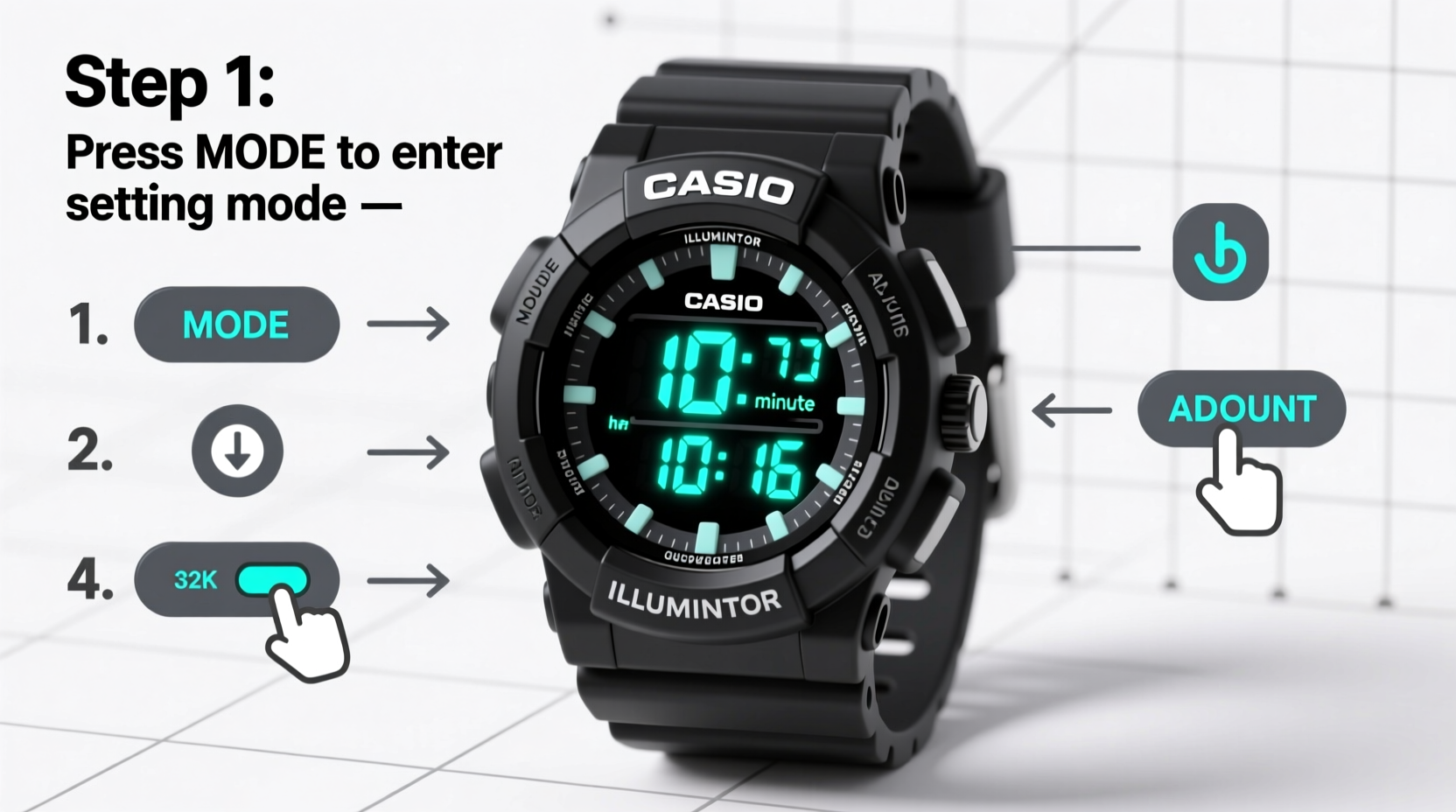
The Casio Illuminator typically includes four primary buttons labeled A, B, C, and D, arranged around the watch face. Each button plays a specific role depending on the current mode. Familiarizing yourself with their functions is the first step toward mastery:
- A (Adjust): Enters setting mode or cycles through options.
- B (Mode): Switches between modes (Time, Alarm, Stopwatch, etc.).
- C (Search/Light): Activates the backlight; holds functions in certain modes.
- D (Start/Stop or Record): Used for timing functions and confirming selections.
The display usually shows hours, minutes, seconds, day, date, and indicators for alarm, stopwatch, and illumination. Some models also include a 12/24-hour toggle, dual time zones, and hourly chime settings.
Step-by-Step: Adjusting Time and Date
Accurate timekeeping starts with proper setup. Follow these steps to adjust both time and date on your Casio Illuminator:
- Press the B button repeatedly until the “Time” mode is displayed (usually the default screen).
- Press and hold the A button for about two seconds. The seconds will start flashing, indicating entry into setting mode.
- Use the D button to cycle through flashing elements: seconds → minutes → hours → month → date → day.
- While each field is flashing, press B to increment the value. For example, press B to increase the hour from 2 to 3.
- To switch between 12-hour and 24-hour format, wait until the hour field is selected, then press C. An absence of “AM/PM” indicates 24-hour mode.
- Once all settings are correct, press A again to exit and save changes.
Note: On some models, pressing D advances the value while B moves to the next field. Always confirm your model’s behavior during setup.
| Setting | Button to Change Value | Button to Move to Next Field |
|---|---|---|
| Seconds | D | B |
| Minutes | D | B |
| Hours | D | B |
| Date | D | B |
| Month | D | B |
| Day | D | B |
Configuring Alarms and Hourly Chime
The alarm function is one of the most useful features of the Casio Illuminator. You can set a daily alarm or disable it when not needed. Here's how to configure it:
- Press B until the “Alarm” mode appears (often marked with a bell icon).
- Press and hold A until the hours begin to flash.
- Use B to increase the hour and D to move to minutes.
- Set the desired alarm time, then press A to confirm.
- To turn the alarm on or off, press C. When active, an alarm indicator (like \"ALM\") will appear on the display.
For the hourly chime (which beeps every hour on the hour):
- In “Time” mode, press and hold A to enter settings.
- Navigate to the seconds field using D.
- Press C to toggle the hourly chime on or off. When enabled, a “SIG” or similar symbol appears.
- Exit by pressing A.
Using Stopwatch and Dual Time Functions
The stopwatch feature is ideal for tracking intervals, workouts, or cooking times. To operate it:
- Press B to enter “Stopwatch” mode.
- Press D to start the timer.
- Press D again to stop; press B to record lap times (if supported).
- Press A to reset the stopwatch to zero.
Some models support a second time zone. To set it:
- Enter “Time” mode and press A to access settings.
- Navigate past the primary time to the secondary (dual) time display.
- Adjust using B and D as before.
- Press C to toggle between home and destination time visibility.
“Many people overlook the dual time feature, but it’s invaluable for frequent travelers or those coordinating across time zones.” — James Lin, Watch Functionality Consultant
Common Issues and Troubleshooting Tips
Even reliable watches like the Casio Illuminator can present minor challenges. Here are common problems and solutions:
- Time resets unexpectedly: Likely due to a dead battery. Replace it promptly at a watch service center.
- Alarm doesn’t sound: Check if the alarm is enabled (look for ALM indicator). Also ensure the watch isn’t in airplane/silent mode if applicable.
- Buttons unresponsive: Moisture or debris may interfere. Dry the watch thoroughly and avoid pressing buttons underwater unless rated for it.
- Date changes at noon instead of midnight: This means the watch thinks AM is PM. Correct the hour setting in 12/24-hour mode to fix the cycle.
Mini Case Study: Traveler Adjusts Watch Across Time Zones
Sarah, a digital nomad, travels frequently between New York and London. During a layover, she realized her Casio Illuminator still showed EST. Using the dual time function, she held A in Time mode, scrolled past the main time, and set the second display to GMT. By pressing C, she toggled between local and home time, helping her schedule calls without confusion. Within two minutes, her watch was fully adapted to her new environment.
Essential Maintenance Checklist
To keep your Casio Illuminator running smoothly, follow this monthly checklist:
- ✅ Verify time and date accuracy.
- ✅ Test alarm and chime functions.
- ✅ Clean the case and strap with a soft, damp cloth.
- ✅ Check for condensation under the crystal—indicates seal failure.
- ✅ Replace battery every 2–3 years, or sooner if display dims.
- ✅ Avoid prolonged exposure to extreme temperatures or chemicals.
Frequently Asked Questions
How do I turn off the alarm without deleting the time?
Press C in Alarm mode to toggle the alarm off. The set time remains saved, ready to be re-enabled later.
Why does my watch beep every hour even when no alarm is set?
This is the hourly chime feature. Disable it by entering Time setting mode, navigating to the seconds field, and pressing C to turn it off.
Can I use the stopwatch to measure multiple laps?
Yes, on most models. While the stopwatch is running, press B to record a lap time without stopping the timer. Press D to stop completely.
Final Thoughts and Action Steps
Mastery of your Casio Illuminator transforms it from a simple timekeeper into a versatile tool for daily life. With precise adjustments to time, alarms, and secondary functions, you gain reliability and convenience at a glance. These watches are built to last, but their full potential is unlocked only when properly configured and maintained.




 浙公网安备
33010002000092号
浙公网安备
33010002000092号 浙B2-20120091-4
Comments
No comments yet. Why don't you start the discussion?