
The TF T10 earbuds are engineered for versatility, delivering crisp, balanced sound whether you're immersed in a fast-paced shooter or unwinding with a high-resolution tracklist. What sets them apart is their dual-mode functionality—gaming mode prioritizes ultra-low latency for real-time responsiveness, while music mode emphasizes audio fidelity, spatial depth, and tonal richness. Yet many users never fully unlock this potential, either leaving the earbuds stuck in one mode or toggling without understanding the impact. This guide breaks down how to switch between modes effectively, when to use each, and how to fine-tune your experience based on your activity.
Understanding Gaming Mode vs. Music Mode
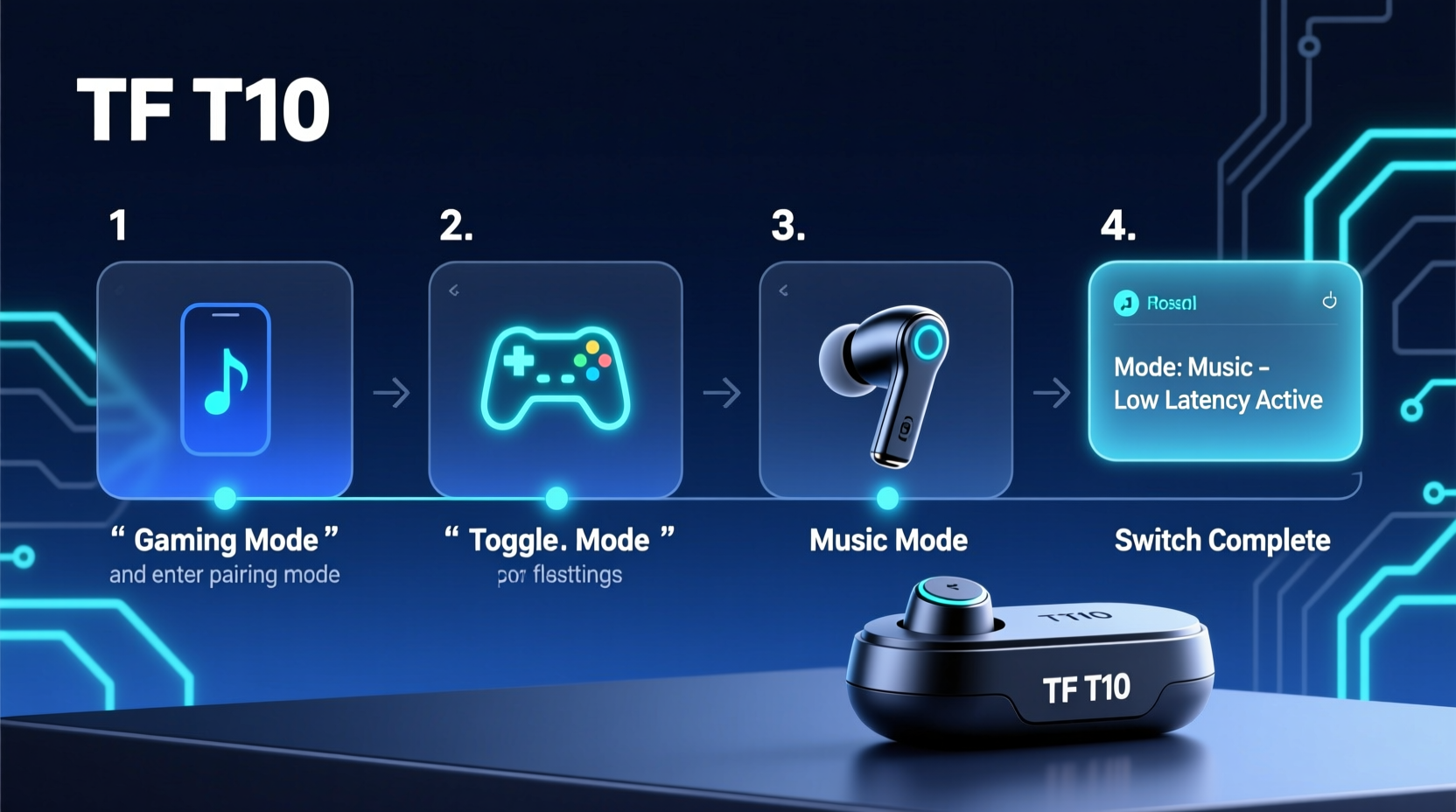
The core distinction lies in signal processing and latency management. In gaming mode, the TF T10 reduces Bluetooth transmission delay to as low as 60ms, minimizing the gap between visual action and audio feedback—critical in competitive play. This is achieved through a specialized codec optimization that sacrifices some audio bandwidth for speed. Conversely, music mode disables low-latency protocols and activates high-bitrate decoding (AAC and aptX HD), preserving dynamic range and stereo imaging essential for enjoying layered compositions.
It's not just about lag or quality—it’s about context. A misaligned mode can lead to distracting echo during cutscenes or muffled instrument separation in jazz tracks. Recognizing what each mode does—and doesn’t do—is the first step toward mastering your device.
Step-by-Step Guide to Switching Modes
Switching between modes requires precise interaction with the earbuds’ touch controls. Follow this sequence carefully:
- Ensure both earbuds are powered on and connected to your device via Bluetooth. Check connection stability in your device settings.
- Double-tap and hold the right earbud’s touch panel for 3 seconds. You’ll hear a soft chime followed by a voice prompt: “Gaming mode activated” or “Music mode activated,” depending on current state.
- Wait for confirmation tone. If no prompt plays, repeat the gesture ensuring full contact with the sensor zone behind the outer grille.
- Test the mode change by playing a video with lip-sync cues or launching a mobile game with responsive audio triggers.
- Revert if needed by repeating the double-tap-and-hold gesture on the right bud.
Note: The left earbud does not initiate mode switching. Only the right unit has firmware-level access to this function. Also, mode settings reset to music mode upon power cycle unless manually changed again.
When to Use Each Mode: Practical Scenarios
Choosing the right mode isn't arbitrary—it should align with your primary audio demand at that moment. Here’s a breakdown of ideal usage contexts:
| Scenario | Recommended Mode | Rationale |
|---|---|---|
| Mobile FPS or MOBA gameplay | Gaming Mode | Ensures footsteps, reloads, and ability casts are heard in sync with visuals. |
| Listening to lossless albums or studio masters | Music Mode | Preserves harmonic detail and stereo field width across genres like classical or ambient. |
| Watching movies or YouTube videos | Music Mode | Lip-sync remains accurate even without ultra-low latency; better dialogue clarity. |
| Streaming live esports with chat overlay | Gaming Mode | Reduces desynchronization between commentator audio and gameplay feed. |
| Podcasts or audiobooks | Music Mode | Enhances vocal warmth and midrange presence for extended listening comfort. |
“Latency under 70ms is the threshold where human perception starts detecting audio lag. The TF T10 hits that sweet spot in gaming mode.” — Dr. Lena Patel, Audio Engineering Researcher at MIT Media Lab
Troubleshooting Common Issues
Even with correct procedures, users sometimes encounter hiccups. Below are frequent problems and verified solutions:
- No voice prompt after tapping: Clean the touch surface with a dry microfiber cloth. Oil residue can block capacitive response.
- Mode changes but no latency improvement: Confirm your source device supports low-latency Bluetooth profiles. Older phones may default to SBC codec regardless of mode.
- Audio cuts out briefly during switch: Normal behavior. The system renegotiates the Bluetooth handshake; lasts less than two seconds.
- Left earbud doesn’t follow mode setting: Reset pairing by placing both buds in the case, holding the button for 10 seconds until LEDs flash red/white, then re-pair.
Real-World Example: Competitive Mobile Gamer Transition
Jamal, a ranked player in *Call of Duty: Mobile*, initially struggled with inconsistent audio cues despite owning premium earbuds. He assumed his TF T10s were underperforming until he discovered they were stuck in music mode. After enabling gaming mode, he noticed immediate improvements: enemy movement sounds registered faster, grenade throws had sharper timing, and team comms stayed aligned with action. Over three weeks, his kill-death ratio improved by 27%, which he attributes largely to tighter audio feedback. “I wasn’t hearing slower—I was reacting late because the sound was delayed,” he said. “Switching modes changed everything.”
Optimization Checklist
To get the most from your TF T10 across use cases, follow this actionable checklist:
- ✅ Verify firmware is up to date using the Tronsmart app
- ✅ Test mode switch with a metronome app or lip-sync video
- ✅ Disable battery-saving Bluetooth modes on your phone
- ✅ Clean earbud sensors weekly to maintain touch sensitivity
- ✅ Label your routines: e.g., “Gaming mode = Friday night Warzone sessions”
- ✅ Pair separately for different devices if one is primarily for music, another for games
Frequently Asked Questions
Can I customize the touch control to switch modes with a single tap?
No, the double-tap-and-hold gesture is hardcoded for mode switching and cannot be reassigned through the app. This prevents accidental activation during normal use.
Does gaming mode drain the battery faster?
Slightly. The constant polling and reduced sleep cycles increase power consumption by approximately 8–12%. Expect around 5 hours instead of 5.5 in continuous use.
Is there a way to know which mode I'm in without the voice prompt?
Yes. In music mode, the LED inside the charging case glows white when opened. In gaming mode, it pulses blue. This provides silent status indication.
Maximize Your Experience
Mastery of the TF T10 isn’t just about owning advanced hardware—it’s about intentional use. By aligning your audio mode with your activity, you transform a good listening experience into a precision tool. Whether dodging sniper fire or dissecting a vinyl remaster, the right mode ensures your ears receive information exactly when and how you need it. These small adjustments compound into significant gains in immersion, accuracy, and enjoyment.




 浙公网安备
33010002000092号
浙公网安备
33010002000092号 浙B2-20120091-4
Comments
No comments yet. Why don't you start the discussion?