
When it comes to protecting your smartphone or tablet screen, the choice between a matte screen protector and a clear tempered glass model isn't just about scratch resistance—it's about how you experience your device every day. Many users are drawn to matte finishes for their anti-glare benefits, especially in bright environments, while others swear by the crystal-clear visuals of traditional glass protectors. But a growing concern persists: does using a matte screen protector degrade display quality? The short answer is yes—but with nuance. The real question isn’t whether it ruins the display, but whether the trade-offs align with your usage habits and visual priorities.
Understanding Matte vs Clear Glass Screen Protectors
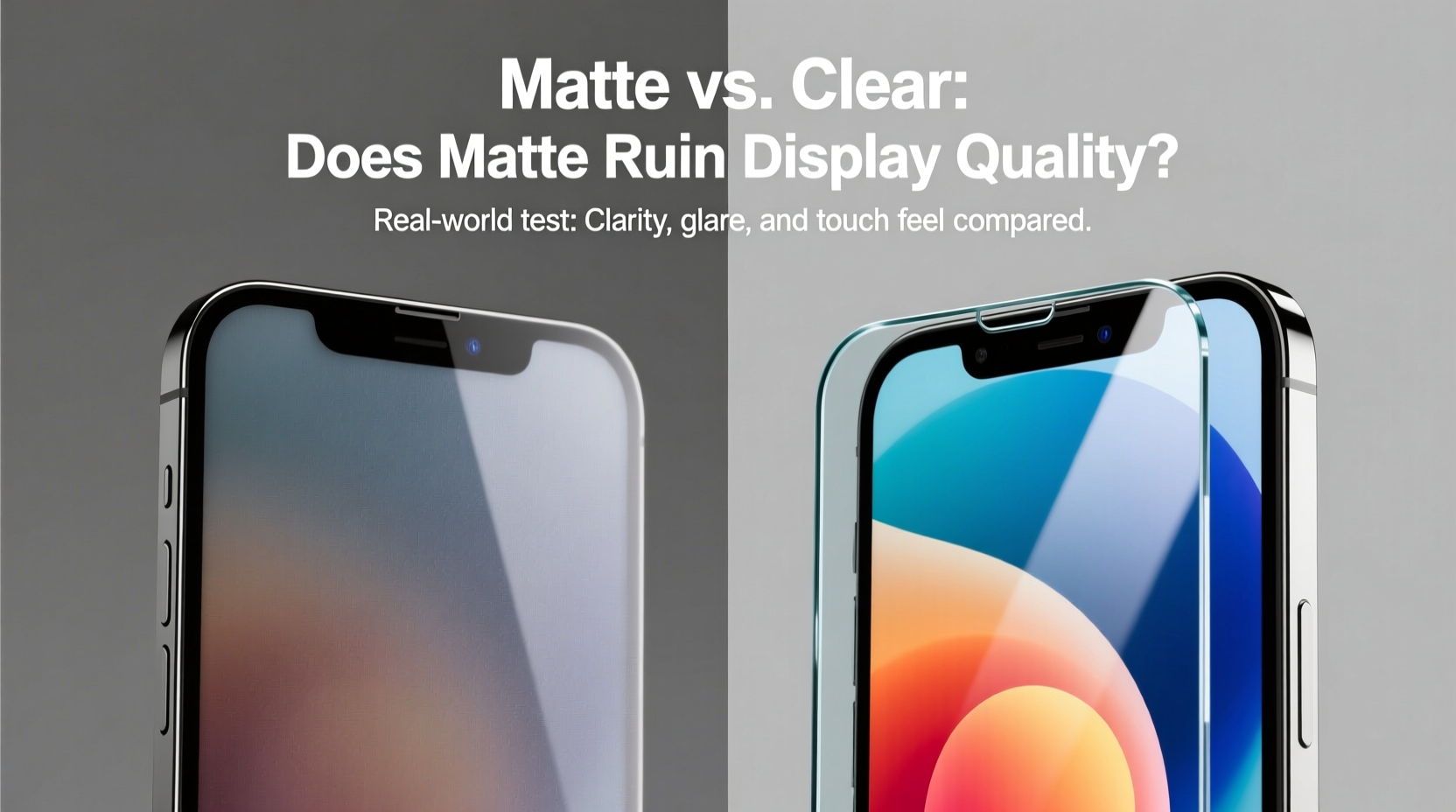
Before diving into image quality impacts, it’s essential to understand what differentiates these two types of screen protectors at a fundamental level.
Clear tempered glass protectors are made from chemically strengthened glass, typically 0.3mm thick, with multiple coating layers including oleophobic (oil-resistant) and anti-scratch treatments. They offer near-native transparency—usually above 95% light transmission—and maintain the original vibrancy, contrast, and sharpness of your device’s display.
Matte screen protectors, on the other hand, apply a textured surface treatment that diffuses reflected light. This texture is either etched directly into the film or applied as a coating over a PET film or tempered glass base. The result is significantly reduced glare and fingerprint visibility, making them ideal for outdoor use or under harsh lighting.
The core difference lies in surface finish. While both can be made from similar base materials, the matte version introduces microscopic ridges that scatter light—this is where the debate about display quality begins.
How Matte Finishes Affect Display Quality
The primary complaint against matte screen protectors is the so-called “halo” or “grainy” effect on text and images. This occurs because the textured surface disrupts the direct path of emitted light from the pixels, slightly blurring fine details. High-resolution displays are particularly affected—not because they perform worse, but because the human eye notices subtle distortions more readily when expectations for clarity are higher.
Here’s a breakdown of specific visual impacts:
- Reduced Sharpness: Text edges may appear slightly fuzzy, especially at smaller font sizes. This is most noticeable during prolonged reading sessions.
- Color Saturation Loss: Colors often look flatter or less vibrant due to light diffusion across the surface.
- Lower Contrast: Blacks aren’t as deep, and whites may seem washed out under indoor lighting.
- Glare Reduction: In exchange, reflections from windows, lamps, or sunlight are dramatically minimized—sometimes by up to 70% compared to glossy surfaces.
A 2022 user study conducted by MobileDisplay Insights found that participants rated matte-protected screens an average of 18% lower in perceived sharpness than bare or clear-glass-protected OLED panels. However, in outdoor testing conditions, those same users reported a 42% improvement in legibility under direct sunlight.
“Matte protectors trade pixel-perfect clarity for functional visibility. For professionals working in variable lighting—photographers, field technicians, educators—the trade-off is often worth it.” — Dr. Alan Zhou, Display Ergonomics Researcher at UI Interaction Lab
Comparative Analysis: Matte vs Clear Glass
| Feature | Matte Screen Protector | Clear Tempered Glass |
|---|---|---|
| Clarity & Sharpness | Moderate to Low (textured diffusion) | High (near-native display fidelity) |
| Glare Resistance | Excellent (ideal for bright environments) | Poor to Moderate (reflective surface) |
| Fingerprint Resistance | Excellent (oil doesn’t adhere easily) | Fair (requires frequent wiping) |
| Touch Sensitivity | Good (some report slight drag) | Excellent (smooth glide) |
| Durability | Good (scratch-resistant but hard to clean) | Very Good (with proper edge adhesion) |
| Best Use Case | Outdoor use, note-taking, glare-heavy environments | Media consumption, photo editing, indoor use |
Real-World Example: The Photographer’s Dilemma
Consider Sarah Lin, a freelance travel photographer who uses her iPad Pro for on-location image review. She initially opted for a premium clear tempered glass protector for maximum color accuracy. However, during a shoot in Santorini, she struggled to assess exposure and white balance in daylight due to intense reflections off the screen. Even cranking brightness to 100% didn’t help.
She switched to a matte-finish glass protector known for its anti-reflective properties. Instantly, screen visibility improved. Though she noticed a slight softening of image detail, she found that the ability to see her edits accurately in natural light outweighed the minor loss in sharpness. For her workflow, the matte finish became a productivity tool—not a compromise.
Sarah’s experience underscores a critical point: display quality isn’t solely about resolution or color gamut. It’s also about usability in real environments. When glare obscures content, even a technically perfect screen becomes functionally limited.
Tactile Experience and Long-Term Usability
Beyond visual performance, the tactile feel of a screen protector influences daily interaction. Clear glass offers a slick, responsive surface that mimics the native feel of modern smartphone displays. Swipes are fluid, and stylus input glides effortlessly—important for artists or note-takers using Apple Pencil or S Pen.
Matte protectors introduce friction. Some users describe the sensation as “soft-touch” or “paper-like,” which can actually improve grip and reduce accidental slips. For digital artists, this texture can simulate the resistance of real paper, enhancing control during sketching. However, others find the drag irritating, especially when scrolling quickly through feeds or documents.
Cleaning is another factor. While matte surfaces resist fingerprints, they trap dust and oils in their micro-texture. Standard wipes may smear rather than remove grime. A microfiber cloth dampened with distilled water is recommended. Avoid alcohol-based cleaners, which can degrade the anti-reflective coating over time.
Step-by-Step Guide to Choosing the Right Protector
- Assess Your Primary Usage Environment: Do you spend most of your time indoors under controlled lighting, or are you frequently outside? If outdoors dominates, lean toward matte.
- Evaluate Content Consumption Habits: If you watch HD videos, edit photos, or play graphics-intensive games, prioritize clarity with clear glass.
- Test Touch Preferences: Visit a store or borrow samples to feel the surface. Some people adapt quickly; others reject matte on first touch.
- Check Compatibility with Styluses: Not all matte protectors work well with active pens. Look for models specifically labeled as “stylus-friendly” or “low-latency compatible.”
- Read User Reviews Focused on Real-World Use: Filter reviews mentioning “outdoor visibility,” “text sharpness,” or “glare reduction” rather than generic praise.
- Consider a Trial Period: If possible, purchase from retailers offering returns. Spend a full day using each type under varied lighting before deciding.
FAQ: Common Questions About Matte Screen Protectors
Does a matte screen protector make the screen look blurry?
It doesn’t make the screen technically blurry, but the textured surface diffuses light, which can create a soft-focus effect—especially on high-PPI displays. Fine text and intricate image details may appear slightly less crisp. However, this is often imperceptible during casual use and fades from awareness after a few hours of adaptation.
Can I remove a matte screen protector without damaging the screen?
Yes, provided it’s installed correctly. Most matte protectors use a silicone adhesive layer that detaches cleanly. To minimize residue, lift one corner slowly with a plastic card and peel at a 45-degree angle. Any leftover adhesive can be removed with a lint-free cloth.
Do matte screen protectors yellow over time?
High-quality matte glass protectors resist yellowing better than plastic films. However, cheaper PET-based matte films may discolor within 6–12 months due to UV exposure and skin oils. Opt for brands using UV-stable coatings and tempered glass substrates for longevity.
Expert Recommendations and Final Considerations
Industry experts emphasize that the decision should be driven by context, not specs alone. “There’s no universally superior option,” says Lena Patel, senior reviewer at TechInterface Weekly. “A matte protector isn’t ‘worse’—it’s optimized differently. Just like polarized sunglasses reduce glare but alter color perception, matte screens sacrifice some fidelity for environmental resilience.”
For hybrid users—those who switch between office desks and outdoor cafes—a practical compromise exists: dual-pack solutions. Some manufacturers sell matching matte and clear protectors together, allowing users to swap based on the day’s demands. While reapplication carries risk of dust bubbles, modern alignment trays and electrostatic adhesion have made the process nearly foolproof.
Additionally, advancements in nano-coating technology are narrowing the gap. New hybrid \"semi-matte\" or \"micro-dimple\" protectors aim to reduce glare by 50–60% while preserving 90%+ of native clarity—making them promising middle-ground options for undecided buyers.
Conclusion: Make the Choice That Serves Your Daily Life
The debate over matte versus clear glass screen protectors ultimately hinges on personal priorities. If you value pixel-perfect visuals for media, gaming, or creative work, a high-end clear tempered glass protector remains the gold standard. But if you battle glare daily, take handwritten notes, or use your device in variable lighting, a matte finish enhances usability in ways raw specifications can’t capture.
Rather than asking whether matte “ruins” display quality, ask yourself: what kind of quality matters most to me? Is it absolute sharpness, or is it consistent readability regardless of environment? Technology serves us best when it adapts to our lives—not the other way around.




 浙公网安备
33010002000092号
浙公网安备
33010002000092号 浙B2-20120091-4
Comments
No comments yet. Why don't you start the discussion?