
Every time you pick up your smartphone, your fingers leave behind more than just input—they leave oils, smudges, and a persistent trail of fingerprints. While this is unavoidable, the type of screen protector you use can significantly influence how visible those marks are. Two dominant options dominate the market: matte (anti-glare) and glossy (clear) screen protectors. The question isn't just about aesthetics—it's about usability, visibility, and long-term satisfaction. When it comes to hiding fingerprints, one clearly outperforms the other. But choosing the right one involves more than just smudge resistance.
Understanding Matte and Glossy Screen Protectors
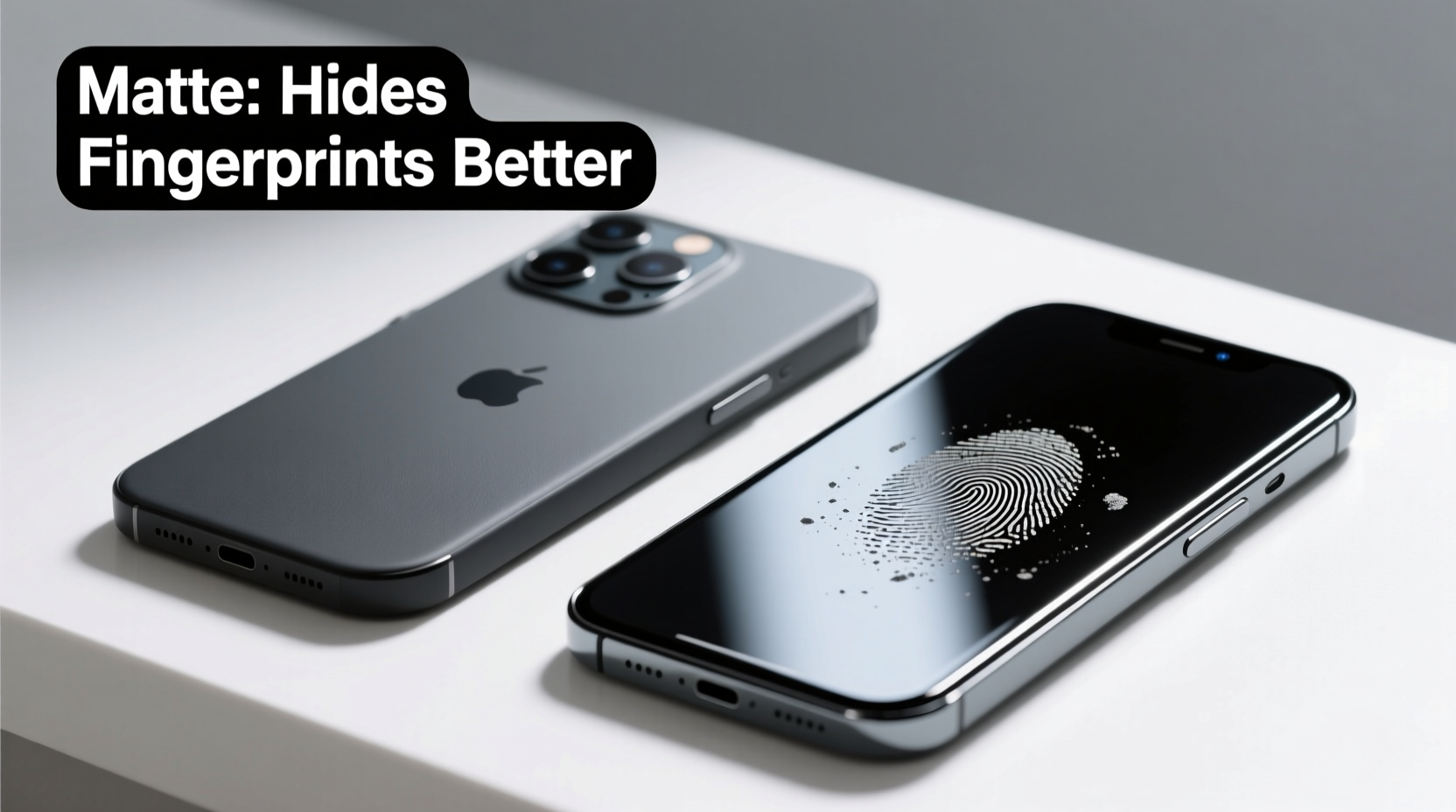
Before diving into fingerprint performance, it’s essential to understand what sets these two types apart at a fundamental level.
Glossy screen protectors are made with a smooth, reflective surface that closely mimics the original glass of most smartphones. They preserve the screen’s native brightness, color accuracy, and contrast. Because they’re optically clear, they offer a seamless viewing experience—almost as if there’s no protector at all.
Matte screen protectors, on the other hand, have a micro-etched or frosted surface designed to diffuse light. This reduces glare from overhead lighting and sunlight, making them popular among outdoor users and professionals who work in bright environments. However, this texture also alters how light passes through the screen, subtly affecting image sharpness.
Fingerprint Visibility: The Core Comparison
Fingerprints form when natural skin oils transfer onto a surface. On glass or plastic, these oils create shiny, reflective patches that stand out—especially against dark backgrounds. How each screen protector handles these oils is where the real difference lies.
Glossy protectors amplify visibility. Their smooth, mirror-like surface reflects light uniformly. When a fingerprint disrupts this uniformity, it becomes glaringly obvious. Even minor smudges appear large and distracting, requiring constant wiping to maintain a clean look.
Matte protectors inherently mask fingerprints. The textured surface scatters light, so oil residues don’t create the same reflective hotspot effect. Instead of standing out, fingerprints blend into the slightly diffused surface. While not entirely invisible, they're far less noticeable and require less frequent cleaning.
“From a materials science perspective, surface texture plays a critical role in how contaminants like oils interact with light. Matte finishes reduce specular reflection, which is why smudges are less apparent.” — Dr. Alan Zhou, Materials Engineer at Mobile Display Labs
Performance Breakdown: Key Factors Compared
To make an informed decision, consider multiple aspects beyond fingerprint resistance. Here’s a side-by-side analysis of both types across critical categories.
| Feature | Matte Protector | Glossy Protector |
|---|---|---|
| Fingerprint Hiding | Excellent – minimizes visibility due to light diffusion | Poor – shows every smudge clearly due to high reflectivity |
| Screen Clarity | Reduced – slight haze or “graininess” affects sharpness | Excellent – maintains full resolution and vibrancy |
| Glare Reduction | Superior – ideal for bright environments | Poor – reflects ambient light, causing eye strain |
| Touch Sensitivity | Slightly reduced – texture may affect glide | Natural – feels like the original screen |
| Durability | Good – but scratches may be more visible | Excellent – resists scratches well; easy to clean |
| Cleaning Frequency | Low – fingerprints stay hidden longer | High – requires frequent wiping to stay presentable |
The data shows a clear trade-off: matte excels in smudge concealment and glare control, while glossy wins in visual fidelity and tactile response. Your lifestyle and usage patterns should dictate which compromise you’re willing to accept.
Real-World Usage: A Day in the Life
Consider Sarah, a freelance photographer who spends hours editing photos on her phone during outdoor shoots. She initially used a glossy screen protector for its crystal-clear display. But after just a few minutes of handling her device with sunscreen-covered hands, the screen became a mess of streaks and fingerprints. In bright sunlight, reflections made it hard to see anything at all.
She switched to a matte protector. Immediately, the screen was easier to view outdoors. Smudges from her fingers were barely noticeable—even after hours of use. While she noticed a slight softening of image detail, the benefit outweighed the drawback. For her workflow, reducing distractions from glare and fingerprints improved productivity.
In contrast, James, a graphic designer who uses his phone for client presentations indoors, prefers a glossy protector. He values color accuracy and pixel-perfect clarity when showing design mockups. Though he wipes his screen often, he finds the visual quality worth the extra maintenance.
This contrast illustrates that the best choice depends on environment, usage habits, and personal tolerance for upkeep.
Step-by-Step Guide: Choosing and Applying the Right Protector
Selecting between matte and glossy isn’t just about preference—it’s about process. Follow these steps to ensure you get the best fit and performance.
- Evaluate your primary use case: Do you spend a lot of time outside or in brightly lit offices? Choose matte. Do you prioritize media consumption or photo editing? Lean toward glossy.
- Check compatibility: Ensure the protector fits your phone model exactly, especially if you have a curved display.
- Read reviews focused on fingerprint resistance: Look for phrases like “smudge-resistant,” “easy to clean,” or “minimal glare.”
- Prepare your screen thoroughly: Clean with an alcohol wipe and use the included dust remover before application.
- Apply in a low-dust environment: Close windows, turn off fans, and work on a clean surface.
- Align carefully and press from the center outward: Use the alignment frame if provided to avoid bubbles.
- Test touch response and visibility: Open apps, scroll, and check for any interference.
Common Misconceptions About Matte Protectors
Despite their advantages in smudge resistance, matte protectors face criticism—some justified, some based on outdated assumptions.
Myth: Matte screens are always blurry.
While early versions did reduce sharpness significantly, modern matte films use advanced etching techniques that minimize haze. Some high-end brands achieve near-glossy clarity while retaining anti-smudge properties.
Myth: Matte finishes wear off over time.
The texture is physically etched into the film, not coated. It won’t peel or degrade with normal use. However, deep scratches can alter the surface and create localized glare spots.
Myth: They feel cheap.
Subjectively, some users dislike the slightly rougher touch. But many find the non-slip grip beneficial, especially during prolonged typing or gaming sessions.
Expert Recommendations and Long-Term Care
Industry experts emphasize matching the protector to your behavior, not just specs. “We’ve seen a shift in user preferences post-pandemic,” says Lisa Tran, a mobile accessories reviewer with TechLife Weekly. “People are more conscious of cleanliness and smudging. Matte protectors saw a 35% sales increase in 2023 alone, driven by hybrid workers who use phones in varied lighting conditions.”
For long-term care, both types benefit from consistent maintenance:
- Wipe the screen daily with a dry microfiber cloth.
- Use a small amount of screen-safe cleaner for deeper cleaning (avoid ammonia-based products).
- Store your phone screen-down when possible—e.g., in a bag or on a desk—to prevent accidental smudging.
- Replace the protector if it becomes heavily scratched or starts peeling at the edges.
“The best screen protector is the one you don’t notice until you need it. Whether matte or glossy, its job is protection first, aesthetics second.” — Mark Rivera, Head of Product Testing at GadgetShield Labs
FAQ: Common Questions Answered
Do matte screen protectors affect touchscreen sensitivity?
Most modern matte protectors have minimal impact on responsiveness. However, cheaper models may introduce slight lag or reduced accuracy, especially with fast swipes or multi-touch gestures. Opt for reputable brands with tempered glass or high-quality TPU materials.
Can I apply a matte protector over a glossy one?
No. Layering screen protectors is not recommended. It increases the risk of air bubbles, poor adhesion, and reduced touch sensitivity. Always remove the old protector completely before applying a new one.
Are there hybrid options that combine the best of both worlds?
Yes—some manufacturers offer “semi-matte” or “satin” finishes. These aim to reduce glare and hide fingerprints better than glossy models while preserving more clarity than traditional matte films. Performance varies by brand, so read verified user reviews before purchasing.
Final Verdict: Which One Hides Fingerprints Better?
The answer is definitive: matte screen protectors hide fingerprints far better than glossy ones. Their textured surface disrupts light reflection, making oil residues less visible and reducing the need for constant cleaning. For users who prioritize cleanliness, comfort in bright environments, and low maintenance, matte is the superior choice.
However, this advantage comes at the cost of slight image softening and a different tactile feel. If you value pixel-perfect visuals for gaming, video, or creative work, and don’t mind regular wiping, glossy remains the preferred option.
Ultimately, the decision isn’t about which is objectively better—it’s about which aligns with your daily habits and expectations. Technology should serve the user, not the other way around.




 浙公网安备
33010002000092号
浙公网安备
33010002000092号 浙B2-20120091-4
Comments
No comments yet. Why don't you start the discussion?