
In today’s fast-paced digital world, convenience isn’t just a luxury—it’s a necessity. With smartphones at the center of our personal and professional lives, finding ways to interact with them more efficiently can significantly improve daily routines. One of the most effective tools for achieving this is the combination of a MagSafe phone case and a compatible stand. Together, they offer seamless hands-free functionality that supports everything from video calls to cooking tutorials and binge-watching your favorite shows. This guide explores practical ways to leverage this technology for maximum comfort, efficiency, and long-term usability.
Understanding MagSafe: The Foundation of Hands-Free Convenience
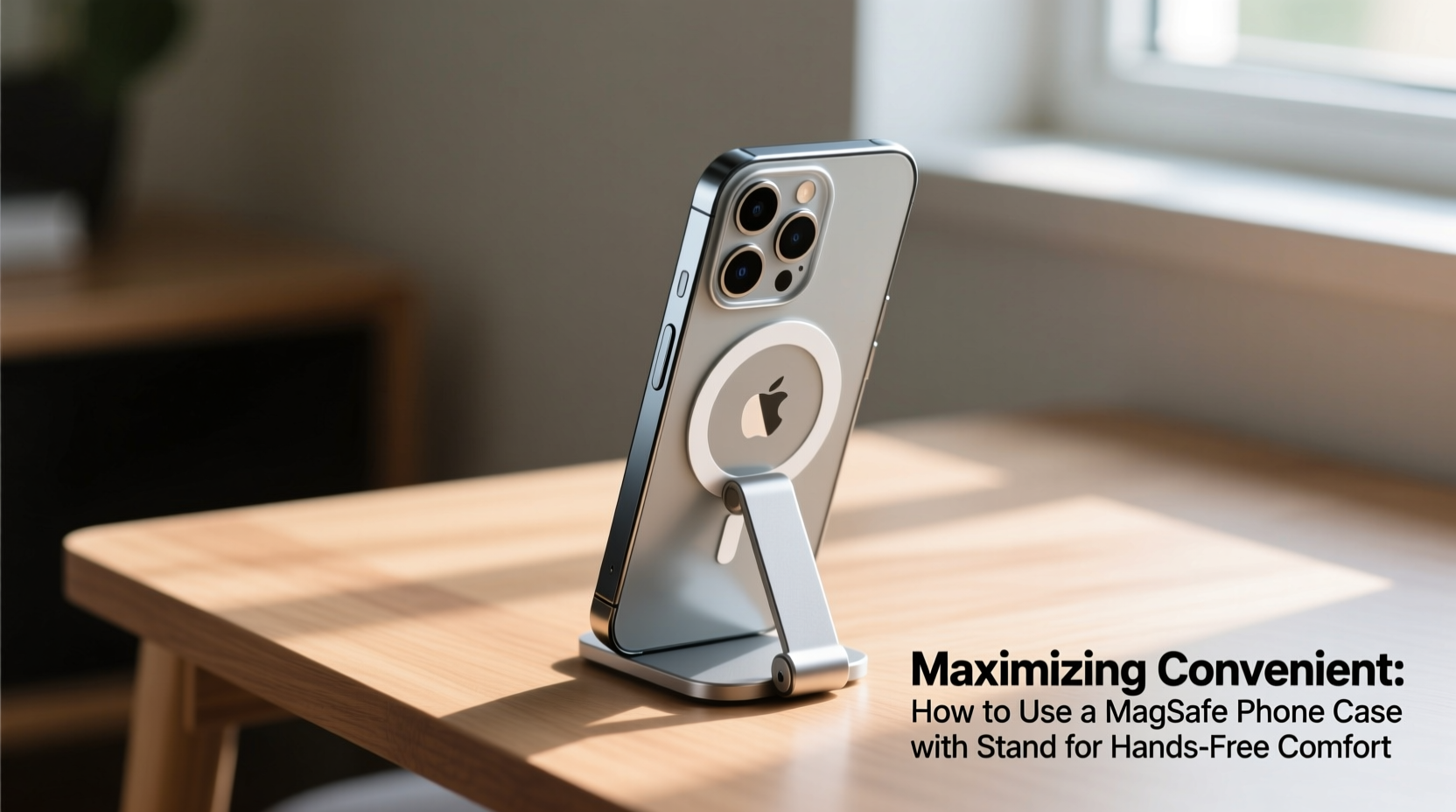
Introduced by Apple in 2020, MagSafe technology uses an array of magnets built into the back of compatible iPhones (iPhone 12 and later) to provide precise alignment and strong attachment for accessories. When paired with a MagSafe-enabled phone case, users gain instant access to magnetic charging, wallet attachments, and—most relevant here—compact stands that snap securely into place without slipping or wobbling.
The strength of the magnetic connection ensures stability even on uneven surfaces, while the slim profile preserves portability. Unlike traditional cases that require clunky mounts or adhesive grips, MagSafe streamlines the experience: attach, adjust, and go. This integration is what makes it ideal for hands-free scenarios across multiple environments—home, office, car, or travel.
Optimizing Daily Use: Practical Applications of a MagSafe Stand
The real value of a MagSafe stand lies not in its novelty but in its utility. By enabling stable, adjustable viewing angles, it transforms your smartphone into a mini workstation, entertainment hub, or communication device—all without requiring constant manual support.
- Cooking & Recipe Viewing: Clip your phone onto the stand near your countertop. Follow step-by-step videos or scroll through ingredients without touching greasy fingers to the screen.
- Video Conferencing: Position your iPhone at eye level during Zoom or FaceTime calls. Proper ergonomics reduce neck strain and project professionalism.
- Streaming Content: Watch Netflix, YouTube, or TikTok comfortably on your nightstand, desk, or bathroom counter while getting ready.
- Workplace Efficiency: Use split-screen apps like Notes and Safari side-by-side as you take meeting notes or research topics.
- Hands-Free Navigation: Attach the stand to a car vent mount (MagSafe-compatible) for reliable GPS guidance without fumbling with clips or adhesives.
Each scenario benefits from consistent positioning, quick setup, and secure attachment—features uniquely enabled by MagSafe’s design philosophy.
Step-by-Step Guide: Setting Up Your MagSafe Case and Stand for Optimal Comfort
- Choose the Right Case: Select a MagSafe-certified case made from durable materials like silicone, leather, or rugged TPU. Ensure it doesn’t interfere with wireless charging.
- Purchase a Compatible Stand: Look for stands specifically labeled “MagSafe-compatible” with swivel or tilt mechanisms for angle adjustment.
- Attach the Phone: Snap your iPhone into the MagSafe stand. You should hear a soft click indicating proper magnetic engagement.
- Adjust Viewing Angle: Rotate or pivot the stand so the screen aligns with your eye level or preferred orientation (portrait or landscape).
- Test Stability: Gently nudge the device to confirm it remains firmly attached, especially if using on a moving surface like a car dashboard.
- Integrate Into Routines: Place the setup in high-use areas—kitchen counter, bedside table, home office desk—for immediate accessibility.
“MagSafe has redefined peripheral integration in mobile ecosystems. It reduces friction between user intent and device function.” — Dr. Lena Torres, Human-Computer Interaction Researcher, MIT Media Lab
Choosing the Best Stand for Your Needs: A Comparison Table
| Type of Stand | Best For | Mobility | Angle Flexibility | Durability |
|---|---|---|---|---|
| Foldable Desk Stand | Home office, video calls | Medium (portable when folded) | High (adjustable hinges) | Medium (plastic/metal blend) |
| Vent Mount (Car) | Driving, navigation | High (designed for mobility) | Medium (limited tilt) | High (reinforced grip) |
| Battery-Integrated Stand | Travel, extended use | Low (bulky due to battery) | Low (fixed position) | Medium (depends on model) |
| Rotating Bedside Stand | Nighttime viewing, alarms | Low (stationary) | High (360° rotation) | High (weighted base) |
Real-World Example: How Sarah Boosted Her Remote Work Setup
Sarah, a freelance graphic designer based in Portland, struggled with neck pain after months of working remotely. She often balanced her iPhone on books or propped it against water bottles during client check-ins, leading to inconsistent camera angles and dropped calls when the phone slipped.
After switching to a MagSafe leather case paired with a rotating aluminum desk stand, she positioned her phone at eye level next to her monitor. The magnetic attachment eliminated slippage, and the ability to quickly detach and reattach allowed her to move between rooms without losing workflow continuity. Within two weeks, she reported improved posture, fewer interruptions, and even received compliments on her \"professional studio setup.\"
This example illustrates how small, thoughtful upgrades can yield outsized benefits in comfort and productivity.
Essential Checklist: Getting the Most Out of Your MagSafe Stand System
- ✅ Confirm iPhone model compatibility (iPhone 12 or newer)
- ✅ Purchase only MagSafe-certified cases and stands
- ✅ Test magnetic alignment before regular use
- ✅ Clean both case and stand monthly to remove dust affecting magnet strength
- ✅ Position stand in well-lit areas to avoid screen glare during video calls
- ✅ Avoid exposing the magnet ring to extreme heat or moisture
- ✅ Use landscape mode whenever possible for wider viewing area
Frequently Asked Questions
Can I use any phone case with a MagSafe stand?
No. Only cases designed with MagSafe compatibility contain the necessary internal magnet ring for secure attachment. Non-MagSafe cases will not hold properly and may fall off unexpectedly.
Will using a stand affect my phone’s battery life?
Not directly. However, prolonged screen-on time during video playback or video calls will increase power consumption. Consider enabling Auto-Brightness and Low Power Mode during extended sessions.
Is it safe to leave my phone on the stand overnight?
Yes, provided the phone is not actively charging under direct sunlight or in a humid environment. Prolonged exposure to heat while charging can degrade battery health over time.
Conclusion: Elevate Your Everyday Experience
The fusion of a MagSafe phone case and a well-designed stand represents more than just tech convenience—it’s about reclaiming time, reducing physical strain, and enhancing how we interact with our devices. Whether you're multitasking in the kitchen, collaborating remotely, or simply unwinding with a movie, this simple duo delivers tangible improvements in usability and comfort.
Don’t wait for discomfort or inefficiency to prompt change. Assess your current phone usage habits, invest in quality MagSafe accessories, and integrate them into your daily rhythm. Small adjustments today can lead to lasting gains in productivity, wellness, and satisfaction tomorrow.




 浙公网安备
33010002000092号
浙公网安备
33010002000092号 浙B2-20120091-4
Comments
No comments yet. Why don't you start the discussion?