
In an age where smartphones are essential for communication, productivity, and entertainment, protecting your iPhone isn’t just about preserving its appearance—it’s about safeguarding your investment. While Apple builds its devices with durability in mind, everyday risks like accidental drops, pocket debris, and exposure to moisture can compromise both function and resale value. Among all protective accessories, the hard case remains one of the most effective solutions. But simply owning a hard case isn’t enough. To truly maximize protection, you need to choose the right model, install it correctly, and maintain it over time. This guide breaks down the smartest ways to use a hard case to keep your iPhone safe from common threats.
Why Hard Cases Are Still the Gold Standard
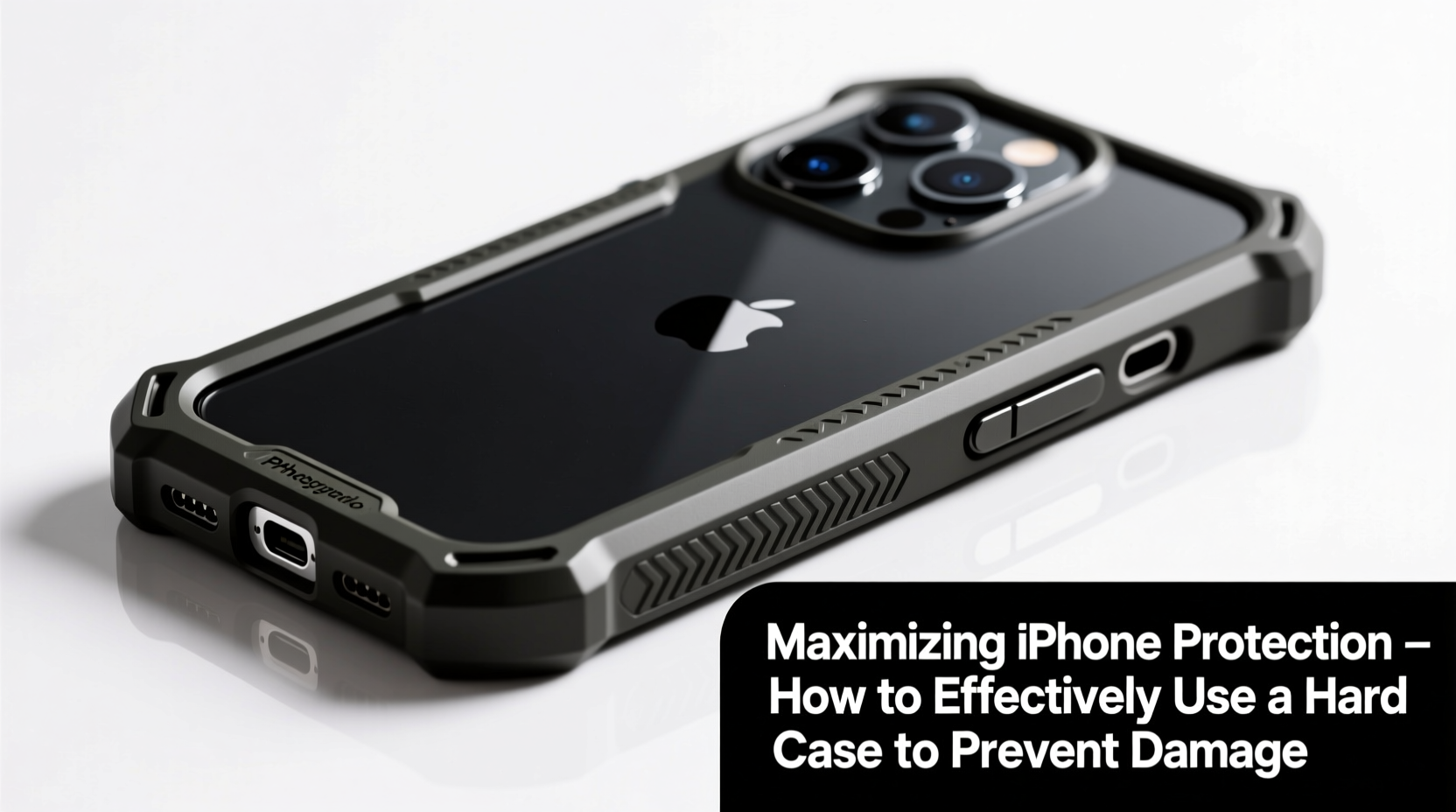
Despite the rise of sleeker silicone sleeves and minimalist wallet cases, hard cases—typically made from polycarbonate or reinforced thermoplastic—continue to dominate when it comes to impact resistance. Their rigid structure absorbs shock by distributing force across the shell during a fall, significantly reducing the chance of internal damage or screen cracks.
Unlike soft cases that compress upon impact, hard cases maintain their shape and often feature raised bezels around the screen and camera module. These design elements ensure that when your phone lands face-down or lens-first, critical components don’t make direct contact with surfaces. Independent drop tests have shown that high-quality hard cases can reduce impact stress by up to 70% compared to bare-device drops from chest height (approximately 4–5 feet).
“Hard cases are the first line of defense against mechanical trauma. For users who carry their phones daily in bags or pockets, a well-fitted rigid shell is non-negotiable.” — Dr. Lena Torres, Materials Engineer & Mobile Device Safety Researcher
Choosing the Right Hard Case for Maximum Protection
Not all hard cases offer equal protection. The key lies in selecting one tailored to your lifestyle and usage patterns. Consider these factors before purchasing:
- Material Quality: Look for dual-layer designs combining a rigid outer shell with a flexible inner liner (often TPU). This hybrid construction enhances shock absorption.
- Drop Certification: Cases tested to military standards (MIL-STD-810G) undergo rigorous drop simulations and provide verified protection.
- Precise Cutouts: Poorly aligned ports or buttons increase wear and reduce usability. High-tolerance machining ensures seamless access without gaps.
- Elevated Edges: A case should extend at least 1.2mm above the screen and camera lens to prevent surface contact during flat rests or minor tumbles.
- Anti-Scratch Coating: Some premium models include scratch-resistant finishes that maintain clarity and reduce micro-abrasions over time.
Step-by-Step Guide to Proper Installation and Maintenance
Even the best hard case won’t perform optimally if installed incorrectly or neglected over time. Follow this sequence to ensure consistent performance:
- Clean Your iPhone Thoroughly: Use a lint-free cloth dampened with isopropyl alcohol (70%) to wipe down the entire device. Remove dust, oils, and residue that could interfere with case fitment.
- Align the Case Before Snapping It On: Start with the bottom edge, ensuring speaker grilles and charging port align perfectly. Gently press each side into place, working upward to avoid cracking the plastic.
- Check Button Functionality: Test volume and power buttons immediately after installation. They should click smoothly without sticking or requiring excessive force.
- Inspect Screen and Camera Clearance: Place the cased phone on a flat mirror or glass surface. No part of the screen or lens should touch the surface.
- Monthly Deep Cleaning: Remove the case every 30 days. Clean both the iPhone back and the interior of the case with a dry microfiber cloth to eliminate trapped grit that can cause micro-scratches.
Common Mistakes That Undermine Case Effectiveness
Many users unknowingly reduce their case’s protective value through small but damaging habits. Below is a comparison of best practices versus frequent errors:
| Do’s | Don’ts |
|---|---|
| Choose a case with MIL-STD drop certification | Assume all “shockproof” labels are equal—verify test data |
| Remove and clean the case monthly | Leave the case on indefinitely, allowing dust buildup |
| Use a screen protector in conjunction with the case | Rely solely on the case’s raised bezel without added screen protection |
| Replace cracked or warped cases immediately | Continue using a damaged case thinking it still offers protection |
| Ensure snug fit without excessive tightness | Force the phone into a misaligned case, risking frame stress |
Real-World Example: How a Hard Case Saved an iPhone 15
Daniel, a field service technician based in Denver, uses his iPhone 15 daily for navigation, work orders, and client photos. One afternoon, while climbing out of a utility van, he dropped his phone onto a gravel driveway from a height of nearly six feet. The device landed directly on its corner—a worst-case scenario for screen integrity.
Luckily, Daniel used a MIL-STD-certified hard case with reinforced corners and air-cushion technology. Upon inspection, there was no screen crack, camera misalignment, or functional issue. Only minor scuffing appeared on the case’s edge. He replaced the case two weeks later as a precaution, but the iPhone itself required no repairs. In his words: “That case took the brunt like a tank. I’ve had other phones die from smaller falls.”
Protective Checklist: Maximize Your Hard Case’s Performance
To ensure your hard case delivers optimal protection over time, follow this actionable checklist:
- ☑️ Verify the case has independent drop-test certification
- ☑️ Confirm elevated edges protect the screen and camera
- ☑️ Install the case on a clean, dry iPhone
- ☑️ Test all buttons and ports post-installation
- ☑️ Remove and clean the case and phone every 30 days
- ☑️ Inspect for cracks, warping, or loose fittings monthly
- ☑️ Replace the case immediately if structural damage is found
- ☑️ Pair the case with a tempered glass screen protector
- ☑️ Avoid exposing the cased phone to extreme heat (e.g., car dashboards)
- ☑️ Store the phone in a dedicated pocket or bag compartment to minimize abrasion
Frequently Asked Questions
Can a hard case cause overheating?
High-quality hard cases are designed with ventilation in mind and do not trap significant heat under normal conditions. However, avoid leaving a cased iPhone in direct sunlight or hot vehicles for extended periods, as the plastic may retain some thermal energy. If you notice performance throttling, remove the case temporarily to allow cooling.
Do hard cases interfere with wireless charging?
Most modern hard cases are engineered to be wireless charging-compatible, especially those under 3mm thickness. However, excessively bulky or metal-reinforced models might disrupt the magnetic alignment needed for MagSafe chargers. Always check manufacturer specifications before purchase.
How often should I replace my hard case?
Inspect your case every three months. Even without visible damage, repeated impacts degrade structural integrity over time. Replace it immediately if you notice cracks, warping, or loose fit—and consider rotating between two cases to extend lifespan.
Final Thoughts: Make Protection a Habit, Not an Afterthought
Your iPhone does more than make calls—it stores memories, manages finances, and connects you to the world. Treating its protection as optional undermines both functionality and longevity. A high-performance hard case, when selected wisely and maintained consistently, acts as a silent guardian against the unpredictable nature of daily life. From coffee shop tables to hiking trails, the right case absorbs what your phone shouldn’t have to.




 浙公网安备
33010002000092号
浙公网安备
33010002000092号 浙B2-20120091-4
Comments
No comments yet. Why don't you start the discussion?