
Every day, thousands of professionals, students, and travelers rely on their laptops to stay productive. Yet one of the most common oversights in digital device care is improper storage during transport. A laptop sleeve isn’t just an accessory—it’s a critical layer of defense. When used correctly within a computer bag, it significantly enhances shock absorption, prevents scratches, and shields against environmental hazards like moisture and dust. Understanding how to integrate this simple tool into your daily routine can mean the difference between a fully functional machine and costly damage.
Why a Laptop Sleeve Is More Than Just Padding
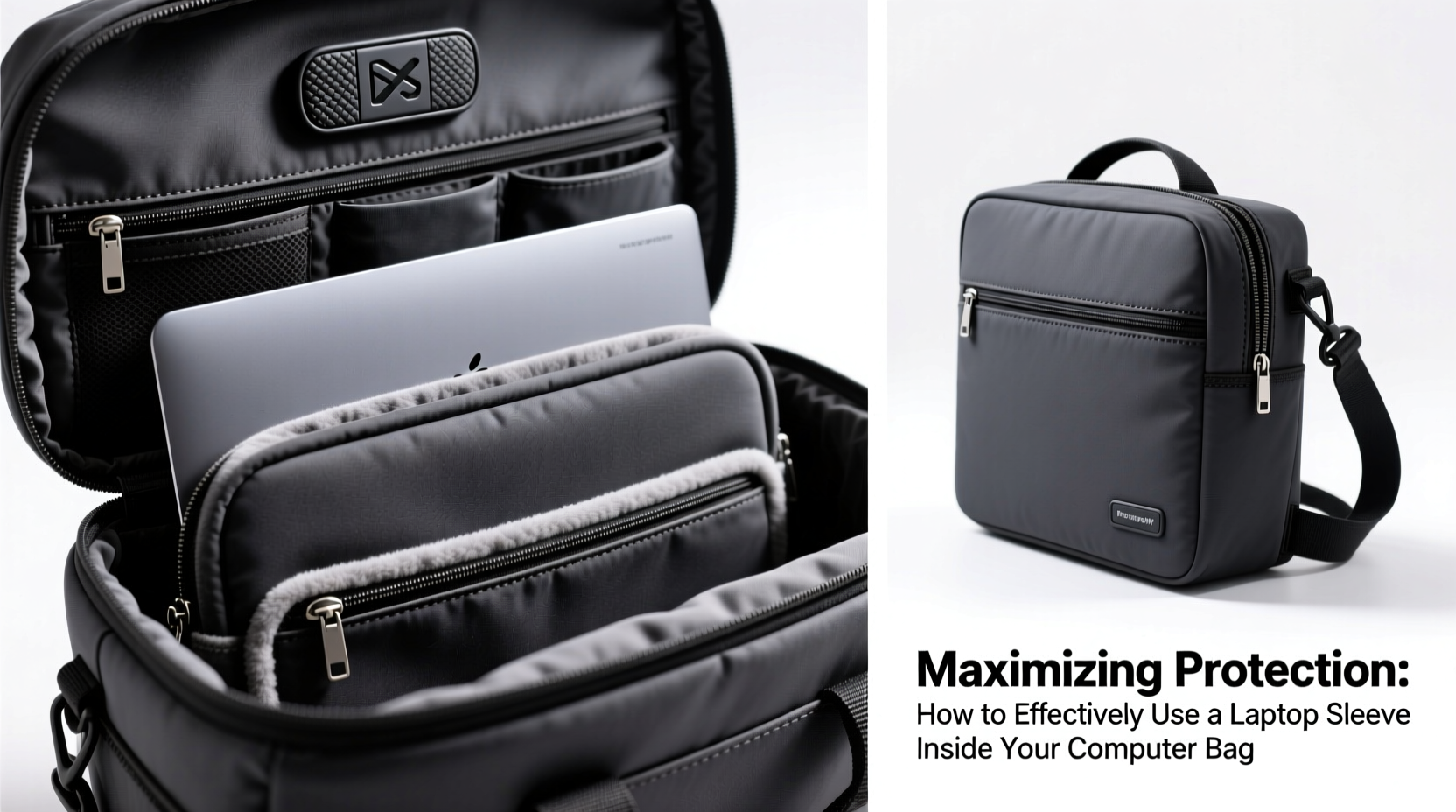
A laptop sleeve acts as a secondary protective barrier, much like a seatbelt complements airbags in a car. While many modern bags come with padded compartments, these are often designed for general cushioning rather than targeted impact resistance. Sleeves, especially those made from neoprene, felt, or high-density foam, offer snug, form-fitting protection that minimizes internal movement—a primary cause of hardware damage during transit.
The real value emerges when the sleeve works in tandem with the bag’s structure. Instead of relying solely on the bag’s padding, which may compress unevenly or degrade over time, the sleeve maintains consistent protection around the laptop at all times. This dual-layer approach distributes impact forces more effectively, particularly during drops or sudden jolts.
Choosing the Right Sleeve for Your Bag
Not all sleeves fit all bags. To maximize protection, match both dimensions and design. Measure your laptop diagonally (e.g., 13\", 15.6\") and select a sleeve that corresponds exactly. A loose fit allows shifting; an overly tight one stresses zippers and seams. Additionally, consider the thickness of the sleeve material. Ultra-slim sleeves prioritize portability but offer minimal drop protection, while thicker models provide better shock absorption at the cost of bulk.
Equally important is compatibility with your bag’s internal layout. Many backpacks and briefcases feature dedicated laptop compartments with specific depth and width limits. Insert the sleeved laptop into the compartment and ensure it fits snugly without forcing. If the zipper strains or the laptop sits above the padding line, the protection is compromised.
| Sleeve Material | Protection Level | Best For |
|---|---|---|
| Neoprene | High (flexible, shock-absorbent) | Daily commuters, urban environments |
| Felt/Wool Blend | Moderate (scratch-resistant, lightweight) | Office-to-home travel, light use |
| Hard-shell Hybrid | Very High (rigid exterior + soft interior) | Travelers, frequent flyers, rugged conditions |
| Water-Resistant Nylon | Moderate to High (moisture protection + padding) | Rainy climates, outdoor commutes |
Step-by-Step: Proper Integration of Sleeve and Bag
- Power down and cool the laptop. Avoid trapping heat inside the sleeve, which can affect battery life and ventilation components.
- Close the lid gently. Never clamp accessories like pens or cables between the screen and keyboard.
- Slide the laptop into the sleeve smoothly. Align the ports and hinges with any cutouts to prevent fabric strain.
- Zip or close the sleeve completely. An open flap reduces structural integrity and exposes edges to impacts.
- Place the sleeved laptop into the designated compartment of your bag. Ensure the bottom of the laptop rests fully on the padded base of the bag.
- Position it flat and centered. Do not tilt or angle the laptop, as this creates pressure points.
- Keep surrounding items organized. Avoid placing chargers, notebooks, or water bottles directly against the laptop side of the compartment.
Avoid These Common Mistakes
- Using the sleeve outside the bag. While convenient, carrying a laptop solely in a sleeve offers minimal structural support and increases drop risk.
- Overstuffing the compartment. Crowding forces the laptop against hard objects, negating the benefits of both sleeve and padding.
- Ignoring moisture exposure. Even non-waterproof sleeves can trap humidity if stored in damp conditions.
- Skipping regular cleaning. Dust and oils accumulate inside sleeves, potentially scratching surfaces over time.
“Most laptop damage we see in repair clinics comes from indirect impacts—items pressing against the screen or body during transit. A sleeve used properly inside a well-designed bag reduces such incidents by up to 70%.” — Dr. Alan Reyes, Electronics Durability Analyst at TechShield Labs
Real-World Example: The Commuter’s Near-Miss
Consider Sarah, a freelance designer who commutes daily via subway and bike. She owns a slim 14-inch ultrabook valued at $1,400. One morning, her backpack slipped off her shoulder onto concrete stairs. The bag’s outer compartment absorbed the initial impact, but the real safeguard was her neoprene sleeve. Inside, the laptop remained unscathed despite the fall. Upon inspection, she noticed scuff marks on the sleeve’s exterior but no cracks, dents, or functional issues. “I used to think the bag was enough,” she said later. “Now I wouldn’t carry my laptop without the sleeve—even for a short walk.”
This scenario illustrates the compounding effect of layered protection. The bag deflected debris and distributed force, while the sleeve isolated the device from vibration and direct contact.
Essential Checklist for Maximum Protection
- ☑ Confirm sleeve size matches laptop dimensions exactly
- ☑ Use only in conjunction with a padded laptop compartment
- ☑ Insert laptop before placing in bag—never after
- ☑ Keep the sleeve clean and free of debris weekly
- ☑ Avoid stacking heavy items on top of the laptop section
- ☑ Choose water-resistant materials if commuting in wet weather
- ☑ Replace worn sleeves showing compression or tears
Frequently Asked Questions
Can I use a sleeve in a bag without a dedicated laptop compartment?
Yes, but with caution. Without a structured pocket, the laptop may shift unpredictably. Place it in the center of the bag, away from edges and sharp objects, and avoid overloading other sections that could press inward.
How often should I replace my laptop sleeve?
Inspect it every 6–8 months. Signs it’s time for replacement include permanent creases, reduced elasticity, frayed seams, or diminished cushioning. Like shoes, sleeves wear out with repeated use.
Are hard-shell cases better than fabric sleeves?
It depends on your needs. Hard-shell cases offer superior impact resistance but add weight and rigidity. Fabric sleeves are more portable and flexible, ideal for users prioritizing comfort and frequent access. Some opt for hybrid models combining soft interiors with rigid exteriors for balanced performance.
Final Thoughts: Small Habit, Major Impact
Protecting your laptop doesn’t require expensive gear or complicated rituals. It starts with a deliberate habit: consistently using a properly fitted sleeve inside a thoughtfully organized bag. This small action multiplies protection through synergy—each layer doing what it does best. Over time, this practice preserves resale value, extends device lifespan, and prevents disruptions caused by avoidable damage.




 浙公网安备
33010002000092号
浙公网安备
33010002000092号 浙B2-20120091-4
Comments
No comments yet. Why don't you start the discussion?