
In an age where smartphones are extensions of our daily lives, how we hold and protect them matters more than ever. The iPhone, sleek and powerful, often slips from hands during commutes, workouts, or casual scrolling. Enter the phone grip—a small but transformative accessory that, when paired correctly with your iPhone case, enhances security, comfort, and even style. Yet many users attach grips haphazardly or choose incompatible combinations, missing out on their full potential. This guide explores how to thoughtfully integrate a phone grip with your iPhone case for maximum functionality and flair.
Why Phone Grips Matter Beyond Just Grip
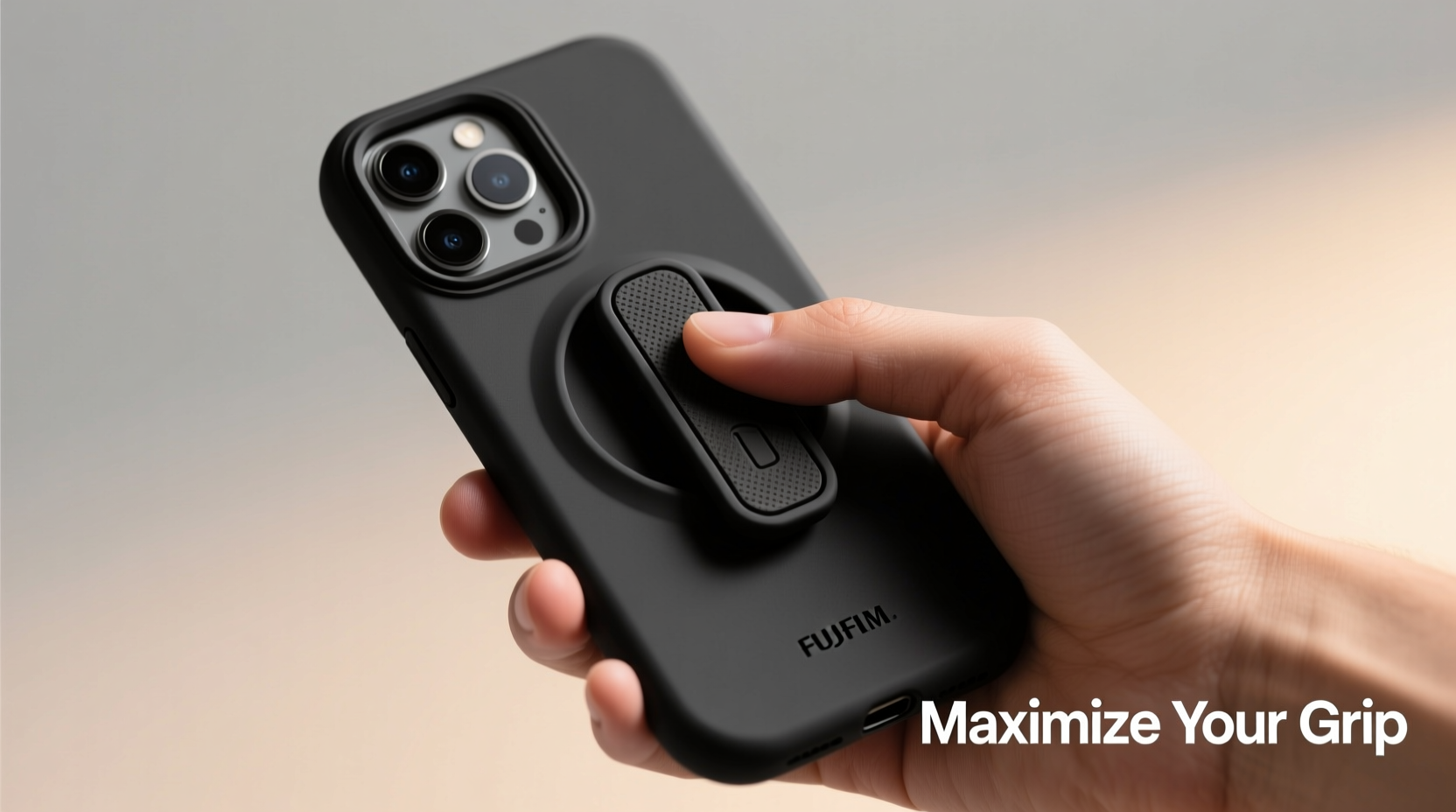
At first glance, a phone grip seems like a simple solution to a common problem: dropping your phone. But its value extends far beyond accident prevention. A well-placed grip reduces hand strain during prolonged use, provides stability for photography, doubles as a stand for media viewing, and can even serve as a fashion statement.
When combined with the right iPhone case—whether it’s rugged, slim, or wallet-style—the grip becomes part of a holistic system designed for durability and ease of use. However, not all cases are grip-ready, and improper installation can lead to peeling, misalignment, or interference with wireless charging.
Selecting the Right Grip and Case Combination
The synergy between your iPhone case and phone grip determines both performance and longevity. There are two primary types of grips: adhesive ring grips and pop-out collapsible grips (like PopSockets), and each has distinct compatibility needs.
Adhesive grips require a smooth, non-porous surface to bond effectively. Cases made from silicone, TPU, or polycarbonate generally work best. Avoid soft-shell cases with microfiber linings or heavily textured finishes, as these reduce adhesive strength over time.
For users who frequently switch cases or charge wirelessly, magnetic grips offer a modern alternative. These attach via MagSafe-compatible cases and allow quick attachment and removal without residue. Apple’s ecosystem now supports third-party MagSafe accessories, making this option increasingly viable.
“Proper pairing of grip and case isn’t just about convenience—it’s ergonomic design in action. A stable hold reduces muscle fatigue and supports healthier device interaction.” — Dr. Lena Tran, Occupational Therapist & Digital Wellness Consultant
Compatibility Checklist Before You Buy
- ✅ Check if your current case has a flat, clean back surface
- ✅ Confirm whether your case supports MagSafe if using magnetic grips
- ✅ Ensure the grip doesn’t block the charging port or camera cutouts
- ✅ Verify that the grip allows access to buttons and speakers
- ✅ Consider weight distribution—large grips on lightweight cases may feel unbalanced
Step-by-Step: Installing Your Phone Grip for Long-Term Durability
A poorly installed grip is likely to fail within weeks. Follow this timeline to ensure optimal adhesion and alignment:
- Day 1 – Prepare the Surface: Remove your iPhone from the case. Clean the back with an alcohol wipe to eliminate oils and dust. Let dry completely.
- Position the Grip: Hold the grip against the center-bottom of the case, near where your fingers naturally rest. Avoid placing it too high or directly over the camera bump.
- Apply Slowly: Peel the adhesive backing and press the grip firmly onto the case. Use even pressure for 30 seconds to activate bonding.
- Wait 24 Hours: Do not use the grip for at least one full day. This allows the adhesive to cure and form a strong bond.
- Test Gently: After curing, test by holding the phone with one hand while lightly swinging it. If no shifting occurs, it's ready for regular use.
Styling Tips: Matching Function With Fashion
Your phone is a personal item, and its accessories should reflect your taste. Modern grips come in a wide array of colors, patterns, and materials—from minimalist metal rings to glitter-infused discs. Use them to complement your aesthetic.
Swap out interchangeable tops on PopSockets to match seasonal outfits or moods. Some brands offer customizable prints, letting you add photos or logos. Magnetic grips with swappable faces allow similar flexibility without reapplying adhesives.
Consider coordinating your grip with your case color, wallet, or even watch band for a cohesive tech look. Designers note that consistent small details contribute significantly to perceived personal style.
| Grip Type | Best For | Style Flexibility | Lifespan (Avg) |
|---|---|---|---|
| Adhesive Ring Grip | Budget users, minimalists | Low – fixed design | 3–6 months |
| Pop-Out Collapsible Grip | Multifunctional use, travelers | High – swappable designs | 12+ months |
| Magnetic (MagSafe) | Wireless chargers, frequent case changers | Medium – limited by brand options | 18+ months |
Real-World Example: How a Teacher Transformed Her Classroom Tech Use
Sophie Reynolds, a middle school educator in Portland, used her iPhone daily for grading, taking attendance, and recording student progress. She frequently dropped it during transitions between classrooms. After switching to a MagSafe-compatible OtterBox case and attaching a magnetic grip, she noticed immediate improvements.
“I can now prop my phone on desks to show instructional videos without needing a separate stand,” she shared. “And when I’m walking down the hall with papers in one hand, the grip keeps my phone secure. It’s reduced stress and saved me from at least three drops already.”
She later added a custom PopSocket top featuring her school mascot, which students found relatable and fun—turning a functional upgrade into a subtle engagement tool.
Frequently Asked Questions
Can I move my phone grip once it’s attached?
Once an adhesive grip is fully cured (after 24 hours), relocating it risks damaging both the grip and the case. The adhesive loses effectiveness upon removal. If you must reposition, do so within the first hour of application. For future flexibility, consider a magnetic grip instead.
Do phone grips interfere with wireless charging?
Traditional adhesive grips with thick bases may prevent proper contact with charging pads. However, slim-profile grips and most MagSafe-compatible models are designed to allow charging without removal. Always check product specifications before purchase.
Are phone grips worth it for people with smaller hands?
Yes—especially so. Users with smaller hands often struggle to reach across large smartphone screens safely. A grip provides leverage and balance, reducing thumb strain and improving control. Opt for compact grips positioned closer to the bottom edge for best results.
Final Thoughts: Elevate Your Everyday Experience
Integrating a phone grip with your iPhone case isn’t just about preventing accidents—it’s about enhancing how you interact with your device every single day. From reducing physical strain to expressing individuality, the right grip-case combination offers layered benefits that accumulate over time.
Take a moment to evaluate your current setup. Is your case compatible? Is your grip positioned for comfort and function? Could a simple upgrade improve your experience?




 浙公网安备
33010002000092号
浙公网安备
33010002000092号 浙B2-20120091-4
Comments
No comments yet. Why don't you start the discussion?