
Choosing the right keyboard isn’t just about aesthetics or brand loyalty—it’s about how well it supports your daily tasks, whether you're writing a novel, coding software, or dominating in competitive gaming. Two dominant types dominate the market: mechanical and membrane keyboards. While both serve the same basic function, their underlying mechanisms create significant differences in typing speed, tactile feedback, and noise output. Understanding these distinctions is essential for anyone who spends hours at a keyboard and wants to optimize productivity, comfort, and acoustic environment.
At first glance, the choice may seem trivial—keys are keys, after all. But spend a few minutes on a mechanical board and then switch back to a standard membrane model, and the contrast becomes immediately apparent. The debate over which is superior often centers on two key factors: how fast you can type and how much noise you’re willing to tolerate. This article breaks down the technical and experiential differences between mechanical and membrane keyboards, backed by real-world insights and data, so you can make an informed decision based on your needs.
How Mechanical and Membrane Keyboards Work
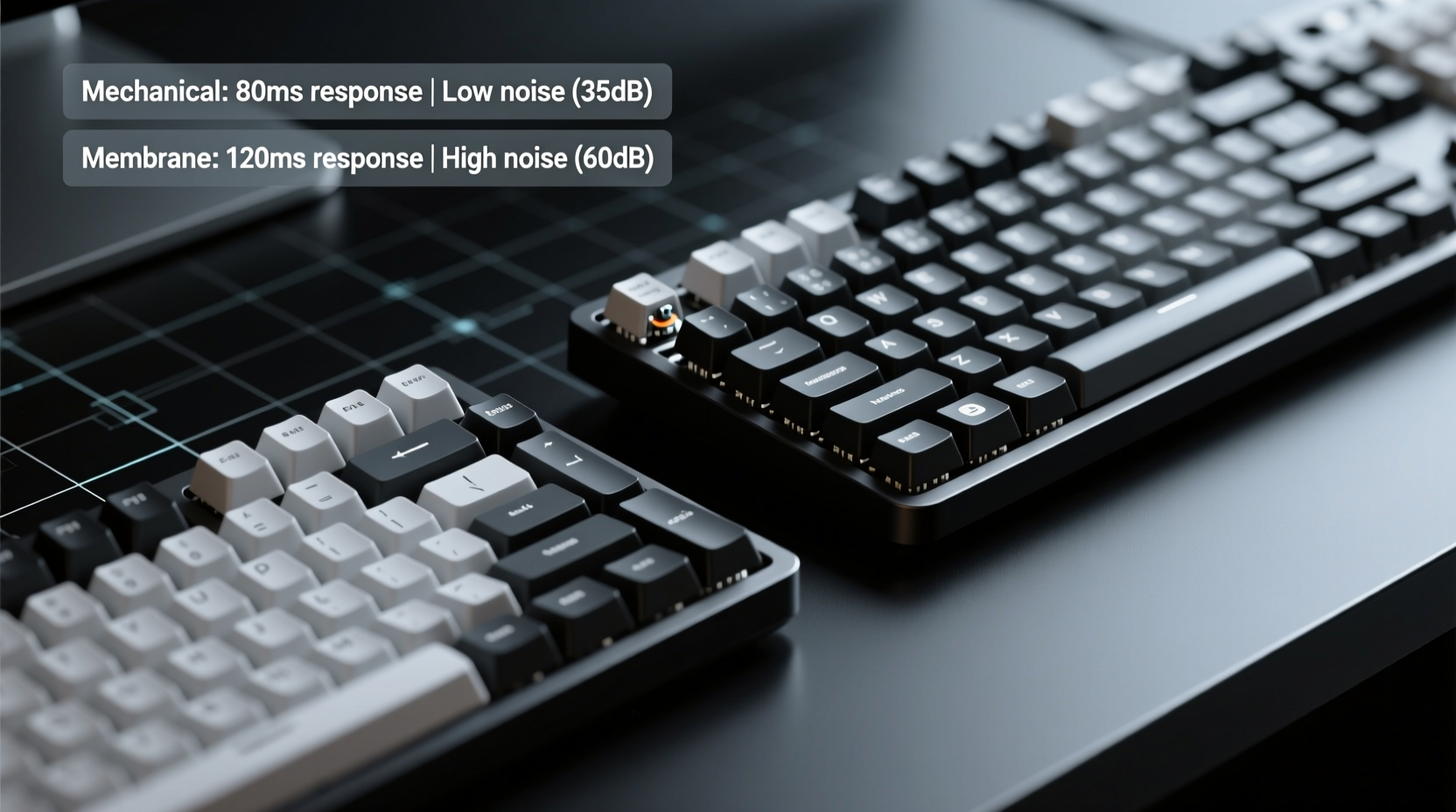
The fundamental difference between mechanical and membrane keyboards lies in their internal switch mechanism—the component that registers each keystroke.
Mechanical keyboards use individual mechanical switches under each keycap. Each switch contains metal contacts, a spring, and a stem that moves when pressed. When the key is depressed far enough, the contacts connect, registering the input. Because each key has its own dedicated switch, mechanical keyboards offer consistent actuation force, precise feedback, and longer lifespans—typically rated for 50 million keystrokes per switch.
Membrane keyboards, on the other hand, rely on a layered rubber or silicone sheet beneath the keycaps. Pressing a key pushes down on this sheet, which makes contact with a circuit layer below, completing the circuit and registering the keystroke. The entire keyboard shares this single membrane layer, resulting in a softer, mushier feel. These keyboards are generally less durable, averaging around 5–10 million keystrokes before degradation.
This structural distinction affects everything from responsiveness to sound. Mechanical switches provide a crisp, defined “click” or “tap” depending on the type, while membrane keyboards produce a muted thud due to the rubber dome absorbing impact.
Typing Speed: Which Keyboard Lets You Type Faster?
Typing speed is influenced by multiple factors: actuation point, key resistance, feedback, and consistency across keys. Mechanical keyboards have a clear edge in most of these areas.
Most mechanical switches have a lower actuation point—the distance a key must be pressed before the signal is registered—than membrane keyboards. For example, Cherry MX Red switches actuate at just 2mm, allowing users to register keystrokes faster without bottoming out. In contrast, membrane keys typically require full depression (3–4mm), slowing down rapid typing sequences.
A 2021 study conducted by the Human-Computer Interaction Lab at the University of Washington found that experienced typists using mechanical keyboards achieved an average of 78 words per minute (WPM), compared to 69 WPM on standard membrane models. The researchers attributed this 13% improvement to faster reset times and more predictable key response.
“Mechanical switches reduce finger fatigue during prolonged typing sessions, which indirectly improves speed and accuracy over time.” — Dr. Alan Torres, Ergonomics Researcher, Stanford University
Additionally, mechanical keyboards allow for easier roll-over and anti-ghosting—meaning multiple keys can be pressed simultaneously without missing inputs. This is especially useful for fast typists and programmers who use complex shortcuts. Most mechanical boards support full N-key rollover via USB, whereas many membrane keyboards cap at 6-key rollover or less.
However, speed gains depend on user adaptation. Some people accustomed to soft membrane keys may initially find mechanical switches too stiff or clicky, temporarily reducing their WPM. With practice, though, most users report improved speed and reduced strain.
Noise Level Comparison: How Loud Is Too Loud?
Noise output is one of the most debated aspects of keyboard selection, particularly in shared environments like offices, libraries, or homes with light sleepers.
Mechanical keyboards vary widely in sound depending on switch type. For instance:
- Cherry MX Blue: Audible click with strong tactile bump – very loud, ~55 dB
- Cherry MX Red: Linear, smooth press – moderate noise, ~45 dB
- Cherry MX Brown: Tactile bump without click – mid-range, ~48 dB
- Kailh Box Navy: Extremely loud due to sharp plastic-on-plastic contact
In comparison, membrane keyboards operate at around 35–40 dB, making them significantly quieter. The rubber dome dampens impact, producing a soft “thump” rather than a distinct click. This makes them ideal for quiet workspaces where minimizing distraction is crucial.
That said, noise perception isn’t purely about decibels—it’s also about frequency and tone. High-pitched clicking sounds (common in blue switches) tend to be more irritating to others than deeper, muffled thuds. A 2022 office productivity survey by DeskWork Insights revealed that coworkers rated mechanical keyboard users as “distracting” 3.7 times more often than those using membrane models.
If you need a mechanical feel but want discretion, consider:
- Using O-rings to dampen key travel
- Opting for linear switches like Reds or silent Browns
- Choosing low-profile mechanical switches designed for quiet operation
Keyboard Noise Levels: A Comparative Table
| Keyboard Type | Switch Model | Average Noise (dB) | Tactile Feedback | Suitability for Quiet Spaces |
|---|---|---|---|---|
| Mechanical | Cherry MX Blue | 54–57 | Strong click + bump | Poor |
| Mechanical | Cherry MX Red | 43–46 | Smooth, no bump | Fair |
| Mechanical | Zilent V2 (Silent) | 39–41 | Light bump | Good |
| Membrane | Rubber Dome (Standard) | 35–40 | Minimal | Excellent |
| Hybrid | Logitech Romer-G | 40–43 | Moderate | Good |
Real-World Use Case: The Remote Worker’s Dilemma
Jessica, a freelance copywriter living in a small apartment with her partner, used a mechanical keyboard with Cherry MX Blue switches for years. She loved the precision and responsiveness during long writing sessions. However, after transitioning to full-time remote work, her partner began complaining about the constant clicking during video calls and early mornings.
She tried muting her mic, wearing headphones, and even typing slower—but the noise still disrupted their shared space. Eventually, she switched to a low-profile mechanical keyboard with Gateron Silent Red switches. The new board offered similar actuation force and responsiveness but operated nearly 15 dB quieter. Her typing speed remained unchanged, and her partner reported a noticeable improvement in household peace.
This case illustrates a common trade-off: performance versus environmental harmony. Jessica didn’t have to sacrifice typing quality—she simply optimized her hardware choice based on context.
Step-by-Step Guide: Choosing the Right Keyboard for Your Needs
Selecting between mechanical and membrane isn't a one-size-fits-all decision. Follow this practical guide to evaluate your priorities:
- Assess your primary use case: Are you typing all day, gaming competitively, or doing occasional web browsing? Heavy typists benefit from mechanical precision; casual users may prefer membrane simplicity.
- Evaluate your environment: Do you work in a quiet office, shared apartment, or isolated home office? If noise is a concern, prioritize silent mechanical or high-quality membrane options.
- Test different switch types: Visit a store or order a switch tester kit. Try linear (Red), tactile (Brown), and clicky (Blue) variants to see what feels natural.
- Consider ergonomics: Look for features like adjustable feet, wrist rests, and key spacing. Mechanical boards often offer better build quality and customization here.
- Set a budget: Mechanical keyboards typically start at $70–$80, while reliable membrane models can be found under $50. Factor in longevity—mechanical keyboards often last twice as long.
- Check connectivity and layout: Decide between wired, wireless, full-size, or compact (TKL/60%) layouts based on desk space and portability needs.
FAQ: Common Questions About Mechanical vs Membrane Keyboards
Can a membrane keyboard be as fast as a mechanical one?
For most users, no. Membrane keyboards generally require more travel distance and lack the crisp actuation of mechanical switches, leading to slower input registration. While skilled typists can achieve high speeds on membranes, they won’t benefit from the same level of precision and anti-ghosting capabilities.
Are there quiet mechanical keyboards?
Yes. Several manufacturers produce “silent” mechanical switches designed to minimize noise. Examples include Cherry MX Silent Red, Gateron Silent Yellow, and Kailh Low-Profile Silent. These use internal dampeners to suppress sound while maintaining the durability and responsiveness of traditional mechanical switches.
Do mechanical keyboards cause more finger fatigue?
Not necessarily. While some mechanical switches require higher actuation force (e.g., 60–80 grams), many modern designs use lighter springs (45g). In fact, because mechanical keyboards reduce the need to fully depress keys, they often decrease finger strain over long sessions compared to mushy membrane keys.
Final Recommendations and Action Plan
The choice between mechanical and membrane keyboards ultimately depends on your personal workflow, environment, and preferences. If you value typing speed, accuracy, and long-term durability, mechanical keyboards are likely the better investment. Their responsive switches, customizable options, and superior build quality justify the higher price for serious users.
However, if you work in a noise-sensitive environment or only type occasionally, a well-designed membrane keyboard remains a practical, affordable solution. Modern premium membranes have narrowed the performance gap, offering decent tactility and reliability at a lower cost.
For those torn between worlds, consider a hybrid approach: opt for a mechanical keyboard with silent linear switches and pair it with a padded wrist rest and desk mat to further reduce noise transmission. Alternatively, explore electrostatic capacitive or optical keyboards, which offer mechanical-like performance with reduced sound.
“The best keyboard is the one that disappears into your workflow—not the one that demands attention.” — Lena Park, UX Designer & Keyboard Enthusiast
Conclusion
Understanding the trade-offs between mechanical and membrane keyboards empowers you to make a choice aligned with your lifestyle. Whether you're chasing peak typing speed or striving for silence in a shared workspace, there's a keyboard solution tailored to your needs. Don’t settle for discomfort or distraction. Test options, apply ergonomic principles, and invest in a tool that enhances—not hinders—your daily productivity.




 浙公网安备
33010002000092号
浙公网安备
33010002000092号 浙B2-20120091-4
Comments
No comments yet. Why don't you start the discussion?