
In shared environments—be it a home office, co-working space, or dorm room—the sound of typing can become more than just background noise. For those working near others, studying in silence, or living with light sleepers, a loud keyboard can be disruptive. This raises a common question: when choosing between a mechanical gaming keyboard and a membrane keyboard, which one offers quieter typing?
At first glance, the answer might seem straightforward. Membrane keyboards are often marketed as silent or quiet, while mechanical keyboards carry a reputation for being loud and clicky. But the reality is more nuanced. With advancements in switch technology and design, some mechanical keyboards now rival or even surpass membrane models in terms of acoustic discretion. Understanding the differences—and knowing what to look for—is key to making a smart choice.
How Keyboard Types Work: The Core Differences
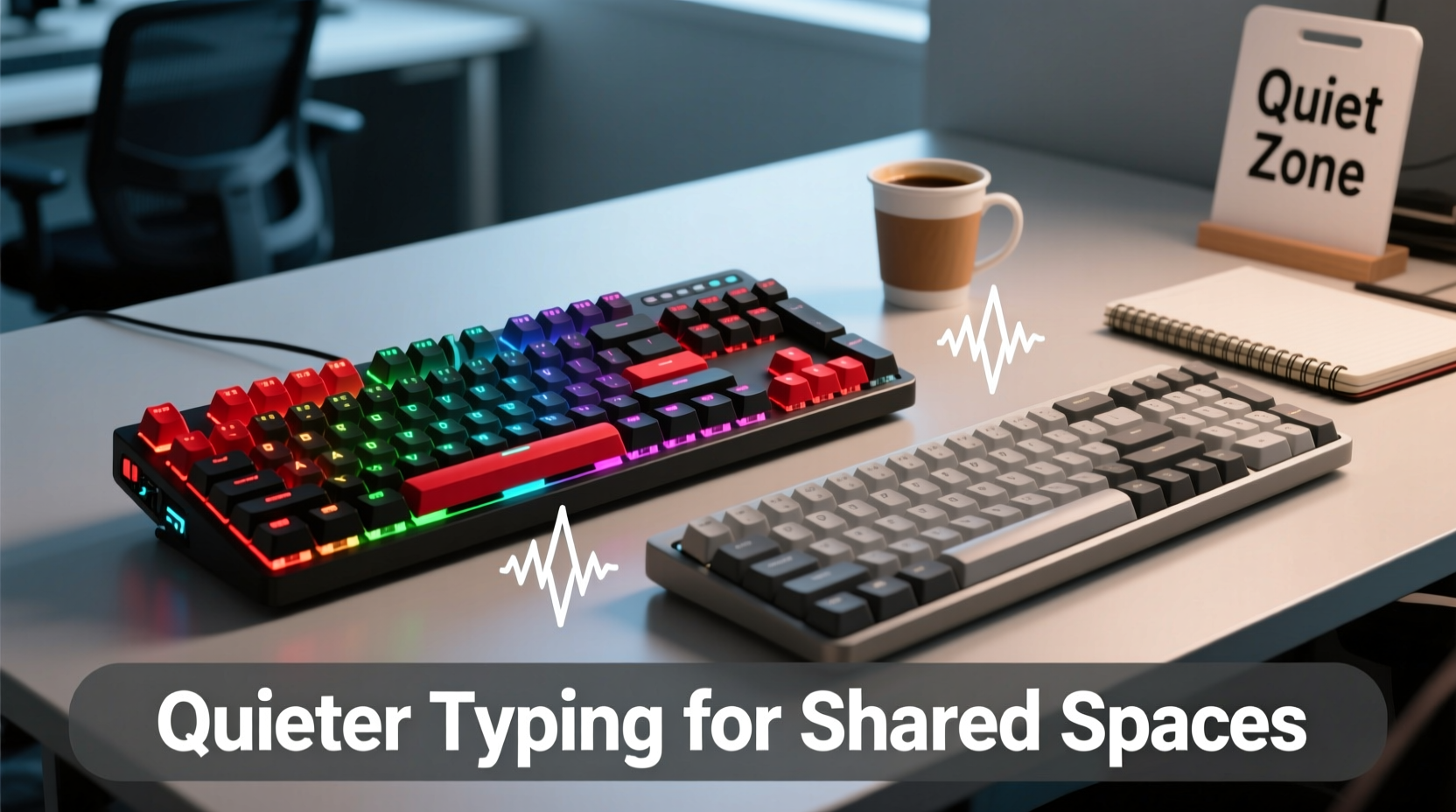
The fundamental distinction between mechanical and membrane keyboards lies in how they register keystrokes.
Mechanical keyboards use individual mechanical switches under each keycap. Each switch contains a spring and metal contact that physically actuates when pressed. These switches come in various types—linear, tactile, and clicky—each producing different feedback and sound profiles.
Membrane keyboards, on the other hand, rely on a layered rubber or silicone sheet beneath the keys. When a key is pressed, it pushes down on this membrane, completing an electrical circuit. There’s no physical switch mechanism, which typically results in a softer, muffled sound.
Because of their construction, membrane keyboards naturally produce less audible feedback. However, they often sacrifice responsiveness and durability. Mechanical keyboards, while generally more tactile and durable, have historically been louder—especially those with clicky Blue or Green switches popular among gamers.
Noise Comparison: Real-World Sound Levels
To understand which keyboard type is truly quieter, we need to look beyond marketing claims and examine real-world usage. Decibel (dB) measurements offer insight, though exact numbers vary by model and typing force.
On average:
- Standard membrane keyboard: 45–55 dB
- Mechanical keyboard (clicky switches): 60–70 dB
- Mechanical keyboard (linear/quiet switches): 48–58 dB
This means that while a typical clicky mechanical keyboard is significantly louder than a membrane model, a well-designed mechanical keyboard with silent switches can fall within the same noise range—or even be quieter—than many standard membrane boards.
The perception of noise also matters. Clicky switches produce a sharp, high-pitched sound that tends to be more distracting than the softer thud of a membrane keypress. Linear mechanical switches, especially those with dampened springs and sound-absorbing housings, create a smoother, lower-frequency sound that blends into ambient noise more easily.
“Many users assume all mechanical keyboards are noisy, but modern silent switches have closed the gap dramatically. In controlled office environments, the difference between a silent mechanical and a membrane board is often imperceptible.” — David Lin, Acoustic Engineer at KeySound Labs
Comparative Overview: Mechanical vs Membrane for Shared Spaces
| Feature | Mechanical Keyboard (Quiet Switches) | Membrane Keyboard |
|---|---|---|
| Average Noise Level | 48–58 dB | 45–55 dB |
| Typing Feedback | Precise, responsive, customizable | Mushy, inconsistent over time |
| Lifespan | 50–100 million keystrokes per switch | 5–10 million keystrokes |
| Key Rollover & Anti-Ghosting | Full N-key rollover standard | Limited, often 6-key rollover |
| Maintenance | Easy to clean (removable keycaps) | Harder to clean, sealed design |
| Best For | Long-term use, precision typists, hybrid workspaces | Budget setups, casual use, minimal typing needs |
While membrane keyboards edge out slightly in raw quietness, the gap narrows when comparing high-end silent mechanical models. More importantly, mechanical keyboards offer superior long-term value through better build quality, repairability, and performance—even in quiet configurations.
Choosing the Right Quiet Mechanical Keyboard
If you're leaning toward a mechanical keyboard for its durability and typing feel but still need quiet operation, focus on three critical factors: switch type, build materials, and additional noise-dampening features.
Switch Type: Avoid clicky switches (e.g., Cherry MX Blue, Kailh Box White). Instead, choose:
- Linear switches: Smooth press with no bump or click (e.g., Cherry MX Red, Gateron Yellow).
- Silent variants: Specifically engineered to reduce noise (e.g., Cherry MX Silent Red, Zealios V2 Silent).
- Tactile but quiet: Some muted tactile switches like the Gateron Silent Brown balance feedback with low acoustics.
Case and Plate Design: A keyboard’s internal structure affects sound resonance. Look for models with:
- Aluminum or dense plastic cases that reduce vibration.
- Internal silicone dampeners or foam padding.
- O-ring or tape mod compatibility for DIY sound tuning.
Keycap Material:
PBT plastic keycaps are denser and less prone to hollow sounds than ABS. Thicker keycaps (double-shot or sculpted) also help absorb impact noise.
Real-World Example: Working from Home with Roommates
Consider Sarah, a freelance writer who shares a small apartment with two roommates. She initially used a budget membrane keyboard because she assumed it would be quieter. While it was soft, she found the keys unresponsive and fatiguing to type on for hours. After researching alternatives, she switched to a mechanical keyboard with Gateron Silent Brown switches and a padded case.
To her surprise, her roommates reported that the new keyboard was actually less noticeable than the old one. “It’s not just about volume,” one roommate said. “The old keyboard had this squeaky, uneven sound that got on my nerves. This one is smooth and consistent—you barely hear it unless you’re listening for it.”
Sarah’s experience highlights a crucial point: perceived noise isn’t only about loudness. It’s about tone, consistency, and predictability. A well-built mechanical keyboard with quiet switches can be less intrusive than a cheap, rattling membrane model—even if both measure similarly on a decibel meter.
Step-by-Step Guide to Selecting a Quiet Keyboard
Follow these steps to make an informed decision based on your environment and needs:
- Assess your environment: Is it a quiet library, shared bedroom, or open office? The stricter the noise sensitivity, the more critical switch selection becomes.
- Determine your typing habits: Heavy typists benefit from mechanical ergonomics, even if silent. Light users may find membrane sufficient.
- Test switch types: If possible, try keyboards in-store or order switch sample kits online. Listen to recordings of different switches being typed on YouTube.
- Look for noise-reducing features: Prioritize models with built-in foam, dampeners, or O-rings.
- Read user reviews: Focus on comments mentioning “quiet,” “office-friendly,” or “doesn’t disturb others.”
- Consider future needs: Will you be using the keyboard daily for years? Investing in a durable, mod-friendly mechanical board may save money long-term.
Frequently Asked Questions
Can I make a mechanical keyboard quieter without replacing it?
Yes. Simple modifications like adding a thin layer of foam inside the case, using O-rings on keycaps, or switching to PBT keycaps can significantly reduce noise. Lubing the switches (with care) also smooths travel and lowers sound output.
Are all membrane keyboards quiet?
Most are, but not all. Some low-quality membrane keyboards develop squeaks or rattles over time due to loose keycaps or worn-out rubber domes. Additionally, heavy typists may press harder, increasing noise unintentionally.
Do silent mechanical keyboards last as long as regular ones?
Generally, yes. Silent mechanical switches are built with the same base mechanisms but include internal dampeners. Brands like Cherry and Gateron rate their silent switches for 50–100 million keystrokes, matching standard models.
Final Recommendation: Balance Performance and Peace
For shared spaces, the ideal keyboard balances quiet operation with usability and longevity. While traditional membrane keyboards remain a low-cost, inherently quiet option, they often fall short in responsiveness and durability.
Modern silent mechanical keyboards, however, offer the best of both worlds: the satisfying precision of mechanical switches and noise levels suitable for quiet environments. With careful selection—prioritizing silent linear or tactile switches, sound-dampening builds, and quality materials—you can enjoy a high-performance typing experience without disturbing those around you.
The outdated notion that mechanical = loud is fading. Today’s market offers mechanical keyboards designed specifically for offices, libraries, and homes where silence matters. Don’t let stereotypes limit your options.




 浙公网安备
33010002000092号
浙公网安备
33010002000092号 浙B2-20120091-4
Comments
No comments yet. Why don't you start the discussion?