
In open offices, remote co-working spaces, or even shared home environments, the sound of a mechanical keyboard can become a point of friction. For enthusiasts, the tactile feedback and audible click of a blue switch are part of the appeal—satisfying, rhythmic, and expressive. But for those nearby, especially in quiet or collaborative settings, that same sound can feel like tiny hammers tapping on glass all day long. So, are blue switches genuinely disruptive, or is it just personal preference? And how do they stack up against their quieter red switch counterparts?
This isn’t just about typing comfort—it’s about workplace harmony, focus preservation, and understanding the real-world impact of your gear choices. Let’s break down the differences between blue and red switches, examine when sound becomes a problem, and offer practical solutions for balancing personal satisfaction with social responsibility.
The Core Difference: Blue vs Red Switches
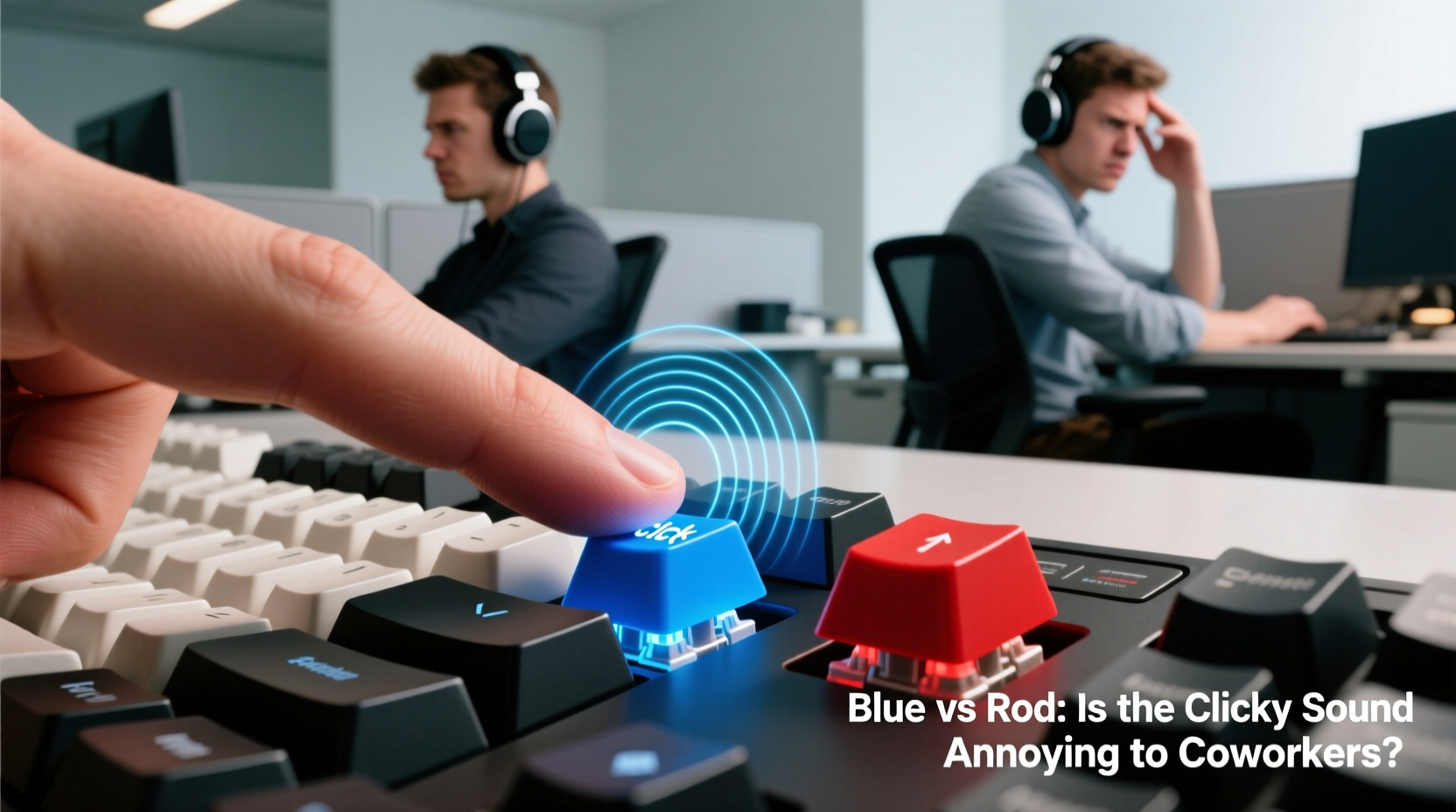
Mechanical keyboard switches vary primarily in three characteristics: actuation force (how hard you need to press), travel distance (how far the key moves), and feedback type (tactile bump and auditory response). The most popular Cherry MX variants—Blue and Red—sit at opposite ends of this spectrum.
| Feature | Cherry MX Blue | Cherry MX Red |
|---|---|---|
| Switch Type | Tactile & Clicky | Linear |
| Actuation Force | 50cN | 45cN |
| Actuation Point | 2.2mm | 2.0mm |
| Total Travel | 4.0mm | 4.0mm |
| Audible Click | Yes — distinct \"click-clack\" | No — smooth and silent |
| Best For | Typists who enjoy feedback | Gamers, office workers, quiet environments |
The defining trait of the Blue switch is its pronounced tactile bump and loud, sharp click produced by a small plastic bar snapping into place during actuation. This makes each keystroke both felt and heard—a sensory experience many typists love. Reds, on the other hand, offer consistent resistance without any bump or noise, making them ideal for fast input and minimal disturbance.
When Does Keyboard Noise Become a Problem?
Sound perception is subjective, but research shows that repetitive, unpredictable noises—like the irregular rhythm of typing—are more distracting than steady background sounds such as HVAC hums or traffic. A 2021 study published in *Ergonomics* found that intermittent auditory distractions reduced concentration and increased stress markers in office workers, particularly during cognitive tasks.
Blue switches fall squarely into this category. Their high-pitched, staccato clicks are not only louder but also more attention-grabbing due to their tonal quality. In contrast, red switches produce a soft thud or near-silence, especially when paired with O-rings or dampened keycaps.
Real-World Impact: A Case Study
Jessica, a UX designer at a mid-sized tech startup in Portland, loved her custom-built mechanical keyboard with Cherry MX Blue switches. She appreciated the precision and rhythm while writing documentation and coding. However, after several weeks, two colleagues mentioned difficulty focusing during deep work sessions. One admitted wearing earbuds with white noise specifically because of the constant clicking.
Her manager brought it up informally: “We value personal expression, but we also need to maintain a respectful environment.” Jessica switched to a keyboard with red switches and noticed no drop in productivity—but her team reported improved focus and fewer interruptions. She later said, “I didn’t realize how much my ‘typing joy’ was someone else’s distraction.”
“The assumption that ‘if I like it, it must be fine’ doesn’t hold in shared spaces. Sound etiquette matters as much as visual or behavioral courtesy.” — Dr. Lena Tran, Workplace Acoustics Researcher, MIT Media Lab
How to Choose the Right Switch for Your Environment
Selecting a switch should go beyond personal preference. Consider these environmental factors before deciding:
- Open Office Layout: High ceilings, hard surfaces, and lack of partitions amplify sound. Avoid clicky switches here.
- Remote Work (Shared Spaces): If you share a room with family or housemates, even moderate noise can be intrusive.
- Meeting Frequency: If you join frequent voice calls, background keyboard noise can disrupt audio clarity.
- Work Type: Writers and coders may benefit from tactile feedback; gamers often prefer speed and silence.
If you're torn between the two, consider hybrid options:
- Cherry MX Brown: Tactile without being clicky—offers feedback but remains office-friendly.
- Zilent or Gateron Silent Reds: Linear switches with internal dampeners that reduce noise by up to 30%.
- Topre or Electro-Capacitive: Non-clicky but highly responsive, popular among professional typists.
Checklist: Is Your Keyboard Appropriate for Shared Use?
- Have I tested the keyboard in the actual environment where I’ll use it daily?
- Can someone hear me clearly through headphones or a microphone during video calls?
- Have I asked a coworker or roommate for honest feedback on the noise level?
- Am I using O-rings or a padded wrist rest to reduce keycap impact sound?
- Do I have a quieter alternative available if needed?
Reducing the Annoyance Factor Without Sacrificing Performance
You don’t have to give up mechanical switches entirely to be considerate. Several modifications can make blue switches significantly less intrusive:
1. Install Silicone O-Rings
Placing O-rings under keycaps cushions the bottom-out impact, reducing the hollow “clack” sound. While they won’t eliminate the internal click mechanism, they lower overall volume by 15–20%.
2. Use a Desk Mat or Keyboard Tray
Hard desks reflect sound. Placing your keyboard on a thick fabric mat or inside a padded tray absorbs vibrations and minimizes resonance.
3. Lubricate the Switches (Lube-Tuning)
Applying dielectric grease to switch components smooths movement and dampens internal noise. Well-lubed blues can sound deeper and less piercing—more of a “thock” than a “click.”
4. Choose Dampened Keycaps
Thicker PBT keycaps with internal walls absorb more sound than thin ABS ones. Some designs even include built-in sound-dampening foam layers underneath.
5. Add Foam Under the PCB
Many custom keyboards allow inserting foam padding beneath the printed circuit board. This reduces echo within the case and creates a tighter, quieter typing experience.
FAQ: Common Questions About Keyboard Switch Noise
Do all blue switches sound the same?
No. While Cherry MX Blues set the standard, clones from Kailh, Gateron, and Outemu vary in tone and volume. Gateron Blues, for example, tend to be slightly smoother and quieter than Cherry’s original design. Always test specific models if possible.
Can I use a blue switch keyboard on Zoom calls?
Possibly, but not recommended during active speaking. Even with good microphones, rapid clicking can bleed through and distract participants. Use push-to-mute or switch to a quieter keyboard during meetings.
Are red switches worse for typing accuracy?
Not inherently. Accuracy depends more on finger control and practice than switch type. Some touch typists actually perform better on linear switches due to faster actuation and reset. However, those who rely on tactile confirmation may initially make more errors when switching from blue to red.
Step-by-Step Guide: Transitioning from Blue to a Coworker-Friendly Setup
If you’re considering a change, follow this sequence to minimize disruption and maximize satisfaction:
- Evaluate Feedback: Ask trusted colleagues or housemates if your current keyboard is noticeable or bothersome.
- Test Alternatives: Borrow or rent keyboards with red, brown, or silent switches to compare feel and sound.
- Modify First: Before replacing your entire setup, try adding O-rings, foam, or lubrication to reduce noise.
- Upgrade Gradually: Buy a new switch plate or hot-swappable board so you can experiment without soldering.
- Communicate Changes: Let your team know you’ve made adjustments for shared comfort—it builds goodwill and awareness.
Conclusion: Balance Personal Preference With Professional Courtesy
There’s no universal answer to whether blue switches are “too loud.” In a private office or dedicated studio, they’re perfectly acceptable—even celebrated. But in shared environments, sound becomes a collective concern. The clicky satisfaction of a blue switch shouldn’t come at the cost of someone else’s concentration or peace.
Red switches aren’t just for gamers. They’re a smart choice for anyone working around others. And with modern modifications, you can still enjoy mechanical performance without the acoustic footprint. Ultimately, choosing the right switch isn’t just about what feels good under your fingers—it’s about respecting the ears around you.




 浙公网安备
33010002000092号
浙公网安备
33010002000092号 浙B2-20120091-4
Comments
No comments yet. Why don't you start the discussion?