
In open-plan offices, remote workspaces shared with roommates, or even quiet home environments, the sound of a mechanical keyboard can become more than just background noise—it can be a point of tension. Among the most popular switch types, Cherry MX Red and Cherry MX Blue switches are frequently compared, but their impact on those around you couldn’t be more different. While both offer distinct typing experiences, one stands out as significantly more disruptive in shared spaces. Understanding the technical and social implications of each switch type isn’t just about personal preference—it’s about workplace harmony.
The Sound Divide: Linear vs Tactile Click
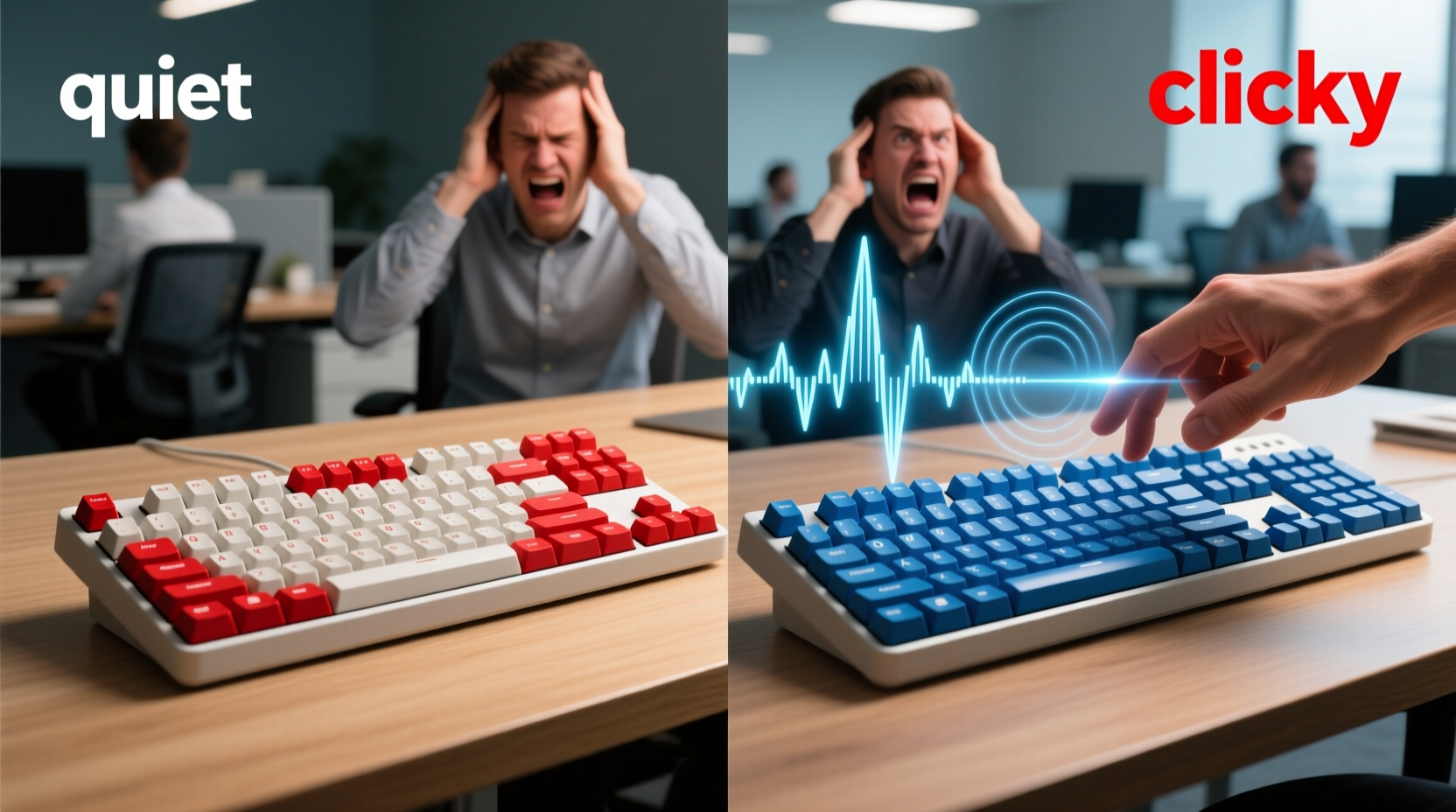
The fundamental difference between Red and Blue switches lies in their internal mechanism and resulting auditory feedback. Cherry MX Reds are linear switches, meaning they offer a smooth keystroke from top to bottom without any tactile bump or audible click. They require a consistent force throughout the press, making them ideal for rapid input and gaming scenarios where speed matters.
In contrast, Cherry MX Blues are tactile and clicky. Each keypress produces a sharp, high-pitched “click” sound due to a small plastic bar snapping into place during actuation. This design provides both physical and auditory feedback, which many typists find satisfying and rhythm-inducing. However, that same click is precisely what makes Blue switches notorious in group settings.
“Clicky switches like the MX Blue can register between 65–70 decibels—comparable to normal conversation levels. In a quiet room, that’s not just noticeable; it’s intrusive.” — David Lin, Acoustic Engineer & Peripheral Designer
To put this in perspective, typing on a membrane keyboard typically measures around 50 dB, while whispering registers at about 30 dB. A sustained stream of Blue switch clicks can exceed the ambient noise of a library, making concentration difficult for nearby workers.
Noise Comparison: Real-World Impact
It's not just about volume—it's about repetition and frequency. The human ear is particularly sensitive to high-frequency sounds, especially intermittent ones. The sharp attack of a Blue switch click cuts through background noise more effectively than lower, softer tones. Over time, this creates cognitive fatigue in listeners, even if they don’t consciously realize it.
A study conducted by the University of California, Irvine found that repetitive auditory distractions—like keyboard clicking—can reduce focus and increase error rates in knowledge workers by up to 27%. Participants reported higher stress levels when exposed to consistent, unpredictable sounds, especially those perceived as “unnecessary” or “avoidable.”
Typing Style Amplifies the Problem
The way you type also influences how disruptive your keyboard will be. Heavy-handed typists who bottom out (press keys all the way down) generate louder impacts, especially on Blue switches. Even with lighter touch, the inherent click remains. In contrast, Red switches produce only the sound of the keycap hitting the base and the spring compressing—both much quieter and lower in pitch.
Some users report that after switching from Blue to Red, colleagues explicitly thanked them for reducing office noise. One software developer noted: “I didn’t think my keyboard was that loud until my teammate mentioned getting headaches during pair programming sessions. Once I swapped to Reds, the complaints stopped.”
Performance Trade-offs: Speed, Accuracy, and Fatigue
While noise is a major concern, performance shouldn’t be ignored. Proponents of Blue switches argue that the tactile bump and audible confirmation improve typing accuracy and rhythm. For writers, coders, or anyone doing long-form text entry, this feedback can reduce errors and provide a sense of control.
Red switches, being linear, lack this feedback. Some users report “floating” or uncertainty about whether a key has registered, especially when typing quickly. However, once accustomed to the smoother action, many find Reds allow faster input due to reduced resistance and no need to overcome a tactile peak.
Gamers often prefer Reds because they enable rapid successive keystrokes without resistance buildup. But in an office environment where both typing and collaboration occur, the absence of tactile cues may lead to more typos—requiring corrections that extend work time and potentially increase keyboard usage duration, indirectly contributing to noise exposure.
Switch Longevity and Wear Patterns
Both Red and Blue switches are rated for approximately 50 million keystrokes, so durability isn't a distinguishing factor. However, wear patterns differ. Over time, the plastic click mechanism in Blue switches can degrade slightly, leading to inconsistent sound or a less pronounced click. This doesn’t eliminate the noise issue but may make it more erratic and potentially more irritating.
Red switches tend to wear more uniformly, maintaining a consistent feel and sound profile over years of use. Their simpler internal design means fewer points of failure, which contributes to long-term predictability in both performance and acoustics.
Comparative Overview: Red vs Blue Switches
| Feature | Cherry MX Red | Cherry MX Blue |
|---|---|---|
| Actuation Force | 45cN | 50cN |
| Actuation Point | 2.0 mm | 2.2 mm |
| Total Travel | 4.0 mm | 4.0 mm |
| Type | Linear (smooth) | Tactile & Clicky |
| Noise Level | Moderate (low-pitch thock) | High (sharp click) |
| Best For | Gaming, fast typing, quiet offices | Typing enthusiasts, writers, isolated use |
| Coworker-Friendly? | ✅ Generally acceptable | ❌ Often disruptive |
Real-World Scenario: The Open Office Experiment
In early 2023, a mid-sized tech startup in Portland conducted an informal experiment. Two developers with identical typing loads used mechanical keyboards—one with Blue switches, the other with Reds. Over a two-week period, team members were asked to rate their concentration levels and overall comfort during daily stand-ups and deep work sessions.
The results were telling. During the week the Blue switch keyboard was in use, 68% of non-keyboard users reported difficulty focusing at times, and three employees specifically mentioned the keyboard noise in anonymous feedback. When switched to the Red-based setup, only 12% noticed any keyboard sound, and none described it as distracting.
Interestingly, the developer using the Blue switch reported slightly higher typing accuracy (98.7% vs 97.2%), but also admitted to typing more slowly to savor the feedback. The Red user typed faster but made more backspace corrections. Still, the net productivity difference was negligible—while the environmental impact was significant.
“We realized it wasn’t about who typed better. It was about whose workflow respected the shared space. We now recommend Reds—or silent Browns—for all new hires.” — Lena Tran, Engineering Manager
Alternatives and Mitigation Strategies
If you love the feel of mechanical keyboards but want to minimize disruption, several options exist beyond simply choosing Red over Blue.
Use O-Rings or Silicone Dampeners
Adding O-rings to key switches can reduce the sound of key bottoming out by cushioning the impact. While they don’t eliminate the click of Blue switches, they do soften the overall acoustic profile. However, some users find O-rings alter the typing feel too much, making keys feel mushy or unresponsive.
Opt for Silent Variants
Manufacturers now offer silent versions of both switch types. Cherry MX Silent Reds, for example, integrate a dampener inside the switch housing to suppress noise. These can reduce sound output by up to 30%, making them ideal for shared environments. Similarly, Kailh offers “Box White” or “Low Noise” variants that maintain tactility without the piercing click.
Switch to Topre or Foam-Lined Keyboards
Topre capacitive keyboards use rubber domes with a spring mechanism, delivering a smooth, quiet, and highly responsive experience. They’re favored by many professional typists for their balance of feedback and silence. Additionally, foam modding—adding layers of damping foam inside the keyboard case—is a popular DIY method among enthusiasts to eliminate hollow resonance and reduce overall noise.
Actionable Checklist: Choosing a Coworker-Friendly Keyboard
- ✅ Prioritize linear (Red) or silent tactile switches over clicky (Blue) ones
- ✅ Test the keyboard in person or watch real-world sound tests online
- ✅ Consider foam modding or using O-rings for additional noise reduction
- ✅ Use a soft desk pad or silicone base to minimize surface resonance
- ✅ Avoid heavy keypress habits—practice a lighter touch to reduce impact noise
- ✅ In shared spaces, opt for keyboards with built-in mute switches or Bluetooth disconnect features
Frequently Asked Questions
Are Red switches completely silent?
No switch is truly silent, but Reds are significantly quieter than Blues. They produce a soft \"thock\" when bottoming out, especially on hard surfaces. With proper technique and accessories, they can be nearly unnoticeable in most environments.
Can I use Blue switches in an office if I type softly?
Possibly, but unlikely. Even light typing on Blue switches generates a distinct click. While volume decreases with pressure, the high-frequency nature of the sound still carries well. In quiet rooms, it remains perceptible and potentially annoying over time.
Are there any workplaces banning mechanical keyboards?
Yes. Some companies, particularly in finance, legal, and design firms with open layouts, have implemented policies restricting or prohibiting loud mechanical keyboards. Google, for instance, reportedly discourages clicky switches in shared pods. Always check workplace norms before bringing in a noisy peripheral.
Final Verdict: Which Switch Is Actually Annoying?
The evidence is clear: Cherry MX Blue switches are objectively more annoying to coworkers than Reds. Their deliberate clickiness, while beloved by enthusiasts, functions as a continuous auditory interruption in shared environments. The sound is sharp, repetitive, and difficult to ignore—even for those who initially claim not to mind it.
Red switches, while not silent, operate at a lower acoustic intensity and lack the jarring tonal quality that makes Blues so disruptive. When combined with good typing habits and minor modifications, Reds can blend into the background of office life without drawing attention.
Ultimately, choosing a keyboard isn’t just a personal decision—it’s a social one. In collaborative spaces, minimizing unnecessary noise is a sign of respect. That doesn’t mean sacrificing performance or comfort. It means being thoughtful about how your tools affect others.
“Great coworkers aren’t just skilled—they’re considerate. Sometimes, consideration starts with a quieter keystroke.” — Dr. Miriam Cho, Workplace Psychology Researcher
Take Action Today
If you're using Blue switches in a shared workspace, consider switching to Reds, Browns, or silent alternatives. Your teammates might not say anything—but they’ll notice the difference. And if you're setting up a new workspace, prioritize low-noise peripherals from the start. Small changes in tool selection can lead to big improvements in focus, morale, and collaboration.




 浙公网安备
33010002000092号
浙公网安备
33010002000092号 浙B2-20120091-4
Comments
No comments yet. Why don't you start the discussion?