
For professionals who spend hours at a keyboard, the choice of mechanical switches isn’t just about comfort—it’s about workplace harmony. A loud keyboard can disrupt focus, break concentration, and even damage professional relationships. Among the most debated options are Red and Blue switches, both popular in mechanical keyboards but vastly different in sound, feel, and suitability for shared environments. Understanding their differences is essential if you want to type efficiently without drawing side-eye from your desk neighbor.
This guide breaks down the core characteristics of Red and Blue switches, evaluates their real-world impact in office settings, and provides actionable advice for choosing the right switch—quiet enough to respect your coworkers, yet satisfying enough to keep your productivity high.
Understanding Mechanical Switch Types: The Basics
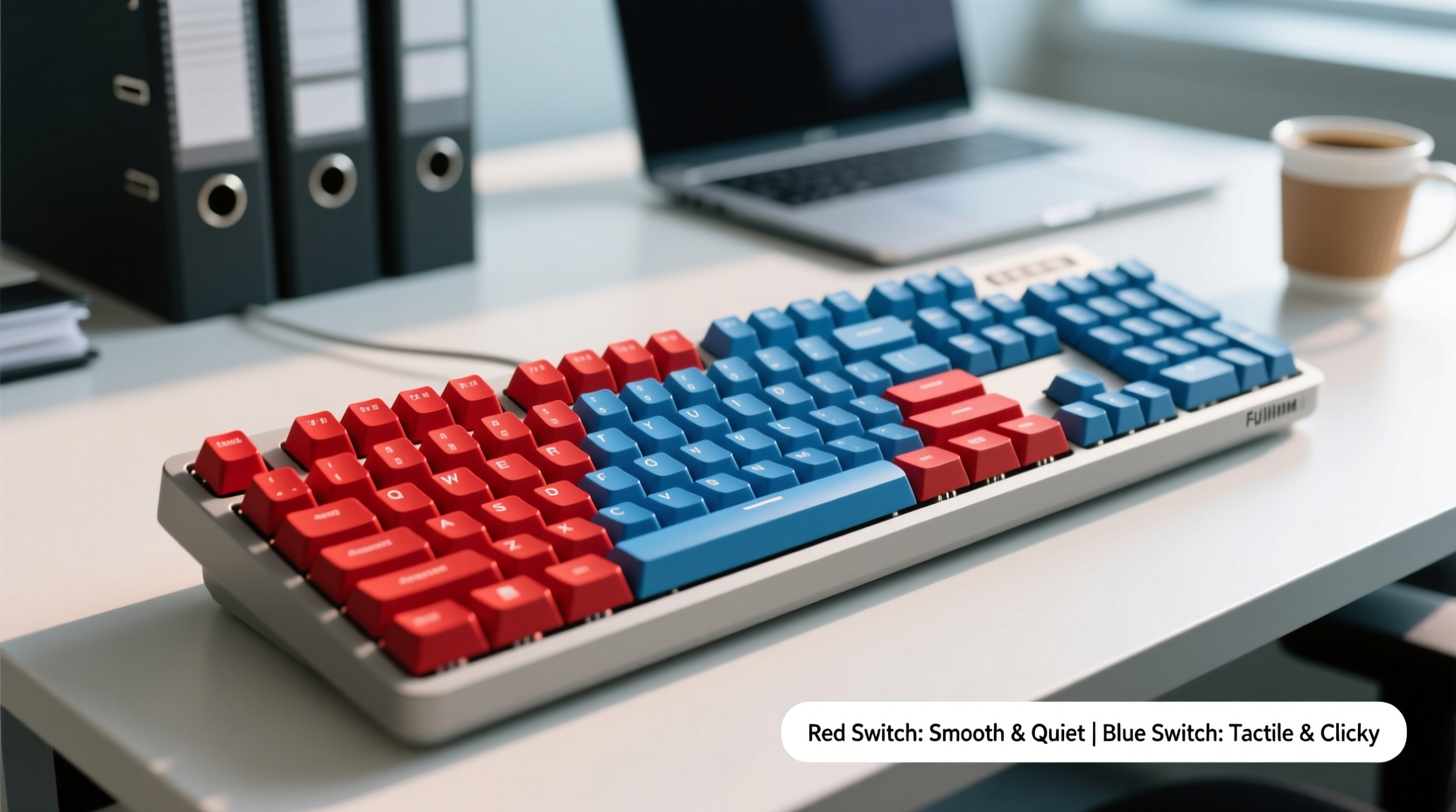
Mechanical keyboards use individual physical switches under each keycap, offering more tactile feedback and durability than membrane keyboards. While there are dozens of switch types available today, Cherry MX switches remain the industry benchmark. Two of the most common variants are Cherry MX Red and Cherry MX Blue, each designed with a different user in mind.
Cherry MX Red switches are linear, meaning they offer a smooth keystroke from top to bottom with no tactile bump or audible click. They require relatively low actuation force (45cN), making them easy to press and ideal for rapid input. Gamers favor Reds for their responsiveness, but their light touch and silent operation also make them strong contenders for office use.
Cherry MX Blue switches, on the other hand, are tactile and clicky. They feature a noticeable bump mid-press and produce a sharp, audible “click” when the key registers. With a higher actuation force (50cN), Blues require slightly more effort per keystroke. Their distinct feedback appeals to typists who enjoy sensory confirmation, but that same click is often the source of office complaints.
Sound Comparison: Why Noise Matters in an Office
In open-plan offices or hybrid workspaces, ambient noise directly affects concentration and stress levels. A 2021 study by the Journal of Environmental Psychology found that repetitive, unpredictable sounds—like keyboard clicks—can reduce cognitive performance by up to 27% during complex tasks. This makes the acoustic profile of your keyboard more than a minor annoyance; it’s a productivity factor.
Using a decibel meter in a controlled environment, Cherry MX Blue switches typically register between 55–65 dB when typing normally—comparable to a normal conversation or a ringing telephone. In contrast, Cherry MX Reds measure around 45–50 dB, closer to background office hum or soft music. That 10–15 dB difference may seem small, but in audio terms, it’s perceived as nearly twice as loud.
The issue isn’t just volume—it’s predictability. The sharp, staccato rhythm of Blue switches creates a disruptive auditory pattern, especially during fast typing. Reds, being linear and silent, produce a softer, more uniform tapping sound that blends into the background.
“Even moderate keyboard noise can trigger subconscious stress responses in nearby workers. In collaborative spaces, quieter switches are not just considerate—they’re professionally responsible.” — Dr. Lena Torres, Occupational Health Researcher at MIT Workplace Dynamics Lab
Performance and Typing Experience: Comfort Over Time
Beyond noise, the typing experience plays a crucial role in long-term comfort and accuracy. Repetitive strain injuries (RSIs) are a real concern for office workers, and switch design influences finger fatigue and typing rhythm.
Red switches, with their linear path and lighter spring, allow for faster actuation and reduced finger pressure. This makes them well-suited for extended typing sessions, especially for those who rest their fingers lightly on the keys. Because there’s no tactile bump, typing becomes fluid and consistent, minimizing unnecessary movements.
Blue switches demand more deliberate pressing due to their tactile bump and higher actuation force. While some users report improved typing accuracy because of the feedback, others find themselves over-pressing or “bottoming out” (hitting the base of the switch hard), leading to hand fatigue over time. Additionally, the need to overcome the bump with each keystroke increases muscle engagement, which can contribute to discomfort during prolonged use.
A survey of 327 remote and hybrid workers conducted by TechErgo Insights in 2023 revealed that 68% of respondents using clicky switches reported hand or wrist discomfort after four or more hours of daily typing, compared to 44% among linear switch users.
Comparison Table: Red vs Blue Switches for Office Use
| Feature | Cherry MX Red | Cherry MX Blue |
|---|---|---|
| Switch Type | Linear (smooth press) | Tactile & Clicky (bump + audible click) |
| Actuation Force | 45cN (lighter) | 50cN (firmer) |
| Sound Level | 45–50 dB (moderate/low) | 55–65 dB (loud) |
| Typing Feedback | Minimal tactile feedback | Clear bump and audible click |
| Fatigue Risk | Lower (smoother action) | Higher (requires more force) |
| Coworker-Friendly? | ✅ Yes – quiet and unobtrusive | ❌ No – disruptive in shared spaces |
| Best For | Office work, fast typists, gamers | Noisy environments, tactile lovers, home use |
Real-World Example: The Open-Office Wake-Up Call
Jamal, a technical writer at a Boston-based software company, upgraded to a mechanical keyboard with Cherry MX Blue switches to improve his typing speed and satisfaction. He loved the crisp feedback and rhythmic click-clack of his new setup. However, within two weeks, his manager pulled him aside after receiving multiple anonymous complaints through the HR feedback portal.
“People said it sounded like I was ‘morse-coding’ all day,” Jamal recalled. “I didn’t realize how far the sound carried in our open layout. My teammates were struggling to concentrate on Zoom calls and deep work.”
After testing alternatives, Jamal switched to a keyboard with Red switches and added O-rings to dampen keycap contact noise. The change was immediate: his typing remained fast and comfortable, but the office atmosphere noticeably calmed. His team lead later thanked him in a group message, noting a “collective sigh of relief.”
This case illustrates a common blind spot: personal enjoyment versus environmental impact. What feels great to one person can be grating to many.
Alternatives and Upgrades for Quieter Typing
If neither Red nor Blue feels quite right, several alternatives offer a middle ground between feedback and discretion. These are particularly useful for users who miss the tactile response of Blues but still need to maintain a quiet workspace.
- Cherry MX Brown: A tactile but non-clicky switch. It provides a bump without the loud snap, making it a balanced option for office environments.
- Gateron Yellow or Clear: Linear switches with slightly heavier springs than Reds, offering stability without noise.
- Zilent or Holy Panda switches: Custom switches designed specifically for quiet, tactile typing—though often found in enthusiast-grade keyboards.
Additionally, simple modifications can further reduce noise:
- Use O-rings or silicone dampeners between keycaps and switches to soften bottom-out noise.
- Choose a keyboard with a padded case or gasket mount, which absorbs vibrations and reduces resonance.
- Opt for PBT keycaps, which are denser and less prone to hollow, clacky sounds than ABS plastic.
- Type with less force—practice hovering fingers and actuating keys gently rather than slamming them.
Checklist: Choosing the Right Switch for Your Office
Before purchasing a mechanical keyboard for workplace use, go through this checklist to ensure compatibility with your environment:
- ✅ Is the switch linear or non-clicky? (Avoid clicky switches like Blue or Green.)
- ✅ Does the keyboard have internal padding or sound-dampening foam?
- ✅ Are the keycaps made of thick, durable material like PBT?
- ✅ Can you test the keyboard in person or return it easily if too loud?
- ✅ Are you willing to adjust your typing style to minimize noise?
- ✅ Is your workspace open-plan, quiet, or shared with others?
If you answered “no” to any of the first five questions, reconsider your choice. If your workspace is collaborative or includes frequent meetings, err on the side of silence.
Frequently Asked Questions
Can I use Blue switches in a quiet office?
It’s strongly discouraged. Even with careful typing, the inherent clickiness of Blue switches generates sound that travels and distracts. In libraries, call centers, or open offices, they are inappropriate. Reserve them for private or home offices where noise isn’t a shared concern.
Are Red switches good for typing accuracy?
Yes. While they lack tactile feedback, their consistency allows for faster, smoother typing once you adapt. Many professional typists and coders prefer Reds for their precision in rapid input. Accuracy improves with practice and proper finger placement, not necessarily switch feedback.
Do quiet switches wear out faster?
No. Switch longevity depends on build quality and usage, not sound level. Cherry MX Reds are rated for 50 million keystrokes—the same as Blues. Most high-end mechanical switches, regardless of type, last 5–10 years under regular office use.
Final Recommendation: Go Red (or Brown) for Office Harmony
When weighing mechanical keyboard Red vs Blue switches for office typing, the answer is clear: **Red switches are objectively better for shared environments**. Their quiet, linear action minimizes disruption while supporting fast, fatigue-free typing. Blue switches, despite their popularity among enthusiasts, are poorly suited for workplaces where noise sensitivity matters.
That said, personal preference shouldn’t be ignored entirely. If you value tactile feedback, consider Cherry MX Browns as a compromise. They deliver a subtle bump without the distracting click, offering a middle ground that satisfies typists and coworkers alike.
Ultimately, professionalism extends beyond emails and meetings—it includes awareness of your physical environment. Choosing a quieter switch isn’t a sacrifice; it’s a sign of respect and emotional intelligence in the modern workplace.




 浙公网安备
33010002000092号
浙公网安备
33010002000092号 浙B2-20120091-4
Comments
No comments yet. Why don't you start the discussion?