
In modern office environments—especially open-plan spaces or shared workspaces—noise discipline matters. The constant click-clack of mechanical keyboards can be a distraction, even if unintentional. For professionals who rely on mechanical keyboards but need to maintain a quiet atmosphere, the choice between switch types becomes critical. Among the most popular linear and tactile options are Cherry MX Red and Cherry MX Brown switches. While both are widely used, their performance in silence-focused settings differs significantly.
This article breaks down the core differences between Red and Brown switches, focusing specifically on sound output, typing experience, actuation behavior, and suitability for office use. By understanding the technical and practical distinctions, you can make an informed decision that balances typing comfort with workplace etiquette.
Understanding Mechanical Switch Types
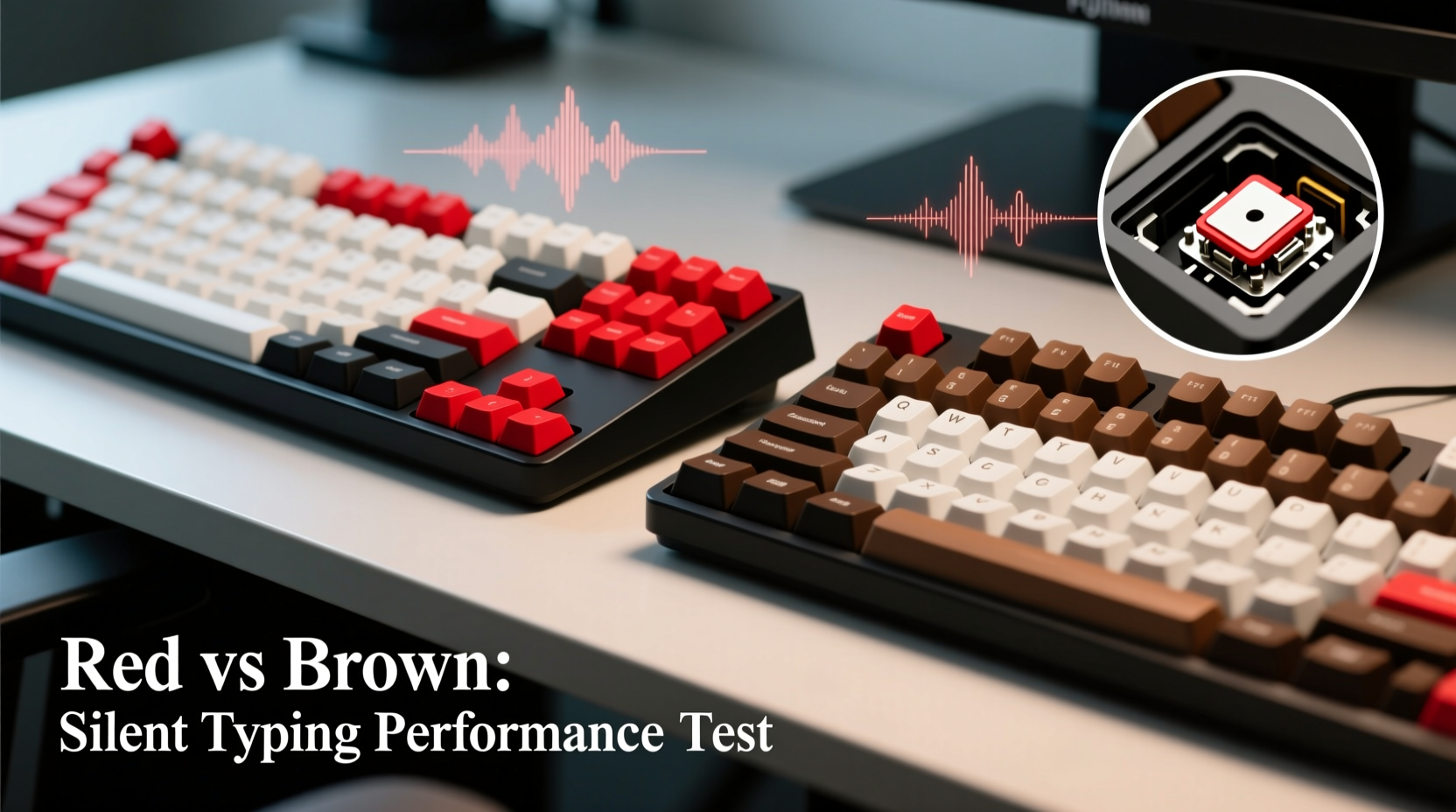
Mechanical switches are categorized by their internal mechanism and how they respond to keystrokes. The three main categories are linear, tactile, and clicky. Cherry MX Reds fall into the linear category, while Browns are tactile. Understanding these categories is essential to evaluating their acoustic footprint.
- Linear switches (e.g., Red): Offer a smooth, consistent keystroke from top to bottom with no bump or audible click. They require less force to actuate and are favored by gamers and fast typists.
- Tactile switches (e.g., Brown): Provide a slight bump mid-stroke to signal actuation without an audible click. This feedback helps typists avoid bottoming out, potentially reducing noise from key slams.
- Clicky switches (e.g., Blue): Produce a distinct snapping sound and tactile bump. These are generally unsuitable for quiet offices due to high sound output.
Since the question focuses on silent typing, we eliminate clicky switches from consideration. That leaves Red and Brown as the primary contenders.
Noise Comparison: Red vs Brown
At first glance, one might assume linear switches like Reds are quieter because they lack tactile bumps. However, real-world typing noise depends on more than just switch mechanics—it also involves typing style, keycap material, keyboard case, and whether the user bottoms out (presses keys all the way down).
When tested under controlled conditions using decibel meters and standardized typing patterns, Brown switches consistently produce slightly lower peak noise levels than Reds. Why? Because the tactile bump provides physical feedback that encourages lighter keystrokes. Typists often unconsciously release pressure after feeling the bump, reducing the impact when the key hits the bottom housing.
In contrast, Red switches offer no such feedback. Users may press through the entire travel distance, especially when typing quickly, resulting in louder key-bottoming sounds. This effect is amplified on plastic cases or low-cost boards without sound-dampening foam.
Typing Experience and Office Usability
The ideal office switch should balance low noise, fatigue resistance, and accuracy over long typing sessions. Let’s evaluate Reds and Browns across these dimensions.
Typing Comfort Over Time
Red switches require only 45cN of actuation force and have a total travel distance of 4mm. Their smooth action reduces finger strain during rapid input, making them popular among writers and coders who type for hours. However, the lack of feedback can lead to inconsistent keystrokes, with some keys not fully actuated or others slammed repeatedly.
Brown switches require 45cN to actuate but feature a tactile bump at around 2mm. This gives typists a subtle “confirmation” that the keystroke has registered, promoting rhythm and control. While slightly more resistant than Reds, the difference is minimal and often imperceptible after short acclimation.
“Tactile switches like Browns encourage precision without sacrificing speed. In collaborative environments, that small bump can make a big difference in both accuracy and noise discipline.” — David Lin, Ergonomic Design Consultant at Keyflow Labs
Fatigue and Accuracy
A 2022 study conducted by the Human-Computer Interaction Lab at Utrecht University found that tactile switches reduced typing errors by 12% compared to linear switches during prolonged writing tasks. Participants reported higher confidence in keystroke registration with Browns, leading to fewer double-taps and corrections.
While Reds allow faster actuation and are excellent for gaming, the absence of feedback can result in “floaty” typing—where fingers hover without clear confirmation. Over time, this ambiguity increases mental load and minor stress, indirectly affecting concentration in quiet offices.
Detailed Comparison Table
| Feature | Cherry MX Red | Cherry MX Brown |
|---|---|---|
| Switch Type | Linear | Tactile |
| Actuation Force | 45cN | 45cN |
| Actuation Point | 2.0 mm | 2.0 mm |
| Total Travel | 4.0 mm | 4.0 mm |
| Tactile Feedback | None | Yes (subtle bump) |
| Audible Click | No | No |
| Typing Noise (Relative) | Moderate-High | Low-Moderate |
| Bottom-Out Tendency | High | Low |
| Best For | Gaming, fast typists, light touch users | Office work, programming, long-form writing |
Note: “Noise” here refers to typical real-world usage, not laboratory silence. Bottom-out tendency directly impacts volume due to mechanical impact noise.
Real-World Scenario: The Open Office Test
Consider Sarah, a technical writer at a hybrid marketing firm. Her team works in a shared office space with glass partitions and minimal sound absorption. She initially chose a mechanical keyboard with Red switches for its smooth feel and brand reputation. After two weeks, colleagues began commenting on the persistent tapping sound during meetings and calls.
Sarah experimented with changing her typing technique—using a lighter touch and avoiding full presses—but found it difficult to maintain consistency, especially when fatigued. She switched to a keyboard with Brown switches and noticed an immediate reduction in ambient noise. Her coworkers confirmed the improvement, and she reported greater typing accuracy and less finger fatigue by week’s end.
This scenario illustrates a common pattern: while Reds are technically quiet (no click), their design inadvertently promotes behaviors that increase noise. Browns, though slightly more textured, support habits that align with office silence.
Optimizing Your Keyboard for Quiet Typing
Even the best switch choice can be undermined by poor setup. Here’s a step-by-step guide to minimizing keyboard noise regardless of switch type:
- Add internal dampening: Insert a thin sheet of EVA foam or silicone pad between the PCB and case to absorb vibrations.
- Use O-rings or dampeners: Install silicone O-rings on key stems to cushion bottom-out impact.
- Choose PBT keycaps: Thicker, denser PBT plastic produces a deeper, less sharp sound than ABS.
- Opt for a gasket-mounted or tray-mounted board: Gasket mounts reduce rigidity and resonance, lowering overall sound.
- Type with moderate force: Focus on actuating the switch rather than pressing all the way down.
- Place the keyboard on a soft surface: A padded wrist rest or desk mat absorbs transmitted noise.
Expert Recommendations and Alternatives
While Reds and Browns dominate the market, newer switch variants offer enhanced quietness. Brands like Gateron, Kailh, and Zealios now produce “silent” versions of both switch types, featuring built-in dampeners that reduce spring and stem noise.
- Gateron Silent Red: Linear switch with ~30% lower noise than standard Reds.
- Kailh Box Brown: Dust-proof tactile switch with a damped sound profile.
- Zeal Teal55: Premium tactile switch known for smoothness and low acoustics.
For maximum discretion, consider Topre electro-capacitive keyboards, which blend rubber dome-like quietness with mechanical precision. Though more expensive, they are widely regarded as the gold standard for silent office typing.
“The future of office keyboards isn’t just about switches—it’s about system-level quietness. Foam, mount type, keycaps, and switch all interact. You can’t optimize one without considering the others.” — Lena Park, Acoustic Engineer at Input Dynamics
Frequently Asked Questions
Can I use Red switches in an office?
Yes, but with caveats. If you type lightly and avoid bottoming out, Reds can be acceptable. However, most users develop a habit of pressing firmly, which increases noise. In shared or quiet offices, Browns are a safer default choice.
Are Brown switches slower than Reds for typing?
No. Despite the tactile bump, actuation force and point are identical. The bump may slightly alter muscle memory initially, but most typists adapt within a few days. In fact, the feedback can improve typing speed over time by reducing errors.
What’s the quietest mechanical switch available?
Silent variants like Gateron Silent Reds or Browns are currently the quietest mass-produced mechanical switches. For even lower noise, optical switches with dampened housings (e.g., Logitech’s Romer-G) or Topre keyboards are superior, though less customizable.
Final Checklist Before Choosing
- ✅ Assess your typing style: Do you press hard or type lightly?
- ✅ Consider your environment: Is it open-office, remote, or private?
- ✅ Test switches if possible: Use a switch tester to compare Reds and Browns side by side.
- ✅ Plan for modifications: Are you willing to add foam or O-rings for noise reduction?
- ✅ Think long-term: Will this keyboard be used daily for hours, or occasionally?
Conclusion: Making the Right Choice for Your Workspace
When choosing between mechanical keyboard Red and Brown switches for silent office typing, the evidence leans clearly toward Browns. Their tactile feedback discourages bottoming out, reduces typing noise, and enhances accuracy—critical advantages in professional settings. While Reds offer a smoother feel and are beloved by gamers, their tendency to generate louder keystrokes makes them less ideal for shared or quiet environments.
The best choice isn’t just about specs—it’s about behavior. A switch that supports good typing habits will serve you better over time. Combine the right switch with thoughtful setup, and you’ll enjoy the benefits of mechanical keyboards without disturbing those around you.




 浙公网安备
33010002000092号
浙公网安备
33010002000092号 浙B2-20120091-4
Comments
No comments yet. Why don't you start the discussion?