
Choosing the right mechanical keyboard switch is more than a matter of preference—it’s about comfort, efficiency, and long-term satisfaction. Among the most popular options are red, blue, and brown switches, each offering distinct tactile feedback, actuation force, and sound profiles. Whether you're a writer, programmer, or frequent typist, understanding the differences between these switch types can significantly impact your typing experience. This guide breaks down their characteristics, compares performance across key metrics, and helps you decide which switch aligns best with your needs.
Understanding Mechanical Keyboard Switches
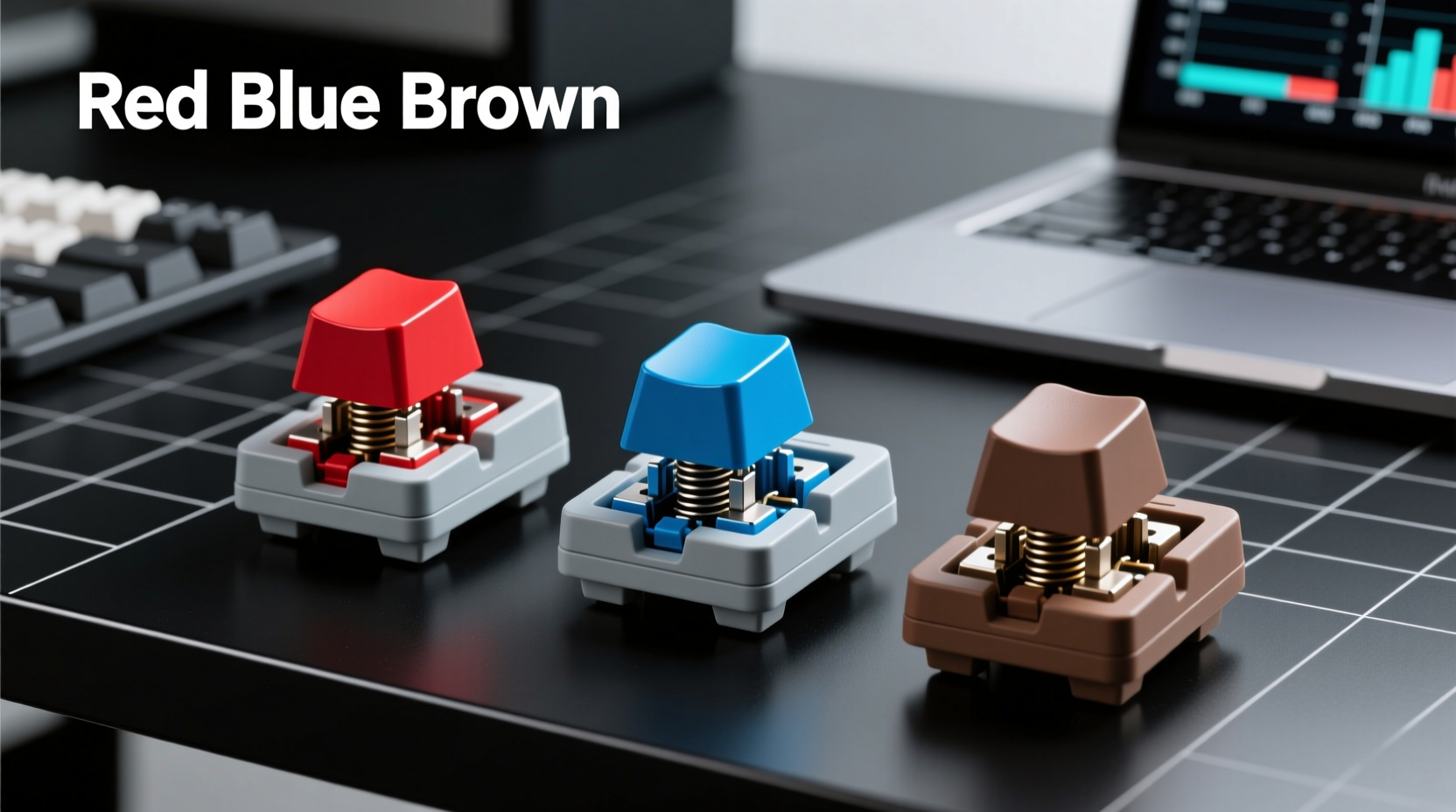
Mechanical switches differ from membrane keyboards in that each key has an individual mechanical mechanism underneath it. This design enhances durability, responsiveness, and customizability. The \"color\" of a switch—such as red, blue, or brown—refers to its internal mechanism and behavior, not just aesthetics. These color codes were popularized by Cherry MX, a leading manufacturer, and have since become industry standards adopted by many other brands.
The three primary factors that define a switch's typing experience are:
- Actuation force: How much pressure (in centinewtons) is needed to register a keystroke.
- Tactile feedback: Whether you feel a bump when the key actuates.
- Noise level: How loud the switch sounds during use.
These variables directly affect typing speed, fatigue, and suitability for different environments like offices, homes, or shared workspaces.
Red Switches: Smooth and Silent Linear Action
Cherry MX Red switches are linear, meaning they offer a smooth keystroke from top to bottom without any tactile bump or audible click. They require a moderate actuation force of 45cN and have a total travel distance of 4mm, with actuation occurring at 2mm.
This makes them ideal for users who prefer fast, fluid keystrokes with minimal resistance. Gamers often favor reds for rapid key presses, but they’re equally suited for typists who value consistency and quiet operation. Because there’s no tactile feedback, some users may initially struggle with over- or under-typing until muscle memory adjusts.
Red switches shine in environments where noise is a concern. Their near-silent operation makes them excellent for open offices, late-night writing sessions, or households with light sleepers. However, the lack of physical feedback can lead to typing errors if you rely on touch cues to confirm keystrokes.
“Linear switches like Reds reduce finger fatigue during extended typing sessions because they eliminate abrupt resistance changes.” — Daniel Park, Ergonomic Design Consultant
Blue Switches: Crisp Tactile Feedback with Audible Click
Cherry MX Blue switches are both tactile and clicky. They feature a noticeable bump at the actuation point (2.2mm) and produce a sharp, satisfying “click” sound when pressed. With an actuation force of 50cN, they require slightly more pressure than reds, making them less prone to accidental keystrokes.
The tactile bump provides clear physical confirmation that a keypress has registered, which many typists find reassuring. This feedback can improve accuracy and rhythm, especially for touch typists. However, the audible click is polarizing—some love the retro typewriter-like sound, while others find it disruptive.
Blues are best suited for home offices or private workspaces where sound isn’t a concern. In shared environments, they may draw complaints due to their high noise output. Additionally, the combination of higher actuation force and tactile bump can lead to finger fatigue during prolonged use, particularly for those with weaker hand strength.
Brown Switches: Balanced Tactile Feel Without the Click
Cherry MX Brown switches offer a middle ground between reds and blues. They are tactile but not clicky, providing a subtle bump at the actuation point (also around 2mm) without the loud auditory feedback. Their actuation force is 45cN, identical to reds, making them easy to press while still offering some sensory confirmation.
This balance makes browns a favorite among general-purpose users. They deliver enough feedback to prevent mushy typing, yet remain quiet enough for most office settings. For writers, coders, or anyone who types for hours daily, browns often provide the optimal blend of comfort, precision, and discretion.
While not as smooth as reds or as expressive as blues, browns excel in versatility. They are also widely available across budget and premium keyboards, making them a go-to recommendation for first-time mechanical keyboard buyers.
Comparative Analysis: Red vs Blue vs Brown
| Switch Type | Actuation Force | Tactile? | Clicky? | Noise Level | Best For |
|---|---|---|---|---|---|
| Red | 45cN | No | No | Low | Gaming, fast typists, quiet environments |
| Blue | 50cN | Yes | Yes | High | Typists who want feedback, private workspaces |
| Brown | 45cN | Yes | No | Medium | General typing, office use, balanced performance |
The table highlights how each switch balances performance traits. Reds prioritize speed and silence, blues emphasize feedback and engagement, and browns aim for a well-rounded experience.
Real-World Example: Choosing the Right Switch for Remote Work
Sophie, a technical writer working remotely from her apartment, initially purchased a keyboard with blue switches. She loved the crisp feedback and rhythmic clicking while drafting articles. However, after a few weeks, her roommate began complaining about the noise during video calls and early mornings. Sophie also noticed slight finger strain after full-day writing sessions.
She switched to a brown-switch keyboard and immediately noticed a difference. The typing remained accurate and responsive, but the quieter operation improved household harmony. Over time, she found her typing endurance increased, and distractions dropped. For Sophie, the brown switch wasn’t the flashiest option—but it was the most sustainable for her lifestyle.
How to Choose Based on Your Typing Style
Your ideal switch depends on several personal and environmental factors. Consider the following checklist when making your decision:
✅ Switch Selection Checklist
- Do you type for extended periods? → Prioritize comfort (Red or Brown)
- Do you share your workspace? → Avoid loud switches (Skip Blue)
- Do you rely on touch feedback? → Choose tactile (Brown or Blue)
- Are you sensitive to finger fatigue? → Opt for lower actuation force (Red or Brown)
- Do you also game? → Linear switches like Red offer faster response
- Do you enjoy a nostalgic typing sound? → Blue might be worth the noise trade-off
If you're unsure, start with browns. Their neutral profile suits most users and serves as an excellent baseline. Once you understand your preferences, upgrading becomes easier and more intentional.
Common Misconceptions About Switch Colors
One widespread myth is that switch color universally defines performance. While Cherry MX set the standard, clones and variants from Kailh, Gateron, and Outemu may behave differently even under the same color label. For example, Gateron Red switches are often smoother than Cherry MX Reds due to refined housing materials.
Another misconception is that tactile switches are always better for typing. While feedback can help accuracy, it doesn’t automatically make a switch superior. Some typists develop such strong muscle memory that linear switches actually increase their speed and reduce errors.
Finally, noise level isn’t solely determined by switch type. Keycap material, plate mount (e.g., top vs. gasket mount), and desk surface all influence sound. A blue switch on a foam-damped keyboard will be quieter than the same switch on a hollow plastic shell.
Frequently Asked Questions
Can I replace switches on my keyboard?
It depends on the keyboard. If it has hot-swappable sockets, you can easily swap switches without soldering. Many modern mechanical keyboards support this feature. Non-hot-swap boards require desoldering and resoldering, which demands technical skill and tools. Always check your keyboard’s specifications before attempting modifications.
Are there silent versions of blue switches?
Yes. Some manufacturers offer “silent” variants of typically loud switches. For example, Cherry MX Silent Red and Silent Black reduce noise through internal dampening. Similarly, Kailh offers Box Silent Pink switches that mimic tactile feedback quietly. These are excellent alternatives if you want tactile input without disturbing others.
Do switch colors affect typing speed?
Indirectly, yes. Actuation force, travel distance, and feedback influence how quickly and accurately you can type. Lighter linear switches like Reds may allow faster actuation, but tactile switches like Browns can reduce errors. Ultimately, typing speed stabilizes with practice, but initial comfort plays a major role in building consistent habits.
Expert Insight: What Professionals Recommend
“For professional typists, consistency and injury prevention matter most. I recommend starting with browns or lubed reds—they minimize strain while supporting high-volume output.” — Dr. Lena Torres, Occupational Therapist specializing in repetitive strain injury (RSI) prevention
Experts agree that ergonomics extend beyond posture and wrist alignment. The tactile interface between fingers and keys contributes to long-term hand health. Repeatedly pressing stiff or noisy switches can contribute to tension and discomfort over time, especially for those prone to RSI.
Final Recommendations and Next Steps
Selecting between red, blue, and brown switches isn’t about finding the “best” option—it’s about matching the switch to your environment, workload, and physical needs. Here’s a quick summary:
- Choose Red if you value speed, silence, and smooth keystrokes—ideal for gaming and quiet spaces.
- Choose Blue if you love tactile feedback and don’t mind noise—best for private setups and typists who enjoy sensory engagement.
- Choose Brown if you want a balanced, versatile switch suitable for typing, coding, and everyday use in shared areas.
If possible, test switches in person or order a sampler. Real-world experience trumps theoretical comparisons every time. And remember, your needs may evolve—today’s perfect switch might not suit you in two years as your usage patterns change.




 浙公网安备
33010002000092号
浙公网安备
33010002000092号 浙B2-20120091-4
Comments
No comments yet. Why don't you start the discussion?