
When building or upgrading a gaming setup, few components spark as much debate as mechanical keyboard switches. Among the most discussed are Cherry MX Blue and Cherry MX Red—two of the most iconic switch types in the mechanical keyboard world. While both have loyal followings, they serve very different needs. Gamers often face a critical decision: Should they prioritize tactile feedback and audible click, or opt for smooth, quiet keystrokes that allow rapid input? The answer isn’t one-size-fits-all, but understanding the core differences between Blue and Red switches can help you make an informed choice that enhances your gameplay.
Understanding Mechanical Switch Types
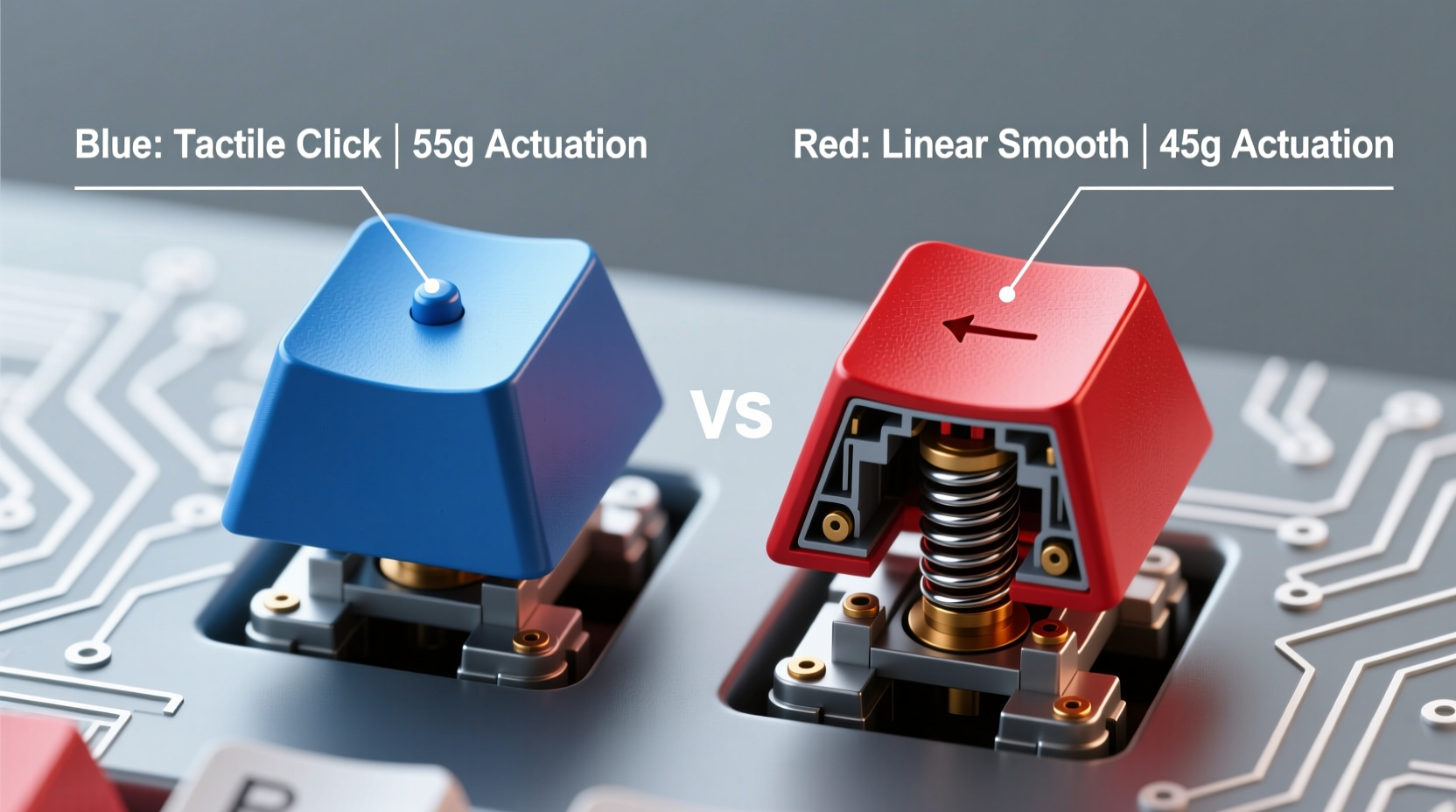
Mechanical switches differ from membrane keyboards by using individual physical mechanisms under each keycap. This design offers greater durability, responsiveness, and customization. Among the many variants available, Cherry MX switches remain the industry benchmark. Two of the most common types—Blue and Red—represent opposite ends of the spectrum in terms of feel and function.
Cherry MX Blue switches are classified as “tactile and clicky.” They provide both a noticeable bump during actuation and a distinct audible click when the key registers. In contrast, Cherry MX Reds are linear switches with no tactile bump or click. They offer a smooth press from top to bottom, requiring less force to actuate. These fundamental differences influence typing comfort, speed, noise level, and suitability for gaming.
Key Differences: Blue vs Red Switches
| Feature | Cherry MX Blue | Cherry MX Red |
|---|---|---|
| Switch Type | Tactile & Clicky | Linear |
| Actuation Force | 50cN (centinewtons) | 45cN |
| Actuation Point | 2.0mm | 2.0mm |
| Total Travel Distance | 4.0mm | 4.0mm |
| Feedback | Pronounced tactile bump + audible click | Smooth, consistent press |
| Noise Level | Loud – not ideal for shared spaces | Quiet – suitable for offices or dorms |
| Best For | Typing, programming, data entry | Gaming, fast-paced input, quiet environments |
The table highlights the structural similarities—both switches share the same travel distance and actuation point—but their response profiles diverge significantly. The tactile bump and click of Blues offer sensory confirmation of each keystroke, which many typists love. However, in high-speed gaming scenarios, this same feature can become a liability.
Performance in Gaming: Speed, Accuracy, and Fatigue
Gaming demands precision, repetition, and endurance. Whether you're executing rapid fire commands in a first-person shooter or chaining combos in a fighting game, your keyboard must keep up without introducing errors or strain. Here, Cherry MX Reds hold a clear advantage for most gamers.
Because Reds are linear, they allow for smoother, uninterrupted keystrokes. There’s no tactile interruption or need to overcome a pronounced bump, making it easier to perform quick taps, double-taps, and roll inputs. The lighter actuation force (45cN vs 50cN) also reduces finger fatigue during extended sessions. This difference may seem minor, but over thousands of keystrokes, it adds up—especially in competitive play where milliseconds matter.
Blues, while satisfying to type on, introduce two challenges in gaming: resistance and noise. The tactile bump requires more deliberate pressing, which can slow down rapid inputs. Additionally, the audible click, though enjoyable for some, doesn’t contribute to performance and can be distracting in multiplayer voice chats or quiet environments. Worse, accidental presses are more likely because the tactile feedback encourages users to \"bottom out\" (press all the way down), increasing wear and potential misinputs.
“Linear switches like Cherry MX Reds are the go-to for esports professionals because they minimize input lag and maximize repeatability under pressure.” — Jordan Lee, Peripheral Designer at Razer
Real-World Example: A Competitive Gamer’s Experience
Consider Alex, a League of Legends mid-laner competing in regional tournaments. He started with a keyboard featuring Cherry MX Blue switches, drawn by their premium feel and crisp feedback. While he loved them for typing, he noticed inconsistencies in spell casting during intense team fights. Inputs would occasionally register late or require re-pressing, especially during frantic moments involving rapid ability rotations.
After switching to a board with Cherry MX Reds, Alex reported immediate improvements. His combos became more fluid, and he experienced fewer missed inputs. The reduction in finger fatigue allowed him to maintain peak performance throughout five-game series. Most importantly, his reaction time improved—not because the switches were faster electronically, but because the linear action enabled smoother muscle memory execution.
This case illustrates a broader trend: even small ergonomic advantages can compound into measurable gains in high-level play. While Blue switches aren’t inherently bad for gaming, they’re suboptimal for players who rely on speed and consistency.
When Blue Switches Might Still Work for Gamers
Not all games demand lightning-fast reflexes. For turn-based strategy titles, MMOs, or simulation games where communication and macro inputs dominate, Blue switches can still be viable. Their tactile feedback helps prevent accidental keystrokes, and the audible click provides confidence that a command has been registered.
Players who dual-purpose their keyboard for both gaming and productivity may find Blues appealing. If you spend equal time writing emails, coding, or chatting in Discord as you do playing games, the typing experience becomes a major factor. In such cases, the compromise might be worth it—especially if you don’t compete seriously.
However, even hybrid users should consider alternative options. Switches like Cherry MX Browns (tactile but non-clicky) or optical variants (faster response times) may offer a better balance between gaming performance and typing satisfaction.
Checklist: Choosing the Right Switch for Your Gaming Needs
- ✅ Assess your primary game genres (FPS, MOBA, RTS, etc.)
- ✅ Determine how much typing you do alongside gaming
- ✅ Consider your environment (shared space? need quiet?)
- ✅ Evaluate your preference for tactile feedback vs. smooth action
- ✅ Test switches in person or via a sample kit if possible
- ✅ Prioritize low actuation force and minimal travel for competitive play
- ✅ Look into alternatives like Browns, Clears, or optical switches if undecided
Common Misconceptions About Blue and Red Switches
One widespread myth is that Blue switches are “slower” due to higher actuation force. In reality, both switches register input electronically at nearly identical speeds. The perceived delay comes from user behavior—the tactile bump encourages users to press harder or bottom out, which slows repetition.
Another misconception is that Red switches are “mushy” or lack feedback. While they don’t provide a bump, their consistent spring tension offers predictable resistance. Many gamers adapt quickly and come to appreciate the clean, uninterrupted stroke.
Lastly, some believe that louder switches mean better quality. This is not true. Sound level is unrelated to durability or performance. High-end silent linear switches exist and are favored by professional streamers and competitors alike.
Frequently Asked Questions
Are Cherry MX Blue switches bad for gaming?
Not inherently, but they’re generally less suited for fast-paced games. The tactile bump and loud click can interfere with rapid input and cause fatigue. For casual or hybrid use, they’re acceptable, but serious gamers typically prefer linear switches like Reds.
Can I use Red switches for typing?
Yes, but they may feel less satisfying than tactile or clicky switches. Typists who rely on feedback to avoid errors might find Reds too smooth or “bottom-heavy.” However, touch typists often adapt well, and many modern mechanical keyboards with Red switches include features like RGB lighting or adjustable keycaps to enhance the experience.
Do Red switches wear out faster because they’re used more in gaming?
No. Both Cherry MX Blue and Red switches are rated for 50 million keystrokes. Wear depends more on usage patterns and build quality than switch type. Proper maintenance ensures longevity regardless of color.
Step-by-Step Guide to Testing and Deciding
- Identify your primary use case: Are you mainly gaming, typing, or doing both?
- Research switch characteristics: Understand tactile, linear, and clicky profiles.
- Try a switch tester: Purchase or borrow a kit with multiple switch types.
- Simulate real tasks: Type a paragraph and play a short game session on each switch.
- Evaluate comfort and speed: Note any strain, missed inputs, or hesitation.
- Consider your environment: Will noise disrupt others?
- Make your choice: Prioritize performance, comfort, and long-term usability.
This process eliminates guesswork and helps you select a switch based on actual experience rather than marketing claims or community hype.
Conclusion: Which Is Actually Better for Gaming?
The evidence overwhelmingly favors Cherry MX Red switches for gaming. Their linear design, lighter actuation force, and quiet operation align perfectly with the demands of modern gameplay. While Blue switches deliver a rewarding typing experience, their tactile and auditory feedback introduces friction in fast-paced scenarios where every millisecond counts.
That said, personal preference still plays a role. If you value the rhythm and sound of clicking keys and play mostly slower-paced games, Blues may suit you. But for competitive gaming, streaming, or anyone seeking maximum responsiveness, Reds—or similar linear switches—are the superior choice.




 浙公网安备
33010002000092号
浙公网安备
33010002000092号 浙B2-20120091-4
Comments
No comments yet. Why don't you start the discussion?