
For fast typists—whether writers, coders, or competitive gamers—the right mechanical keyboard switch can make the difference between smooth, effortless typing and constant fatigue or errors. Unlike membrane keyboards, mechanical keyboards use individual physical switches under each key, offering distinct feedback, durability, and responsiveness. But not all switches are created equal. With dozens of variants on the market, understanding their differences is crucial for maximizing speed, accuracy, and comfort.
This guide breaks down the core mechanics of popular switch types, evaluates their performance for rapid input, and helps you choose the ideal switch based on actuation force, travel distance, noise, and tactile feedback—all tailored to the needs of high-speed typists.
How Mechanical Switches Work: The Basics
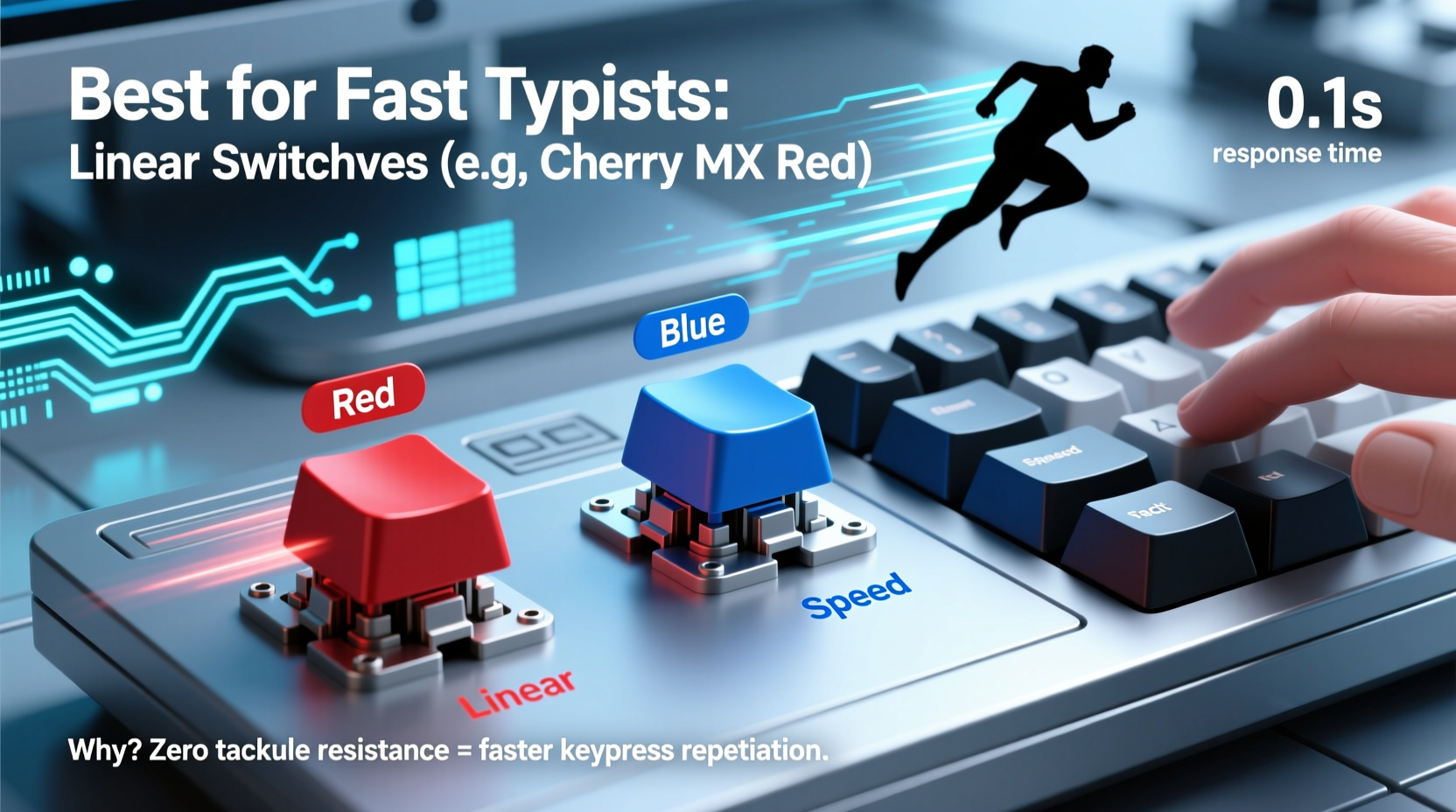
Each mechanical switch is a self-contained mechanism that registers a keystroke when pressed. Key components include a spring, stem, housing, and metal contacts. When a key is pressed, the stem moves downward, compressing the spring until the internal contacts connect, sending a signal to the computer. This point is called the actuation point.
Unlike rubber dome keyboards, where the entire mat must be compressed, mechanical switches offer consistent actuation across every key. They also last significantly longer—typically 50 million keystrokes per switch compared to 5–10 million for membranes.
The feel of a switch is determined by its design, which falls into three main categories:
- Linear: Smooth press from top to bottom with no bump or click.
- Tactile: A noticeable bump mid-press signals actuation without an audible click.
- Clicky: Both a tactile bump and an audible \"click\" when actuated.
These characteristics influence typing rhythm, finger fatigue, and typing speed—especially important for users who spend hours at the keyboard.
Switch Types Compared: Performance for Speed and Comfort
Choosing the right switch isn’t just about preference—it’s about matching mechanical behavior to your typing style. Fast typists tend to rely on rhythm, minimal finger movement, and quick resets. Let’s compare the most common switch families in terms of suitability for high-speed input.
| Switch Type | Actuation Force | Travel Distance | Feedback | Noise Level | Best For |
|---|---|---|---|---|---|
| Cherry MX Red | 45g | 4.0mm | Linear | Low | Gaming & fast typing |
| Cherry MX Brown | 45g | 4.0mm | Tactile bump | Medium | Typing with feedback |
| Cherry MX Blue | 50g | 4.0mm | Clicky + tactile | High | Typists who like feedback |
| Gateron Yellow | 50g | 4.0mm | Linear | Low | Balanced speed and comfort |
| Kailh Speed Silver | 45g | 3.4mm (actuation) | Linear | Low | Ultra-fast response |
| Zilent V2 (Dampened Tactile) | 55g | 4.0mm | Soft tactile | Low-Medium | Quiet offices, fast typing |
While all these switches are used by professionals, certain traits stand out for speed. Shorter actuation distance allows keys to register faster, reducing the need to bottom out. Lower force reduces finger fatigue over time. Linear switches eliminate interruptions in motion, enabling smoother roll-typing—a technique where fingers glide rapidly from one key to the next without fully releasing previous keys.
“Top-tier typists often prefer linear switches because they allow uninterrupted flow. The absence of tactile bumps means less resistance during rapid sequences.” — Daniel Kim, Keyboard Ergonomics Researcher, Human Input Lab
Why Linear Switches Dominate for Fast Typing
Among elite typists and programmers, linear switches—particularly Cherry MX Reds, Gateron Yellows, and Kailh Speed Silvers—are frequently favored. Their smooth, consistent keystrokes support higher words-per-minute (WPM) rates by minimizing friction and allowing partial actuation.
Consider this: if a typist hits 100 WPM, they're pressing approximately 17 keys per second. Over an 8-hour workday, that’s more than 500,000 keystrokes. In such scenarios, even minor inconsistencies in switch feel can compound into discomfort or errors.
Linear switches excel here because:
- They require less finger effort per stroke, reducing long-term strain.
- There’s no “bump” to disrupt momentum during fast sequences like “the,” “and,” or code snippets.
- Many linear variants are optimized for early actuation, letting typists reset keys quickly.
Kailh Speed Silver switches, for example, have an actuation point at just 1.1mm and full travel at 3.4mm—significantly earlier than standard switches (which usually actuate at 2.0–2.2mm). This enables faster key cycling, ideal for touch typists who don’t bottom out.
Real-World Example: A Programmer’s Switch Upgrade
James, a backend developer based in Austin, averaged 95 WPM but experienced finger fatigue after four hours of coding. He used a budget membrane keyboard for years, then switched to a mechanical board with Cherry MX Blue switches. While he appreciated the feedback, he found the clickiness distracting and the 50g force tiring during long debugging sessions.
After testing several boards, he settled on a custom build with Kailh Speed Silver switches. The change was immediate: his average typing speed increased to 107 WPM, error rate dropped by 18%, and he reported less shoulder tension. “I don’t notice the keys anymore,” he said. “They just respond instantly. It’s like my thoughts go straight to the screen.”
This case illustrates how switch choice directly impacts both performance and ergonomics—especially when optimized for speed and repetition.
Step-by-Step: Choosing Your Ideal Switch for Fast Typing
Selecting the right switch doesn’t have to be guesswork. Follow this practical process to identify the best fit for your typing habits:
- Assess your current typing style. Do you bottom out (press keys all the way down), or do you lightly tap? Bottoming out favors longer travel; light tapping benefits from early actuation.
- Evaluate your environment. Are you in a quiet office? Avoid loud clicky switches. Working from home? Noise may be less of a concern.
- Determine your preferred actuation force. Start with 45–55g. Lighter switches (40–45g) are easier to press but may lead to accidental keystrokes if you rest your fingers heavily.
- Test travel and actuation distance. Look for switches with actuation points under 2.0mm for faster response. Shorter total travel (3.4–3.6mm) also helps.
- Try before you commit. Purchase a switch tester kit with multiple variants (e.g., Red, Brown, Blue, Speed Silver). Spend at least 20 minutes typing on each.
- Consider lubrication and sound tuning. Factory switches can feel scratchy. Some enthusiasts lube stems for smoother motion, enhancing speed and comfort.
- Build or buy accordingly. Once you’ve identified your favorite switch, choose a prebuilt keyboard or customize your own.
Common Mistakes to Avoid
Even experienced users make missteps when selecting switches. Here are frequent pitfalls and how to avoid them:
- Choosing based on sound alone. Clicky switches may feel satisfying initially, but their sharp feedback can disrupt rhythm over time.
- Overlooking spring weight. Heavy switches (60g+) increase fatigue during extended typing sessions, slowing you down.
- Ignoring keycap compatibility. Not all switches work with every keycap set. Ensure stem compatibility (e.g., Cherry MX-style stems).
- Assuming all “gaming” switches are fast. RGB-lit boards often use generic switches. Focus on specs, not marketing.
“The fastest switch isn’t always the best. It’s the one that matches your biomechanics and workflow.” — Lena Torres, Industrial Designer at KeyFlow Labs
FAQ: Your Top Questions Answered
Are linear switches better for typing speed?
Yes, for most fast typists. Linear switches provide uninterrupted motion, allowing quicker transitions between keys. They’re especially effective for touch typists who rely on rhythm rather than feedback cues.
Can tactile switches be good for fast typing?
They can, particularly for typists who rely on physical confirmation of actuation. However, the bump introduces slight resistance, which may slow down very rapid sequences. Soft-tactile switches like Zilents offer a compromise—noticeable feedback without harsh interruption.
Do I need a custom keyboard to get the best switches?
No. Many excellent prebuilt keyboards feature high-performance switches. Brands like Ducky, Keychron, and Logitech offer models with Cherry, Gateron, or Kailh switches. Custom builds offer more control but aren’t required for optimal performance.
Final Checklist: Picking the Right Switch
Before making your decision, run through this checklist:
- ✅ I know whether I prefer linear, tactile, or clicky feedback.
- ✅ I’ve tested switches in person or via a sample kit.
- ✅ My ideal actuation force is between 45g and 55g.
- ✅ I prioritize actuation point (ideally ≤2.0mm) over total travel.
- ✅ Noise level is appropriate for my workspace.
- ✅ The switch is available in a keyboard I can afford and maintain.
Conclusion: Optimize Your Typing Experience
For fast typists, the right mechanical switch isn’t a luxury—it’s a productivity tool. Whether you're drafting articles, writing code, or transcribing interviews, the physical interface between your fingers and the machine plays a critical role in speed, accuracy, and endurance. Linear switches like Cherry MX Reds, Gateron Yellows, and Kailh Speed Silvers consistently emerge as top choices due to their smooth action, low actuation force, and quick response times.
But the best switch is the one that feels natural to you. Use testers, consider your environment, and listen to your body. Small improvements in switch selection can lead to significant gains over weeks and months of use.




 浙公网安备
33010002000092号
浙公网安备
33010002000092号 浙B2-20120091-4
Comments
No comments yet. Why don't you start the discussion?