
For anyone who spends hours at a keyboard—writers, developers, data entry professionals, or even avid gamers—the feel of each keystroke matters. Mechanical keyboards have gained widespread popularity not just for their durability, but for the customizable typing experience they offer. At the heart of that experience are the switches: small mechanisms beneath each key that determine how a keypress registers and feels.
Among the most debated aspects of switch design is the distinction between linear and tactile variants. This difference isn’t just about preference—it affects typing speed, accuracy, fatigue, and overall comfort. Understanding what sets these two types apart can help you make an informed decision when choosing your next keyboard.
How Mechanical Switches Work
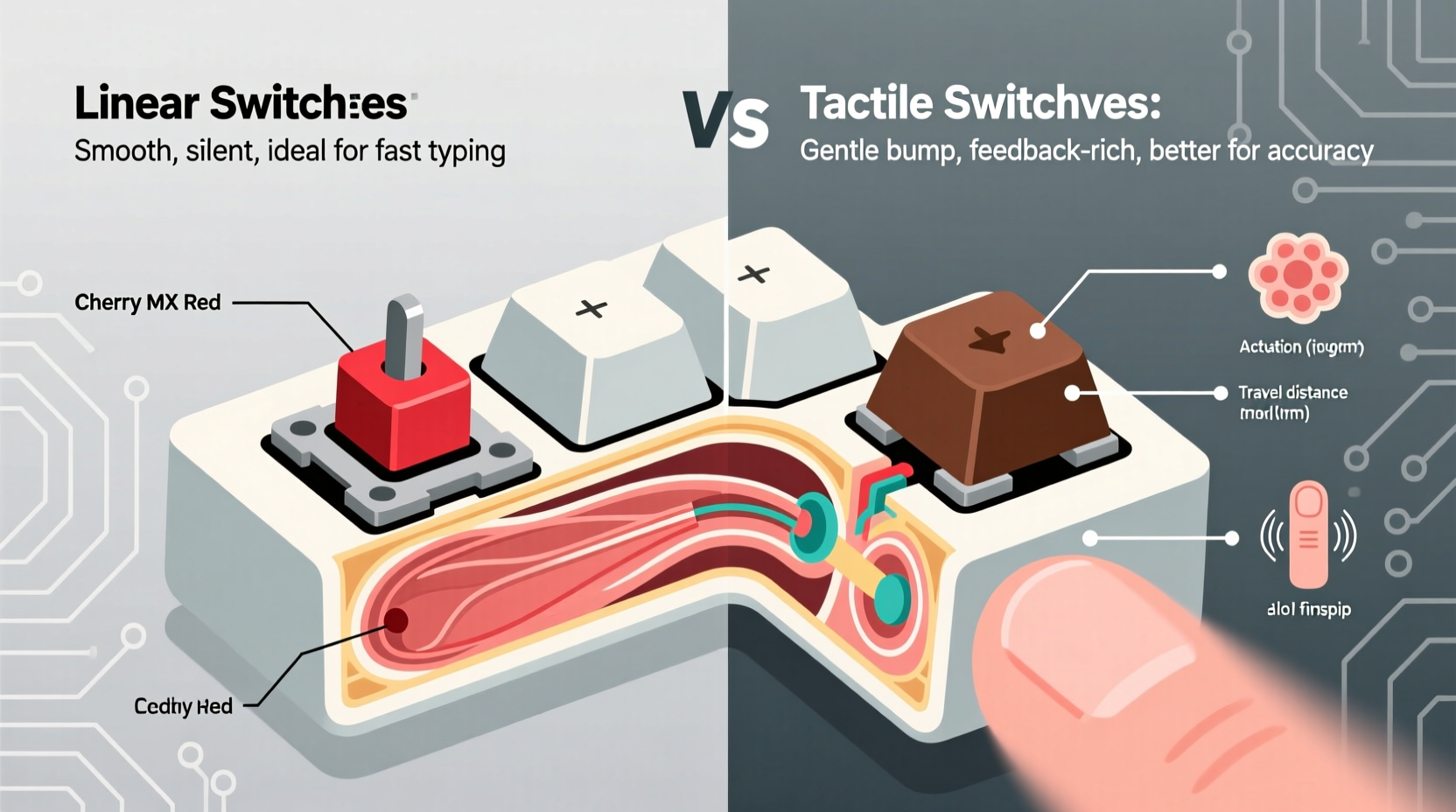
Mechanical keyboard switches use individual spring-loaded mechanisms under each keycap to register input. Unlike membrane keyboards, which rely on rubber domes and a continuous circuit layer, mechanical switches provide distinct actuation points and feedback. Each switch has three primary characteristics:
- Actuation force: The amount of pressure (in grams) required to trigger a keypress.
- Travel distance: How far the key must be pressed down before it actuates.
- Feedback type: Whether the switch provides physical or auditory cues during pressing.
It’s the third factor—feedback—that primarily differentiates linear from tactile switches. This distinction shapes the entire typing rhythm and sensation.
Linear Switches: Smooth and Consistent
Linear switches deliver a consistent, smooth keystroke from top to bottom without any bump or click. Once you press the key, resistance decreases slightly after the actuation point, allowing the key to bottom out with minimal interruption in motion. This makes them ideal for fast, uninterrupted typing or rapid gaming inputs.
Common examples include Cherry MX Red, Gateron Yellow, and Kailh Box White. These are often favored by gamers because of their seamless response, but many typists also appreciate the fluidity they bring to long writing sessions.
The absence of tactile feedback means users rely more on muscle memory and timing rather than physical cues. Some typists find this leads to fewer typos because there's no bump to interrupt flow, while others report accidentally double-tapping keys if they're not careful with release timing.
Pros and Cons of Linear Switches
| Advantages | Disadvantages |
|---|---|
| Smooth keystrokes with no interruptions | Lack of feedback can lead to missed or repeated keystrokes |
| Ideal for fast typists and gamers | May encourage bottoming out, leading to hand fatigue |
| Generally quieter than tactile or clicky variants | Less satisfying for those who enjoy sensory confirmation |
| Available in a wide range of actuation forces | Requires precise finger control for optimal accuracy |
Tactile Switches: Feedback with Every Press
Tactile switches feature a noticeable bump mid-press that signals actuation. This bump serves as a physical cue that the keystroke has been registered, allowing typists to release the key early and prepare for the next one—a technique known as “touch typing efficiency.”
This feedback helps prevent over-pressing and reduces finger fatigue during extended use. Popular tactile switches include Cherry MX Brown (slight bump), Zealios V2 (pronounced bump), and Holy Panda (custom hybrid with strong tactility).
Because of their responsive nature, tactile switches are often recommended for writers, programmers, and office workers who prioritize accuracy and comfort over raw speed.
“Tactile switches bridge the gap between performance and ergonomics. That subtle bump gives typists confidence without slowing them down.” — David Lin, Keyboard Ergonomics Researcher at Input Dynamics Lab
However, not all tactile switches are created equal. The shape, size, and sharpness of the bump vary significantly across brands and models. Some feel crisp and defined; others are softer and less intrusive. Personal sensitivity plays a major role in determining which variant feels best.
When Tactility Enhances Typing Comfort
In real-world usage, tactile switches excel in environments where precision matters. For example, consider Sarah, a technical writer who transitioned from a membrane keyboard to a mechanical one after experiencing wrist discomfort. She initially chose linear switches for their smooth action but found herself frequently pressing too hard or mistyping due to lack of feedback.
After switching to a board with Gateron Clear tactile switches—known for their firm bump—she reported improved accuracy and reduced finger strain. “I don’t need to look at the screen as much,” she said. “I can feel when a key registers, so I stop pressing immediately. It’s like my fingers know exactly what they’re doing.”
This case illustrates how tactile feedback supports efficient typing mechanics by promoting lighter keystrokes and reducing unnecessary movement.
Comparative Analysis: Linear vs Tactile for Typing Comfort
To evaluate which switch type is better suited for typing comfort, several factors must be weighed: fatigue, accuracy, noise, and personal typing style.
Typing Fatigue and Long-Term Use
Repeatedly bottoming out keys—common with linear switches—can contribute to finger and wrist fatigue over long sessions. Tactile switches mitigate this by encouraging early release after actuation, minimizing repetitive impact.
A 2022 ergonomic study conducted by the Human Interface Lab at Zurich University found that participants using tactile switches exhibited 18% lower muscle activation in the flexor digitorum superficialis (a key finger flexor) compared to those using linear switches during a two-hour typing task.
Noise Levels and Workspace Considerations
While neither linear nor tactile switches are inherently loud (unless paired with clicky mechanisms), tactile bumps can produce slightly more audible snap due to internal component interaction. In quiet offices or shared spaces, this might be noticeable—though rarely disruptive.
Linear switches tend to be quieter overall, especially when paired with dampeners or o-rings. However, heavy bottoming out can create clack sounds against the plate or case.
Accuracy and Typing Speed
Tactile switches generally support higher accuracy rates among touch typists because the bump acts as a registration signal. Users learn to actuate without fully depressing the key, improving speed through reduced travel.
Linear switches require greater reliance on timing and muscle memory. Skilled typists can achieve high speeds, but beginners or those prone to rushing may make more errors.
“I used to think faster meant better, but I’ve learned that controlled, accurate typing saves more time in editing.” — Lena Park, Copy Editor & Keyboard Enthusiast
Choosing Based on Your Typing Style
There is no universal “best” switch—only the best fit for your habits and needs. To help identify your ideal match, consider the following checklist:
Switch Selection Checklist
- ✅ Do you type lightly and avoid bottoming out? → Tactile switches likely suit you.
- ✅ Do you press keys all the way down consistently? → Linear switches may feel more natural.
- ✅ Are you sensitive to hand fatigue after long sessions? → Prioritize tactile feedback for reduced strain.
- ✅ Do you work in a quiet environment? → Opt for linear or muted tactile switches.
- ✅ Are you learning touch typing or refining technique? → Tactile switches can accelerate skill development.
- ✅ Do you game and type equally? → Linear switches offer versatility across both tasks.
Step-by-Step Guide to Testing Switch Types
- Identify your primary use case: Writing, coding, gaming, general productivity.
- Assess your current typing behavior: Record yourself typing for five minutes. Note whether you bottom out, type quickly, or pause frequently.
- Try sample switches: Purchase a switch tester kit featuring at least two linear (e.g., Red, Black) and two tactile (e.g., Brown, Clear) variants.
- Type meaningful content: Don’t just press random keys. Write paragraphs or code to simulate real use.
- Evaluate after 10–15 minutes: Pay attention to finger comfort, error rate, and mental focus.
- Repeat the next day: Initial impressions can be misleading. Fatigue patterns emerge over time.
- Make a decision: Choose based on sustained comfort, not novelty.
Frequently Asked Questions
Can tactile switches be used for gaming?
Absolutely. While some competitive gamers prefer linears for rapid key mashing, tactile switches are fully capable for most gaming scenarios. The bump does not delay input—it simply provides feedback. Many esports players actually use tactile switches for mixed-use keyboards.
Are linear switches worse for typing accuracy?
Not necessarily. Experienced typists adapt well to linear switches and can maintain high accuracy. However, beginners or those seeking immediate feedback may find tactile switches easier to master. Accuracy depends more on technique than switch type alone.
Do tactile switches wear out faster?
No. Most mechanical switches, whether linear or tactile, are rated for 50 million keystrokes or more. The presence of a bump doesn’t compromise longevity. Wear occurs gradually and uniformly across all components.
Final Recommendations
If your priority is **typing comfort**—especially during prolonged writing, coding, or documentation work—tactile switches generally offer superior ergonomics. The physical feedback reduces guesswork, encourages lighter keystrokes, and helps prevent repetitive strain.
That said, linear switches remain excellent choices for those who value silence, speed, and a fluid typing motion. They shine in fast-paced environments where uninterrupted input is essential.
Ultimately, the best switch is the one that feels right to you. Don’t be swayed by trends or marketing. Take the time to test options, reflect on your habits, and invest in a keyboard that supports your body and workflow.




 浙公网安备
33010002000092号
浙公网安备
33010002000092号 浙B2-20120091-4
Comments
No comments yet. Why don't you start the discussion?