
For gamers, every millisecond counts. A responsive input device isn't just a luxury—it's a competitive necessity. Among the most critical components of a gaming setup is the keyboard, and more specifically, the type of mechanical switch it uses. Linear, tactile, and clicky switches each offer distinct feedback profiles that influence typing speed, actuation consistency, and overall gaming performance. Understanding these differences can dramatically improve your gameplay experience, reduce fatigue during long sessions, and help you select a keyboard tailored to your style.
How Mechanical Switches Work
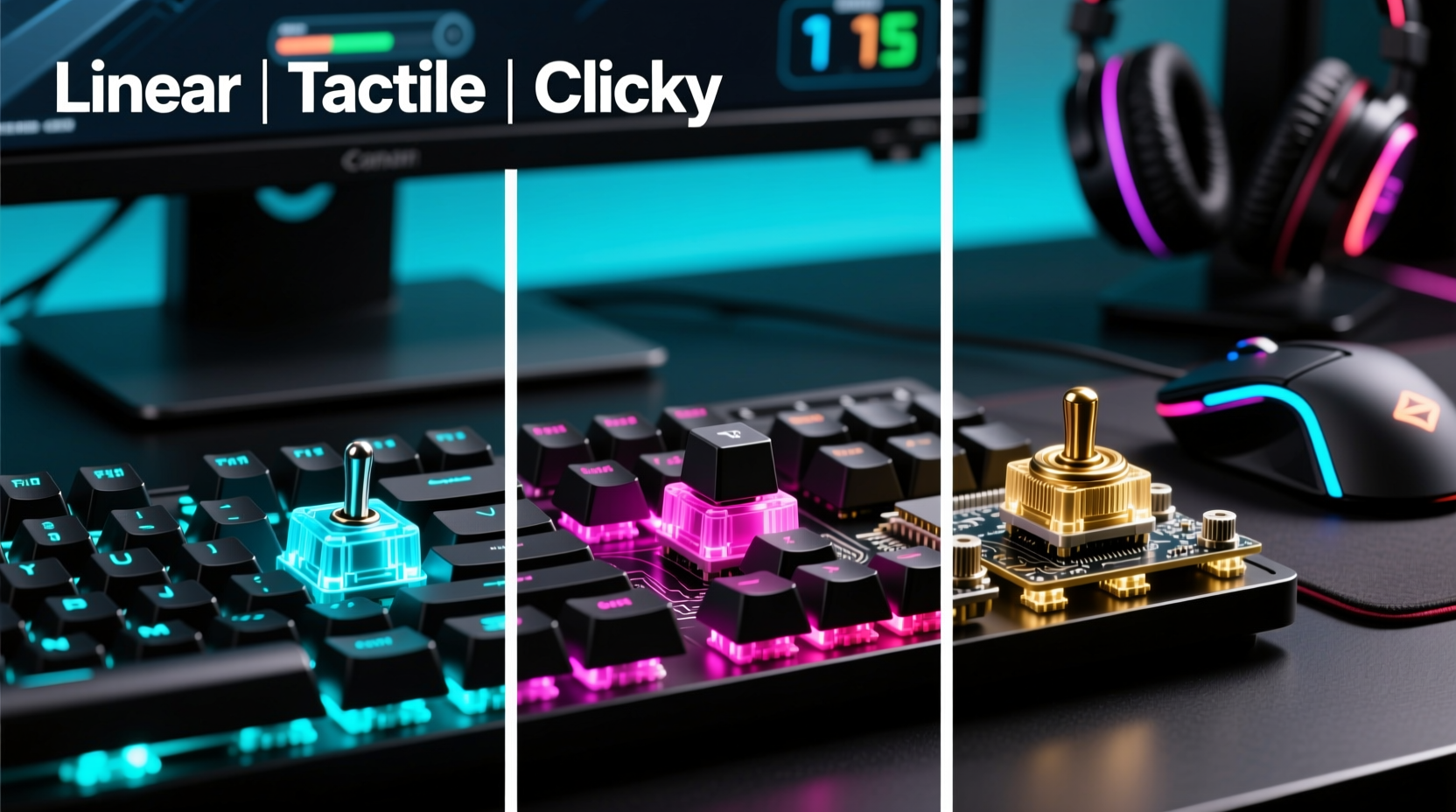
Mechanical keyboards use individual physical switches under each keycap, unlike membrane keyboards that rely on rubber domes. Each mechanical switch contains a spring and a stem mechanism that registers keystrokes when pressed. The behavior of this mechanism—how much force is required, whether there’s a bump or sound, and how far the key must travel—defines the switch type.
The three primary categories—linear, tactile, and clicky—refer to the feel and auditory feedback produced when pressing a key. These characteristics affect not only comfort but also precision in fast-paced games like first-person shooters (FPS), real-time strategy (RTS), or MOBAs.
Linear Switches: Smooth and Silent
Linear switches provide a consistent downward motion from top to bottom with no tactile bump or audible click. The resistance increases uniformly as the key is pressed until the actuation point is reached (typically around 45–50 grams of force). Once triggered, the signal is sent instantly, making them ideal for rapid inputs.
Gamers who prioritize speed and uninterrupted keystrokes often favor linear switches. They allow for quick double-taps and smooth rolling actions—such as crouch-spamming in tactical shooters or rapid skill casting in RPGs. Because they lack tactile feedback, users must rely on muscle memory to know when a keypress has registered.
Tactile Switches: Balanced Feedback
Tactile switches feature a noticeable bump mid-press, signaling the moment of actuation. This physical feedback helps users avoid over-pressing and improves typing accuracy without requiring full-bottoming out. The bump acts as a \"confirmation\" that the keystroke has been registered.
In gaming, tactile switches strike a balance between responsiveness and awareness. While slightly slower than linear variants due to the interruption caused by the bump, many players appreciate the added precision. For hybrid users who game and type extensively—streamers, developers, or multitaskers—tactile switches offer versatility.
However, in high-speed scenarios where micro-adjustments are constant (like flick shots in CS:GO or Valorant), some find the bump disruptive to fluid movement patterns.
Clicky Switches: Audible and Responsive
Clicky switches combine a tactile bump with an audible \"click\" sound produced by a small plastic component snapping into place at actuation. This dual feedback system provides both physical and auditory confirmation of a keypress.
While satisfying for typists, clicky switches are polarizing among gamers. The sound can be distracting in quiet environments or during late-night sessions. Moreover, the extra mechanical complexity may lead to slightly higher actuation force requirements, potentially slowing down repeated inputs compared to linear options.
That said, certain genres benefit from clicky switches. Turn-based games, MMOs with complex hotkey setups, or simulation titles where deliberate input matters more than raw speed can make excellent use of their feedback-rich design.
“Switch choice isn’t about which is objectively better—it’s about matching the switch profile to your playstyle and environment.” — Daniel Ruiz, Peripheral Design Engineer at KeyTech Labs
Performance Comparison: Gaming Use Cases
| Switch Type | Actuation Force | Travel Distance | Best For | Drawbacks |
|---|---|---|---|---|
| Linear | 45g (avg) | 4.0 mm | FPS, fast-paced action games, rapid key rollover | No feedback; requires precise finger control |
| Tactile | 50–55g (avg) | 3.8–4.0 mm | Hybrid gaming/typing, RTS, MOBA | Bump may interrupt rapid presses |
| Clicky | 50–60g (avg) | 4.0 mm | MMOs, turn-based games, content creators | Loud noise; less suitable for shared spaces |
This comparison highlights trade-offs rather than clear winners. Competitive FPS players often lean toward linear switches for seamless directional input, while MMO enthusiasts might prefer clicky models to confirm spell activation amid chaotic battles.
Choosing Based on Game Genre
- FPS & Battle Royale Games: Linear switches dominate here. Gamers need smooth strafing, quick reload cancels, and minimal resistance during sprint-and-shoot sequences. Examples: Cherry MX Red, Gateron Yellow, Kailh Speed Silver.
- MOBAs & RTS: Tactile switches shine due to frequent command combinations and ability chaining. The bump reduces misclicks during intense macro execution. Examples: Cherry MX Brown, Zealios V2 62g.
- MMOs & RPGs: Clicky switches help distinguish between dozens of hotkeys. The audible cue ensures spells aren’t missed during cinematic fights. Examples: Blueberry switches, Matias Click, Cherry MX Blue.
- Simulation & Strategy: All types work, but tactile or clicky switches enhance immersion through feedback. Ideal for flight simulators or city builders with layered controls.
Real-World Example: Pro Gamer Setup Evolution
Jessica Tran, a professional Overwatch player competing in the APAC region, initially used a standard membrane keyboard. After upgrading to a mechanical model, she experimented with different switches across tournaments. Her early preference was Cherry MX Browns for their balanced feel during hero swaps and communication-heavy gameplay.
However, after analyzing her input latency and movement efficiency, she switched to Gateron Clears—a stiffer tactile variant—then eventually transitioned to linear Kailh Speed Silvers. “I noticed I was bottoming out too hard with tactile switches,” she explained in a post-match interview. “With linears, my hands stay relaxed, and my aim feels smoother, especially during extended scrims.”
Her journey illustrates that even subtle changes in switch mechanics can impact performance at elite levels. What works for one player may hinder another, emphasizing the importance of personal testing.
Step-by-Step Guide: Selecting Your Ideal Gaming Switch
- Assess Your Primary Game Genre: Determine whether you play fast reaction-based games (favor linear) or strategy-heavy titles (favor tactile/clicky).
- Evaluate Your Environment: Are you gaming in a shared space? Clicky switches may disturb others. Consider quieter alternatives if noise is a concern.
- Test Actuation Preferences: Do you press keys lightly or slam them down? Lighter linear switches suit gentle typists; heavier tactiles help prevent accidental triggers.
- Consider Typing Needs: If you stream, write guides, or chat frequently, prioritize switches that don’t fatigue your fingers over hours.
- Sample Before Buying: Purchase a switch tester kit featuring multiple types. Spend time typing and gaming with each to gauge comfort and response.
- Review Customization Options: Some keyboards support hot-swappable PCBs, letting you change switches without soldering. This flexibility allows future adjustments as your preferences evolve.
Common Myths About Mechanical Switches Debunked
- Myth: Clicky switches are always louder than tactile or linear.
Reality: Sound depends on housing material, keycap thickness, and typing style. Some linear switches with polycarbonate housings can be surprisingly loud. - Myth: Heavier switches are better for gaming.
Reality: Excessive force leads to finger fatigue. Most pros use switches between 45g and 60g. - Myth: All brown switches are the same.
Reality: “Tactile” is a broad category. Feel varies widely between brands—e.g., Cherry MX Brown vs. Gateron Brown vs. NovelKeys Cream.
Checklist: Picking the Right Switch for Your Gaming Style
- ☐ Identify your main game genre(s)
- ☐ Decide if noise level is a concern
- ☐ Determine preferred actuation force (light, medium, heavy)
- ☐ Choose between silent (linear), subtle feedback (tactile), or strong feedback (clicky)
- ☐ Test switches using a sampler kit
- ☐ Check if keyboard supports switch replacement
- ☐ Read user reviews focused on long-term comfort
Frequently Asked Questions
Are linear switches really better for gaming?
They’re often preferred for fast-paced games because of their smooth press and low resistance. However, “better” depends on context. If you value accuracy over speed, tactile or clicky switches might serve you better.
Can I use clicky switches for gaming in an apartment?
Possibly, but consider the environment. In shared living spaces or during nighttime sessions, the loud clicking may disturb others. Opt for damped versions (e.g., lubed blues) or switch to linear/tactile alternatives.
Do mechanical switches wear out faster with aggressive gaming?
Most quality switches are rated for 50–100 million keystrokes. Even with intense daily use, they typically last years. Aggressive typing doesn’t significantly reduce lifespan unless debris enters the switch or keys are slammed excessively.
Final Thoughts: Match Switch to Playstyle, Not Hype
The debate over linear vs. tactile vs. clicky switches isn’t about finding a universal winner—it’s about alignment with individual needs. Marketing often pushes certain switches as “the best for gaming,” but optimal performance comes from understanding your own habits, environment, and priorities.
Linear switches excel in speed and silence, tactile ones offer reliable feedback for mixed usage, and clicky variants deliver satisfaction for deliberate input. None are inherently superior. Instead of following trends, invest time in self-assessment and hands-on testing.
Modern gaming keyboards increasingly offer customization—from adjustable actuation points to programmable layers—but none of these features matter if the base switch feels wrong under your fingertips. Prioritize feel over specs, and let your fingers guide your decision.




 浙公网安备
33010002000092号
浙公网安备
33010002000092号 浙B2-20120091-4
Comments
No comments yet. Why don't you start the discussion?