
When building or upgrading a gaming setup, few components impact both performance and comfort like the keyboard. Among the most debated aspects of mechanical keyboards is the type of switch used. Red and blue switches, both developed by Cherry MX, are two of the most popular options—but they serve very different needs. For gamers who prioritize responsiveness and speed, the choice seems straightforward. But what if you also need to keep noise levels down—whether you're sharing a room, streaming late at night, or simply prefer a quieter experience?
This guide dives deep into the differences between red and blue mechanical switches, focusing specifically on their suitability for gaming in quiet environments. From tactile feedback to sound output, we’ll break down every factor that matters so you can choose the switch that aligns with your play style and lifestyle.
Understanding Mechanical Keyboard Switches
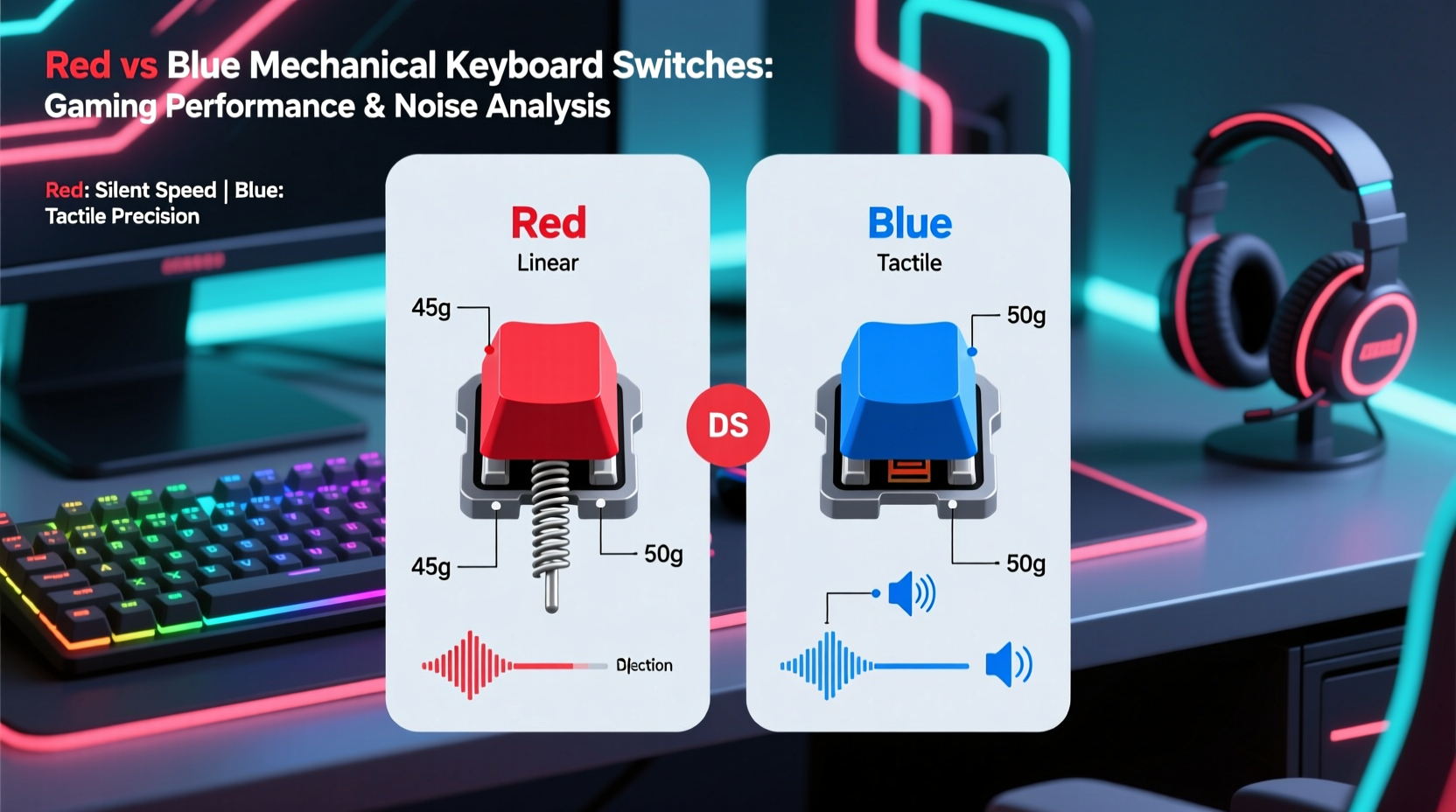
Mechanical switches differ from membrane or scissor-switch keyboards in that each key has its own physical mechanism. This results in greater durability, more consistent keystrokes, and customizable feel. Cherry MX, a German manufacturer, set the standard for mechanical switches, and their naming convention—Red, Blue, Brown, Black, etc.—has become industry shorthand.
Each switch type varies in three main characteristics:
- Actuation force: How much pressure (in centinewtons) is needed to register a keystroke.
- Tactile feedback: Whether you feel a bump when the key actuates.
- Auditory feedback: The loudness and character of the click sound.
These factors directly influence typing comfort, gaming precision, and—crucially for this discussion—noise level.
Red Switches: Linear and Silent
Cherry MX Red switches are linear, meaning they offer no tactile bump and deliver a smooth keystroke from top to bottom. They require a relatively low actuation force of 45cN and have a short actuation point of 2mm, making them highly responsive.
Because there’s no bump or audible click, red switches produce minimal sound—mostly just the soft tap of the keycap hitting the base and the return spring. This makes them ideal for environments where noise is a concern.
Gamers favor red switches for fast-paced titles like first-person shooters (FPS) or MOBAs, where rapid key presses and quick resets are essential. The lack of resistance allows fingers to glide across keys effortlessly, reducing fatigue during long sessions.
Blue Switches: Tactile and Clicky
Cherry MX Blue switches are tactile and clicky. They feature a noticeable bump at the actuation point and produce a sharp, audible \"click\" sound when pressed. This auditory feedback is satisfying for typists and often preferred by writers or coders who value confirmation of each keystroke.
However, this same feature makes blue switches notoriously loud. In a quiet room, the clicking can be disruptive—even to the user over time. The actuation force is slightly higher at 50cN, and while still efficient, the tactile bump slows down repeated key presses compared to linear switches.
For gaming, blue switches can work well in turn-based or strategy games where timing isn’t as critical. But in fast-action scenarios, the extra resistance and slower reset can hinder performance. More importantly, the noise level often disqualifies them for shared spaces or stealthy late-night gaming.
“While blue switches offer excellent feedback for typing, their noise and resistance make them suboptimal for competitive gaming—especially in quiet settings.” — Jordan Lee, Peripheral Design Engineer at KeyTech Labs
Comparing Red vs Blue: A Practical Breakdown
To clearly illustrate the differences, here’s a side-by-side comparison of Cherry MX Red and Blue switches based on key performance metrics:
| Feature | Cherry MX Red | Cherry MX Blue |
|---|---|---|
| Switch Type | Linear | Tactile & Clicky |
| Actuation Force | 45cN | 50cN |
| Actuation Point | 2.0 mm | 2.2 mm |
| Total Travel Distance | 4.0 mm | 4.0 mm |
| Noise Level | Low (quiet tap) | High (audible click) |
| Best For | Gaming, fast typing | Typing, coding |
| Reset Point | Fast (same as actuation) | Slower due to tactile bump |
The data shows that red switches not only operate more quietly but also allow faster key resets—a crucial advantage in gaming. Blue switches, while precise, introduce delays and distractions that can affect both performance and ambient noise.
Real-World Example: Gaming in a Shared Apartment
Consider Mark, a competitive Apex Legends player living with two roommates. He loves immersive gameplay but doesn’t want to disturb others during evening matches. Initially, he used a keyboard with blue switches because he enjoyed the tactile response while typing. However, his roommates began complaining about the constant clicking during his 2-hour nightly sessions.
After switching to a mechanical keyboard with red switches, Mark noticed two immediate improvements: his K/D ratio increased slightly due to faster respawns and movement inputs, and his roommates stopped mentioning keyboard noise. He later added O-rings to dampen keycap contact even further, achieving near-silent operation without sacrificing responsiveness.
This scenario illustrates how switch choice affects both functionality and social harmony—especially in close living quarters.
How to Choose Based on Your Needs
Selecting between red and blue switches isn’t just about preference—it’s about context. Ask yourself the following questions to determine the best fit:
- Do I game primarily in quiet environments (e.g., bedrooms, shared spaces)?
- Do I play fast-paced games requiring rapid key mashing?
- Do I also use the keyboard heavily for typing or writing?
- Is auditory feedback important to me when typing?
- Am I willing to modify my keyboard (e.g., add dampeners) for quieter operation?
If you answered “yes” to the first two questions, red switches are likely the better option. If typing satisfaction and audible feedback matter more than silence, blue switches may suit you—but only if noise isn’t a concern.
Step-by-Step Guide: Upgrading to a Quieter Gaming Keyboard
If you’re currently using blue switches and want a quieter, gaming-optimized setup, follow this practical upgrade path:
- Evaluate your current usage: Track how often you game versus type. If gaming dominates, prioritize performance and quietness.
- Test switches in person: Visit electronics stores or attend tech expos to try red, blue, and alternative switches like Browns or Clears.
- Research compatible keyboards: Look for models that support hot-swappable switches, allowing future changes without soldering.
- Purchase a red-switch keyboard: Brands like Ducky, Logitech, and Keychron offer reliable pre-built options with Cherry MX Reds or similar clones (e.g., Gateron Reds).
- Optimize acoustics: Add O-rings to reduce keycap slap, use a padded wrist rest, and place the keyboard on a soft surface like a desk mat.
- Adjust in-game sensitivity: With faster key response, you may benefit from tweaking mouse DPI or key repeat rates for optimal control.
This process ensures a smooth transition without compromising long-term usability.
Alternative Quiet Options Beyond Red Switches
While red switches are quieter than blues, they aren’t the only option for silent gaming. Consider these alternatives:
- Cherry MX Brown: Tactile but non-clicky, offering mild feedback with moderate noise—ideal for hybrid users.
- Cherry MX Silent Red: A specialized version of Reds with built-in dampeners, reducing noise by up to 25%.
- Gateron Yellow or Milky switches: Smooth linear variants often quieter than standard Reds.
- Topre or optical switches: Found in premium keyboards, these provide unique feel and lower sound profiles.
For maximum silence, pair any of these with foam modding inside the case and silicone dampeners under keycaps.
Frequently Asked Questions
Are red switches really quieter than blue?
Yes. Red switches are linear and lack the mechanical click mechanism of blue switches. They produce only a soft tap, making them significantly quieter—often by 10–15 decibels in real-world use.
Can I use blue switches for gaming without disturbing others?
It depends on the environment. In a private office or soundproofed room, it may be acceptable. But in shared spaces, dorms, or late-night sessions, blue switches are generally too loud. Even with desk mats or cases, the inherent click remains noticeable.
Do red switches wear out faster because they’re lighter?
No. Both red and blue switches are rated for 50 million keystrokes. Durability depends more on build quality and usage patterns than actuation force. Proper maintenance ensures longevity regardless of switch type.
Conclusion: The Verdict for Quiet Gamers
When it comes to choosing between red and blue mechanical switches for quiet gaming, the answer is clear: red switches are superior. Their linear design, low actuation force, and minimal noise output make them ideal for fast, responsive gameplay in shared or noise-sensitive environments. Blue switches, while excellent for tactile typing, introduce unnecessary sound and slight delays that hinder gaming performance and disrupt peace.
Ultimately, the best keyboard switch aligns with your primary use case. For dedicated gamers who value stealth, speed, and subtlety, red switches—or their silent variants—are the logical choice. You don’t have to sacrifice performance for peace; in this case, the quieter option is also the more effective one.




 浙公网安备
33010002000092号
浙公网安备
33010002000092号 浙B2-20120091-4
Comments
No comments yet. Why don't you start the discussion?