
For developers who code late into the night—whether working remotely, studying, or building side projects—keyboard noise can be more than a nuisance. It can disturb roommates, family, or even your own focus. The choice between mechanical and membrane keyboards becomes critical in low-noise environments. While mechanical keyboards are often praised for their tactile feedback and durability, they come with a reputation for being loud. Membrane keyboards, on the other hand, are typically associated with quiet operation but lack the precision many coders value. So, which one truly wins when silence matters most during late-night coding sessions?
Noise Levels: The Core Difference
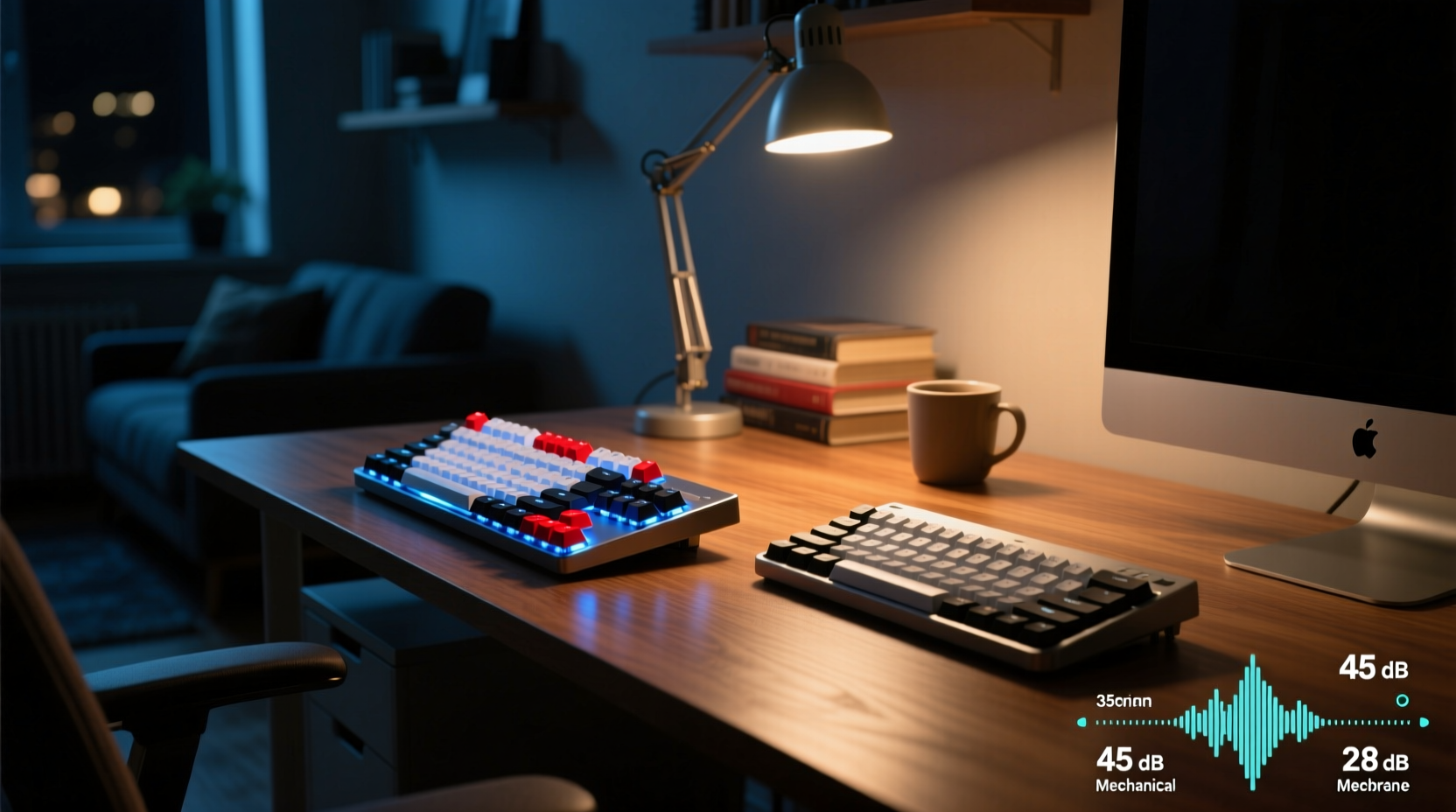
The primary distinction between mechanical and membrane keyboards lies in their internal switch mechanisms—and this directly affects sound output.
**Mechanical keyboards** use individual mechanical switches under each key. These switches contain metal springs and plastic housings that click or clack when pressed. The sound varies significantly based on switch type. For example:
- Clicky switches (e.g., Blue or Green): Produce an audible \"click\" with every keystroke due to an internal mechanism that snaps into place.
- Tactile switches (e.g., Brown or Clear): Offer resistance halfway through the press without a distinct click, resulting in moderate noise.
- Linear switches (e.g., Red or Black): Smooth keystrokes with no bump or click, generally the quietest among mechanical options.
In contrast, **membrane keyboards** rely on a continuous rubber dome layer beneath the keys. When pressed, the dome collapses and makes contact with a conductive layer. This design produces a soft, muffled thud rather than a sharp tap. There’s no spring rebound or metallic resonance, making them inherently quieter across all use cases.
“From an acoustics standpoint, membrane keyboards generate 5–10 dB less sound pressure than standard mechanical switches during typical typing.” — Dr. Alan Reyes, Acoustic Engineer, Human-Computer Interaction Lab
Real-World Example: Coding After Midnight
Consider Sarah, a full-stack developer living in a shared apartment in Seattle. She works a day job but dedicates two hours each night to open-source contributions. Her roommate sleeps on the other side of a thin wall.
Initially, Sarah used a mechanical keyboard with blue switches. Within a week, her roommate complained about the constant clicking—especially noticeable during silent evenings. Even with earplugs, the rhythmic tapping disrupted sleep patterns.
Sarah switched to a budget membrane keyboard. The change was immediate: typing became nearly imperceptible from the next room. However, she noticed reduced typing accuracy and finger fatigue after long sessions due to the mushier key travel.
Eventually, she found a middle ground: a mechanical keyboard with linear red switches, paired with O-rings to dampen keycap impact. With this setup, she maintained typing comfort while reducing noise to acceptable levels—demonstrating that context, environment, and customization matter as much as hardware type.
Comparative Analysis: Mechanical vs Membrane for Night Use
| Feature | Mechanical Keyboard | Membrane Keyboard |
|---|---|---|
| Average Noise Level (dB) | 50–65 dB (varies by switch) | 40–50 dB |
| Typing Feedback | Precise, responsive, customizable | Soft, inconsistent actuation point |
| Key Travel Distance | Typically 3.5–4 mm | Often 3–3.5 mm |
| Durability (Keystroke Lifespan) | 50–100 million keystrokes | 5–10 million keystrokes |
| Customization Options | High (switches, keycaps, backlighting) | Limited |
| Night-Friendly Variants Available? | Yes (silent switches, dampeners) | Most models are naturally quiet |
| Price Range (USD) | $60–$200+ | $15–$50 |
The table shows that while membrane keyboards win on baseline quietness, mechanical models offer adaptability. A well-chosen mechanical keyboard with silent components can approach the noise level of a membrane model while preserving superior ergonomics and responsiveness—critical for efficient coding.
Minimizing Noise: Practical Strategies for Coders
If you're committed to a mechanical keyboard—or already own one—there are effective ways to reduce nighttime noise without sacrificing performance.
1. Choose Silent Switches
Some manufacturers produce “silent” variants of common switches. For instance:
- Cherry MX Silent Red: Designed with internal dampening material to suppress both upstroke and downstroke noise.
- Gateron Silent Yellow: Linear feel with up to 30% noise reduction compared to standard versions.
2. Install O-Rings or Foam Mods
Silicone O-rings placed around key stems absorb impact when keys bottom out. Similarly, placing foam inside the keyboard case reduces internal echo—a technique known as “case modding.” Both are affordable and reversible upgrades.
3. Use PBT Keycaps
Thicker, heavier keycaps made from PBT plastic produce deeper, less tinny sounds than ABS. They also resist shine over time, making them ideal for long-term use.
4. Type with Less Force
Many coders unconsciously hammer keys. Practicing lighter touch typing not only reduces noise but also decreases finger strain. Consider using typing tutors like Keybr or TypeRacer to improve efficiency and control.
5. Add a Wrist Rest and Desk Mat
A padded wrist rest encourages relaxed posture, reducing downward force on keys. Pair it with a thick desk mat to minimize vibration transmission through tables.
Checklist: Choosing a Quiet Keyboard for Late-Night Coding
- ✅ Determine your noise tolerance—test potential keyboards in person if possible.
- ✅ Prioritize linear or silent switches if going mechanical.
- ✅ Avoid clicky switches (e.g., Blues, Greens) unless soundproofed.
- ✅ Look for pre-built “quiet” models (e.g., Logitech K120, Ducky One 3 SF Silent).
- ✅ Consider hybrid keyboards with scissor-switch mechanisms (common in premium laptops).
- ✅ Plan for modifications: O-rings, internal foam, lubed switches.
- ✅ Evaluate total environment—carpeted floors, closed doors, and distance help isolate sound.
When Membrane Is the Right Choice
Despite advancements in mechanical switch technology, there are scenarios where membrane keyboards remain the optimal solution.
If you're coding in extremely sensitive environments—such as hospital housing, dorm rooms, or small apartments with paper-thin walls—a membrane keyboard may be the only viable option. Their near-silent operation ensures minimal disruption, even during rapid typing or debugging marathons.
Additionally, some modern membrane models now include features once exclusive to mechanical boards:
- Anti-ghosting circuits for accurate multi-key input
- Programmable keys via software
- RGB backlighting with custom profiles
Brands like Logitech, Dell, and AmazonBasics offer reliable, low-profile membrane keyboards under $30 that deliver consistent performance for programming tasks. While they won’t match the longevity or tactile satisfaction of high-end mechanical units, they serve admirably in stealth mode.
Step-by-Step: Transitioning to a Quieter Setup
Follow this sequence to upgrade or modify your current keyboard for nighttime coding:
- Assess Your Current Environment: Record ambient noise at night. Ask others if they hear your typing. Use a decibel meter app (like Decibel X) to measure peak levels.
- Identify Problem Areas: Is the noise coming from key slapping, internal echo, or switch type? Listen closely to pinpoint sources.
- Research Quiet Alternatives: Search for keyboards labeled “silent,” “low-noise,” or “office-friendly.” Read reviews focusing on acoustic performance.
- Test Modifications: Start with low-cost fixes—add O-rings or place a mousepad under the front edge to tilt the board and reduce key travel distance.
- Upgrade Components: If keeping a mechanical board, consider replacing stock switches with silent ones (requires soldering or hot-swappable PCB).
- Optimize Workspace Layout: Place the keyboard on a soft surface, close doors, and use noise-absorbing materials like curtains or rugs.
- Establish Usage Rules: Reserve louder setups for daytime; keep a quiet alternative specifically for evening work.
Frequently Asked Questions
Can I make my mechanical keyboard silent enough for late-night use?
Yes, but it depends on the switch type and modifications. Silent linear switches combined with O-rings, internal foam, and proper keycap material can reduce noise significantly—often to within 5 dB of a membrane keyboard. However, complete silence is unlikely.
Are there mechanical keyboards designed to be quiet?
Yes. Models like the Logitech G Pro X (with optional GX Brown or Linear switches), Corsair K70 RGB MK.2 Low Profile, and Ducky One 3 SF Silent are engineered for reduced noise. Some even feature sound-dampening foam pre-installed.
Do laptop keyboards count as membrane? Are they quiet?
Most traditional laptop keyboards use a variation called scissor-switch membranes, which blend stability with quiet operation. They’re generally quieter than desktop mechanicals and comparable to basic membrane boards. High-end laptops (e.g., MacBook, ThinkPad) often include advanced dampening for near-silent performance.
Conclusion: Balance Performance and Peace
The debate between mechanical and membrane keyboards for late-night coding isn’t about declaring one universally better—it’s about matching tools to context. Membrane keyboards win on simplicity and inherent quietness, making them ideal for shared spaces where silence is non-negotiable. But mechanical keyboards, especially those with silent linear switches and thoughtful modifications, offer a compelling compromise: precision and comfort without excessive noise.
Your coding environment should support both productivity and respect for those around you. Whether you choose to switch entirely, modify your current setup, or maintain separate keyboards for day and night, the goal is sustainable, considerate workflow design.




 浙公网安备
33010002000092号
浙公网安备
33010002000092号 浙B2-20120091-4
Comments
No comments yet. Why don't you start the discussion?