
In modern office environments, where focus and collaboration coexist, the tools we use can subtly shape our daily performance. One such tool—often overlooked yet deeply personal—is the keyboard. While both mechanical and membrane keyboards serve the same basic function, their differences in feel, feedback, and sound raise an important question: which is better suited for office work, and does the noise of typing actually influence productivity?
The answer isn’t universal. It depends on individual preferences, workspace dynamics, and cognitive responses to sensory input. This article breaks down the core distinctions between mechanical and membrane keyboards, analyzes how typing sound influences concentration and efficiency, and provides actionable guidance for professionals seeking the optimal balance between comfort, quietness, and performance.
Understanding the Key Differences: Mechanical vs Membrane
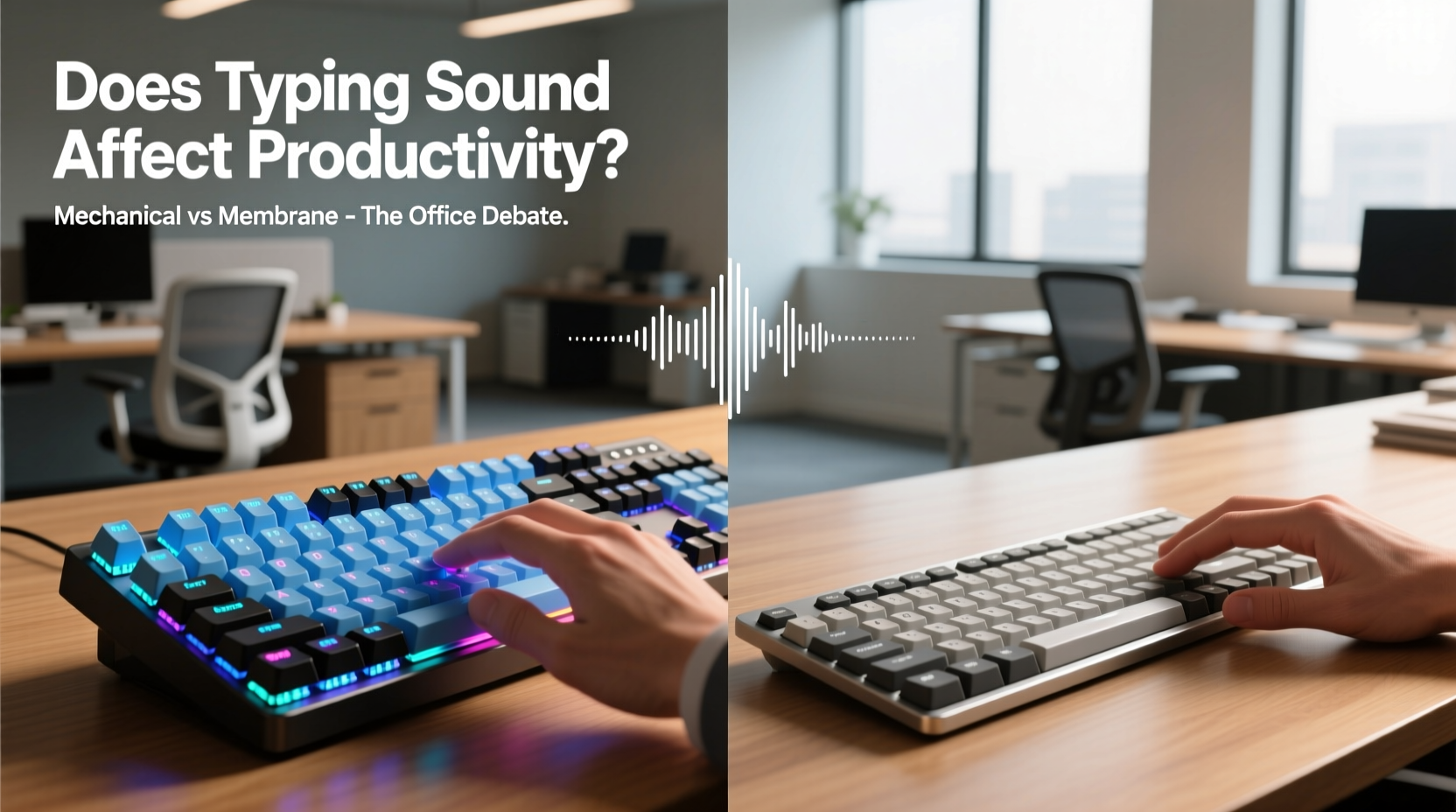
At the heart of the debate lies a fundamental distinction in switch technology. Mechanical keyboards use individual mechanical switches under each keycap, typically made with spring-loaded mechanisms that register keystrokes through physical contact. In contrast, membrane keyboards rely on a layered rubber or silicone sheet beneath the keys; pressing a key pushes it down until it contacts a circuit board, completing the electrical signal.
This structural difference leads to variations in tactile feedback, actuation force, durability, and, most noticeably, sound.
| Feature | Mechanical Keyboard | Membrane Keyboard |
|---|---|---|
| Switch Type | Individual mechanical switches (e.g., Cherry MX, Gateron) | Rubber dome or silicone membrane layer |
| Tactile Feedback | High – distinct bump or click on actuation | Low – mushy or flat feel |
| Actuation Force | 45–60g (varies by switch type) | 50–70g (less consistent) |
| Lifespan | 50+ million keystrokes per switch | 5–10 million keystrokes |
| Noise Level | Moderate to high (especially clicky variants) | Low to moderate (quieter overall) |
| Typing Speed & Accuracy | Generally higher due to precision feedback | Lower due to inconsistent travel and feedback |
| Price Range | $70–$200+ | $15–$50 |
The superior tactile response of mechanical keyboards often translates into faster typing with fewer errors, especially over long durations. However, this benefit comes at the cost of increased auditory output—a factor that becomes critical in shared office settings.
The Psychology of Sound in the Workplace
Sound plays a more significant role in cognitive performance than many realize. Research from the Journal of Environmental Psychology shows that unpredictable or repetitive noises—even at low volumes—can disrupt concentration, increase stress markers, and reduce task accuracy. Typing sound, particularly when rhythmic and sharp, falls into this category for some individuals.
However, not all sound is detrimental. Some people experience what psychologists call \"productive noise\"—a level of background stimulation that enhances alertness and flow. For instance, the rhythmic clatter of a mechanical keyboard may be perceived as satisfying or even motivating by the typist, creating a sense of engagement and momentum.
“Sound perception in the workplace is highly subjective. What one person finds energizing, another may find distracting. The key is managing auditory impact without sacrificing individual performance.” — Dr. Lena Torres, Cognitive Ergonomics Researcher, MIT Human Factors Lab
This duality explains why blanket policies banning mechanical keyboards often backfire: they protect some employees at the expense of others’ efficiency and comfort. A more nuanced approach considers both the nature of the sound and the context in which it occurs.
How Keyboard Noise Affects Productivity
There are two primary ways typing sound impacts productivity:
- Distraction to Others: In open-plan offices, frequent clicking sounds can interrupt colleagues engaged in deep work. Studies suggest that sudden auditory stimuli trigger involuntary attention shifts, breaking concentration cycles that take up to 23 minutes to rebuild.
- Self-Regulation and Rhythm: For the typist, audible feedback can reinforce typing rhythm, improve accuracy, and provide psychological satisfaction. This phenomenon, known as “auditory confirmation,” helps users know a keystroke was registered without looking at the screen.
A 2022 study conducted by the University of Copenhagen observed that participants using mechanical keyboards reported higher typing confidence and lower error rates, but nearby listeners rated their concentration levels 18% lower compared to those working near membrane users.
Real-World Office Scenarios: A Mini Case Study
Consider the case of a mid-sized tech startup in Austin, Texas, that transitioned to hot-desking after moving into a new open-concept office. Within weeks, complaints about noise escalated—particularly around three developers who used loud, clicky Blue-switch mechanical keyboards.
Management initially considered a full ban on mechanical keyboards. Instead, they opted for a pilot program: offering quieter alternatives (such as brown tactile or red linear switches), providing desk-mounted acoustic panels, and introducing flexible seating zones—quiet areas for focused work and collaborative zones for team interaction.
After six weeks, employee satisfaction rose by 32%, and self-reported productivity improved across departments. Notably, the developers kept their mechanical keyboards but switched to quieter models. The solution wasn’t elimination—it was adaptation.
This example underscores a broader truth: workplace tools should support both individual performance and collective harmony. Absolute quiet isn’t always ideal, nor is unrestricted noise acceptable. Balance is achievable with thoughtful planning.
Choosing the Right Keyboard for Your Office Environment
Selecting between mechanical and membrane keyboards shouldn’t be based solely on preference or trend. Consider these factors:
- Work Setting: Open offices favor quieter options; private offices allow more flexibility.
- Typing Volume: Heavy typists may benefit from mechanical precision and durability.
- Ergonomic Needs: Mechanical keyboards often offer better key rollover and responsiveness, reducing strain.
- Budget: Membrane keyboards are cheaper upfront but may need replacing sooner.
- Team Culture: If collaboration and minimal disruption are priorities, quieter input devices make sense.
Checklist: Choosing the Best Keyboard for Office Use
- Assess your daily typing load (light, moderate, heavy).
- Determine your workspace type (private office, cubicle, open plan).
- Test different switch types (linear, tactile, clicky) if possible.
- Consider sound-dampening features (O-rings, foam mods, silent switches).
- Check compatibility with your operating system and devices.
- Evaluate build quality and warranty for long-term value.
- Discuss norms with your team or manager if working in a shared space.
For those torn between worlds, hybrid keyboards—featuring mechanical-like feel with reduced noise—are emerging as viable compromises. Brands like Logitech and Microsoft now offer models with low-profile mechanical switches designed specifically for professional environments.
Frequently Asked Questions
Do mechanical keyboards really improve typing speed?
Yes, for many users. The precise actuation point and tactile feedback allow typists to register keystrokes more efficiently, reducing hesitation and finger travel. Studies show experienced mechanical keyboard users average 5–10% faster typing speeds with fewer errors over extended sessions.
Can keyboard noise cause long-term distraction in teams?
Potentially. Chronic exposure to repetitive, unpredictable sounds—even at low levels—can contribute to cognitive fatigue and reduced morale. Teams in close proximity may develop subconscious irritation, impacting communication and focus. Mitigation strategies like quiet zones or sound-absorbing materials help prevent this.
Are there silent mechanical keyboards available?
Yes. Many manufacturers produce mechanical keyboards with silent switches (e.g., Cherry MX Silent Red, Gateron Silent Brown). These incorporate internal dampeners to minimize noise while retaining the durability and responsiveness of mechanical switches. They are ideal for office environments where both performance and discretion matter.
Step-by-Step Guide: Transitioning to a Better Office Keyboard
- Week 1 – Assess Your Needs: Track how many hours you spend typing daily and note any discomfort or inefficiencies.
- Week 2 – Research Options: Compare mechanical and membrane models within your budget. Look for reviews focusing on noise and ergonomics.
- Week 3 – Test Before Buying: Visit electronics stores or borrow models from colleagues to test手感 (feel) and sound.
- Week 4 – Make a Decision: Choose a keyboard that balances performance, comfort, and environmental fit.
- Ongoing – Monitor Impact: After switching, evaluate changes in typing speed, accuracy, and coworker feedback over four weeks.
This gradual process ensures informed decision-making and minimizes regret or disruption.
Final Thoughts: Balancing Performance and Peace
The choice between mechanical and membrane keyboards isn’t just technical—it’s cultural, psychological, and ergonomic. While mechanical keyboards offer tangible benefits in responsiveness and longevity, their sound profile demands consideration in shared spaces. Conversely, membrane keyboards provide quiet reliability but may compromise long-term comfort and precision.
Ultimately, productivity isn’t solely determined by hardware. It emerges from the interplay between tools, environment, and personal workflow. The best keyboard is the one that supports your efficiency without undermining the focus of those around you.




 浙公网安备
33010002000092号
浙公网安备
33010002000092号 浙B2-20120091-4
Comments
No comments yet. Why don't you start the discussion?