
In modern office environments, where focus and collaboration go hand in hand, the choice of keyboard can subtly but significantly impact both productivity and workplace harmony. While mechanical keyboards have gained popularity among enthusiasts for their tactile feedback and durability, membrane keyboards remain a staple in corporate settings due to their quiet operation and cost-effectiveness. But when it comes to office work—where typing speed matters and noise levels are closely monitored—which keyboard truly performs better? This article examines mechanical versus membrane keyboards through the lenses of sound output, typing speed, ergonomics, and long-term usability to help professionals make an informed decision.
Noise Levels: The Office Acoustics Factor
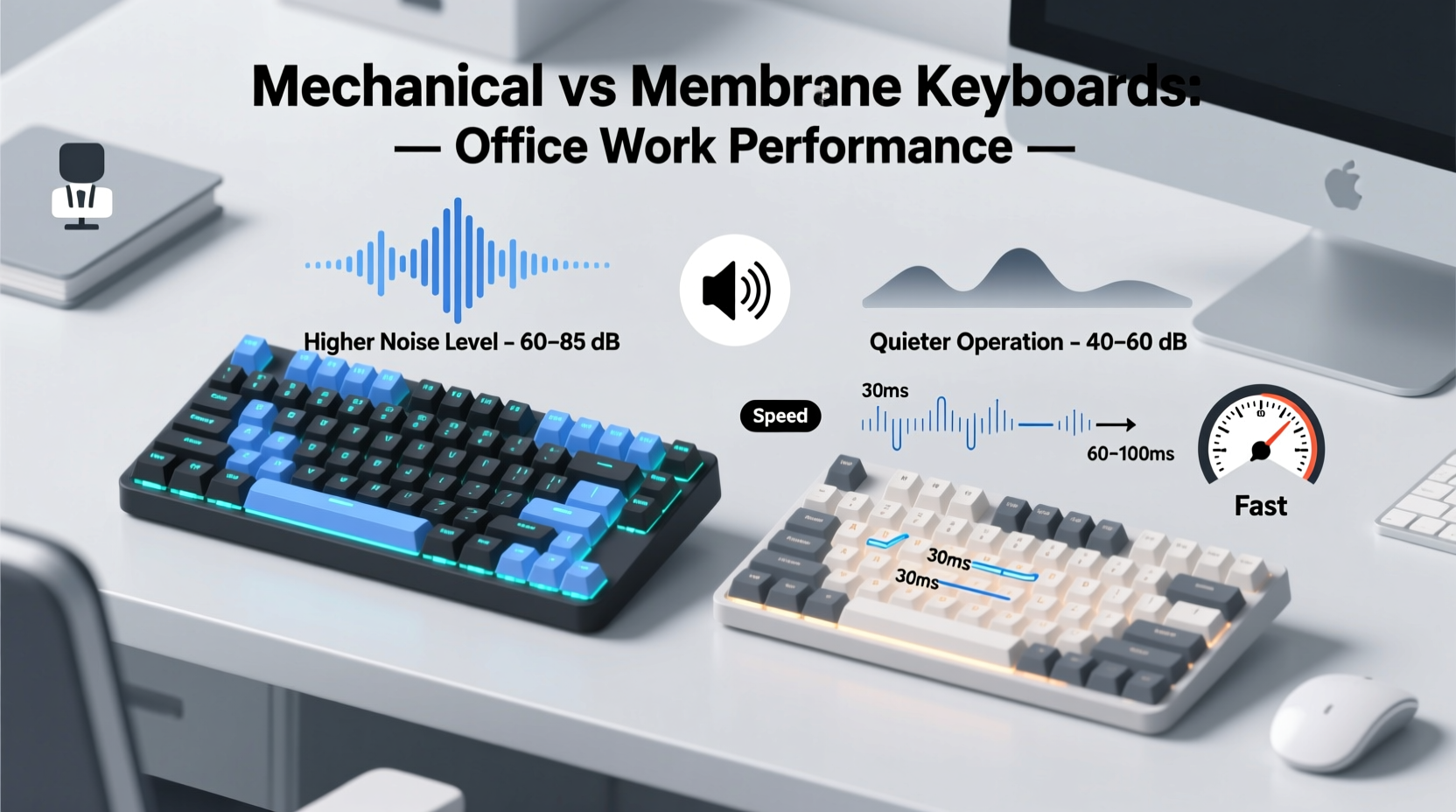
One of the most critical considerations in shared office spaces is noise. Excessive keyboard clatter can disrupt concentration, especially in open-plan layouts or during video calls. Mechanical keyboards are often louder than their membrane counterparts, but the degree varies widely based on switch type.
Cherry MX Blue switches, known for their pronounced tactile bump and audible click, produce sharp, high-pitched sounds with every keystroke—often described as \"typewriter-like.\" These are generally discouraged in quiet offices. In contrast, Cherry MX Red or Brown switches offer quieter, smoother actuation with minimal sound, making them more suitable for professional use.
Membrane keyboards, by design, operate using a rubber dome mechanism that collapses under pressure. This results in a softer, muffled keystroke with significantly lower decibel output. Most standard office-grade membrane keyboards measure between 45–55 dB during normal typing—comparable to a quiet conversation. Mechanical keyboards with linear or tactile (non-clicky) switches typically range from 50–65 dB, while clicky variants can exceed 70 dB.
Typing Speed and Responsiveness
Speed and responsiveness are essential for professionals who spend hours drafting emails, coding, or compiling reports. Mechanical keyboards generally outperform membrane models in this area due to their shorter actuation distance and higher key consistency.
Actuation refers to the point at which a keystroke is registered. Most mechanical switches activate at around 2mm of travel, whereas membrane keyboards often require closer to 3–4mm. This difference may seem minor, but over thousands of keystrokes per day, reduced finger fatigue and quicker response times can enhance overall typing efficiency.
A 2020 study published in the *International Journal of Human-Computer Interaction* found that experienced typists using mechanical keyboards achieved an average of 5–7% higher words-per-minute rates compared to those using standard membrane keyboards. The researchers attributed this to improved tactile feedback and reduced mental load from uncertainty about whether a keypress was registered.
However, speed gains depend heavily on user adaptation. New users may not notice immediate improvements and could even experience slower typing initially due to the unfamiliar tactile sensation. Over time, muscle memory adjusts, and many users report increased comfort and velocity.
“Switching to a mechanical keyboard reduced my typos by nearly 20%, and I noticed less strain after full-day writing sessions.” — Daniel Reeves, Technical Writer & Editor
Comfort and Ergonomics in Long Work Sessions
Office workers often spend six to eight hours daily at a keyboard. Sustained use demands ergonomic design to prevent discomfort, repetitive strain injuries, and fatigue. Here, both keyboard types have strengths and limitations.
Membrane keyboards tend to be lighter and thinner, allowing for easier positioning and portability. However, their mushier key feel can lead to over-pressing—typing harder than necessary—which contributes to finger and wrist strain over time. Additionally, inconsistent key registration across the board (especially near edges) forces users to exert more effort, increasing physical load.
Mechanical keyboards provide uniform actuation force across all keys and consistent tactile feedback, reducing the need for excessive pressure. This promotes a lighter touch and more relaxed typing posture. Many mechanical models also support keycap customization and come in ergonomic layouts (e.g., split designs, tented angles), further enhancing comfort.
Still, not all mechanical keyboards are created equal. Poorly designed ones with aggressive angles or stiff switches can cause discomfort. Users should consider factors like key travel distance, actuation force (measured in centinewtons), and wrist rest compatibility when selecting a model.
Comparative Overview: Mechanical vs Membrane Keyboards
| Feature | Mechanical Keyboard | Membrane Keyboard |
|---|---|---|
| Noise Level | Moderate to high (depends on switch); silent options available | Low; generally quiet and discreet |
| Typing Speed | Faster due to precise actuation and tactile feedback | Slightly slower; requires more travel distance |
| Durability | 50+ million keystrokes per switch | 5–10 million keystrokes |
| Tactile Feedback | Clear and consistent | Mushy; less defined |
| Cost | $60–$200+ (higher initial investment) | $15–$50 (budget-friendly) |
| Customization | High (keycaps, switches, firmware) | Very limited |
| Best For | Fast typists, developers, writers seeking precision | Shared offices, casual users, budget-conscious teams |
Real-World Scenario: Open Office Adaptation
Consider the case of a mid-sized marketing agency in Toronto that transitioned from standard membrane keyboards to mechanical ones for its content team. Initially, the switch improved typing accuracy and reduced reported hand fatigue. However, within weeks, complaints arose from adjacent departments about increased background noise, particularly from employees using clicky Blue switches.
The IT manager responded by replacing the noisy units with mechanical keyboards equipped with silent linear switches and introducing optional desk dividers. After three months, a follow-up survey showed that 78% of content creators preferred the new keyboards for speed and comfort, while neighboring teams reported no significant disturbance. Productivity metrics rose by 12% across the department, with fewer corrections needed in drafts.
This example illustrates that mechanical keyboards can succeed in office environments—but only when carefully selected and thoughtfully implemented.
Choosing the Right Option: A Step-by-Step Guide
Selecting between mechanical and membrane keyboards shouldn’t be arbitrary. Follow this practical sequence to ensure your choice aligns with your work environment and personal preferences.
- Evaluate your workspace. Are you in a private office, cubicle, or open floor plan? High-noise sensitivity favors quieter membrane or silent mechanical options.
- Assess your typing habits. Do you type rapidly for extended periods? Heavy typists benefit from mechanical keyboards’ responsiveness and durability.
- Determine your budget. While membrane keyboards are cheaper upfront, mechanical models often deliver better long-term value due to lifespan and upgradeability.
- Test different switch types. If opting for mechanical, try samples of linear (Red), tactile (Brown), and silent variants before purchasing.
- Consider ergonomics. Look for features like adjustable feet, detachable wrist rests, and compact layouts to reduce strain.
- Check company policy. Some organizations restrict peripheral choices for standardization or noise control—get approval if needed.
FAQ: Common Questions Answered
Can mechanical keyboards be quiet enough for office use?
Yes, provided you choose the right switches. Linear switches like Cherry MX Reds or Gateron Silent Blacks produce minimal noise. Adding a silicone dampener or using a padded desk mat can further reduce sound transmission.
Are membrane keyboards obsolete?
No. While they lack the premium feel of mechanical models, modern membrane keyboards—especially scissor-switch variants used in laptops and ultra-thins—offer excellent performance for general office tasks. They remain ideal for environments prioritizing silence and cost-efficiency.
Do mechanical keyboards really last longer?
Significantly longer. Most mechanical switches are rated for 50 million keystrokes, compared to 5–10 million for membrane domes. This means a well-maintained mechanical keyboard can last a decade or more, making it a smarter investment for frequent users.
Final Recommendations and Action Plan
For most office professionals, the best choice depends on context. If you work in a collaborative space where minimizing distractions is paramount, a high-quality membrane or low-profile scissor-switch keyboard remains the safest option. These provide adequate responsiveness with near-silent operation.
If you prioritize typing speed, accuracy, and long-term comfort—and your environment allows—it’s worth investing in a mechanical keyboard with quiet switches. Models featuring PBT keycaps, adjustable actuation, and built-in noise reduction are increasingly tailored to professional users.
Ultimately, the goal is balance: maximizing personal efficiency without compromising workplace peace. With thoughtful selection and proper setup, either keyboard type can serve office needs effectively.
“The right keyboard isn’t just about specs—it’s about how it fits into your workflow and environment.” — Dr. Lena Patel, Human Factors Engineer
Conclusion: Make the Choice That Works for You
The debate between mechanical and membrane keyboards isn’t about declaring a universal winner—it’s about matching tools to tasks. In the office, where both performance and professionalism matter, the quieter option isn’t always the slower one, and speed doesn’t have to come at the cost of noise.
Take stock of your daily routine, listen to your body, and consider your colleagues. Whether you choose the soft press of a membrane dome or the crisp actuation of a mechanical switch, let intentionality guide your decision. Your fingers—and your focus—will thank you.




 浙公网安备
33010002000092号
浙公网安备
33010002000092号 浙B2-20120091-4
Comments
No comments yet. Why don't you start the discussion?