
For remote workers, the tools of the trade extend beyond video conferencing software and ergonomic chairs. One of the most frequently used—and often overlooked—tools is the keyboard. Whether typing emails, coding, writing reports, or managing spreadsheets, your keyboard directly impacts comfort, efficiency, and even long-term health. Two dominant types dominate the market: mechanical and membrane keyboards. Each has strengths and drawbacks, particularly in the context of home offices, shared living spaces, and extended workdays. Understanding their differences helps remote professionals make informed decisions that align with their environment, workflow, and personal preferences.
How Mechanical and Membrane Keyboards Work
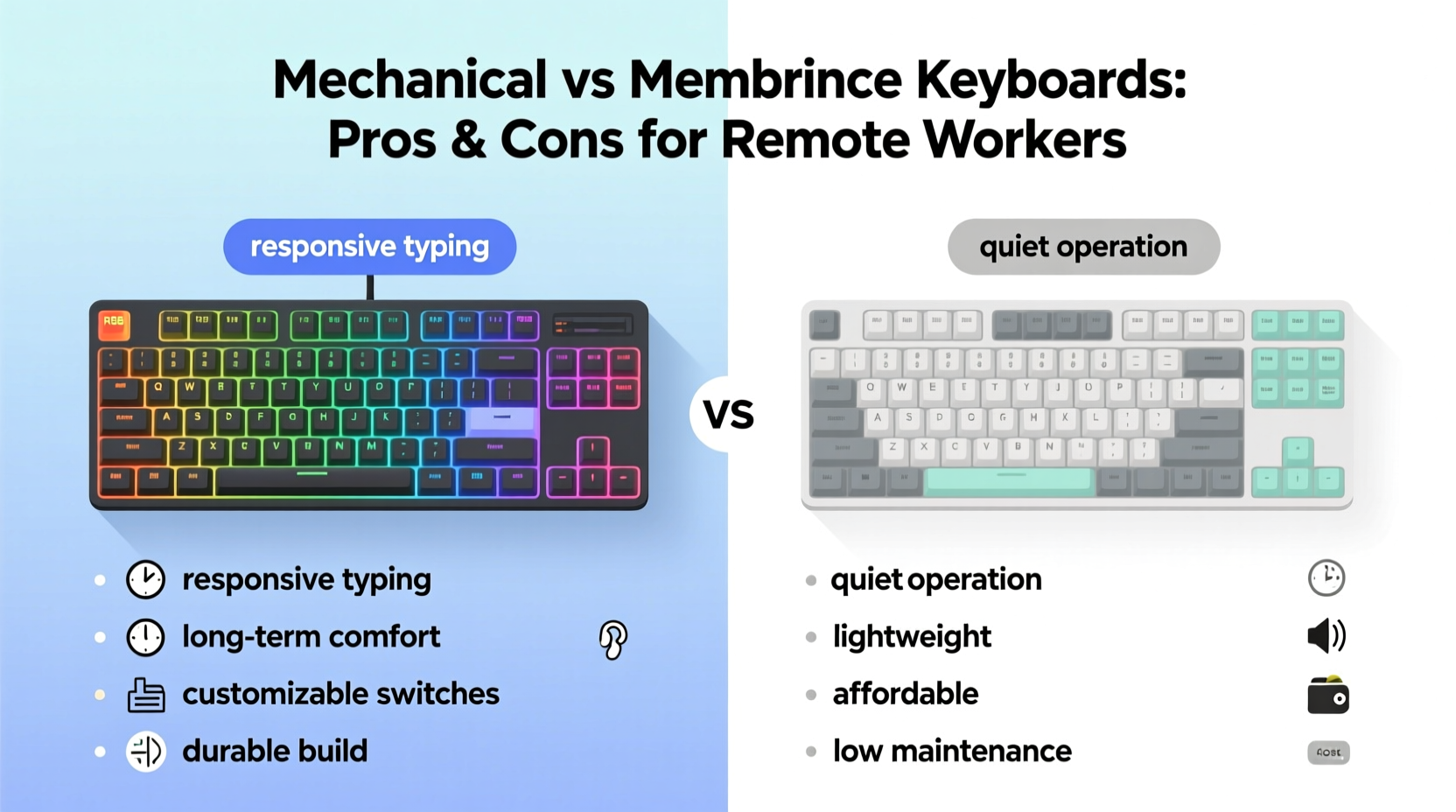
The core distinction between mechanical and membrane keyboards lies in how keypresses are registered.
Mechanical keyboards use individual mechanical switches under each keycap. These switches contain physical components—a spring, a stem, and metal contacts—that complete an electrical circuit when pressed. This design allows for tactile feedback, audible clicks (depending on switch type), and consistent actuation force across all keys.
Membrane keyboards, on the other hand, rely on a layered rubber or silicone sheet beneath the keycaps. When a key is pressed, it pushes down on this membrane, which makes contact with a circuit board below. The resistance is softer, the travel distance shorter, and the overall feel less defined compared to mechanical models.
This fundamental difference affects everything from typing speed to fatigue, noise output, and durability—factors that matter deeply to remote workers who may spend six to ten hours daily at their desks.
Noise Level and Home Office Compatibility
One of the most pressing concerns for remote workers is noise—especially those sharing space with partners, children, roommates, or pets. The sound profile of a keyboard can disrupt household peace or interfere with virtual meetings.
Mechanical keyboards, particularly those with clicky switches like Cherry MX Blues or Kailh Box Whites, produce sharp, audible clicks with every keystroke. While some users find this satisfying and rhythm-inducing, others—and their housemates—may find it distracting or even grating over time.
Tactile but non-clicky switches (e.g., Cherry MX Browns) or linear variants (e.g., Cherry MX Reds) offer quieter operation while retaining the mechanical feel. Even so, they’re generally louder than membrane keyboards.
Membrane keyboards, by contrast, operate almost silently. Their rubber-dome mechanism absorbs impact and minimizes sound, making them ideal for quiet environments or households where noise sensitivity is high.
Real-Life Scenario: Shared Living Challenges
Consider Sarah, a freelance writer working from her apartment in Brooklyn. She shares a small living room-turned-office with her partner, who attends online classes during the day. Initially excited by the responsiveness of a mechanical keyboard with blue switches, she soon noticed her partner struggling to concentrate. After receiving complaints during Zoom calls about “typing thunder,” she switched to a membrane model. Though less satisfying to type on, it preserved household harmony and allowed both to work simultaneously without auditory interference.
“Keyboard noise isn’t just about preference—it’s a consideration of shared space and respect.” — Dr. Lena Torres, Ergonomics Consultant
Ergonomics, Comfort, and Typing Fatigue
Remote work often means longer sessions at the keyboard. Over time, poor ergonomics can lead to strain, carpal tunnel symptoms, or general discomfort. Keyboard design plays a crucial role in mitigating these risks.
Mechanical keyboards typically offer superior key actuation consistency. Because each switch operates independently, less finger pressure is required to register a keystroke, especially with lighter linear or tactile switches. This reduces finger and wrist fatigue during prolonged typing.
Additionally, many mechanical keyboards support custom keycap heights, angles, and layouts—including split, ergonomic, or tented designs—that promote natural hand positioning. Programmable layers also allow for macro assignments, reducing repetitive movements.
Membrane keyboards usually require more force to actuate keys due to the “mushier” rubber dome response. This inconsistency—where some areas of the key feel different than others—can lead to over-pressing and muscle strain over time. Most come in standard rectangular layouts with limited adjustability.
However, some premium membrane models incorporate scissor-switch mechanisms (common in laptops) that improve stability and reduce travel distance, offering a middle ground in comfort.
Expert Insight on Long-Term Use
“Typing economy matters. A responsive keyboard reduces micro-movements and cognitive load, contributing to better focus and reduced injury risk over months of remote work.” — Dr. Rajiv Mehta, Occupational Health Specialist
Durability and Maintenance
Remote workers investing in home office equipment expect longevity. Here, mechanical keyboards have a clear advantage.
Most mechanical switches are rated for 50 million keystrokes per key—some brands exceed 100 million. Individual switches can be replaced if damaged, and keycaps are typically removable via pullers, allowing for deep cleaning or aesthetic customization.
In contrast, membrane keyboards degrade faster. The rubber domes wear out over time, losing responsiveness and developing “dead zones.” Once compromised, the entire keyboard usually needs replacement since repairs aren’t practical.
Cleaning is another factor. Mechanical keyboards allow for easy disassembly: keycaps can be removed, debris blown out, and surfaces wiped down. Membrane keyboards are more vulnerable to liquid damage; spills can ruin the internal circuit layer, and removing keycaps isn’t always possible or safe.
Cost Comparison and Value Over Time
At first glance, membrane keyboards appear more budget-friendly, often priced between $15 and $50. Entry-level mechanical models start around $70 and can exceed $200 for high-end, customizable versions.
But value should be assessed over time. A $40 membrane keyboard may need replacing every 1–2 years due to wear, while a $100 mechanical board can last a decade or more with proper care. For remote workers logging thousands of keystrokes weekly, this translates to better long-term ROI.
Moreover, mechanical keyboards often support firmware updates, hot-swappable switches, and open-source customization, extending their functional lifespan far beyond basic input devices.
Productivity and Typing Performance
Many remote professionals report increased typing speed and accuracy with mechanical keyboards. The tactile bump or audible click provides immediate feedback, reducing errors and double-taps. N-key rollover (the ability to register multiple simultaneous keystrokes) is standard on mechanical models, essential for fast typists or developers using complex shortcuts.
Programmability is another edge. With software like QMK or VIA, users can remap keys, create macros for frequent tasks (e.g., inserting email templates), or toggle between layers for different applications. This level of control streamlines workflows, especially for writers, coders, and data analysts.
Membrane keyboards typically lack these features. They often cap rollover at 6 keys (6KRO), which can cause input lag during rapid typing or gaming-like multitasking. Limited customization options mean users must adapt to the keyboard rather than the reverse.
Mini Case Study: Developer Workflow Enhancement
Mark, a backend developer based in Austin, transitioned from a laptop membrane keyboard to a compact 65% mechanical board with hot-swappable brown switches. Within weeks, he reported a 15% reduction in typos and faster navigation through codebases using custom macros. He programmed his right thumb key to toggle between terminals and editors, saving hundreds of keystrokes daily. While the initial learning curve was mild, the long-term gains in precision and efficiency justified the investment.
Comparison Table: Mechanical vs Membrane for Remote Workers
| Feature | Mechanical Keyboard | Membrane Keyboard |
|---|---|---|
| Noise Level | Moderate to loud (varies by switch) | Quiet to very quiet |
| Tactile Feedback | High – precise actuation point | Low – mushy, inconsistent feel |
| Durability | 50M+ keystrokes per switch | 5M–10M keystrokes; degrades faster |
| Customization | High – keycaps, switches, macros | Very limited |
| Maintenance | Easy – removable keycaps | Difficult – sealed design |
| Price Range | $70–$250+ | $15–$60 |
| Best For | Frequent typists, coders, enthusiasts | Quiet environments, casual users, tight budgets |
Action Checklist: Choosing the Right Keyboard
Use this checklist to evaluate your needs before purchasing:
- ✅ Assess your work environment: Do you share space? Is noise a concern?
- ✅ Determine your typing volume: High-volume typists benefit more from mechanical feedback.
- ✅ Consider long-term costs: Will a cheaper keyboard need frequent replacement?
- ✅ Test switch types: Try clicky, tactile, and linear switches if possible.
- ✅ Prioritize ergonomics: Look for adjustable feet, wrist rests, or split designs.
- ✅ Check for programmability: Useful for automating repetitive tasks.
- ✅ Evaluate portability: Compact mechanical boards exist, but membranes are generally lighter.
FAQ: Common Questions from Remote Workers
Can I use a mechanical keyboard in a shared apartment?
Yes, but choose quieter switch types like linear (Reds) or silent variants. Adding desk mats, O-rings, or typing softly can further reduce noise. Alternatively, consider hybrid keyboards with low-profile mechanical switches designed for quiet operation.
Are mechanical keyboards bad for your wrists?
No—in fact, they’re often better. The reduced actuation force and consistent response minimize strain. However, pairing any keyboard with proper ergonomics (neutral wrist position, arm support) is essential to prevent injury.
Do membrane keyboards last long enough for full-time remote work?
They can, especially higher-end models with scissor switches. However, most won’t match the lifespan of mechanical keyboards. If you type heavily (40+ WPM for 6+ hours/day), expect to replace a membrane keyboard within 2–3 years.
Final Recommendation and Next Steps
The choice between mechanical and membrane keyboards ultimately depends on your priorities. If you value precision, durability, and customization—and work in a setting where noise isn’t prohibitive—a mechanical keyboard is likely the superior long-term investment. It enhances typing efficiency, reduces fatigue, and supports advanced workflows.
If you live in a quiet household, work irregular hours, or operate on a tight budget, a quality membrane keyboard remains a practical, unobtrusive option. Modern models have improved significantly in feel and reliability, narrowing the gap for light to moderate users.
For many remote workers, a balanced solution exists: compact mechanical keyboards with quiet switches, wireless connectivity, and ergonomic layouts. Brands like Logitech, Keychron, and Ducky offer hybrid-friendly models that blend performance with discretion.




 浙公网安备
33010002000092号
浙公网安备
33010002000092号 浙B2-20120091-4
Comments
No comments yet. Why don't you start the discussion?